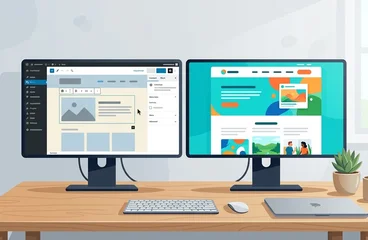
The Complete WordPress Staging Guide
What WordPress staging means in practice: setup methods, what to look for in hosting with staging, testing workflows, and the database problem most guides skip.
Read MoreBehind the scenes of keeping WordPress sites healthy and happy
Your website isn't a one-time project—it's a living asset that requires regular attention. Without proper maintenance, even the best-designed WordPress site can slow down, break, or become vulnerable to security threats. That's where a structured, proactive approach to website maintenance makes all the difference.
At FatLab Web Support, we specialize in providing ongoing support through trusted WordPress Maintenance Plans. We don't just install updates—we monitor your site's performance, fix issues before they escalate, and ensure everything runs smoothly, so you can stay focused on your mission or business.
Here you'll find expert insights and practical tips on:
Our content is written for site owners, developers, and teams who understand the value of uptime, performance, and peace of mind.
FatLab's maintenance services go far beyond the basics. Each plan includes:
Whether you're managing one site or a portfolio of dozens, we keep your infrastructure stable and your content available around the clock. Our maintenance packages are designed for businesses, nonprofits, and creative teams who don't want to babysit their websites—we've got that covered.
Explore the articles below to dive deeper into the what, why, and how of maintaining a healthy WordPress site.
Professional maintenance plans that prevent problems before they happen.
Get Your Maintenance Plan → ✓ Daily Backups ✓ Security Monitoring ✓ Performance Optimization
What WordPress staging means in practice: setup methods, what to look for in hosting with staging, testing workflows, and the database problem most guides skip.
Read More
Deferring WordPress updates isn't a cost saving, it's a deferred cost with interest. Here's what accumulates when you wait and what the math looks like.
Read More Video
Video
The 8-step process we use to update WordPress safely across 200+ sites: verify backups, read changelogs, update core first, then plugins one at a time.
Read More
Update immediately is correct for security patches and wrong for major releases. Here's the plugin update timing framework from managing 200+ WordPress sites.
Read More
Turn auto-updates on for core security patches and low-risk plugins. Keep page builders, WooCommerce, and membership plugins manual, and here is exactly why.
Read More
What the current WordPress version is, how major and minor core updates differ, and how to handle each one safely.
Read More Video
Video
Which PHP version is best for WordPress in 2026 (PHP 8.4), how to update PHP in WordPress without breaking your site, and what to test on staging first.
Read More Video
Video
Core, plugins, themes, and PHP carry different risks. Plugins cause 96% of WordPress vulnerabilities. Here is what to update, when, and what to test first.
Read More
Updating reactively isn't a plan. Here's a practical WordPress update schedule that handles security patches fast and batches routine updates efficiently.
Read More Video
Video
Honest comparison of the best WordPress staging plugin options: WP Staging, BlogVault, and WP Stagecoach. What each does well and where they fall short.
Read More
The critical difference between WordPress backup plugins and server-level backups, and why infrastructure-based backups provide reliability plugins cannot.
Read More
BackupBuddy review covering the plugin's current state under SolidWP, Stash Live real-time backups, pricing, and whether it still competes.
Read MoreLet us handle the technical details while you focus on your business.
Learn About Our Maintenance Services