
If your hosting provider doesn't offer built-in staging or its staging features don't meet your needs, a WordPress staging plugin is the next best option. But the staging plugin WordPress market is full of inflated claims and marketing language designed to make every option sound perfect.
It isn't. Each plugin makes trade-offs. Some have genuine limitations that matter. And for many sites, a staging plugin is solving a problem that the right hosting would eliminate.
This guide compares the leading WordPress staging plugins based on what actually matters: reliability, database handling, push-to-live capability, and whether the plugin introduces risks that staging is supposed to prevent. If you're still getting oriented on what a staging site is and why it matters, start there.
Before We Compare: The Plugin vs. Infrastructure Question

Before evaluating staging plugins, it's worth asking whether you need one at all.
If your WordPress site is hosted on a managed platform like WP Engine, Kinsta, Cloudways, or SiteGround (GrowBig+), staging is built into your hosting dashboard. No plugin needed. The staging environment runs on server infrastructure, not inside WordPress, which is inherently more reliable and doesn't consume your production site's resources.
Staging plugins are primarily for sites on hosting providers that don't offer built-in staging: budget shared hosting, unmanaged VPS, or legacy hosting environments. If you're evaluating staging plugins because your hosting doesn't support staging, it may be worth evaluating your hosting provider as well.
That said, there are legitimate reasons to use a staging plugin even on managed hosting:
- Some plugins offer database merge capabilities that host-provided staging doesn't.
- Some provide off-server staging that eliminates resource contention.
- Some offer workflows that fit specific team needs better than what the hosting dashboard provides.
Full disclosure: We don't use any of these plugins. For the roughly 200 sites we manage, staging is built into our hosting infrastructure through Cloudways. We chose infrastructure-level staging over plugins because it's more reliable, doesn't consume production server resources, and integrates with our automated weekly update testing.
We can evaluate these plugins honestly because we don't sell any of them.
That said, not everyone is on managed hosting with built-in staging, and for those sites, these plugins serve a real need. When we've taken over sites from other providers, like Merrick Creative's portfolio of more than 30 sites that migrated from servers the agency managed itself, plugin-based staging was sometimes the only option available under the previous setup. Moving to managed infrastructure eliminated that dependency.
With that context, here's what each major staging plugin actually delivers.
WP Staging Plugin: The Free Tier Standard

Active installations: 245,000+ Rating: 4.8/5 (2,442+ reviews) Pricing: Free version available, Pro from $93/year (1 site)
WP Staging is the most popular dedicated WordPress staging plugin, and arguably the best WordPress staging plugin for those on a budget. The free version is genuinely useful, which is rare in this category. The German-engineered WP staging plugin runs over 1,000 automated tests per release, which gives it a stability edge over less rigorously tested alternatives.
What WP Staging Does Well
The free version creates a one-click staging site within the same server, accessible via a subfolder (e.g., yoursite.com/staging). You can select which database tables and folders to include in the clone, allowing you to exclude large media directories to speed up the process.
The staging site is automatically excluded from search engine indexing.
The Pro version adds the critical push-to-live capability, subdomain and separate domain staging, WordPress Multisite support, and scheduled backups. For WooCommerce sites, it offers the option to skip orders and product tables during push, which addresses one of the most common staging pitfalls.
Where WP Staging Falls Short
The free version cannot push changes back to production. You can create staging and make changes, but getting those changes to your live site requires either the Pro version or manual work. This is worth understanding before you commit to a workflow built around the free version.
The staging site runs on the same server as production. For sites on shared hosting where resources are already constrained, cloning your entire site and running a second copy consumes server resources that your live site needs.
If your site is large (hundreds of megabytes or more), the cloning process itself can temporarily degrade production performance.
There's no cloud-based staging option. Everything runs on your existing server. For comparison, BlogVault and WP Stagecoach host staging on their own infrastructure.
Best For
Freelancers and small agencies managing WordPress sites on non-managed hosting. The free version offers genuine staging, and the Pro version is the most affordable path to push-to-live functionality.
BlogVault: Cloud-Hosted Staging
Active installations: 40,000+ Pricing: From $149/year (no free tier)
BlogVault is a backup and security platform that includes staging as part of its feature set. The key differentiator: staging sites run on BlogVault's own cloud infrastructure, not on your hosting server.
What BlogVault Does Well
By hosting staging on external servers, BlogVault eliminates the biggest risk of plugin-based staging: resource contention with your production site. Your live site's performance is completely unaffected by staging operations. The staging environment gets SSL automatically, and no DNS or server configuration is needed on your end.
BlogVault offers selective merge when pushing changes back to production, letting you choose which changes go live rather than doing a full overwrite. Staging environments are valid for up to 56 days.
The platform combines backup, security, and staging into one subscription, which can be efficient if you need all three.
Where BlogVault Falls Short
There's no free tier. The entry price of $149/year per site is steep if you only need staging. You're paying for a full backup and security platform, whether you need those features or not.
Staging is limited to 56 days. For long-running development projects, this may not be enough. You're also locked into BlogVault's infrastructure for staging, with no option to self-host.
Per-site pricing adds up quickly for agencies or teams managing multiple sites. At $149/year per site, managing even 10 sites in staging costs nearly $1,500 annually just for staging.
Best For
Organizations that want staging isolated from their production server and are already using or considering BlogVault for backups. The cloud-hosted approach is genuinely beneficial for sites with limited server resources.
WP Stagecoach: The Database Merge Solution
Pricing: From $99/year (1 site)
WP Stagecoach is a premium-only staging plugin that solves the hardest problem in WordPress staging: the database merge problem.
What WP Stagecoach Does Well
While virtually every other staging solution either overwrites the production database or limits you to file-only pushes, WP Stagecoach offers genuine database merging. It doesn't overwrite your production database with the staging copy. Instead, it identifies the specific changes made on staging and applies only those changes to production, leaving everything else untouched.
This is enormously valuable for WooCommerce stores, membership sites, and any site where the production database changes continuously. If orders come in while you're working on staging, they're safe. If members register while you're testing a new feature, those registrations are preserved.
Like BlogVault, staging sites run on WP Stagecoach's own servers, eliminating resource impact on your production site. Caching plugins are automatically disabled on staging to prevent false test results.
Where WP Stagecoach Falls Short
There's no free tier. The $99/year entry point is reasonable, but the 5-site Developer plan jumps to $199/year, and the 30-site Agency plan is $349/year.
The user base is smaller than WP Staging or BlogVault. That's not necessarily a quality indicator, but it means fewer community resources, fewer tutorials, and potentially slower feature development.
You're dependent on WP Stagecoach's server availability. If their infrastructure has issues, your staging workflow is affected.
Best For
WooCommerce stores, membership sites, and any WordPress site where the production database is actively changing during staging work. The database merge capability genuinely solves a problem that other solutions either ignore or handle poorly.
InstaWP: The Cloud-Native Approach
Pricing: Free tier available (48-hour lifespan), paid from $2/month
InstaWP takes a different approach entirely: cloud-native WordPress environments created on demand. Rather than cloning your existing site, InstaWP creates WordPress environments in the cloud and offers bidirectional synchronization between them and your production site.
A note on our evaluation: We haven't used InstaWP in client work, so this assessment is based on the platform's documented capabilities and community feedback rather than hands-on experience. We're being transparent about that because writing authoritatively about tools we haven't used isn't helpful.
What InstaWP Does Well
- Three staging types (Quick, Full, Custom) give flexibility in how much of your site gets cloned.
- Bidirectional sync with conflict resolution is the most sophisticated in this category.
- Cloud-hosted environments eliminate server resource concerns.
- Disposable environments are well-suited for quick plugin testing without any commitment.
- API access enables automation for development teams that want staging integrated into their deployment pipeline.
The pricing model is usage-based, which can be more economical than annual subscriptions for teams that don't need persistent staging environments.
Where InstaWP Falls Short
- It's a relatively newer platform with less of a track record than established alternatives.
- The free tier's 48-hour lifespan is very restrictive.
- The learning curve for advanced synchronization features is steeper than simpler alternatives.
- Cloud dependency means you need an internet connection for all staging work.
Best For
Development teams and agencies that want cloud-native staging with sophisticated sync capabilities. The disposable environment feature makes it particularly good for "let me quickly test this plugin" scenarios.
UpdraftClone: Token-Based Quick Testing
Pricing: $15 for 5 tokens, or included with UpdraftPlus Premium ($70+/year)
UpdraftPlus's staging solution creates temporary clone sites on UpdraftPlus servers using a token-based system. Each token creates a 24-hour staging environment, extendable to 7 days with an additional token.
A note on our evaluation: Like InstaWP, we haven't used UpdraftClone as a staging tool in client work. Our assessment is based on documented capabilities and the UpdraftPlus ecosystem we're familiar with from backup usage.
What UpdraftClone Does Well
Each clone runs on a dedicated VPS, not shared infrastructure. You can choose specific WordPress and PHP versions for the staging environment, which is useful for testing PHP upgrades. Integration with the UpdraftPlus ecosystem makes it convenient for teams already using UpdraftPlus for backups.
Where UpdraftClone Falls Short
The token system makes ongoing staging expensive and impractical. At $15 for 5 tokens, frequent staging users burn through tokens quickly. The 24-hour default lifespan is far too short for most development work. There's no push-to-live capability. You can test on the clone, but getting changes back to production is a manual process.
Best For
Quick, one-off testing scenarios for teams already using UpdraftPlus. Not suitable for regular staging workflows or development projects that span more than a day or two.
Duplicator: Migration Tool, Not Staging Tool
Pricing: From $49.50/year (2 sites)
Duplicator is primarily a migration and backup tool that some teams use for staging. It creates a "package" (a full site archive) that can be deployed to any server or location.
The Honest Truth
Duplicator is excellent at what it was designed for: packaging WordPress sites for migration. Using it for staging is possible, but clunky. There's no one-click staging creation. There's no built-in push-to-live from staging. There's no automatic sync between staging and production. You're manually creating packages, deploying them, making changes, and then manually applying those changes back to production.
If you already use Duplicator for backups or migrations and occasionally need a staging copy, it works. If you need staging as part of your regular workflow, purpose-built staging tools are a better choice.
Plugin Comparison at a Glance
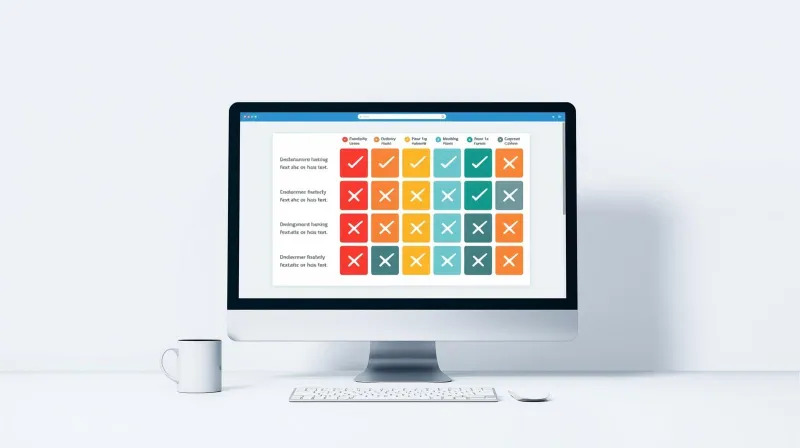
| Feature | WP Staging | BlogVault | WP Stagecoach | InstaWP | UpdraftClone |
|---|---|---|---|---|---|
| Free tier | Yes (no push) | No | No | Yes (48hr) | Token-based |
| Hosted off-server | No | Yes | Yes | Yes | Yes |
| Push to live | Pro only | Yes | Yes | Yes | No |
| Database merge | Selective tables | Selective merge | True merge | Selective sync | N/A |
| WooCommerce-safe | Skip orders option | Selective | Merge (safe) | Selective | N/A |
| Multisite support | Pro only | Yes | Yes | Yes | No |
| Starting price | Free / $93/yr | $149/yr | $99/yr | Free / $2/mo | $15/5 tokens |
The Bigger Picture: A WordPress Staging Plugin Is a Tool, Not a Solution
A staging plugin gives you the ability to create a staging environment. It doesn't give you a staging workflow. Staging is a workflow tool, not a content process. The plugin handles the mechanics while everything that matters happens around it: knowing what to test, understanding the database merge problem, verifying deployments after push, and maintaining the discipline to use staging for every change that touches production.
Even the best WordPress staging plugin in the world doesn't help if nobody follows a consistent testing process. The simplest staging setup works perfectly if the team using it has clear workflows, documented checklists, and the discipline to follow them every time.
The point-and-click developer problem is relevant here: people who hire themselves out as web developers but can't write code, don't understand servers or PHP, and do all their work directly on the production site. These are often the developers who most need staging tools, but they're also the ones least likely to use them properly.
A staging plugin doesn't compensate for a lack of development discipline. It just gives undisciplined developers a more complicated way to break things.
If you're evaluating staging plugins, you're already thinking about this the right way. But also ask: Is a plugin the right layer to solve this problem? Or would your site benefit more from hosting that includes infrastructure-level staging, where the mechanics are handled so you can focus on the workflow?
For more on the staging workflow that matters more than which tool you use, and the full picture of how staging fits into professional WordPress management, see our complete WordPress staging guide.
Once you've chosen your staging approach and built your workflow, the next critical step is understanding how to safely push staging to production without risking your live data.
Want Staging Without the Plugin Overhead?
For the sites we manage, staging is built into the hosting infrastructure. No plugins to install, no tokens to purchase, no cloud services to subscribe to. Staging is part of the workflow for every update, every deployment. Learn about our WordPress maintenance services and how professional staging workflows protect your site.