
Choosing a WordPress petition plugin is harder than it looks. The options exist on a spectrum: on one end, you have a contact form dressed up with a signature counter. On the other end, you have deep integrations with advocacy platforms like Action Network or EveryAction that turn WordPress into a presentation layer for a full-fledged organizing CRM. Action alert functionality falls somewhere in between, and most online advice treats these as simple plugin decisions.
The right approach depends on where your organization sits on that spectrum, and most online content on this topic won't help you figure that out. Search for a WordPress petition plugin, and you'll find a collection of feature lists. Plugin A has a progress bar. Plugin B has social sharing. Plugin C has a Gutenberg block. What you won't find is anyone telling you whether those plugins actually hold up when a campaign takes off, how they connect to the email platform your organization already uses, or what happens to all those signatures after collection.
We manage websites for advocacy organizations, political action committees, and issue campaigns. Across roughly 200 WordPress sites under management, we've deployed petition tools, built custom donation systems, and handled the infrastructure side when campaigns go viral. That scale gives us a maintenance lens that most plugin reviews lack: we see which tools survive in the long term and which create support tickets six months later. This is what we've learned.
Three Tiers of Petition and Action Alert Capability

Before evaluating specific plugins, it helps to understand the three fundamentally different approaches to petition functionality on WordPress. Each has a different technical architecture, cost structure, and ceiling for what it can deliver.
Tier 1: Form-Based Petitions
At the simplest level, a petition is just a form: collect a name, an email address, maybe a comment, store the submissions, and send a confirmation. WordPress form plugins like Gravity Forms or WPForms handle this natively. The data remains in your WordPress database, and the email is sent through WordPress or a connected SMTP service.
This tier works for organizations running one to three petitions per year, building an email list from scratch, or testing advocacy tactics before committing to a dedicated platform. If the petition is one component of a site that already uses Gravity Forms for other workflows, it's the path of least resistance.
Tier 2: Purpose-Built Petition Plugins
Dedicated WordPress petition plugins add features that form builders lack out of the box:
- Signature counters with progress bars
- Email-to-target functionality (sending the petition directly to a legislator's inbox)
- Signature verification and public signature displays
- Social sharing prompts and petition expiration dates
These are still WordPress-native. Data lives in the WordPress database, and the plugin handles the entire workflow. This tier is best for organizations whose primary digital presence is their WordPress site and who run petition campaigns regularly but don't need a full advocacy CRM.
Tier 3: External Platform Integration
Organizations running sustained advocacy programs, with multiple simultaneous campaigns, legislative targeting, supporter scoring, and multi-channel outreach, typically use dedicated advocacy platforms and embed their forms into WordPress. WordPress becomes the website; the advocacy platform handles data, automation, and campaign logic.
Action Network, EveryAction (now Bonterra), NationBuilder, Quorum, and others all fall into this tier. This is where most mature advocacy organizations end up, and for good reason. But it comes with its own set of WordPress integration challenges.
Why Getting the Tier Wrong Costs You
The wrong tier choice creates one of two problems.
Underbuilding means an organization running three simultaneous petition campaigns with legislative targeting, email follow-up sequences, and supporter segmentation, yet trying to manage it all through a WordPress petition plugin and a separate email platform. The manual data syncing alone becomes a part-time job.
Overbuilding means a small nonprofit that wants to collect signatures for one petition a year is paying $125 or more per month for an advocacy platform when a Gravity Forms petition with a Mailchimp integration handles it at a fraction of the cost.
Form Builders as Petition Tools: When They're Enough
If your organization already runs Gravity Forms or WPForms on its WordPress site, you may not need a separate petition plugin at all. This is the approach most plugin listicles never mention, but it's what we recommend most often for organizations in Tier 1.
Gravity Forms for Petitions
Gravity Forms is not a petition plugin. It's a form builder that can be configured into a sophisticated petition system with the right add-ons.
The petition-specific setup looks like this:
- A drag-and-drop form with 30-plus field types including signature fields
- The free Gravity Forms Progress Meter add-on for displaying signature counts with auto-incrementing goals
- GravityView (from GravityKit, $99 per year and up) for displaying submitted signatures on the front end of the site
That last piece is critical for petition credibility and something most form builders lack natively.
Gravity Forms also integrates directly with CRMs and email platforms via add-ons, including ActiveCampaign, Mailchimp, Engaging Networks, Salsa Labs, and dozens more. A petition submission can trigger an immediate subscriber addition with tags and segments, no manual CSV export required.
The nonprofit license is $129 per year for all Elite features on three sites. That's competitive with any purpose-built petition plugin when you factor in that Gravity Forms handles every other form on the site, too.
Where Gravity Forms falls short for petitions: there's no out-of-the-box "petition mode," no built-in email-to-target functionality, and no built-in social sharing after submission. You're assembling the petition experience from several pieces rather than getting it as a single package. For organizations that run frequent campaigns, the assembly effort matters.
WPForms for Petitions
WPForms offers pre-built petition form templates, including one with a digital signature field that captures drawn signatures on mobile devices. Initial setup is faster than Gravity Forms for a basic petition.
WPForms also offers nonprofit pricing worth knowing about: Pro at $99 per year (75 percent off) and Elite at $199 per year (66 percent off). For advocacy organizations on a tight budget, that changes the math significantly.
The limitations are more significant, though:
- No progress bar or signature counter without custom development
- No front-end signature display
- No email-to-target
- Without the nonprofit discount, the signature add-on requires the Pro plan at $199.50 per year, with renewal pricing that doubles after the first year
When Form Builders Are the Right Call
Form builders are the right petition tool when:
- The organization runs one to three petitions per year
- The primary goal is email list building rather than sustained advocacy
- The site already uses the form plugin for other workflows
- The budget for advocacy tooling is under $200 per year
If any of those conditions change, it's time to evaluate Tier 2 or Tier 3 options.
Purpose-Built WordPress Petition Plugins: An Honest Assessment
The petition plugin space on WordPress is smaller than you'd expect. It's worth being honest about what exists, what's actively maintained, and what's effectively abandoned.
SpeakOut! Email Petitions
SpeakOut! is the longest-running dedicated petition plugin for WordPress and one of the most feature-complete options available. Its standout capability is built-in email-to-target: when someone signs the petition, the message is sent directly to a specified email address. For organizations that need to deliver petition messages to legislators or decision-makers, this is the core function.
The free version is genuinely functional for single-campaign use, with a signature goal, visual progress bar, petition expiration dates, social sharing, and CSV export. The Pro version is a one-time lifetime payment (no recurring subscription) for unlimited petitions and expanded mailing list integrations.
SpeakOut! has a proven track record with grassroots organizations, PACs, think tanks, and campaign websites. But it's a single-developer project with over 4,000 installs and a moderate development pace. The interface is functional but dated, and spam protection is basic compared to newer options.
Petitioner
Petitioner is the newer option worth watching. It's completely free with no premium-tier gating of critical features, actively developed with a modern codebase, and has the best spam protection of any petition plugin: reCAPTCHA, hCaptcha, Cloudflare Turnstile, Akismet integration, honeypot fields, and double-opt-in email confirmations.
It includes email-to-target functionality, unlimited petitions, a drag-and-drop form builder with 10-plus field types, and Gutenberg integration with a custom petition block. The modern UI doesn't look like a 2015 WordPress plugin, which matters when you're asking supporters to trust it with their information.
The trade-offs:
- Newer with a smaller install base (fewer community resources if you hit an edge case)
- No built-in progress bar or signature counter
- Limited email marketing platform integrations
- No social sharing after signature
CBX Petition and Civist
CBX Petition from Codeboxr offers built-in email verification in its free version and rich media support (video, banners, photos) for campaign storytelling. The Pro version enables front-end petition submission, allowing site visitors to create and manage their own petitions. That's a unique feature for coalition-driven campaign models.
Civist combines petition and fundraising functionality, which is valuable for organizations that want to convert petition signers into donors in a single flow. Its Kiosk Mode (still in beta) enables in-person signature collection on tablets at events. No other WordPress petition plugin offers that.
Both have smaller communities and less transparent pricing for their premium features. For most organizations, SpeakOut! or Petitioner will be the stronger starting point.
The Abandonment Risk Nobody Mentions
Here's something the plugin listicles won't tell you: the petition plugin space is littered with abandoned or barely-maintained projects. WP Petitions, the original WordPress Petition Plugin (now a GitHub fork), and several others are effectively dead. Building a campaign on a plugin with one developer and no business model is a real risk.
Managing roughly 200 WordPress sites gives us a clear picture of which plugins survive contact with real campaigns and which ones quietly stop receiving updates.
A plugin that stops receiving updates doesn't just miss new features; it becomes a security liability. For petition campaigns that collect personal information (names, emails, sometimes addresses), that risk is significant — especially for advocacy organizations facing targeted threats.
When we recommend a WordPress advocacy plugin, we're factoring in development activity, community size, business model sustainability, and compatibility with current WordPress versions. SpeakOut! has the track record. Petitioner has the momentum. Both have trade-offs, and the honest answer is that neither is a complete, polished solution in the way that Gravity Forms is for general form building.
External Advocacy Platform Integrations
For organizations that have outgrown WordPress-native petition tools, or that already use a dedicated advocacy platform, the question shifts from "which plugin?" to "how well does my platform integrate with WordPress?"
The answer varies dramatically by platform.
Action Network
Action Network is the most commonly used advocacy platform among progressive organizations that maintain WordPress websites. Its WordPress integration is also the most mature among advocacy platforms, which is a low bar but an important distinction.
The official WordPress plugin (wp-action-network) creates shortcodes from any Action Network embed code, adds widget support for sidebar and footer placement, and, for API key holders, auto-syncs actions from Action Network to WordPress. The plugin exists because WordPress strips out the script and style tags that Action Network embeds require; without it, raw embeds simply don't work.
There's also a lesser-known alternative: Form Integration for Action Network and Contact Form 7, a bridge plugin that lets organizations use Contact Form 7 as the form frontend while pushing data to Action Network's API. For organizations already running CF7 across their site, this avoids adding another form system entirely.
Pricing starts at $15 per month for the Actions Only tier. The Movement Partnership tier starts at $1.25 per 1,000 emails per month. For organizations primarily running petition campaigns, the Actions Only tier is a reasonable entry point into a real advocacy platform.
Action Network is explicitly progressive in orientation. That's not a technical limitation, but it's worth stating clearly: the platform may not be suitable for all organizations.
EveryAction (Bonterra)
EveryAction, now part of Bonterra, is enterprise-grade advocacy software used by larger nonprofits. Its advocacy features are the most powerful available: one-click actions, geopolitical mapping for legislator targeting, 99.6 percent message deliverability to legislators (it prioritizes website comment forms over email), and supporter scoring.
The WordPress integration situation is poor. No dedicated WordPress plugin exists. WP Fusion has an open feature request for Bonterra CRM support that hasn't been implemented. Integration typically requires custom development: embedding forms via iframe or JavaScript, with a specialist agency handling the connection.
Enterprise pricing (typically $500 or more per month) puts EveryAction out of reach for smaller organizations. But for organizations already on the platform, the WordPress integration is a custom development conversation, not a plugin installation.
NationBuilder
NationBuilder includes its own website builder, which makes its relationship with WordPress inherently complicated. You're integrating two platforms that both want to be your website.
NationBuilder's pricing scales with database size:
- Starter: roughly $29 to $34 per month for up to 1,000 people
- Mid-tier: about $99 per month for up to 10,000 people
- Higher tiers: $159 to $299 per month for up to 100,000 people
All plans include unlimited users and unlimited email blasts, but the total cost of a NationBuilder-plus-WordPress setup adds up quickly once you factor in WP Fusion for integration.
The best integration path is WP Fusion ($247 or more per year), which provides bidirectional sync between WordPress users and NationBuilder records. But many organizations find that NationBuilder's "action pages" (petitions, donations, RSVPs) are better linked from WordPress as external pages than truly embedded. You end up with a hybrid that can feel disconnected.
In our experience, organizations tend to choose one platform or the other rather than maintaining both in the long term.
Quorum, ActionKit, and Engaging Networks
- Quorum (formerly Phone2Action) is enterprise advocacy software focused on legislative engagement with embeddable widgets, but no WordPress plugin.
- ActionKit (part of NGP VAN) is used by large progressive campaigns with no WordPress-specific integration.
- Engaging Networks can be connected to WordPress through Gravity Forms add-ons built by agencies like Cornershop Creative, but it's three layers of cost (Gravity Forms, a third-party add-on, and an Engaging Networks subscription).
Legisletter: A Newer Option Worth Noting
Legisletter is a newer entrant with a dedicated WordPress plugin available on WordPress.org. It offers Gutenberg block support, one-click connections between supporters and legislators, AI-driven personalization of advocacy messages, and a free tier for embedding public campaigns shared by other organizations. For organizations focused specifically on legislative advocacy rather than general petitions, it's worth evaluating.
The Action Alert Plugin Gap on WordPress
Here's something that no other article on this topic covers: action alerts. In advocacy work, an action alert is the call to action that mobilizes your supporters. "Call your senator." "Sign this petition." "Attend this hearing." "Share this message." Action alerts are what turn a list of email addresses into a political force.
On WordPress, the term "action alert" gets confused with notification bar plugins and admin dashboard alerts. Search for an action-alert WordPress solution, and you'll find notification bars and admin tools, not advocacy functionality. The actual advocacy use case, sending targeted calls to action to your supporter base tied to specific legislative moments, has almost zero WordPress-specific content written about it.
The reason is straightforward: action alerts are fundamentally an email function. They're sent via your email platform (Mailchimp, Action Network, EveryAction) to your list, with links back to your WordPress site, where supporters take action.
WordPress's role in the action alert workflow is as the landing page, not the delivery mechanism. Your site needs:
- A petition form or action page that loads fast and works on mobile
- Integration with your email platform so new signers are immediately added to your list
- Hosting infrastructure that handles the traffic spike when the email blast goes out
- The ability to publish new action pages quickly when a legislative moment hits
This is why the petition question and the action alert question are the same. The petition form is the landing page for the action alert. The email platform sends the alert. WordPress connects the two.
"The website feeds the platform. It is never the source of email sends. That's a recipe for blacklisting."
What Happens After Someone Signs: The Post-Signature Workflow
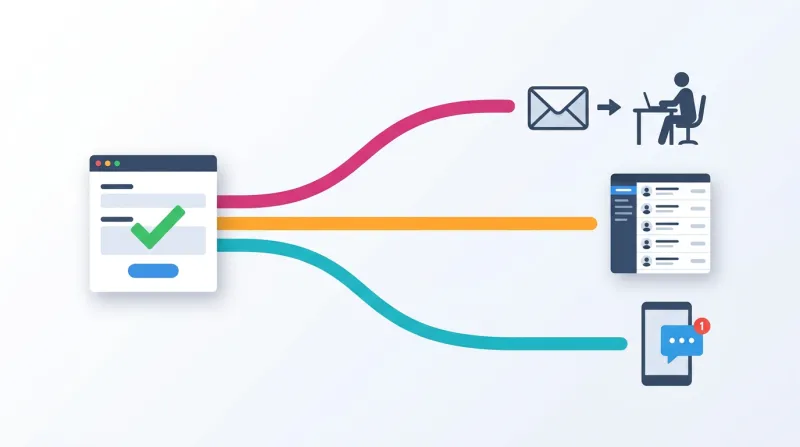
This is where the real value lives for advocacy organizations, and the piece that every plugin review ignores entirely. Collecting a signature is step one. What matters is what happens next:
Signature Delivery
If the petition targets a specific decision-maker, how does the message actually reach them? SpeakOut! and Petitioner both include email-to-target functionality. But if you're sending hundreds of emails to a legislator's office, you need to think about deliverability.
Sending through WordPress's default wp_mail() function using the server's sendmail will quickly get rate-limited or blacklisted. A transactional email service (SendGrid, Postmark, Amazon SES) through an SMTP plugin is the minimum for any petition with email-to-target.
List Building
Every petition generates email addresses. Where those addresses end up is the strategic decision most organizations get wrong.
Advocacy campaigns collect contact information from everywhere: on-the-street lists, voter files, event sign-ups, and petition signatures. The website has to feed into a platform that aggregates all of those sources into a single, consolidated list. A scattered list is chaos when a critical moment arrives.
If your workflow is "export CSV from petition plugin, import to Mailchimp when someone remembers to do it," you'll lose supporters in the gap. A petition signed on Tuesday that doesn't trigger a welcome email until Friday is a missed opportunity.
The better approach: use a form builder or petition plugin with a direct integration to your email platform. Gravity Forms and WPForms both offer add-ons for Mailchimp, ActiveCampaign, Constant Contact, and others. A petition submission triggers the immediate addition of a subscriber with the appropriate tags and segments. No manual export. No delay.
For organizations using advocacy platforms, this is handled natively. Petition signers automatically become contacts in the CRM with full activity history.
Follow-Up Actions
The signer gave you their attention and their email address. What's your next ask? A donation request? A second petition? An invitation to a phone banking event or a volunteer shift? The follow-up sequence is where petition signatures convert into sustained engagement, and it requires either a capable email platform or an advocacy CRM. WordPress doesn't handle this alone.
For a deeper look at how petition signatures feed into your broader list-building strategy, we cover the specifics in our article on email list building for advocacy organizations on WordPress.
Performance Under Load: The Question Nobody Tests

Petition pages face a unique performance challenge: they're designed to go viral. A successful campaign can drive traffic spikes orders of magnitude above normal levels. The page that gets 50 visits per day might get 50,000 in an hour when a campaign takes off on social media or gets picked up by a news outlet.
We've lived this. I was sitting at a cafe on a Sunday morning, scrolling through social media, and saw that Donald Trump had just publicly attacked one of our advocacy clients. When a political figure with that kind of reach mentions your client by name, you know the traffic is coming. We immediately started monitoring the servers to make sure everything held up.
Donations may surge for just five to ten minutes after a TV spot or a social media moment. Petition signing spikes follow the same pattern. Traffic is a vertical line on the graph, not a gradual ramp.
"You're essentially planning to be reactionary, which is a funny thing to say, but that's exactly what it feels like working with these clients."
That's the reality of advocacy infrastructure. When the moment hits, the infrastructure has to already be in place. You cannot plan for it reactively.
WordPress-Native Petition Performance
Every petition signature is a database write. WordPress can handle moderate write loads, but a viral petition means hundreds or thousands of concurrent writes. On shared hosting, this will crash the site or cause severe latency.
The mitigation strategy is layered:
- Page caching so the petition page itself is served from cache while form submissions go to the database
- A CDN for static assets
- Object caching (Redis or Memcached) to free database capacity for writes
- Hosting that can actually handle the load: VPS or managed WordPress hosting is the floor for any petition expected to get traction
The email dimension compounds the problem. If the petition plugin sends a confirmation email per signature, as well as a petition email to the target, a viral petition generates a massive email queue. WordPress's default email handling will get rate-limited within minutes.
External Platform Embed Performance
Embedding Action Network or another platform's forms shifts the equation. Form submissions hit the external platform's infrastructure, not WordPress. The advocacy platform is engineered to handle viral petition traffic. WordPress only serves the page shell.
The trade-off: JavaScript embeds add external HTTP requests and 50 to 200 KB of payload per embed. If the external platform is slow or down, the form on your WordPress page breaks. Third-party scripts can cause layout shifts that hurt Core Web Vitals. And styling the embeds to match your theme requires CSS customization that breaks whenever the platform updates its embed code.
Choosing the Right Approach: A Decision Framework
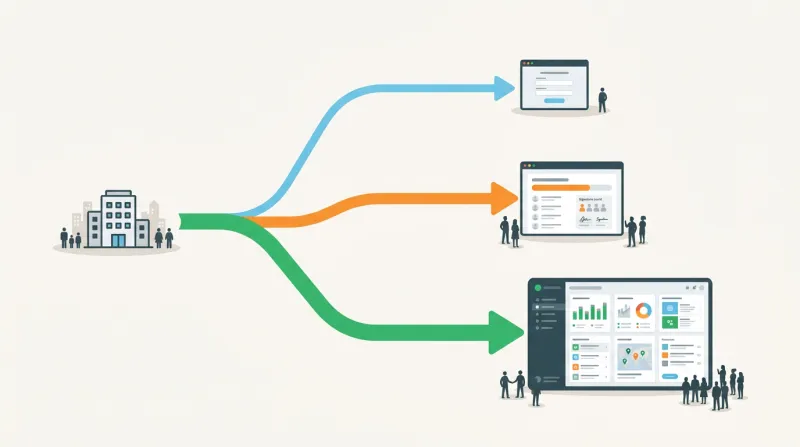
Rather than ranking plugins by feature lists, here's how to think about the decision based on where your organization actually is.
You run one to three petitions per year, and your primary goal is list building. Use whatever form plugin your site already has. If that's Gravity Forms, configure it with the Progress Meter add-on and a direct integration to your email platform. If you don't have a form plugin, Gravity Forms with the nonprofit license ($129 per year) is the strongest starting point.
You run regular petition campaigns and need petition-specific features (email-to-target, progress bars, signature verification) but don't need a full advocacy CRM. Evaluate Petitioner first (free, modern, strong spam protection) and SpeakOut! second (proven track record, email-to-target, lifetime Pro pricing). Add a WordPress-level email-sync tool, like FuseWP, to connect signatures to your email platform.
You're already on Action Network (or plan to be) and need WordPress integration. Use the official WordPress plugin. It's maintained, functional, and solves the embed problem. Style the embeds with CSS to match your theme. Use the API sync if you have partner-level access.
You're on EveryAction, NationBuilder, or another enterprise advocacy platform. WordPress integration will require custom development. The off-the-shelf plugin options are limited or nonexistent. Plan for this as a development project, not a plugin installation.
You're starting from scratch and expect to grow into sustained advocacy. Start with Gravity Forms or Petitioner for your first few campaigns. Export your list with petition-specific tags when you outgrow WordPress-native tools. Evaluate Action Network as the first step up; it offers the most affordable entry point and the best WordPress integration among advocacy platforms. Keep WordPress as your website; embed the advocacy platform's forms rather than migrating the entire site to NationBuilder or a similar platform.
Plugin Comparison at a Glance
To make the evaluation easier, here's a structured comparison of the WordPress-native petition plugins and external platform integrations covered in this article.
WordPress-Native Petition Plugins
| Feature | SpeakOut! (Free) | SpeakOut! (Pro) | Petitioner | CBX Petition | Civist |
|---|---|---|---|---|---|
| Price | Free | One-time lifetime | Free | Free (Pro add-on) | Free tier |
| Unlimited Petitions | No (1 active) | Yes | Yes | Yes | Yes |
| Email-to-Target | Yes | Yes | Yes | No | No |
| Progress Bar | Yes | Yes | No | Yes | No |
| Signature Verification | No | No | Yes (double opt-in) | Yes (email) | No |
| Social Sharing | Yes | Yes | No | No | No |
| Gutenberg Block | No | No | Yes | No | Yes |
| Spam Protection | Basic | Basic | Full suite | Email verification | Basic |
| Fundraising | No | No | No | No | Yes |
| Kiosk/In-Person | No | No | No | No | Yes (beta) |
External Platform WordPress Integration Quality
| Platform | WP Plugin | Embed Quality | Entry Price | Best For |
|---|---|---|---|---|
| Action Network | Yes (official) | Good | $15/month | Progressive orgs, grassroots |
| EveryAction/Bonterra | No | Custom dev required | ~$500+/month | Large nonprofits, enterprise |
| NationBuilder | Via WP Fusion ($247+/yr) | Moderate | $29-34/month | Political campaigns, membership |
| Quorum | No | Embed widgets | Enterprise | Corporate gov affairs |
| Engaging Networks | Via Gravity Forms add-on | Moderate | Enterprise | International nonprofits |
| Legisletter | Yes (WordPress.org) | Good | Free (public campaigns) | Legislative advocacy |
When Custom Development Is the Answer
Sometimes the right approach is none of the above. If the organization needs a petition experience that no plugin provides, whether that's interactive maps tied to petition campaigns, multi-step advocacy actions, real-time legislative tracking integrated with signature collection, or deep integration with a proprietary CRM, custom development on WordPress is a legitimate path.
But there's a principle we come back to constantly with advocacy clients: data in, data out. If you give us the data, we can make it come out however you want. But you need the data.
An advocacy client recently sent me an Excel spreadsheet, 20 columns and 100 rows of complex data, with a vision for displaying it dynamically on their website. They planned to use Elementor to "load it up." The gap between that vision and what a page builder can actually deliver was significant. Custom development requires planning, time, and deliberate architecture, and advocacy organizations often underestimate that gap.
We've built custom advocacy tools for organizations whose needs outgrew what any plugin could deliver. The WordPress REST API and custom post types provide the foundation. A custom frontend handles the user experience. The result is a petition system tailored to exact organizational requirements.
Custom development is the wrong call when:
- The real need is just visual customization (CSS handles that)
- The timeline is compressed (petition campaigns often launch on tight schedules, and plugin installation beats development cycles)
- The organization doesn't have the budget for ongoing maintenance
Custom code without maintenance degrades quickly.
The most practical approach for many organizations is a hybrid: Gravity Forms as the petition engine, GravityView for public signature display, the Progress Meter for counters, a CRM add-on for email integration, and custom CSS to match campaign branding. This stays within the plugin ecosystem while delivering a petition experience beyond what any single plugin offers.
If your organization is evaluating a petition plugin for WordPress or a broader advocacy platform integration and needs help determining the right architecture, that's exactly the kind of assessment we do. The answer depends on your campaign volume, existing platforms, list size, and growth trajectory. There's no universal right answer, but there is a right answer for your organization.
Frequently Asked Questions
What is the best WordPress petition plugin?
There is no single best option — it depends on your organization's scale and needs. For organizations running one to three petitions per year, Gravity Forms configured with the Progress Meter add-on and a direct email platform integration is the most practical choice. For regular petition campaigns needing dedicated features like email-to-target and signature verification, Petitioner (free, modern, strong spam protection) and SpeakOut! (proven track record, lifetime Pro pricing) are the strongest WordPress-native options. Organizations running sustained advocacy programs should evaluate external platform integrations like Action Network instead.
Can I use Gravity Forms as a petition tool?
Yes, and it's what we recommend most often for organizations in the early stages of advocacy work. Gravity Forms with the free Progress Meter add-on provides a signature counter with auto-incrementing goals, and GravityView ($99/year) enables front-end display of submitted signatures. The nonprofit license at $129/year covers all Elite features on three sites. The trade-off is that you're assembling a petition experience from several components rather than getting a turnkey petition plugin, and there's no built-in email-to-target functionality.
What is the difference between a WordPress petition plugin and an advocacy platform?
WordPress petition plugins like SpeakOut! and Petitioner handle the petition form, signature collection, and basic email-to-target within your WordPress database. Advocacy platforms like Action Network, EveryAction, and NationBuilder are full CRM systems that manage petitions alongside email campaigns, supporter scoring, legislative targeting, and multi-channel outreach. WordPress becomes the website layer while the advocacy platform handles data and campaign logic. The right choice depends on whether your petition work is occasional or central to your organization's operations.
How do WordPress petition pages handle traffic spikes?
Every petition signature is a database write, and a viral petition can drive thousands of concurrent writes that crash a site on shared hosting. The mitigation strategy is layered: page caching so the petition page itself is served from cache while form submissions go to the database, a CDN for static assets, object caching to free database capacity for writes, and VPS or managed WordPress hosting as the minimum. If the petition plugin sends confirmation and target emails per signature, a transactional email service like SendGrid or Postmark is essential to avoid rate-limiting.
Do WordPress petition plugins include email-to-target functionality?
SpeakOut! and Petitioner both include email-to-target functionality, allowing petition signatures to be sent directly to a specified decision-maker's email address. However, sending hundreds of emails through WordPress's default mail function will quickly get rate-limited or blacklisted. Any petition with email-to-target needs a transactional email service configured through an SMTP plugin. For more sophisticated legislative targeting with geopolitical mapping and message deliverability to website comment forms, external advocacy platforms like EveryAction or Quorum are required.