
Most content on volunteer management WordPress solutions treats the topic as a plugin installation problem. Install a form plugin, collect some names, and you're done. That covers about 10% of the actual workflow.
Picture this: it's Wednesday afternoon, and your organizing director needs to mobilize 50 volunteers for a lobby day next Tuesday. The volunteer list lives in a spreadsheet, confirmations are scattered across email threads, and the WordPress sign-up form on your website doesn't integrate with the CRM. This is the reality for most advocacy organizations, and no single plugin solves it.
The real challenge is everything that happens after someone fills out a form: vetting, onboarding, scheduling for specific actions, coordinating across channels, tracking participation, and integrating with the CRM or organizing platform that actually runs your operation. Any serious volunteer management WordPress setup needs to handle all of this, not just the initial intake.
WordPress can handle parts of this well. It cannot handle all of it. And knowing where to draw that line is the difference between a system that works and one that falls apart when the moment arrives.
This article covers the full spectrum of volunteer management on WordPress, from lightweight signup forms to deep integrations with organizing platforms like Mobilize and EveryAction. It's part of our broader coverage of WordPress for advocacy organizations, and the recommendations here are based on what we've built and maintained for real advocacy clients, not theoretical plugin comparisons.
The Volunteer Management WordPress Spectrum

The right approach depends on three factors: the scale of your volunteer program, your existing technology stack, and the type of volunteering you're coordinating.
Managing 20 occasional volunteers who help at events is fundamentally different from coordinating 2,000 activists across a state for canvassing, phone banking, and rally attendance. And organizations already invested in platforms like VAN, EveryAction, or Mobilize need WordPress to complement those systems, not replace them.
In our experience, it breaks down into three tiers.
Tier 1: Lightweight WordPress-Native (Up to 50 Volunteers)
Small advocacy organizations with modest volunteer programs can manage everything within WordPress. A form plugin handles signup, a simple plugin lists opportunities, and coordination happens via email.
The tools at this tier are inexpensive and straightforward:
- Gravity Forms with its nonprofit license ($129/year) provides conditional logic for role-specific questions, multi-page applications, and automated email routing.
- Wired Impact Volunteer Management, a free plugin maintained by a nonprofit-focused agency, lets you post one-time and recurring volunteer opportunities as a custom post type, with built-in signup and participation tracking.
This works when volunteers are mostly operational: helping at events, staffing an office, serving on committees. It stops working when you need shift-level scheduling, capacity limits, skill matching, or any integration with external systems.
Tier 2: WordPress Plus Dedicated Volunteer Software (50 to 500 Volunteers)
At this scale, WordPress handles recruitment and the public-facing experience while a dedicated platform handles scheduling, tracking, and communication. Data flows between the two systems through Zapier, direct API connections, or manual export.
The dedicated platforms at this tier (tools like VolunteerHub, Galaxy Digital, or SignUpGenius) provide what WordPress plugins cannot: real shift management, automated reminders, hour tracking, background screening integration, and reporting that goes beyond a CSV export. WordPress becomes the front door. The dedicated tool runs the operation.
The cost jumps meaningfully here, typically $100 to $500 per month for the volunteer management platform plus your WordPress plugin costs. But for organizations coordinating dozens of active volunteers across multiple programs, the alternative is spreadsheet chaos.
Tier 3: WordPress Plus Organizing Platform (500+ Volunteers or Political Organizing)
Large advocacy organizations and political campaign operations almost always run an organizing platform as their system of record: VAN for voter contact, EveryAction for unified CRM, Mobilize for event-based volunteer coordination, or NationBuilder for all-in-one campaign management. WordPress serves as the public website and recruitment funnel, feeding data into the organizing platform.
At this tier, the question is never "how do we manage volunteers in WordPress?" It's "how does WordPress connect to the platform that actually manages our volunteers?"
We'll cover those integrations in detail below.
WordPress Volunteer Plugins: What They Actually Do
Installing a plugin doesn't solve volunteer management. But these plugins do serve a real purpose as the intake and display layer of a larger system.
Wired Impact Volunteer Management
The most purpose-built free option. You create volunteer opportunities as a custom post type, and volunteers sign up directly on the site without needing an account. The plugin tracks participation history, handles one-time and recurring opportunities, sends email notifications on signup, and provides an admin dashboard for managing signups.
What it doesn't do: shift-level scheduling, capacity limits, self-service hour logging, automated reminders, or integration with any external CRM or organizing platform.
For small organizations that need a simple, free way to list opportunities and collect signups, it works. For anything beyond that, it's a starting point, not a solution.
Participants Database
A lightweight alternative worth considering. Participants Database has 10,000+ active installs, making it more widely adopted than Wired Impact. It provides:
- Custom fields for volunteer profiles
- Frontend signup forms
- A searchable and sortable volunteer directory
- CSV import/export
Think of it as a simple volunteer directory that lives inside WordPress. It won't manage shifts or integrate with your CRM, but for organizations that just need to maintain a searchable list of volunteers with custom profile fields, it's a solid free option.
PTA Volunteer Sign Up Sheets
Despite the name, this plugin works for any organization that needs slot-based volunteer coordination. It supports four event types (single, recurring, multi-day, and ongoing), capacity limits per slot, confirmation and reminder emails, and CSV export. If your volunteer model is "we need five people for this shift," this handles the mechanics.
The interface is utilitarian, designed for function rather than polish, and there's no volunteer profile tracking or CRM integration. But for organizations that need shift-based coordination with capacity management, it fills a gap that most other plugins miss.
Gravity Forms as a Volunteer System
Gravity Forms isn't a volunteer management plugin, but combined with GravityKit and GravityView add-ons, it becomes one of the more flexible approaches:
- Gravity Forms creates the intake forms with conditional logic (different questions for canvassers versus phone bankers)
- GravityView displays submitted data in frontend tables and directories
- GravityKit enables frontend editing
The real strength is integration. The Zapier add-on connects to thousands of external apps for CRM sync. The nonprofit license ($129/year) includes all add-ons. And if you're already using Gravity Forms for other purposes on the site, building volunteer management on top of it avoids adding another plugin to the stack.
The trade-off: you're assembling a system from multiple components rather than installing a turnkey WordPress volunteer plugin. That requires more setup and more ongoing maintenance.
Integrating WordPress with Organizing Platforms

For advocacy organizations running a serious volunteer program, the organizing platform is where volunteer management actually happens. WordPress is the public face. The practical question is how to connect the two.
Mobilize: The Strongest WordPress Integration
Mobilize (now part of Bonterra) is a volunteer recruitment and events platform built specifically for organizing. It handles event creation, multi-shift scheduling, automated email and text reminders, post-event feedback, and volunteer-led event creation from templates. Trusted by over 3,000 organizations, it has powered more than 14 million actions since 2018.
Pricing starts at $200/month for small organizations, $500/month for mid-sized organizations, and $2,000/month for large organizations.
The WordPress integration is straightforward. Mobilize offers a dedicated WordPress plugin that pulls events from the Mobilize API and displays them on your site. Visitors browse events on WordPress; clicking through takes them to Mobilize for the actual signup flow. From there, Mobilize handles reminders, coordination, and tracking.
This is the pattern we recommend for advocacy organizations that need event-based volunteer management: WordPress for content and recruitment, Mobilize for the operational layer. The two systems complement each other without trying to make WordPress do what it was never designed to do.
EveryAction and VAN: The Integration Gap
EveryAction provides embeddable forms and action pages that can be placed on WordPress sites, allowing data to be submitted directly to the CRM. You can also connect WordPress form plugins to EveryAction through Zapier or build custom integrations through the REST API.
The integration works, but it's not seamless. Embedded forms often lead to styling mismatches, and the data flow requires careful planning. Notable EveryAction users include Planned Parenthood, the National Audubon Society, and the NAACP, which gives you a sense of the scale the platform is built for.
VAN, the dominant voter file and organizing platform for progressive campaigns, has no native WordPress plugin or direct integration. Organizations using VAN alongside WordPress typically collect volunteer information through WordPress forms and then transfer that data to VAN through export/import, Zapier middleware, or custom API development.
VAN has also faced operational challenges since the Bonterra acquisition by private equity. Budget cuts, staffing reductions, and reliability issues during the 2024 election cycle have pushed some organizations to evaluate alternatives. For WordPress integration purposes, the takeaway is that VAN was never designed to talk to WordPress, and bridging that gap requires active work.
NationBuilder: A WordPress Competitor, Not a Complement
NationBuilder includes its own CMS, so it's positioned as a WordPress replacement rather than a complement. Organizations choosing NationBuilder usually build their entire website on the platform. Its volunteer features, including distributed organizing through SupporterBase and integrated event management, are real strengths. But they don't integrate with WordPress in any meaningful way.
If you're committed to WordPress as your website platform, NationBuilder isn't part of the equation. Look to the Mobilize or EveryAction integration patterns instead.
The Volunteer Portal WordPress Question
Many advocacy organizations want a gated volunteer portal on their WordPress site that allows active volunteers to access training materials, talking points, shift schedules, canvass scripts, and internal updates. That's a reasonable goal, but it comes with a trade-off we push back on consistently.
Before recommending any portal architecture, we start with diagnostic questions: Why do people log in? What do they get? What is the experience? These aren't technical questions. They're strategy questions that determine whether gating adds value or just adds friction.
"Gating content usually just creates friction. It degrades your contact lists because people use fake email addresses just to see what's on the other side."
A lot of advocacy groups believe there's value in getting people to sign up for exclusive access, as if there's a prize behind the gate. In our experience, the barrier works against you more often than it works for you.
Open access removes friction and lets people engage with your materials immediately. Gating pushes people to use throwaway email addresses just to see what's behind the wall, polluting your contact list with useless data.
That said, some content genuinely needs to be restricted: sensitive strategy documents, internal communications, and materials covered by confidentiality agreements. For those cases, WordPress has solid options.
Building a Restricted Volunteer Area
The Members plugin (free) provides role and capability management with block-level permissions. You can create custom roles like "Volunteer," "Team Lead," and "Regional Coordinator," then restrict specific content to those roles. For simple access control without payment processing, this covers most needs.
For more structured portals, MemberPress ($399-$999/year, depending on tier) provides content restriction by page, post, category, or tag, with multiple membership levels and drip content for phased volunteer onboarding. It also includes course functionality for organizations that run formal volunteer training.
Paid Memberships Pro offers a free tier that covers basic content restrictions and user registration, with premium add-ons for more advanced features.
The portal architecture that works best for most advocacy organizations: WordPress user roles control access; a membership or content-restriction plugin enforces those roles at the content level; and the actual volunteer data lives in the CRM. The portal is a window into resources, not the system of record.
We've built this kind of hybrid architecture for real clients. For Club for Growth, we developed a custom membership portal integrated with CMDI Crimson, their CRM, and membership database. The portal gives members a tailored experience on the WordPress side, while the relationship data lives in the platform designed to manage it.
That's the pattern: WordPress handles the experience layer, the CRM owns the data.
Event-Based Volunteer Coordination
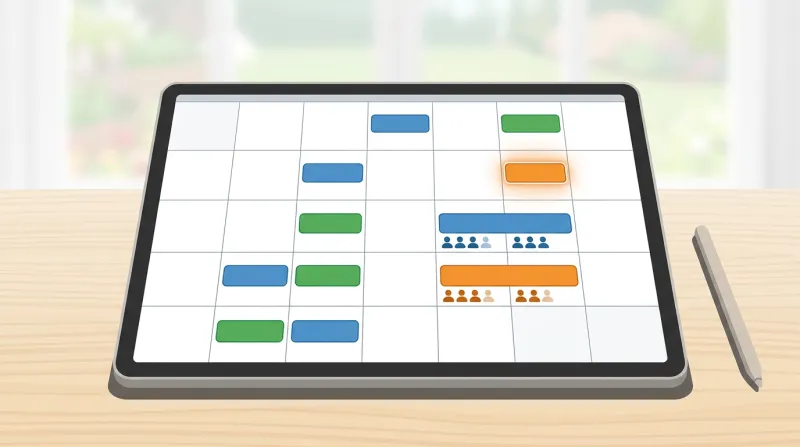
Advocacy organizations don't manage volunteers on a steady-state schedule. They mobilize for specific actions: lobby days, phone banks, canvassing pushes, rally logistics, and petition deliveries. This burst-mobilization pattern requires different tooling than ongoing volunteer scheduling.
In our experience with national advocacy clients, the same infrastructure demands that apply to donation surges apply to volunteer mobilization. When a congressional hearing or media appearance creates a brief window of peak public attention, your site needs to capture volunteer signups just as reliably as donations. You can't predict when your issue becomes the hot topic, so the system has to be ready around the clock.
For organizations not ready for a full Mobilize integration, The Events Calendar is the most widely used WordPress calendar plugin, with 800,000+ active installs. The free version handles event creation, calendar and list views, category organization, and iCal export. The Pro version ($99/year) adds recurring events, additional calendar views, and shortcodes for embedding specific categories.
Combined with Event Tickets (free) or Event Tickets Plus ($99/year), you get RSVP functionality with capacity limits, attendee management, and event registration capabilities that work for volunteer coordination. Create event categories for volunteer types: canvassing, phone bank, office help, and events. Volunteers browse the calendar, filter by category, and register.
The limitation is that this is event management, not volunteer management. There's no volunteer profile tracking, no skill matching, no participation history across events. Each "shift" is a separate event. It works for event-based mobilization. It doesn't replace a volunteer management system for organizations that need to track ongoing volunteer relationships.
Data Architecture: What Lives Where

For organizations using WordPress alongside organizing platforms, the biggest architectural question is where volunteer data lives and how it flows between systems.
"Do they have a CRM? Do they plan to get one? Or are they currently using the website as their database?"
That's the first question we ask any advocacy organization about volunteer management. The answer shapes everything that follows.
"You have to look beyond the website. What other activities are happening? Where is information being collected? You have to understand the full picture."
The principle is simple, and we call it "data in, data out." If you give us the data, we can make it come out however you want. But the architecture has to be deliberate.
WordPress should almost never be the system of record for volunteer data at scale. Its strength is content, recruitment, and the public-facing experience. The organizing platform or CRM should own the volunteer relationship data. The website feeds the platform, and the goal is clean data flow between the two.
What Should Live in WordPress
- Public volunteer opportunity listings and descriptions
- General information pages about your volunteer programs
- Blog content about volunteer impact and stories
- Basic contact form submissions before they're routed to the CRM
- Gated portal content like training documents and resources, if you've determined that gating is warranted
What Should Live in the CRM or Organizing Platform
- Volunteer contact records and communication history
- Activity tracking: events attended, hours logged, roles held
- Skill and interest profiles for matching
- Scheduling and shift management
- Voter file data and canvassing records if you're using VAN
- Fundraising and donation history
- Campaign-specific organizing data
What Needs to Sync
Regardless of which integration method you choose, these are the data points that typically need to flow between WordPress and your organizing platform:
- New volunteer signups (WordPress volunteer signup form to CRM). This is the most basic and most critical sync.
- Event listings and availability (organizing platform to WordPress), so your website reflects current opportunities.
- Volunteer status and level (CRM to WordPress), for portal access control and role-based content.
- Communication preferences and opt-outs (bidirectional). Compliance requires these stay consistent across systems.
Getting these four data flows right covers 90% of what organizations actually need. Everything else is a refinement.
How Data Flows Between Systems
The integration methods range from simple to sophisticated:
Zapier or Make provides no-code connections between WordPress form plugins and external CRMs. Gravity Forms' Zapier add-on connects to thousands of apps. The trigger is a form submission; the action creates or updates a contact in the CRM. Simple and effective for basic data flows, but limited for complex workflows. Plans start at $19.99/month.
WP Fusion ($247 to $540/year) provides direct API connections between WordPress and over 100 CRMs and marketing platforms. It syncs WordPress user data to CRM contacts in real time and uses CRM tags to control access to WordPress content. Strong for volunteer portals where CRM membership status determines what someone can see on the WordPress site.
Custom API integration is the most flexible option for organizations with specific data flow requirements. EveryAction, Mobilize, and CiviCRM all have REST APIs that support custom WordPress plugin development. This requires developer resources but handles data flows that no-code tools can't.
Embedded forms from EveryAction, Mobilize, or NationBuilder can be placed directly on WordPress pages via iframe or JavaScript. Data goes straight to the external platform with no WordPress involvement in storage. Technically, the simplest approach, but it creates a disjointed user experience with styling mismatches and separate form systems.
Don't Forget SMS
Volunteer communication increasingly involves SMS alongside email. Platforms like Hustle and ThruText handle peer-to-peer texting for volunteer coordination and mobilization. If your organization uses or plans to use SMS outreach, make sure your WordPress-to-CRM data flow captures phone numbers and SMS opt-in preferences from the start. Retrofitting that data point later is painful.
CiviCRM: The Open-Source Alternative
CiviCRM deserves separate mention because it's the only true open-source CRM for nonprofits, and it integrates directly with WordPress as a plugin. The CiviVolunteer extension provides organizing and scheduling tools for volunteer activities, while CiviEvent handles event management with registration. Because it runs within WordPress, there are no data sync issues—everything lives in one system.
The trade-off is real: CiviCRM has a steep learning curve and requires real technical expertise to configure and maintain. It's best suited for organizations that want complete data ownership and deep WordPress integration, and are willing to invest in setup and customization through in-house developer resources or a CiviCRM implementation partner.
For advocacy organizations with the technical capacity, CiviCRM eliminates the integration headaches that come with connecting WordPress to an external system. For organizations without that capacity, it creates different headaches.
When WordPress Is Enough and When It Isn't
Here's the honest assessment that nobody else in this space provides.
WordPress-native volunteer management works when:
- The volunteer program has fewer than about 50 active people
- Coordination is primarily event-based
- You don't need automated shift scheduling or capacity management
- CRM needs are modest
A well-configured combination of Gravity Forms for intake, Wired Impact or The Events Calendar for scheduling, and the Members plugin for any gated content can handle this tier effectively at a cost of roughly $129 to $250 per year.
WordPress needs a dedicated volunteer platform when:
- The program grows past 50 active volunteers
- Shift management with capacity limits and automated reminders becomes necessary
- You're tracking volunteer hours and participation history for reporting
- Coordination spans multiple locations or programs
At this tier, WordPress handles recruitment and the public face, while a tool like VolunteerHub, Galaxy Digital, or Mobilize handles operations. Expect to spend $3,000 to $8,000 per year on the combined stack.
WordPress is purely the front door when:
- The operation is political organizing at scale
- VAN, EveryAction, or a comparable organizing platform is the system of record
- Hundreds or thousands of activists need coordination across canvassing, phone banking, and event mobilization
WordPress collects signups and displays opportunities. Everything else happens in the organizing platform. The combined technology cost at this tier can range from $10,000 to $50,000+ per year, primarily driven by the organizing platform itself.
The organizations that struggle are the ones trying to make WordPress do everything. It's excellent at content, recruitment, and the public-facing experience. It is not a CRM, a shift management system, or an organizing platform. The sooner you draw that line, the better the whole system works.
Building the Right System for Your Organization
The right starting point isn't "what plugins do you want?" It's "What does your operation look like beyond the website?"
Where is information being collected? What CRM or database are you using? How do volunteers get activated for specific actions? What communication channels are in play?
The full operational picture determines the right technical approach. The website is one piece of a larger system, and the technology decisions should reflect that.
WordPress plays a critical role in volunteer recruitment, opportunity display, and integration with whatever platform runs your operation. For organizations that need form-based volunteer signups feeding into an email list-building strategy, the WordPress layer is the easy part. For organizations coordinating petition and action alert campaigns alongside volunteer mobilization, WordPress ties those pieces together on the public-facing side.
The key is matching the complexity of your WordPress setup to the complexity of your actual operation, and being honest about where WordPress's role ends and the organizing platform's begins.
If you're evaluating volunteer management options for your advocacy organization, our advocacy and policy organization services team can help you map the right architecture. We've built these systems for national advocacy organizations and know where the integration points matter and where they break down.
Frequently Asked Questions
What is the best WordPress plugin for volunteer management?
For small programs with fewer than 50 volunteers, Wired Impact Volunteer Management is the best free option — it creates volunteer opportunities as a custom post type with built-in signup and participation tracking. For more flexibility, Gravity Forms with GravityView add-ons provides conditional logic, front-end data display, and direct CRM integrations. Once a program exceeds 50 active volunteers and needs shift scheduling, automated reminders, and hour tracking, a dedicated platform like Mobilize or VolunteerHub alongside WordPress is the better approach.
Can WordPress integrate with organizing platforms like Mobilize or EveryAction?
Yes, but the integration quality varies significantly by platform. Mobilize offers the strongest WordPress integration through a dedicated plugin that pulls events from the Mobilize API and displays them on your site. EveryAction provides embeddable forms and connects through Zapier or custom API development, though the integration requires careful planning. VAN has no native WordPress integration and typically requires export/import or custom API work. NationBuilder includes its own CMS, so it's positioned as a WordPress replacement rather than a complement.
Should volunteer data live in WordPress or a CRM?
Volunteer relationship data should live in your CRM or organizing platform, not in WordPress. WordPress is excellent for content, recruitment, and the public-facing experience — listing volunteer opportunities, collecting initial signups, and hosting gated training materials. But activity tracking, communication history, shift management, skill profiles, and voter file data belong in a purpose-built system like EveryAction, CiviCRM, or Mobilize. The architecture that works best has WordPress handling the experience layer while the CRM owns the data, with clean sync between the two.
Does WordPress support volunteer portals with restricted content?
Yes, WordPress can create gated volunteer areas using plugins like Members (free) for role-based content restrictions, MemberPress ($399-$999/year) for structured portals with drip content, or Paid Memberships Pro for basic access control. However, we push back on gating content more often than we recommend it. Gating usually creates friction and degrades contact lists because people use fake email addresses to see what's behind the wall. Reserve gating for genuinely sensitive materials like strategy documents and internal communications, and keep training resources and talking points openly accessible.
When is WordPress not enough for volunteer management?
WordPress stops being sufficient when your volunteer program exceeds about 50 active people, requires shift-level scheduling with capacity limits and automated reminders, needs participation tracking and hour logging for reporting, or spans multiple locations and programs. At that point, WordPress should serve as the recruitment front door while a dedicated platform handles operations. For political organizing at scale with hundreds or thousands of activists, WordPress is purely the public website — VAN, EveryAction, or Mobilize runs the operation, and the combined technology cost can range from $10,000 to $50,000+ per year.