
If you're researching WordPress Multisite subdomain vs subdirectory options, you've probably already decided to use Multisite. Before we get into subdomains versus subdirectories, we want to be direct: this decision matters less than the architectural questions you should be asking first.
That said, if you've evaluated the pros and cons and determined that Multisite is the right fit for your organization, the URL structure is one of the first configuration decisions you'll make. It's also one of the hardest to change later. So let's walk through what each option means in practice.
The Three Multisite URL Structure Options
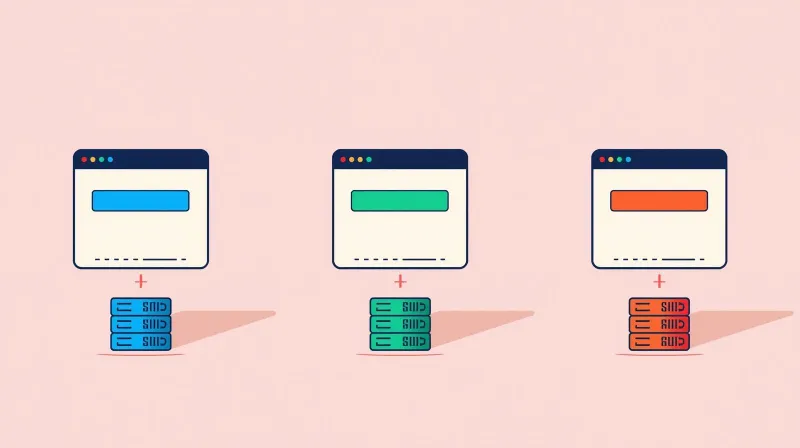
WordPress Multisite offers three URL structure configurations. Each one has technical, SEO, and organizational implications.
Subdomain (chapter.yourorg.com)
Each site in the network gets its own subdomain. The national site lives at yourorg.com, and chapter sites live at chapter.yourorg.com, newyork.yourorg.com, etc.
Technical requirements:
- Wildcard DNS record (*.yourorg.com) pointed to your server
- Wildcard SSL certificate or individual certificates per subdomain
- More complex server configuration than a subdirectory
Organizational perception: Subdomains feel like distinct, semi-independent sites. Users perceive chapter.yourorg.com as the chapter's "own" site more than yourorg.com/chapter.
Subdirectory (yourorg.com/chapter)
Each site in the network exists as a path under the main domain. The national site lives at yourorg.com, and chapter sites live at yourorg.com/chapter, yourorg.com/newyork, etc.
Technical requirements:
- No special DNS configuration beyond the main domain
- Single SSL certificate covers all paths
- Simpler server setup
Important restriction: Subdirectory configuration is only available on WordPress installations less than one month old. If your WordPress installation has been running for more than a month, subdirectory Multisite is not available without starting fresh. This is a WordPress core limitation.
Organizational perception: Subdirectories feel like sections of the main site rather than independent properties. This can be a positive (unified brand) or a negative (chapters may feel less ownership).
Domain Mapping (localchapter.org)
Each site uses its own completely independent domain. Since WordPress 4.5, basic domain mapping has been built into the core. Sites can have completely different domains while sharing the same Multisite installation.
Technical requirements:
- Individual DNS configuration for each domain
- Individual SSL certificates or a multi-domain SAN certificate
- Most complex setup of the three options
Organizational perception: Sites appear completely independent to visitors. This is useful for multi-brand organizations or chapter networks where chapters have their own domain names.
The SEO Question Everyone Asks
This is usually the first concern: which URL structure is better for SEO?
What the Data Actually Shows
Independent research consistently shows that subdirectories inherit the main domain's authority more effectively than subdomains. Subdirectories benefit from the main site's overall domain strength, backlinks, and trust signals.
Search engines treat subdomains as distinct entities. Each subdomain essentially starts building authority more independently. This means chapter.yourorg.com doesn't automatically benefit from the SEO work done on yourorg.com the way yourorg.com/chapter would. Whether that tradeoff is acceptable depends on your SEO strategy.
For most organizations, especially nonprofits and associations where the main domain carries significant authority, subdirectories provide a stronger SEO foundation for chapter sites.
Google Search Console Management
A practical consideration that often gets overlooked: with subdomains, each subdomain must be added as a separate property in Google Search Console. For a 20-site network, that's 20 GSC properties to manage. Subdirectories can be tracked within the main domain's GSC property, simplifying analytics and reporting.
This isn't a deal-breaker, but for organizations without dedicated SEO staff, the administrative overhead of managing dozens of GSC properties adds up.
Technical Considerations Beyond SEO
The technical complexity of your WordPress Multisite structure scales with your URL choice. Subdirectories are the simplest: one SSL certificate, no special DNS, standard URL rewriting. Subdomains require a wildcard DNS record and a wildcard SSL certificate, but adding new sites is automatic once configured. Domain mapping is the most demanding: individual DNS records and SSL certificates per domain, which becomes real administrative overhead at scale. (We cover the hosting implications in detail in our hosting guide.)
If you're managing your own server, subdirectories reduce the configuration surface area. If you're on managed hosting that supports Multisite, the host typically handles configuration for all options. The key question is whether you have the ongoing capacity to manage domain-level configuration, not just the ability to set it up once.
The Organizational Factor

For chapter-based organizations, the decision about URL structure has political dimensions worth acknowledging.
Brand Hierarchy
Subdirectories (yourorg.com/newyork) visually subordinate the chapter to the national brand. The main domain leads, and the chapter is clearly positioned within the whole. This reinforces brand hierarchy and signals organizational unity.
Subdomains (newyork.yourorg.com) give chapters a stronger sense of identity. The chapter name leads in the URL. Chapters may feel more ownership, even though technically the national organization still controls the subdomain.
Custom domains (such as newyorkchapter.org) create the strongest sense of chapter independence. Visitors may not realize the site is part of a network at all.
Chapter Expectations
When we built the NPCA affiliate network, we used subdomains (*.peacecorpsconnect.org) for the affiliate sites. This gave each affiliate a distinct URL identity while clearly connecting them to the national brand.
The difference is that our NPCA sites are individual WordPress installations, not Multisite subsites. The subdomain approach works for both architectures. Your URL structure preference doesn't lock you into Multisite.
What Happens Without Consistent URL Planning
The university Multisite network we worked on illustrates what happens when URL structure decisions are made ad hoc. Some sites had unique domain names, some used subdomains, some used directory structure, all within a single Multisite installation.
The inconsistency made every management task harder: DNS configuration varied across sites, SSL management was fragmented, and there was no single approach to GSC properties or analytics that covered the whole network. If you're committing to Multisite, commit to a single URL strategy and enforce it.
Domain Mapping Without Multisite
Two of our client ecosystems demonstrate that domain mapping doesn't require Multisite at all.
The AIER ecosystem operates three distinct domains: aier.org, thedailyeconomy.org, and fusionaier.org. Each is a fully independent WordPress installation connected through custom REST APIs for scholar integration. Visitors see three distinct websites on three distinct domains. Behind the scenes, purpose-built APIs share scholar profiles and article data across properties. No Multisite, no shared database, no coupling.
The ABFPRS ecosystem spans five distinct domains: abfprs.org, the FaceForward exam platform, a practice exam platform, ibcfprs.org, and globalalliancefprs.org. All five share member authentication through custom REST APIs with credentials validated in real time.
Five domains, five independent installations, 14 years of operation with zero credential-related security incidents.
If domain mapping is your primary reason for considering Multisite, these examples demonstrate that individual installations with intentional API connections achieve the same result without any coupling.
What WPMU DEV Says About Subdomains
WPMU DEV, one of the longest-running WordPress Multisite platforms, published an article titled "Why Subdomains For Multisite Is A Very Bad Idea." Their argument centers on SEO fragmentation: subdomains split your domain authority across multiple properties instead of consolidating it.
Their recommendation is subdirectories for most use cases. We'd generally agree from an SEO perspective, with the caveat that organizational and branding considerations sometimes outweigh the SEO advantages.
If your primary goal is maximizing SEO performance across the network, subdirectories have the edge. If your primary goal is to give chapters a distinct identity, subdomains or domain mapping serve that better.
The Decision Matrix
| Factor | Subdomain | Subdirectory | Domain Mapping |
|---|---|---|---|
| SEO authority inheritance | Partial | Strong | None |
| Setup complexity | Moderate | Simple | Complex |
| SSL management | Wildcard cert | Single cert | Per-domain certs |
| DNS requirements | Wildcard DNS | None | Per-domain DNS |
| Chapter identity | Moderate | Lower | Highest |
| Brand consistency | Good | Strongest | Variable |
| GSC management | Per-subdomain | Single property | Per-domain |
| Adding new sites | Automatic (wildcard) | Automatic | Manual DNS + SSL |
| WordPress install age | New or existing | Less than 1 month | New or existing |
Our Recommendation by Scenario
Nonprofit with chapters under one brand: Subdirectories. You want SEO consolidation, simple management, and a clear brand hierarchy.
Organization with semi-autonomous chapters: Subdomains. Chapters get a distinct identity while staying connected to the parent brand.
Multi-brand nonprofit with distinct programs: Domain mapping. Each program has its own brand and domain, but shared infrastructure keeps management centralized.
Organization primarily concerned about SEO: Subdirectories. The SEO benefits are the most clear-cut advantage.
Why This Is the Wrong First Question
We said at the start that this question matters less than the ones you should be asking first. Here's what we mean.
People use "WordPress Multisite" to mean two very different things: the actual WordPress Multisite feature, where a single installation serves multiple domains, or simply that their organization has multiple individual WordPress websites.
This confusion about terminology extends to the subdomain vs. subdirectory question. Organizations spend weeks debating URL structure when they haven't yet determined whether Multisite itself is the right architecture.
The decision between a multisite subdomain and a subdirectory only matters if Multisite is the right choice for your organization. And the factors that determine whether Multisite is right, governance discipline, plugin uniformity, future flexibility, security isolation, are far more consequential than URL structure.
Here's the sequence that matters:
- Do you actually need WordPress Multisite, or do you need multiple WordPress websites? (Different things.)
- Does your organization have the governance discipline to maintain a uniform network? (Evaluate honestly.)
- Can your technical team or agency handle the ongoing management burden?
- Will your sites ever need to be separated, transferred, or given different functionality?
- Then, and only then, choose your multisite URL structure.
If you haven't worked through questions 1-4, start with our complete WordPress Multisite guide. Get the architecture right first. The URL structure will follow naturally.
A Final Note: You Can Have Subdomains Without Multisite
If what you want is chapter.yourorg.com URLs without the coupling of WordPress Multisite, that's entirely achievable with individual installations. Each installation sits on its own subdomain, with its own database, plugins, and independence.
That's exactly what we built for NPCA. Subdomains for identity, individual installations for flexibility. The URL structure your audience sees doesn't have to dictate the architecture behind it.
Need Help Planning Your WordPress Network?
Whether you're choosing between multisite subdomain and subdirectory configurations or evaluating whether Multisite is right for you at all, we've helped organizations make this decision based on real operational experience. Talk to our team about your network's needs. We'll start with the strategic questions and work toward the technical ones.