
When a nonprofit with chapters or affiliates asks us about WordPress Multisite, the conversation rarely starts with technology. It starts with organizational questions. How independent are your chapters? Who controls the brand? What happens when a chapter wants something different? Who decides?
These are governance questions, not technical ones. But they determine whether WordPress Multisite will serve your organization well or create problems that are expensive to fix later.
We currently manage nearly 50 affiliate websites for the National Peace Corps Association. We chose not to use Multisite. That wasn't a casual decision. It was a deliberate architectural choice based on years of experience with federated nonprofit organizations. Here's how we think about this decision, and how your organization should, too.
The Nonprofit Multisite Pitch (And Where It Falls Apart)
The pitch for WordPress Multisite is compelling for chapter-based nonprofits:
- Update the theme once, and every chapter site gets the new design
- Control which plugins chapters can use
- One hosting plan instead of dozens
- Shared user accounts across the network
- Centralized maintenance and security
For a national office looking at 20 or 50 chapter sites, this sounds like the obvious approach. One system, one budget line, one point of control.
But nonprofit organizations, especially federated ones with semi-autonomous chapters, are exactly the kind of organization where Multisite's constraints cause the most friction.
Chapters want autonomy. The national office wants consistency. Multisite forces you to resolve that tension through technology rather than through organizational governance, and technology is an inflexible mediator.
The Governance Problem Nobody Talks About
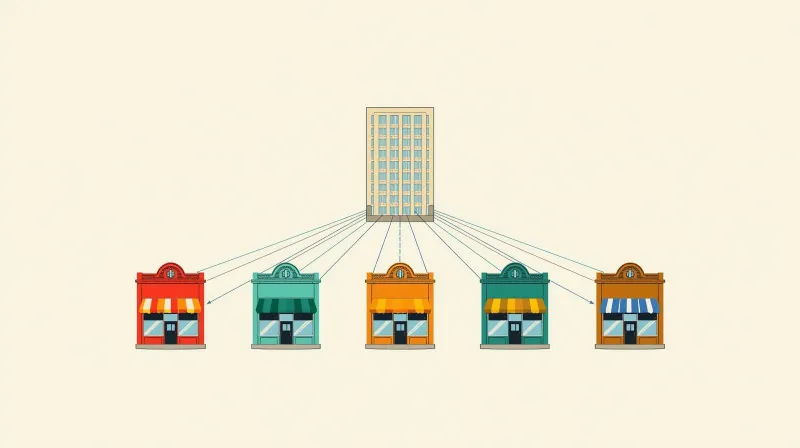
Most Multisite content focuses on the technical setup. Very little addresses the organizational dynamics that actually determine success or failure.
Who Controls What?
In a Multisite network, the Super Admin controls everything at the network level. Individual Site Admins manage content on their own site but cannot install plugins or themes or make configuration changes beyond what the Super Admin allows.
For nonprofits, this creates a default governance model: the national office (or its web team) holds all technical power, and chapters operate within whatever boundaries are set.
That works if:
- The national office has dedicated technical staff or an agency managing the network
- Chapters understand and accept their limited role
- Everyone agrees on what "consistent" means
- The organization has a process for handling chapter requests
It breaks down when:
- Chapters have technical volunteers who are used to running their own WordPress sites
- A large chapter's needs diverge from the standard configuration
- The national office doesn't have the capacity to evaluate and respond to plugin requests
- The chapter staff turnover is frequent, and new people don't understand the constraints
The Plugin Request Cycle
Here's how it typically plays out. A chapter administrator discovers an event management plugin they love. They can't install it because they're not a Super Admin. They submit a request to the national office. The national office needs to evaluate whether the plugin is compatible with Multisite, whether it conflicts with existing network plugins, whether it should be network-activated or per-site, and whether the licensing covers network use.
That evaluation requires technical expertise. If the national office doesn't have it, the request either gets ignored (frustrating the chapter) or gets approved without proper vetting (risking the entire network).
We've found that the most successful approach is to be prepared to say no most of the time. When a chapter asks for a plugin, recommend a third-party solution: a Google Form for event registration, an embeddable donation widget, or a standalone tool that doesn't require network-level installation. There are almost always alternatives that don't involve adding complexity to the shared system.
What We Built Instead: The NPCA Story

When the National Peace Corps Association approached us, they had two challenges: build a new national website (migrating from SilkStart) and figure out what to do with 40-50 affiliate group sites from the old system. Early in the planning, we also helped them evaluate subdomain vs. subdirectory URL structures and how each approach affects brand identity for chapter sites.
The word "multisite" came up because NPCA was thinking of a "network of WordPress websites." They're a non-technical organization. They didn't know the difference between WordPress Multisite and individual WordPress installations.
Given our experience with Multisite, we knew our ability to support this many sites long-term would be better with standalone installations.
The Architecture
We planned the national site separately. For the affiliates, we designed a system that delivers the benefits nonprofits want from Multisite without the technical coupling.
Custom parent/child theme system. Every affiliate site runs the same theme structure. We built a dynamic CSS color engine that lets affiliates set three brand colors and generates custom style sheets at runtime. Each site is branded uniquely, but the underlying structure is identical. No SCSS recompilation per site.
Curated plugin list. All affiliate sites run the same 14 standardized plugins. The plugin list covers exactly what affiliates need, nothing more. Affiliates can't install plugins or themes.
Editor-only access. Affiliate managers get WordPress Editor access. Content management, but no system configuration. That sounds restrictive, and it is. It's also how you maintain a uniform system across a large network, whether you're using Multisite or not.
Git-based deployment. Every affiliate site is connected to a master Git repository. Theme updates deploy across all 40-plus sites in minutes. Setting up this deployment system took no extra time and cost the client nothing beyond what a Multisite setup would have.
Automated maintenance. SafeUpdates runs weekly across all sites: staging copy, updates, testing, production deployment if clean, rollback if not. Forty-plus sites stay up to date without manual intervention.
Flat-rate hosting. One price covers hosting and maintenance for all affiliate sites. Because we maintain our own hosting infrastructure, we structured this to be cost-competitive with a single Multisite hosting plan.
Why It Works for a Federated Nonprofit
Two years in, all sites run smoothly. The National Association has maintained strict uniformity: the same theme, the same plugins, the same features across the board. Affiliates have requested special features and integrations, and the National Association has said no every time. They wanted to keep support costs low and maintain the uniform model.
Looking back honestly, NPCA could have worked as a Multisite. The uniformity they've maintained would have supported it.
But here's why we stand by the decision: future-proofing. At the time, we didn't know how the Association would respond once affiliates started pressuring them for customizations. Would they hold the line or cave? We still don't know what they'll do three or five years from now.
Because we built standalone sites, decoupling is trivial. They were never coupled in the first place. If an affiliate ever needs something different and it's approved, we install it on just their site without touching the other 40. If they ever need to transfer an affiliate away, we hand them a standalone WordPress site. No decoupling required.
Our job isn't to make policy decisions for our clients. It's to build systems that support whatever they decide.
Security and Donor Data: The Nonprofit-Specific Risk
For nonprofits processing donations, Multisite's shared infrastructure raises a specific compliance concern beyond general security.
When chapter sites process online donations, the PCI-DSS scope becomes a factor. A Multisite network shares user tables and a common database. If one chapter's site is compromised, the attacker may gain access to the entire network, including every other chapter's donor data and payment processing systems. The compliance scope isn't one chapter site. It's the entire network.
With individual installations, the PCI-DSS scope is contained to each site. A breach on one chapter's site doesn't expand the compliance exposure for every other chapter.
For the ABFPRS ecosystem, we built cross-site authentication using custom REST APIs with credentials validated in real time, never cached. Five sites share member login across all properties with zero credential-related security incidents over 14 years. That's what intentional data sharing with proper isolation looks like.
For the American Chiropractic Association, we implemented SAML 2.0 SSO federation with their Cobalt/Microsoft Dynamics CRM, where zero passwords are stored in WordPress. Thousands of member accounts authenticate through federated identity without coupling the sites together at the database level.
These are professional associations managing sensitive member data across multiple web properties, and neither uses Multisite.
Isolation isn't just a technical preference. For nonprofits managing financial transactions and member data, it's a fiduciary consideration.
Performance and the Seasonal Giving Problem
Nonprofits have traffic patterns that make the Multisite noisy neighbor problem especially dangerous. End-of-year giving campaigns, Giving Tuesday, advocacy actions: these create sudden traffic spikes that are impossible to predict and critical to handle.
In a Multisite network, all sites share the same server resources, which means one chapter's successful giving campaign can slow down donor pages across the entire network during the moment when conversion matters most. The only real solution is architectural: keep sites independent so each chapter's infrastructure scales with its own traffic.
What Nonprofits Should Learn from the Horror Stories
We've seen what happens when chapter organizations commit to Multisite without fully understanding the long-term implications. Two cases are directly relevant to nonprofit readers. (The full accounts are in our pros and cons assessment.)
A large university's communications department allowed over 100 student organizations to run blogs inside a single Multisite system. Students managed everything with no professional developer oversight. The database grew to 180 gigabytes. Around 70 plugins were installed, not all active on all sites.
After a year and a half of engagement, due to student turnover and sheer scale, we could never actually implement a remediation plan. If you're considering Multisite for a chapter organization with volunteer-managed sites, this is the scenario to study.
We also inherited a DC think tank after a poorly executed Multisite separation. The previous developer had copied the entire database to each of the three new sites without cleanup. It took about a month of careful work to untangle. This particular organization had a strong budget. For a smaller nonprofit, that cleanup would have been nearly impossible to afford.
When Multisite Does Work for Nonprofits
We'd be dishonest if we said Multisite never works for nonprofits. There are scenarios where it's the right call:
Small, uniform networks. Five to ten chapter sites where every site runs the same theme, same plugins, same functionality. Nobody needs anything different. Nobody will ever need anything different.
Centralized technical management. One person or one agency handles all technical decisions. Chapters don't have technical staff or volunteers who want administrative access. Understand exactly what this role entails by reviewing the day-to-day management reality before committing.
Strong governance culture. The national office is comfortable saying no to chapter requests, and chapters accept the boundaries without significant friction.
Budget-constrained operations without professional support. This distinction matters. If you're working with a professional firm that provides hosting and automated update tools, individual sites with proper tooling are still the better choice.
But if you're managing it yourself with no automation, the cost of separate hosting plans and manual updates is a legitimate consideration. The savings exist for simple, well-maintained, strictly governed networks. Complexity erases those savings fast.
If all four of these conditions are true, Multisite can be a reasonable choice. If any one of them is questionable, the risks outweigh the convenience.
The historical context matters here. WordPress went from a blogging platform to an enterprise CMS. Multisite stayed where it was. It was originally designed for personal blogs, back before Facebook and Twitter, when blogging was something individuals did. The system didn't evolve with the rest of WordPress.
Its purpose remains simple: uniform web publishing within a controlled ecosystem. Nonprofit leaders evaluating Multisite today are asking a 2010-era architecture to meet 2026-era organizational needs. Sometimes it fits. Often it doesn't.
The Decision Framework for Nonprofit Leaders
If you're evaluating WordPress Multisite for your nonprofit, these are the questions to work through before any technical decisions:
| Question | Multisite-Friendly Answer | Separate Installs Answer |
|---|---|---|
| How many chapter sites? | Under 10 | Any number |
| Will chapters ever need different features? | Definitely not | Possibly or probably |
| Who manages the technology? | Dedicated staff or agency | Volunteers, rotating staff |
| Is donor data on chapter sites? | No, or shared risk is acceptable | Yes, and isolation matters |
| Might chapters be spun off or transferred? | Never | Possibly |
| Can you commit a Super Admin long-term? | Yes, we have the right person | No, or it's unclear |
| Do chapters have technical volunteers? | No | Yes, and they'll want access |
| How strict is brand governance? | Very strict, enforced from national | Collaborative, chapters have input |
If you're reaching for the right-hand column more than twice, individual installations with centralized management tooling is the better architecture for your organization.
A Note on the Real Audience
If you're a nonprofit executive reading this, you're probably not the person who will set up the hosting and configure the network. You're the person who needs to understand the organizational implications of this decision so you can give your technical team the right guidance.
The technical setup of Multisite or individual installations is the easy part. The hard part is the governance model: how your organization will manage a network of websites over the long term. That's a leadership decision, not a technology decision.
We've built the architecture and tooling to support both approaches. What we recommend most often for chapter-based nonprofits is what we built for NPCA: individual sites, centralized management, and an architecture that supports whatever organizational decisions come next.
Ready to Talk About Your Chapter Sites?
Whether you're evaluating Multisite for a new chapter website network or looking for a better way to manage existing sites, we bring real experience with nonprofit web networks. Contact our team to talk through what makes sense for your organization. We'll start with the governance questions, not the technical ones.