
Most WordPress Multisite guides end at the setup stage. You've edited wp-config.php, configured your .htaccess file, and created your first few sites. Congratulations, your network is running.
Now what?
The setup is the easy part. The reality of managing a WordPress Multisite network over months and years is where organizations run into the problems that tutorials never mention. We've managed networks of WordPress sites at scale for over a decade, and we've inherited Multisite networks that other teams couldn't maintain. The burden of managing WordPress Multisite is consistently underestimated.
This guide covers the operational reality: what a typical month looks like, where the friction points are, and how to decide whether you have the resources to manage WordPress Multisite properly.
The Super Admin: A Role Most Organizations Underestimate

WordPress Multisite adds a role above the standard WordPress administrator: the Super Admin. This role controls everything network-wide. Installing plugins. Installing themes. Creating and deleting sites. Managing users across the network. Editing files.
Individual Site Admins manage content within their own site. They can activate plugins and themes that the Super Admin has made available, but they cannot install new ones.
This structure is by design. It's how Multisite maintains consistency across the network. It's also where organizational friction starts.
The Permission Tension
Every organization running Multisite eventually hits this: a Site Admin wants something that requires Super Admin access.
A chapter needs a specific event registration plugin. A department wants a different contact form. Someone found a great gallery plugin and wants to try it. Every one of these requests lands on the Super Admin's desk, and each one requires the same evaluation: Is this compatible with the network? Will it conflict with existing plugins? Does it need to be tested across multiple sites? What happens if it breaks?
In our experience, being prepared to say "no" most of the time is essential. When one chapter asks for an event registration plugin, they're not thinking about the other 19 groups in the network. Instead of installing more software and creating overhead for everyone, recommend a third-party solution, a Google Form, or an embeddable widget that works within the existing tools.
There are almost always solutions. But those solutions don't have to involve installing more software on the network.
What the Super Admin Actually Does
A realistic view of the Super Admin's ongoing responsibilities:
- Plugin and theme updates. Testing and deploying updates across the network, monitoring for conflicts after each update cycle.
- Plugin evaluations. Reviewing requests from Site Admins, researching compatibility, testing in staging before deploying.
- User management. Creating accounts, assigning roles across sites, and troubleshooting access issues.
- Conflict resolution. When something breaks on one site after a network-wide update, you need to figure out what went wrong and fix it without affecting other sites.
- Performance monitoring. Watching for slow queries, database bloat, and resource contention across the network.
- Support. When twenty organizations share one system, someone needs to provide daily support. People will break things, struggle with configuration, and need guidance.
This isn't a part-time responsibility for networks of any meaningful size. If your organization doesn't have someone (or a team) dedicated to this role, the network will deteriorate. (For a full breakdown of Multisite's advantages and disadvantages, see our pros and cons assessment.)
Plugin Updates: The Cascade Risk
On a single WordPress site, plugin updates are routine. Update, check the site, move on. If something breaks, you roll back to the previous version.
On a Multisite network, a plugin update is applied to every site simultaneously. A bad update doesn't just break one site. It breaks all of them.
It becomes a house of cards. Once one plugin causes a conflict, it has a domino effect across the entire network. You can't simply replace a problematic plugin on one site because another site relies on it, and refactoring that site opens another can of worms. We've seen networks where a single plugin conflict cascaded into weeks of troubleshooting because the shared environment meant that every fix could have side effects on other sites.
The testing burden increases with every plugin and every site. Some plugins don't work properly on Multisite at all. Others work on most sites but break edge cases. The only way to catch these issues before they hit production is thorough testing in a staging environment that mirrors your actual network.
We've seen networks where updates were deferred indefinitely because the risk felt too high. That's a different kind of problem: outdated plugins create security vulnerabilities that affect every site in the network simultaneously. Deferring updates on Multisite doesn't reduce risk. It shifts risk from breakage to security.
What a Healthy Update Process Looks Like
If you're running a Multisite network, your update process should include:
- Staging environment that mirrors production. Not just one site, but a representative sample of your network.
- Scheduled update cycles. Weekly or biweekly, not ad hoc.
- Post-update testing across multiple sites in the network. Not just the main site.
- Rollback plan. Know how to revert quickly if something breaks.
- Communication plan. Site Admins should know when updates are happening and what to check afterward.
This is more infrastructure and process than most organizations expect. For individual WordPress sites, tools like SafeUpdates can automate the entire cycle: spin up a staging environment, run updates, test, deploy if clean, rollback if not. For Multisite, the automation options are more limited, and testing requirements are higher.
User Management Across the Network
Multisite's shared user system is genuinely useful. Users exist once in the network and can have different roles on different sites. For organizations using LDAP or SSO, the shared user table integrates cleanly.
Where it gets complicated:
Role sprawl. Users accumulate roles across sites over time. Tracking who has access to what becomes difficult at scale. A volunteer who managed one chapter site two years ago might still have admin access to three sites.
Admin access creep. Administrator access on a Multisite site is dangerous. It lets site owners modify settings and, in some configurations, access functionality that can affect the broader network. The standard practice is to restrict most users to Editor access. That sounds restrictive, but it's how you maintain a stable network.
For NPCA's affiliate network, we gave all affiliate managers Editor access only. No ability to install plugins or themes. No ability to modify site settings beyond content. That wasn't arbitrary. It was a deliberate decision based on what we know about how Multisite networks degrade when too many people have too much access.
Account lifecycle. When someone leaves the organization, their user account exists across every site in the network. Deprovisioning needs to happen network-wide, not site by site.
Content Is Not Shared by Default
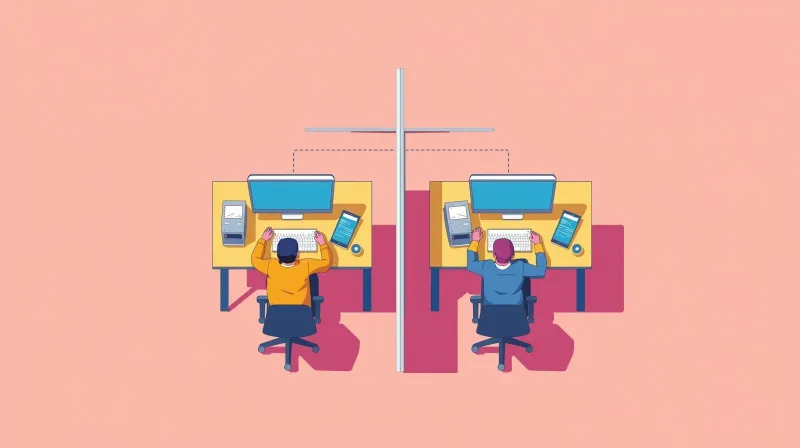
A common misconception about WordPress Multisite: content is not shared between sites. Each site stores its content in its own database tables (wp_2_posts, wp_3_posts, etc.). Publishing a page on Site A doesn't make it appear on Site B.
If you need to share content across sites, you'll need additional plugins like ThreeWP Broadcast for content syndication or Network Media Library for shared media. These tools work, but they add complexity and another layer of potential compatibility issues to an environment that's already more complex than most organizations expect.
When we need sites in a network to share data, we build custom integrations using REST APIs rather than relying on shared database access. Our ABFPRS ecosystem connects five independent WordPress installations through purpose-built APIs, sharing member login credentials validated in real time across all five properties. Each site functions independently. If one site goes down, the others keep running.
We've maintained this architecture for 14 years with zero credential-related security incidents across the cross-site authentication system.
For AIER, we built a custom scholar integration system that links 74-plus researcher profiles across two publications using REST APIs. The hub plugin aggregates articles from both publications, and a three-layer caching system ensures that scholar pages never break due to API hiccups. This is what intentional cross-site data sharing looks like: purpose-built connections, not forced coupling through a shared database.
The Database Management Reality
Every site in a Multisite network adds its own set of database tables. A 50-site network can have over 550 tables in a single database. Performance implications include:
- Backup size and duration. The entire network backs up as one unit. Large databases mean large backup files and longer backup windows.
- Query performance. Shared tables like wp_users and wp_usermeta serve every site. At scale, these tables become performance bottlenecks without proper indexing and optimization.
- Table management. Decommissioned sites leave orphaned tables. Cleaning these up requires database-level access and careful work.
When we inherited the AIER ecosystem, three sites that had recently been separated from a WordPress Multisite platform, the main site's database had over 150 tables, including 48 leftover Matomo analytics tables from the Multisite era. Cleaning up that technical debt was a significant part of our initial engagement.
Database management on Multisite isn't something you do once. It's an ongoing responsibility that scales with your network's size.
The Alternative: Multisite Network Management Without Multisite
Everything Multisite promises for multisite network management efficiency, centralized updates, unified branding, and consistent plugin stacks can be achieved with individual WordPress installations and the right tooling.
How We Manage 30+ Sites Without Multisite
For the National Peace Corps Association, we manage more than 30 affiliate sites as fully independent WordPress installations. Here's what our management setup looks like:
Theme deployment via Git. All affiliate sites share a parent/child theme system connected to a master Git repository. Theme updates push across all sites in minutes. Each site has a dynamic CSS color engine that lets affiliates set three brand colors via Theme Options, and the system generates custom style sheets without SCSS recompilation.
Automated updates via SafeUpdates. Every site gets weekly automated updates for plugins, themes, and core. The system creates a staging copy, runs updates, tests for issues, and only pushes to production if everything passes. More than 30 sites stay up to date without manual intervention.
Restricted user roles. Affiliate managers get Editor access. No plugin installation, no theme changes, no settings modifications. Content management only.
Flat-rate hosting. One price covers hosting and maintenance for all affiliate sites. No per-site billing surprises.
The result: all the management benefits that attract organizations to Multisite, without the shared database, single point of failure, or the inability to separate sites later.
Management Tools for Individual Sites
If you're managing multiple individual WordPress installations, several tools provide centralized management. We've evaluated and used these across our client portfolio:
- MainWP (self-hosted): Connects to individual sites via plugin. Bulk updates, backups, and security monitoring from a central dashboard. Strong choice for organizations that want full control over their management infrastructure.
- ManageWP (cloud-based, GoDaddy): No central installation needed. Manages unlimited sites from a cloud dashboard. Good for smaller teams that don't want to maintain their own management server.
- InfiniteWP (self-hosted): Budget-friendly centralized management with bulk operations.
For our own infrastructure, we use SafeUpdates for automated update cycles and Git-based deployment for theme management. The combination gives us the "one dashboard for everything" experience that Multisite promises while keeping each site fully independent.
For Club for Growth, we manage 6 sites across distinct legal entities (501(c)(5), 501(c)(4), PAC, Foundation) with over 230,000 registered users and 14-plus years of continuous operation. Each entity has its own regulatory requirements and donation rules.
Individual installations allow us to maintain different plugin stacks, different security configurations, and different compliance postures per site. That kind of per-site flexibility is the opposite of what Multisite provides.
Deciding If You Can Manage WordPress Multisite
Before committing to Multisite, honestly assess whether your organization can handle the management requirements:
| Network Size | Management Reality |
|---|---|
| 2-5 sites | Manageable as a part-time responsibility |
| 5-20 sites | Requires dedicated technical resources and defined processes |
| 20-50 sites | Specialized expertise needed. Database optimization becomes a regular task. |
| 50-100 sites | This is a significant operational commitment. Consider hiring a dedicated team or agency. |
| 100+ sites | Enterprise-level operation. Most organizations at this scale work with WPMU DEV or WP VIP. |
The cost of WordPress Multisite management can offset the savings from hosting and licensing. A nonprofit paying $200/month for managed hosting but needing $150/hour developer time for troubleshooting may not save money versus $20/month per site with automated management tooling.
The WordPress Network Admin Question That Matters Most
The core question about WordPress Multisite management isn't "how do I keep a Multisite network running?" It's "Does my organization have the governance discipline to maintain a uniform, well-managed network indefinitely?"
Multisite management works when:
- One person or team controls all plugin and theme decisions
- Site Admins accept that they're working within a shared system
- The organization commits to strict uniformity
- Technical resources are dedicated to ongoing maintenance
Multisite management fails when:
- Multiple people want administrative control
- Individual sites need to diverge from the standard configuration
- Updates are deferred because testing is too complex
- The Super Admin role gets handed to someone without the technical depth to manage it
If your organization can't commit to strict governance, the management overhead of Multisite will overwhelm the efficiency gains. Individual installations with proper management tooling will serve you better. This is especially true where governance dynamics between a central office and semi-autonomous chapters add another layer of complexity.
Need Help Managing Your WordPress Sites?
Whether you're running a Multisite network that needs better management or looking for a way to efficiently manage multiple individual sites, we've built the processes and tooling for both. Contact our team to talk through your management needs. We'll help you find the approach that matches your organization's actual capacity, not just its aspirations.