Your developer moved on, your agency closed, or the person who ran the website stopped answering. Here's who can take the site over, what they need from you, what we find when we take one on, and what the first month looks like when it's done well.
Any capable WordPress support company can take over your site, and your previous developer doesn't need to be involved. What the new company needs is one way in: a WordPress administrator login, or access to the hosting account. Either one is enough to copy the site and start looking after it while the current version keeps running.
I've run FatLab since 2011, and taking over other people's websites is a large part of what we do. When we went back through 38 of our own sales calls, the most common reason people called was a web vendor who was failing them: slow, absent, or holding the keys. The second most common was that their web person was leaving. About 1 in 15 of our support requests mentions a previous developer, a previous agency or a takeover.
If you're still deciding what to collect from a developer who's leaving, or checking that you still own your domain, start with our guide to what to do when your web developer leaves. This post picks up from the other side: what happens once someone new takes the site on.
Who can take over my WordPress site when the developer is gone?
Another freelancer, an agency, or a company that does WordPress support as its main business can all take over a WordPress site. The difference is what happens after the handover.
A freelancer is usually one person, which is how many sites end up in this situation in the first place. An agency is built around new projects, and a small support request can sit behind them. A support company is built around sites that already exist, so taking over someone else's work is the normal case, not an interruption.
What you can't do is call WordPress itself. WordPress is free, open-source software written and supported by thousands of independent contributors, and WordPress.com is a separate company's hosting service (WordPress.com explains the difference). If your site runs on your own hosting, nobody at WordPress is responsible for it. The people responsible are whoever you hire.
Whoever you choose, ask them three things:
- Will you take the site as it is? A good answer is yes, followed by "we'll review it first." A rebuild pitch before anyone has looked is a sales answer.
- What do you need from me? If the list starts with things only your old developer has, they're making their problem yours.
- What happens if something is already broken? You want to know before you sign, not after.
What does a new company need to take over my WordPress site?

One way in: a WordPress administrator login, or access to the hosting account. For us, either is enough.
- A WordPress administrator login. If you can log in to WordPress, you can create one for the new company under Users, Add New, with the Administrator role (WordPress's own guide to that screen). Give them their own login rather than sharing yours, so it can be removed cleanly later.
- Access to the hosting account, or a hosting company willing to give access to whoever pays the bill.
You don't need the old developer's cooperation, a handover document, or the code repository. On one takeover this year, the deployment setup the former developer built pointed at a code repository nobody could find. It didn't matter: the copy on the server became the source, and the work went on from there.
Two things help, if you have them: who holds the domain registration, and which outside services the site connects to (your email marketing tool, your CRM, your analytics). If you don't know, that's normal. Part of the takeover is finding out.
What if our agency closed or nobody will answer?
Find out what is already in your name, starting with the domain. Check who pays the hosting bill and who the domain is registered to. The ICANN lookup shows the registrar, and our guide to a developer who's gone quiet covers getting the domain back.
If you can't get into anything, it isn't over. We once worked with a solo business owner whose site had been flooded with about 630 spam posts. The vendor who managed it hid it behind a maintenance page and stopped responding, and the account that held both the site and the domain was one the owner couldn't get into. We recovered every genuine post (38 of them, half buried in the spam pile) and 67 media files from the site's public data, without logging in.
The lesson from that one: the content was recoverable. The domain, registered inside the locked account, was the real deadline. If you're locked out, put your effort into the domain first. If you have WordPress access but no hosting access, a site can usually still be copied: we've written about moving a WordPress site without FTP or database access, and about getting back into a WordPress admin you're locked out of.
What do you find when you take over a WordPress site?
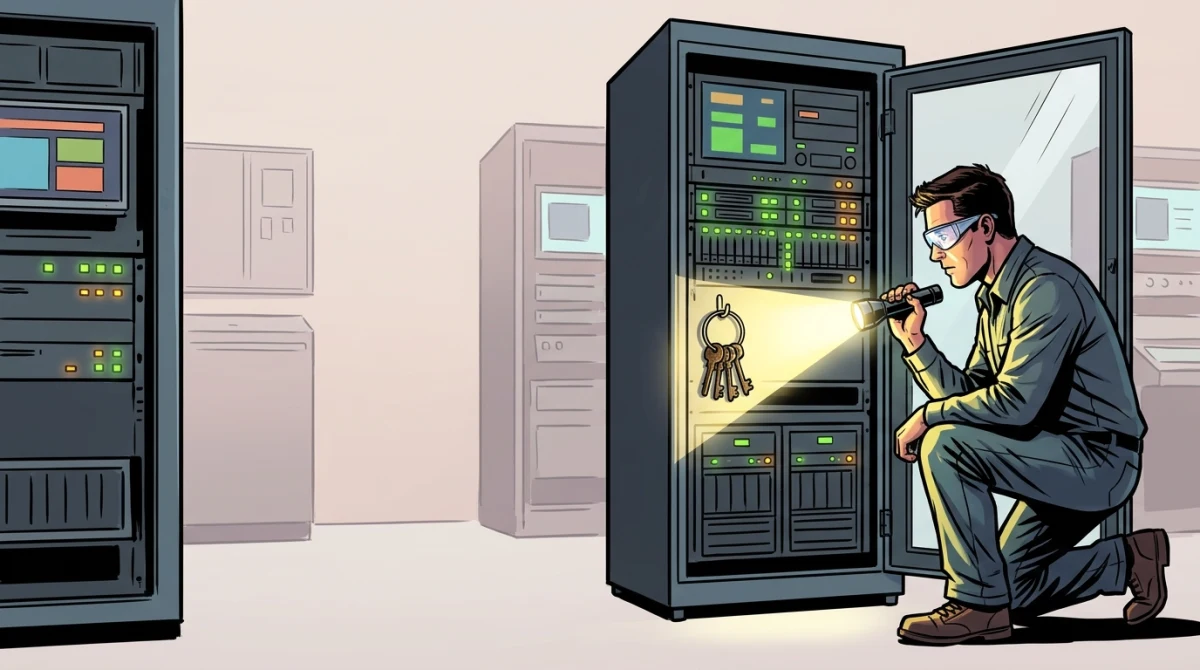
Leftover access, licenses on someone else's account, things the owner thought they had, unfinished work, and now and then a hack. The same handful turns up again and again. None of it is a judgment on whoever came before. Sites built over years by several people collect leftovers, and nobody had a reason to look until now.
Access nobody remembers granting. On one agency takeover, all six of the agency's WordPress accounts had already been deleted and their hosting access removed. Everyone considered the handover finished. When we searched the site's database for the agency's name, we found a remote-control key from their backup management plugin, still able to run backups, restores and plugin installs from outside, with a setting that would have quietly reconnected it. Security and SEO report emails were still going to the agency, too.
Licenses on someone else's account. A theme licensed through the previous developer's account. A membership plugin running on the developer's 30-site plan. Form and custom field plugins on the old agency's licenses. A font kit served from an account nobody could identify. This is the most common finding by far.
Things you thought you had. One client believed the site ran a paid security plugin and wondered whether she was still paying for it. It wasn't installed at all, only leftover database tables from an old install. The departing agency's handover note was a good starting point, and we checked every claim in it anyway.
Work that was never finished. On one site, two pages in the main menu had been written but never published, so the links went nowhere, and project pages still had the theme's placeholder text. Nothing was broken, exactly. The build had just stopped.
Something worse. The same site had about 40 administrator accounts, and the owner's own account had been deleted. When the owner removed the fake ones and recreated their own, a new one appeared. More on that below.
What breaks when the old developer's accounts are closed?
A lapsed plugin license almost never breaks a site; anything that runs live through the old vendor's account can. The plugin keeps working and just stops getting updates. What stops outright is email, fonts, keys and connections that run on someone else's account.
| What's tied to the old vendor | What happens when their account ends | What to do |
|---|---|---|
| Premium plugin or theme license | Keeps working, stops getting updates and support | Move to your own license or the new company's, on your timeline |
| Form email sent through their mail service | Contact and lead emails stop arriving | Move it before their access goes |
| Fonts served from their font subscription | The site falls back to default fonts | Move the fonts to an account in your name |
| Map, CAPTCHA or other service keys | That feature stops working | Replace with keys in your name |
| Marketing tracking or form connections to their accounts | Leads and data go to an account you can't see | Reconnect to your own accounts |
| Analytics and Search Console ownership | You can't see your own data | Get added as an owner, then remove theirs |
Fonts are a good example of how this works. Adobe's own licensing terms say a client's website has to load Adobe Fonts through the client's own subscription, and that if the subscription is cancelled, the web fonts stop and the site shows fallback fonts. If your agency set up the fonts on its account and then closed, your site's look depends on a subscription nobody is paying.
Search Console works the same way. Google says a property needs at least one verified owner, and that if your only verified owner leaves, you should verify ownership again and then remove the previous owner's verification so they can't get back in.
Two more things that catch people out. Removing an agency from the hosting account doesn't remove their WordPress logins; those are separate, and both have to go. And the domain and analytics accounts live outside the website entirely, so no review of the site's files will show who controls them. You have to ask, or look them up.
What happens in the first month after a takeover?
The site is copied while the current one keeps running, you switch when you're ready, and you get a review of everything with nothing changed without your approval. Here's how it runs with us. Other good companies work in a similar order.
We copy the site while the current one keeps running. Nothing changes on your live site while we work. We build the copy on our servers and send you a link to review it.
We switch over when you're ready. The move is usually a few days, or hours when it's urgent. On one agency takeover this year, the client signed up and was live on our hosting 13 days later, after reviewing the copy. The old agency kept the old site running for several days after the switch, and we deleted nothing until that overlap ended.
You reconnect a few things yourself. Some connections belong to your accounts, not ours, so after a move you may need to sign back in to them. On that same takeover, the client signed back in to her marketing automation tool and her Google plugin herself the next morning, and we confirmed each one was working.
We review everything and give you a list. A full review of the site: WordPress, theme, plugins, custom code, integrations, user accounts, licenses, security and backups. It comes back as a plain-language list with a recommendation on each item and what happens if you do nothing. We remove leftover access as part of the move. Everything else waits for your decision. Nothing on your site changes without your say-so.
Then it's ordinary support. Weekly updates tested on a copy of the site first, daily backups kept for 30 days, security, and a team that answers. Every request is acknowledged, urgent ones within 15 minutes, any time of day.
If you'd rather keep your current hosting, that's possible too: we support sites on other reputable hosts at the same plan price. The difference is that on someone else's servers we can't take responsibility for security or uptime, because we don't control the environment.
Will a support company take over a WordPress site that's broken or hacked?
Yes, a good one will, and with us the cleanup is part of support. Some companies won't, or will only quote a separate cleanup project first. A broken or hacked site joins a plan with us like any other, the move is free, and fixing what's broken, hack cleanup included, comes with no separate fee.
What matters on a hacked site is the accounts, not just the files. WordPress's own guide to a hacked site says the first place to start is with your users: reset every password, especially the administrators', and change the site's secret keys so anyone still logged in is thrown out.
A recent example. Pulling a nonprofit's site off another host to move it, we found two hidden administrator accounts and four fake plugins, one of them labeled "Simple backdoor plugin." They came from attacks on the critical WordPress flaws that were fixed in July. The previous host had emptied the malicious files but left the attacker's accounts in place, so a single password reset could have let them straight back in. We told the client, rebuilt the site clean, checked every legitimate plugin file against the official copies, and never touched their live site until the clean version was ready.
On the small business site with 40 administrator accounts, the attack was still active: a new administrator appeared after the owner's own cleanup. We contained it the same day. If you suspect a problem but aren't sure, a professional security audit is what a good takeover starts with anyway.
How much does it cost to have a new company take over a WordPress site?
With us, nothing extra: the move is free on every plan, and plans start at $99 a month with hosting included. Many companies charge a one-time takeover or onboarding fee before monthly support starts. We don't.
Anything already on your site that stops working is ours to fix. If it's there, it's covered. New work, like a page or a feature that doesn't exist yet, is development time: Professional, Business and Enterprise plans include 1, 3 or 8 hours a month, and work beyond that is $150 an hour, always quoted before we start. See our plans for the full comparison. Nonprofits get 20% off.
How can I tell a takeover is going well?
- You were asked for one way in, not a list of things you don't have.
- Your live site kept running while the copy was built and reviewed.
- You got a list of findings in plain language, with a recommendation on each.
- Nothing changed on the site that you didn't approve.
- Accounts and licenses are moving into your name or the new company's, not into another person's.
- When you send a request, someone acknowledges it.
If any of those are missing in the first month, ask why. The first month is when habits are set, on both sides.
Frequently Asked Questions
How do I transfer ownership of a WordPress website?
Ownership is a set of accounts, not one setting: the domain registration, the hosting account, the WordPress administrator accounts, and the outside services the site uses (analytics, Search Console, email marketing). Move each into your organization's name, or have the new support company do it with you. Start with the domain, because it's the hardest to recover if it's lost.
How do I give a new company admin access to WordPress?
Log in to WordPress, go to Users, then Add New, enter the company's email address, and choose the Administrator role. Give them their own account rather than your password, so it can be removed cleanly if you ever part ways.
How long does it take to move a WordPress site to a new company?
For us, the move usually takes a few days, or hours when it's urgent. The full review follows in the first few weeks. Your live site keeps running the whole time, and you choose when to switch.
Can I move my WordPress site to a new host when I change support companies?
Yes. A WordPress site is files plus a database, and both can be copied to a new server while the old one keeps running (WordPress's migration guide covers the mechanics). Most support companies, us included, do the move for you.
Do I need my old developer's permission to switch support companies?
No. If the site, the hosting and the domain are in your name, they're yours to move. A polite note to the old developer is good practice, especially if they still have access, but the takeover doesn't depend on their reply.
How do I find out who hosts my WordPress site?
Look for who bills you for hosting first: a card statement or an old invoice usually answers it. If the site was set up on someone else's account, a new support company can usually tell from the site itself where it's hosted, and the ICANN lookup tells you where the domain is registered.
What if I don't have any logins at all?
Start with what's in your name: the hosting bill and the domain registration. Hosting companies can usually give access to the person who pays. If you can't get into anything, the content of a public site can often still be recovered, and the domain becomes the priority.
Will my website go down when a new company takes it over?
It shouldn't. A careful takeover copies the site while the current one keeps running, and the switch happens only after you've reviewed the copy. On our takeovers, nothing on the old site is touched until the new one is confirmed.
What happens to plugin licenses when my developer leaves?
The plugins keep working, but licenses held on the developer's account stop getting updates when that account ends. They should move to your own licenses or the new company's. The bigger risk is services that run live through the old account, such as form email and fonts, which can stop working outright.
Can WordPress support take over my site for me?
Not WordPress itself. WordPress is open-source software with volunteer forums, and WordPress.com only supports sites it hosts. For a site on your own hosting, you need a support company or developer you hire.
Can a new company take over a WordPress site that has been hacked?
Yes. We take hacked and broken sites on the same terms as any other: the site joins a plan, the move is free, and the cleanup is part of support. A good takeover checks for leftover attacker accounts, not just malicious files.
Can you take over my site without moving my hosting?
Yes, if the host is reputable and gives us the access we need. The plan price is the same. On someone else's hosting we're not responsible for security or uptime, because we don't control the environment.
Taking over a site?
If your developer has moved on or your agency has gone quiet, tell us about your site. We'll tell you what we need, what the move involves, and what a plan would cost before anything changes. Or see how our WordPress support works.