
There's a version of getting hacked where your site looks completely fine. You log in, everything is where it should be, pages load normally, and content is unchanged. But when you Google your own organization's name, the search results show your domain selling Viagra.
That's the WordPress pharma hack. And by the time you notice it, the infection has likely been running for weeks or months.
The WordPress pharma hack is an SEO spam injection attack where attackers compromise a legitimate website and use cloaking to show pharmaceutical product listings to search engines while displaying normal content to human visitors. The site owner sees nothing wrong. Google sees a pharmacy.
The goal isn't to damage your site or steal your data. It's to hijack your domain's search authority to rank for drug keywords like Viagra, Cialis, and Xanax. You might hear this called a WordPress viagra hack when the injected content focuses specifically on erectile dysfunction drugs, but it's the same underlying attack.
The pharma hack is one of the oldest and most persistent types of WordPress attacks. The attackers are running a business: pharmaceutical affiliate programs pay well, and by parasitizing hundreds of legitimate websites, they build a network of pages that rank for lucrative drug keywords.
The scale is staggering. In 2024, Sucuri's SiteCheck scanner detected 422,741 websites infected with SEO spam. WordPress accounts for 96.2% of all infected CMS websites, making it the primary target for these operations.
"You don't have to be on anyone's threat list. You don't have to be a target. You don't have to be controversial. Your website can fall victim to a security attack even if you've never done anything controversial at all."
How the WordPress Pharma Hack Hides From You
The defining feature of this attack is cloaking, showing different content to search engine crawlers than to human visitors. That's what makes it so difficult to detect on your own.
When Googlebot crawls your pages, the malicious code detects the crawler's user agent and serves pharmaceutical content: keyword-stuffed pages, product listings, and links to illicit pharmacy sites. Your page titles in search results change to things like "Buy Viagra Online, [Your Organization Name]."
When you visit the site as a logged-in administrator, the code detects that too and serves the normal, clean website. Some variants also check how visitors arrived. If someone clicks through from a Google search result, they get redirected to a pharmacy site. If they type your URL directly, they see the real site.
This redirect behavior often co-occurs with pharma hack infections, and the two attacks share the same entry points and cleanup requirements.
The cloaking isn't a rough edge in the attack. It's a deliberate design choice. The attackers don't want to be discovered. They want the infection to persist quietly for as long as possible, generating revenue from your domain authority while you have no idea anything is wrong.
"Zero redirect attacks and zero pharma attacks in FatLab's history. I attribute that directly to our mandatory WAF policy."
That track record is the result of prevention, not luck. But we still get calls from site owners who've discovered pharmaceutical spam in their search results and are looking for a new host. These attacks remain common for sites without proper protection in place.
The WordPress Japanese Keyword Hack: Same Attack, Different Language
The pharma hack has a closely related variant that has actually surpassed it in volume: the WordPress Japanese keyword hack. The mechanics are identical. Same cloaking, same entry points, same cleanup requirements. But instead of pharmaceutical keywords, it injects Japanese-language text promoting counterfeit luxury goods, electronics, or gambling sites.
The Japanese keyword hack tends to be more aggressive in one specific way: it creates hundreds or thousands of new pages rather than modifying existing ones. These doorway pages exist solely for search engine indexing. Site owners often discover the infection when Google Search Console shows a sudden spike in indexed pages, or when they see Japanese characters in their search appearance reports.
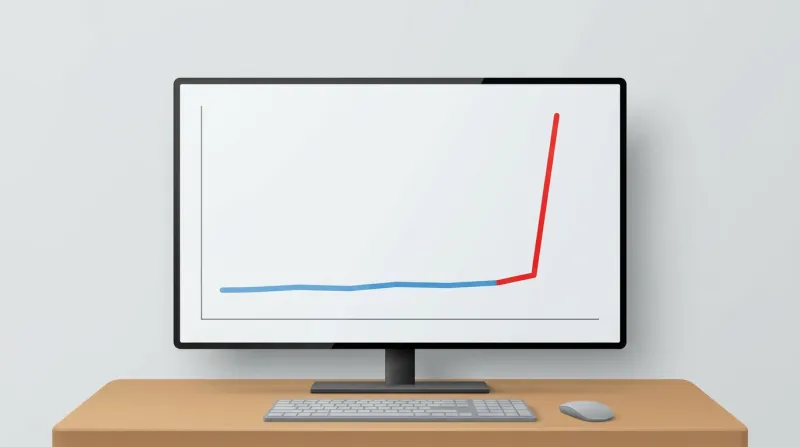
In Sucuri's 2023 threat report, Japanese SEO spam was the most detected and most frequently remediated type of malware, found on 10.07% of all infected websites. It surpassed pharma spam in volume, likely because its page-generation approach creates more indexable content per infected site.
For context, over 40% of SiteCheck's 2022 SEO spam detections were pharma spam injections, underscoring just how dominant these two variants are in the broader WordPress SEO spam landscape.
The important thing to understand is that these aren't separate problems. The WordPress pharma hack, Japanese keyword hack, casino spam, and generic SEO spam injection are all variants of the same attack pattern. The entry points, cloaking techniques, and cleanup process are the same. The only difference is which keywords the attacker is trying to rank for.
How Attackers Get In
The pharma hack isn't a single exploit. It's an outcome that follows from any successful compromise of your WordPress installation. Understanding how attackers get in matters because it determines what you need to fix after cleanup. Remove the malware but leave the entry point open, and the site gets reinfected within days.
Outdated Plugins
This is the most common entry point by a wide margin. Plugins account for 96% of all WordPress vulnerabilities, with 7,633 plugin vulnerabilities discovered in 2024 alone compared to only 7 core WordPress vulnerabilities in the same period.
Attackers run automated scanners to find WordPress sites with vulnerable plugin versions, match known exploits against those versions, and deploy payloads. No human involvement required. The entire process from discovery to infection happens automatically. A bot found your outdated contact form plugin, and now Google thinks you sell Cialis. Compromised WordPress plugins make this even worse: when a trusted plugin is weaponized at the source, the malware arrives through your normal update channel.
Compromised Credentials
Weak or reused passwords remain a reliable way in. Sites using common username and password combinations can be compromised within hours of going live. Brute-force attacks, credential stuffing from data breaches, and shared credentials all provide attackers with the access they need to install pharma spam infrastructure. Often, attackers first use user enumeration to discover valid usernames before launching credential attacks.
Nulled Plugins and Themes
Pirated ("nulled") premium plugins and themes are one of the most reliable infection vectors. Attackers crack premium plugin licenses and distribute them on "free download" sites, pre-loaded with backdoors. Site owners install malware voluntarily, thinking they got a deal on a $50 plugin.
Server-Level Vulnerabilities
On shared hosting environments, one infected account can provide lateral access to other sites on the same server. This is a risk factor entirely outside the site owner's control, and it's one of the reasons hosting quality matters for security.
How to Check If Your Site Is Affected
Because the WordPress pharma hack is designed to be invisible when you browse your own site, detection requires deliberately looking at it from a search engine's perspective. If you suspect something is wrong, running a WordPress malware check is a good starting point.
Detection Methods Overview
| Method | What It Finds | Limitations |
|---|---|---|
| Google site: search | Indexed spam pages and titles | Only shows what Google has already found |
| Search Console | Security warnings, indexed spam URLs | Requires verified ownership |
| Remote scan (Sucuri SiteCheck) | Known malware signatures, blacklist status | Cannot scan server files directly |
Search Your Own Domain
The simplest check is a Google search using the site: operator:
site:yourdomain.com viagrasite:yourdomain.com cialissite:yourdomain.com pharmacy
If results appear, your site has been compromised. You can also search site:yourdomain.com and scroll through the results looking for altered titles or descriptions that include pharmaceutical terms. Many site owners first discover the hack when a customer or colleague sends them a screenshot of the search results.
Use cache:yourdomain.com/page to view Google's cached version of any specific page. This shows you what Googlebot actually indexed, which may differ from what you see when you visit the page directly.
Check Google Search Console
If your site is connected to Google Search Console, look at several areas:
- Security Issues panel: Google may flag the site with "Hacked content detected." This isn't guaranteed, as many infections go unflagged for months.
- Search Performance report: Filter by query and look for impressions on pharmaceutical keywords you never targeted.
- Indexing reports: Check for sudden increases in indexed page count, especially pages you didn't create. This is a telltale sign of the Japanese keyword hack variant.
- Users and Permissions: The Japanese keyword hack variant sometimes adds attackers as verified Search Console owners using the HTML tag verification method.
Run a Remote Scan
Sucuri's free SiteCheck tool can detect pharma spam in your site's HTML output. It checks for known malware signatures, blocklist status, and SEO spam. Keep in mind that remote scanners only check what's visible in the page output. They can't detect file-level infections or database-stored payloads, so a clean remote scan doesn't guarantee a clean site.
Why the WordPress Pharma Hack Is Hard to Clean
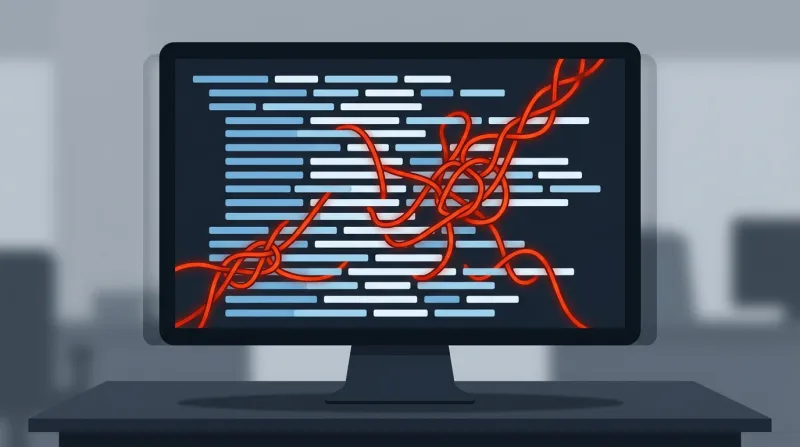
The WordPress pharma hack uses a split architecture that makes cleanup significantly harder than most malware. The infection lives in two places at once: modified files on the server and injected content in the database. Remove the files without cleaning the database, or vice versa, and the infection rebuilds itself from the pieces you missed.
File-Level Infections
Attackers modify core WordPress files like index.php, wp-config.php, and wp-blog-header.php by appending include statements that load malicious code. They also plant new files designed to look legitimate: names like wp-page.php, cache.php, or class-wp-config.php that blend in with real WordPress files.
Hidden files in the uploads directory, backdoors using eval() and base64_decode(), and .htaccess rules that serve different content based on user agent all contribute to the infection.
Database Infections
Malicious code gets stored in the wp_options table as serialized data that executes on every page load. In some cases, attackers use SQL injection through vulnerable plugins to write directly to these tables without needing file access. Spam content is injected into existing posts and hidden with CSS, such as display: none or off-screen positioning. New posts and pages may be created with pharmaceutical content set to publish status.
The obfuscation is deliberate: encoded multiple times, split across tables, assembled at runtime from character codes.
The Reinfection Cycle
This is the core frustration with pharma hack recovery, and the problem that one-time cleanup services often fail to solve. The cycle looks like this:
- Site owner discovers the hack
- Someone runs a scanner or does a manual cleanup
- The site appears clean
- Malware returns within one to four weeks
This happens because the cleanup missed a backdoor, an obfuscated file, or a database entry. Or the original vulnerability that let attackers in was never closed. A single missed backdoor, sometimes just one line of PHP hidden in a file you'd never think to check, is enough for the entire infection to regenerate.
"Infections are self-replicating. They compromise both files and the database. To think you're going to clean it up manually is a gamble."
This is why I recommend professional cleanup services rather than DIY remediation. The attack surface within a compromised site is too large for manual file-by-file scanning. Companies like Sucuri, which we've worked with for over 10 years, have purpose-built tools designed to find every piece of an infection. That's not something you can replicate by reading a how-to guide.
"Don't trust yourself to do an eyeball scan. You'll miss pieces hidden in the database or buried in files."
What Professional Cleanup Involves
A thorough pharma hack cleanup is a multi-step process. Understanding what's involved helps you evaluate whether a cleanup service is actually being thorough or just scratching the surface.
Full backup before any changes. Before touching anything, take a complete backup of the infected site, both files and database. Even though the site is compromised, you need this as a reference point and a fallback.
Core file replacement. All files in /wp-admin/ and /wp-includes/ are replaced with clean copies from the official WordPress repository. Root-level core files are replaced. wp-config.php is manually inspected since it contains your site's configuration and can't simply be overwritten.
Plugin and theme reinstallation. All plugins are deleted and reinstalled from their sources. You can't trust existing plugin files on a compromised site. Inactive themes are removed entirely.
Database cleaning. The wp_options, wp_posts, and wp_postmeta tables are searched for encoded payloads, pharmaceutical terms, hidden content, and unauthorized data. The wp_users table is checked for fake admin accounts created by the attacker.
.htaccess restoration. The existing file is deleted and regenerated. Subdirectories are checked for additional .htaccess files that shouldn't exist.
Credential reset. All passwords are changed: WordPress admin accounts, database users, FTP/SFTP, and hosting control panel. WordPress security salts are regenerated, which forces all sessions to expire and invalidates any stolen session cookies.
Update everything. WordPress core, all plugins, and all themes are updated to their latest versions. Anything not actively in use is removed. This step closes the vulnerability that allowed the compromise in the first place.
Recovering Your Search Results
Cleaning the infection from your site is only half the battle. You also need to tell Google the site is clean and get the pharmaceutical spam removed from your search results.
If Google has flagged your site in Search Console under Security Issues, you can submit a reconsideration request. This should explain what happened, what you did to fix it, and what you've done to prevent it from happening again. Google reviews typically take several days to a few weeks.
For Japanese keyword hack infections that created hundreds of doorway pages, use the URL Removal tool to request de-indexing of spam URLs. Use the URL Inspection tool to request re-crawling of affected pages.
One important caution: don't submit a reconsideration request until you're confident the cleanup is complete. A failed review extends the timeline significantly and can flag your site as a repeat offender. An incomplete cleanup that passes initial checks but leaves a backdoor means the infection returns, and you'll be in a worse position with Google than before.
Even after a successful cleanup and review, your organic traffic doesn't snap back immediately. Google needs time to re-crawl your pages, remove the cached pharmaceutical content from its index, and restore your rankings.
Depending on how long the infection persisted and whether your site was blocklisted, full recovery can take weeks to months. Sites that were blocklisted, meaning Google actively warned visitors away, can lose up to 95% of their organic traffic during the blocklisting period.
Why Sites Stay Protected Under Professional Management
The WordPress pharma hack is preventable. The entry points are well-understood: outdated plugins, weak credentials, and server-level gaps. Closing them isn't complicated, but it does require consistent, ongoing attention.
Our approach to prevention covers the specific entry points that pharma hack operations exploit:
Regular updates on a controlled schedule. We apply plugin, theme, and core updates weekly across our fleet, with automated testing in a staging environment before anything reaches production. This eliminates the "outdated software" entry point, the most common vector for pharma hack infections.
Server-level malware detection. Our infrastructure runs Imunify360, which scans at the server level outside of WordPress. This catches infections that plugin-based scanners miss, including obfuscated and zero-day malware.
Server-level detection matters because a compromised WordPress plugin can disable WordPress-level security tools. The application can't turn off something running outside the application.
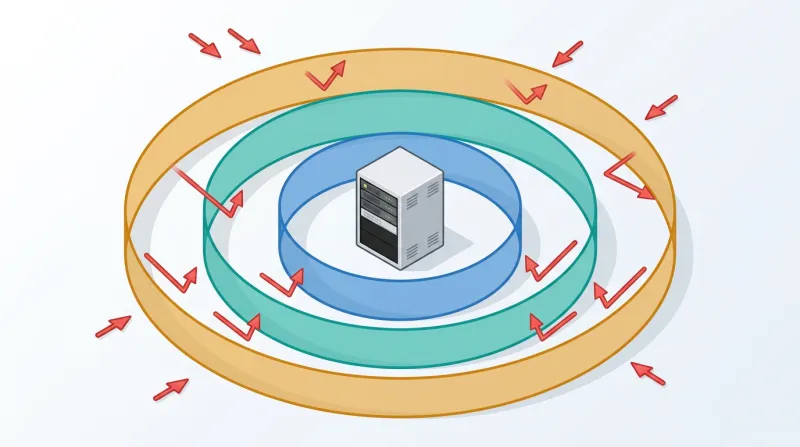
Mandatory WAF protection. All sites on our servers run behind Cloudflare Enterprise WAF. This blocks known exploit patterns at the HTTP request level before they reach WordPress, including the specific attack payloads used in pharma hack deployments. Virtual patching closes vulnerability windows within hours of disclosure, before software patches are even released.
Access control enforcement. Strong password policies, limited admin accounts, and disabled XML-RPC are standard configurations across every site we manage.
Here's the fundamental difference between our approach and what most pharma hack articles recommend. The standard advice is a checklist: update your plugins, use strong passwords, install a security plugin. That's accurate as far as it goes.
But a checklist only works if someone consistently works through it, week after week. The sites that get hit with pharma hacks aren't sites where the owner decided to skip security. They're sites where the checklist wasn't completed that month, quarter, or year.
"It's not a wait-and-see game where you clean up afterwards. It's a multi-layer approach to keeping it from happening in the first place."
What to Do If Your Site Has Been Compromised
If you've discovered pharmaceutical spam in your search results, here's the short version of what to do next:
- Confirm the infection using the
site:search operator and Google Search Console checks described above. - Don't attempt a partial cleanup. A surface-level scan that misses a single backdoor means the infection returns within weeks.
- Engage a professional cleanup service. We use and recommend Sucuri for malware remediation. Their tools are designed to find every piece of a split file-and-database infection.
- Close the entry point. Update all plugins, themes, and WordPress core. Change all passwords. Remove anything you're not actively using.
- Submit to Google for review only after you're confident the cleanup is complete.
- Put ongoing maintenance in place so the entry points stay closed. Professional management isn't just for recovery. It's the layer that prevents this from happening again.
Frequently Asked Questions
How do I know if my WordPress site has a pharma hack?
The tricky part is that you won't see it by browsing your own site. The malware is designed to hide from logged-in users. The quickest check is to search Google for site:yourdomain.com viagra or site:yourdomain.com cialis. If results come up, you have a problem. You can also look at Google Search Console for security warnings, unexpected impressions on pharmaceutical keywords, or a sudden spike in indexed pages you didn't create.
Can I clean a pharma hack myself?
You can try, but the odds aren't great. Pharma hacks split the infection between your files and your database, and they install multiple backdoors so the infection can rebuild itself from pieces you missed. We've seen site owners go through three or four rounds of "cleaning" before giving up and calling a professional service. Companies like Sucuri have tools specifically built to find every piece of an infection, and that's not something you can replicate by manually scanning files.
How long does it take to recover search rankings after a pharma hack?
It depends on how long the infection ran and whether Google blacklisted your site. If you catch it early and the cleanup is thorough, you can submit a reconsideration request and potentially get the security warning removed within a week or two. But rebuilding your actual organic rankings takes longer. Sites that were blacklisted can take 30 to 90 days to get back to where they were, and some lost backlinks may never come back.
Why does the pharma hack target small sites?
Because the attackers don't care about your content. They care about your domain authority. Even a small site that has been around for a few years has built up enough trust with Google to help rank pharmaceutical keywords. The bots that deploy these attacks are fully automated and scan the internet looking for any WordPress site with a known vulnerability. Your site's size, audience, or topic are irrelevant to them.
What's the difference between a pharma hack and a Japanese keyword hack?
They're variants of the same attack. The pharma hack injects English-language pharmaceutical content into your existing pages. The Japanese keyword hack creates hundreds or thousands of new pages in Japanese promoting counterfeit goods or gambling sites. The entry points, cloaking techniques, and cleanup process are the same for both. The only real difference is which keywords the attacker is trying to rank for.
If you're looking for ongoing security management or need help recovering from an active infection, our WordPress security services page explains what's included.
For a broader view of the WordPress threat landscape and how attacks like the WordPress pharma hack fit into the bigger picture, see our guide to WordPress security threats.