
Bottom line: The debate between WordPress theme vs. page builder comes down to one question: what's the true cost of each approach over time? Page builders like Elementor and Divi promise easy website creation, but they come with hidden costs: performance problems, design limitations, and lock-in that becomes painful as your organization grows. Understanding when to invest in custom WordPress development versus when a page builder suffices can save you years of frustration and thousands in eventual rebuilding costs.
Understanding the WordPress Theme vs. Page Builder Decision
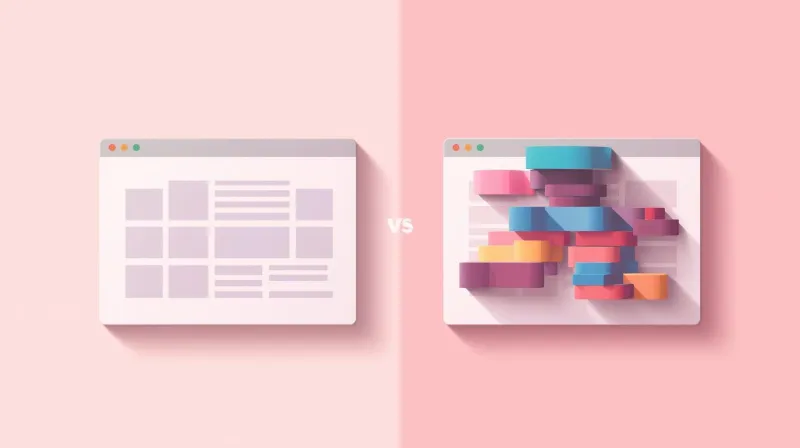
Page builders have transformed WordPress. Tools like Elementor, Divi, and WPBakery let anyone drag and drop their way to a website without writing code. For WordPress's democratization of web publishing, this seems like the natural next step.
And for certain situations, page builders work perfectly well. A simple brochure site, a personal blog, a quick landing page. These are ideal page builder territory.
But here's what the marketing doesn't tell you: page builders solve one problem while creating several others. The ease of initial setup masks performance overhead, the flexibility creates decision paralysis, and the visual editing locks your content into proprietary formats that become increasingly difficult to escape.
We see organizations struggle with this tradeoff constantly. Some come to us after years of fighting page builder limitations. Others arrive mid-project when their page builder site can't deliver what they actually need. A few, the fortunate ones, find us before they've invested significant time and money in an approach that won't serve them in the long term.
This guide will help you understand which approach makes sense for your situation so that you can invest wisely from the start.
Signs You've Outgrown Your Page Builder
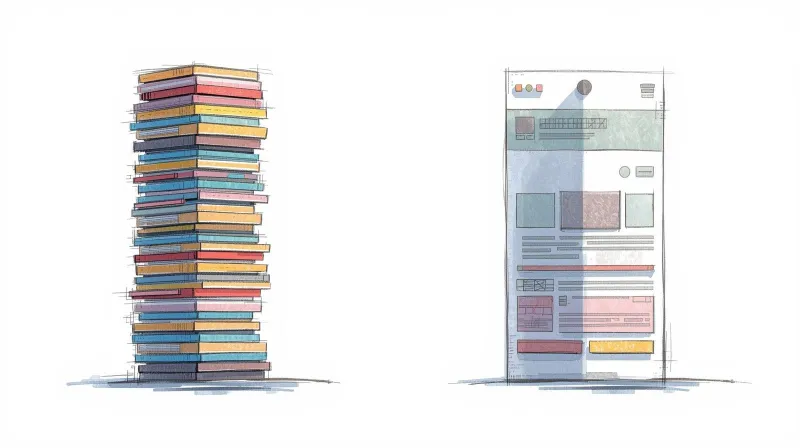
If you're already using a page builder and experiencing friction, these warning signs suggest it might be time to consider custom development:
Your site is slow, and you can't figure out why. Page builders add significant overhead: extra CSS, JavaScript libraries, and database queries on every page load. We regularly hear from organizations whose Elementor or Divi sites load in 4-6 seconds despite optimization efforts. That's not a hosting problem or an image problem. It's architectural. When people search "Elementor slow" or "Divi performance problems," this is usually why.
You're drowning in options but can't get what you actually want. Page builders advertise flexibility, but it's flexibility within their framework. When you need something specific, like a particular layout behavior, a custom integration, or a unique interaction, you hit walls. The irony: tools marketed as "easy" often require more technical workarounds than starting with clean code.
Updates break things. WordPress updates. Page builder updates. Theme updates. Each one risks breaking layouts, especially on complex pages. You delay updates out of fear, creating security vulnerabilities.
Your brand keeps drifting. When anyone can change anything visually, brand consistency suffers. Colors get slightly off. Spacing becomes inconsistent. Typography varies page to page. The design system you started with erodes with every edit.
You're locked in. Try switching from Elementor to Divi, or to anything else. Your content is stored in page builder shortcodes and proprietary formats. Migration means rebuilding every page from scratch. The "easy" tool has become a cage.
The Hidden Costs of Page Builders
Page builders appear cheaper upfront. A premium theme with a built-in page builder runs $50-200. Elementor Pro costs $59- $ 399 per year. Compared to custom development starting at several thousand dollars, the math seems obvious.
But the total cost of ownership tells a different story.
Performance costs revenue. Every second of load time decreases conversions. For organizations exploring WordPress for nonprofits, this performance gap is especially critical because every second of load time means fewer donations and fewer signups. For associations, it means lower member engagement. Google's research shows 53% of mobile users abandon sites that take longer than 3 seconds to load. Page builder overhead makes it extremely difficult to hit that target.
Workarounds accumulate. Every limitation you work around requires plugins, custom CSS snippets, or compromise. Each workaround adds complexity, potential conflicts, and maintenance burden. Three years into a page builder site, you're often maintaining a fragile stack of interdependencies.
Redesigns mean rebuilds. Want to refresh your site's look in three years? With a custom theme, you modify the CSS and template files. With a page builder, you're often rebuilding pages manually because layouts are embedded in content rather than separated in templates.
Developer time costs more. When you do need developer help (and you will), working within page builder constraints takes longer than working with clean code. Developers charge for time, and debugging page builder quirks burns hours that could be spent building features.
When Page Builders Actually Make Sense
We're not anti-page builder. They serve real purposes:
-
Tight budgets with simple needs. If you genuinely need a basic website and have under $2,000 to spend, a well-chosen theme with Elementor can work. Just go in with eyes open about limitations.
-
Rapid prototyping. Need to test an idea quickly before investing in proper development? Page builders let you validate concepts before committing resources.
-
Marketing landing pages on otherwise custom sites. Some organizations use page builders only for ephemeral campaign pages while maintaining custom development for their core site. This contains the downsides of disposable content.
-
Sites where the content genuinely varies page to page dramatically. News sites or magazines where every article needs different layouts can benefit from block-based flexibility. Even then, Gutenberg's native blocks often outperform third-party builders.
The key question: Is this website central to your mission and expected to serve you for years to come? If yes, custom development almost always delivers better long-term value. (And if someone suggests headless WordPress as a solution, make sure you understand the significant operational complexity that comes with that architecture, since most organizations don't actually need it.)
When Custom WordPress Development Is Worth the Investment

Custom WordPress theme development makes sense when:
-
Performance directly impacts your mission. Donation pages, membership signups, event registrations. If slow load times cost you conversions, the investment in clean code pays for itself.
-
Brand consistency matters. Custom themes bake your design system into the architecture. Content editors can't accidentally break brand standards because they only have access to approved options.
-
You need specific functionality. Member directories, custom donation flows, CRM integrations, learning management, event registration. If your site does more than display content, custom development delivers exactly what you need without bloat.
-
You're planning for growth. Custom architecture scales cleanly. Adding features, expanding content types, and integrating new systems is straightforward when the foundation is solid.
-
You want editorial simplicity. Counterintuitively, custom themes often provide a better editing experience than page builders. Instead of overwhelming options, editors see exactly the fields they need for each content type. Less flexibility at the editor level means fewer mistakes and less confusion.
-
Long-term cost matters. A custom theme that runs flawlessly for five years with minimal maintenance costs less over time than a page builder site requiring constant attention, plugin updates, and eventual rebuilding.
Understanding WordPress Developer Cost and Timeline
The choice often comes down to whether to hire a WordPress developer for custom work or go the DIY route with page builders. Here's what to expect:
WordPress developer costs vary widely, but custom theme development typically ranges from $ 5,000 to $15,000+, depending on complexity. Timeline runs 6-8 weeks for most projects. That's significantly more than buying a theme and installing Elementor.
But consider what you're actually comparing:
Page builder approach: $200 theme + $199/year Elementor Pro + ongoing plugin costs + developer time for workarounds + performance optimization attempts + eventual rebuild when you outgrow it. Five-year cost: Often $5,000-10,000+, plus the opportunity cost of a slower, less effective site.
Custom development approach: $8,000-12,000 upfront + minimal ongoing maintenance. Five-year cost: Roughly the same dollars, but with a faster site, better conversions, and no rebuild required.
For detailed pricing breakdowns across themes, plugins, and integrations, see our guide on the true cost of custom WordPress development.
The question isn't really "custom vs. page builder." It's "do I want to pay now for something that works, or pay the same amount over time for something that fights me?"
Questions to Ask Before Deciding

Before choosing your approach, honestly assess these questions about your needs. (If you're also evaluating developers, our guide on questions to ask a web developer covers the post-launch concerns that most hiring guides miss.)
- How long do you expect this website to serve your organization?
- Does site performance directly affect donations, signups, or engagement?
- Do you have specific functionality needs beyond displaying content?
- How important is brand consistency across all pages?
- Who will be editing the site, and how technical are they?
- What's your realistic budget, not just for launch, but for the next 3-5 years?
If you're building for the long term, need performance, require specific functionality, or value brand consistency, custom development is likely the better investment.
If you need something quick, have a very limited budget, or are building something genuinely temporary, a page builder can work, but don't expect it to scale gracefully.
Rescuing Page Builder Sites
Many organizations come to us after hitting page builder walls. The good news: migration is possible. The challenging news: it usually means rebuilding rather than migrating, because page builder content doesn't transfer cleanly to custom themes.
We've rescued sites from failed page builder implementations, rebuilt platforms that had become unmaintainable, and helped organizations escape the lock-in that seemed permanent. The rebuild investment is real, but organizations consistently report that the performance improvements and reduced maintenance headaches justify the transition. Before committing to a rebuild, it's worth understanding what level of work you actually need. Sometimes a targeted refresh or redesign addresses the real problems at a fraction of the cost.
If you're currently stuck with a page builder site that's not serving you, a conversation about your options costs nothing.
The FatLab Approach to Custom WordPress Development
When we build custom WordPress themes, we use Classic Editor with Advanced Custom Fields, a deliberately boring technology stack that prioritizes reliability over trendiness. Our themes produce clean, fast-loading code without the overhead of a page builder. For a deeper look at why this approach consistently outperforms block-based development, see why we build custom WordPress themes with Classic Editor and ACF.
More importantly, we build content management systems that make sense for how your team actually works. Instead of giving editors infinite flexibility (and infinite ways to break things), we create focused editing experiences where the right choices are easy.
The result: sites that load fast, look consistent, and remain maintainable for years. Sites your team can confidently update without developer assistance for routine content changes. Sites that won't need rebuilding when the next page builder update drops.
**Trying to decide between a page builder and custom development for your next project? We're happy to talk through your specific situation and provide an honest assessment of which approach makes sense. Contact us for a free consultation, or learn more about our custom WordPress development services.