
Headless WordPress is everywhere in development conversations. Agencies pitch it as modern, fast, flexible. Conference talks make it sound like the future. If you're not going headless, are you falling behind?
Probably not.
At FatLab, we can build headless WordPress sites. We currently support the WordPress backend for clients whose front-ends run on separate headless systems. We understand the architecture, the benefits, and, importantly, the costs.
For most of our clients, headless is the wrong choice. Here's how to know if you're the exception.
What Headless WordPress Actually Means
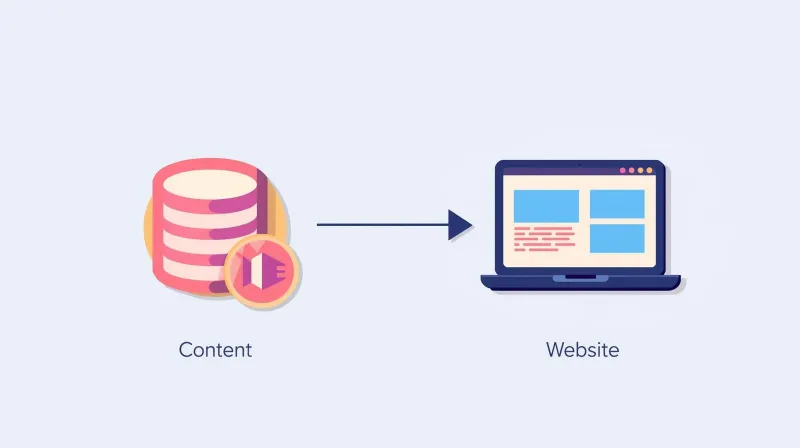
In a traditional WordPress setup, a single system handles everything: you create content in the WordPress dashboard, and WordPress displays it on your website. Content management and presentation are connected. When you hit "Publish," your content appears on your site. When you preview a page, you see exactly what visitors will see.
Headless WordPress (also called decoupled WordPress) separates these two functions. WordPress serves as a content repository, a place to create and store content, while a separate system handles displaying it to visitors. The "head" (the front-end display layer) is decoupled from the "body" (the content management system).
Content moves between these systems through APIs. You write a blog post in WordPress, and the front-end system pulls that content via an API call and displays it as the developers built it.
We're explaining this to help you understand what you're evaluating, not to sell you on it.
The Legitimate Case for Headless WordPress
Let's be fair: headless architecture has real use cases. It's not snake oil. For certain organizations, it's the right choice.
Multi-Platform Content Delivery
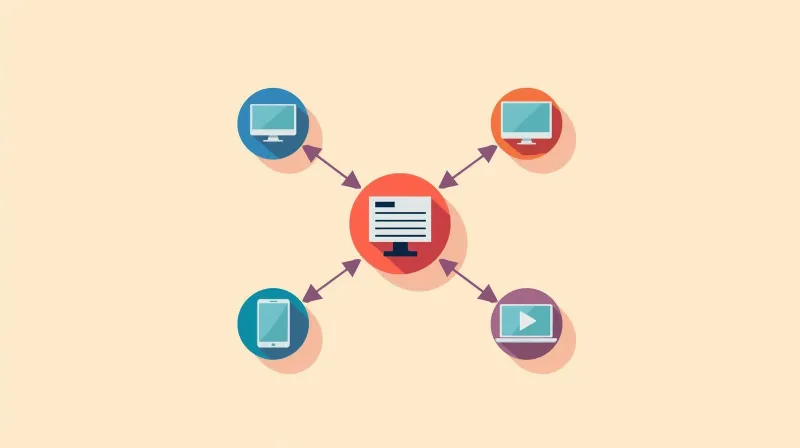
This is the clearest case for a headless setup. If you need to serve the same content to a website, a mobile app, digital kiosks, and a smart TV interface, headless makes sense. The content lives in one place and gets pulled into multiple presentation layers.
Extreme Performance Requirements
For sites where milliseconds genuinely matter, like large media publishers and high-traffic consumer applications, the ability to serve static files from CDN edge locations delivers measurable benefits.
Complex Front-End Applications
When the website is really a web application with heavy interactivity, gaming elements, or real-time features, separating the content layer from the application layer can make development cleaner.
Enterprise Technical Teams
Enterprise organizations with dedicated technical staff can absorb the operational complexity introduced by headless. When you already have DevOps engineers managing build pipelines, headless is just another system to maintain.
If this describes your organization, headless might be the right choice. But be honest with yourself: does it?
The Hidden Costs of Headless WordPress
When developers pitch headless WordPress, they talk about flexibility, performance, and modern architecture. They rarely talk about what your communications team will experience on day 47 when they just need to publish a press release.
Degraded Editorial Experience
Traditional WordPress gives you a "what you see is what you get" environment. You're editing the actual page. With headless, you're editing content in one system that will eventually appear in another system, but you can't see exactly how until it's published. Live preview either doesn't exist or doesn't accurately represent the final output.
Content Doesn't Appear Immediately
This is the complaint we hear most often from clients who inherited headless systems. Staff publish something, and it doesn't show up on the website. They learn they need to "trigger a build," "clear the cache," or wait for the deployment cycle to complete. They're now focusing on infrastructure rather than content.
Two Systems to Maintain
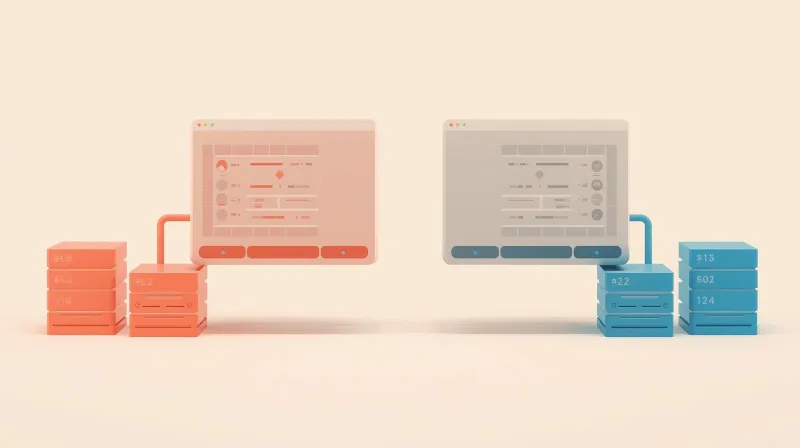
The WordPress backend needs updates, security patches, and maintenance. The front-end framework also needs updates, security patches, and maintenance. Two environments mean twice as many potential failure points and twice as many things that can fall out of sync.
Increased Developer Dependency
Changes that a marketing coordinator could make in five minutes with traditional WordPress now require developer involvement. Simple layout adjustments become development tickets. Your team loses autonomy.
Higher Costs, Both Build and Ongoing
Headless projects take longer and cost more to develop. You're building two systems instead of one, and they need to communicate properly. More complexity also means higher ongoing support costs. Forever. For context on what custom WordPress development typically costs, see our guide on the true cost of custom WordPress development. Headless architecture adds significant overhead on top of those baseline costs.
These costs are real. We've seen them with our headless WordPress clients. The systems work, but the operational overhead is significant.
What Your Team Actually Experiences
Let's paint the picture of daily life with a headless WordPress site.
Your marketing manager needs to publish a blog post about an upcoming event. She logs into WordPress, writes the post, adds an image, and hits publish. She opens a new tab to check the website.
The post isn't there.
She refreshes. Still not there. She waits a few minutes. Refreshes again. Nothing.
She submits a support ticket: "I published a post, but it's not showing up on the website."
If she's lucky, someone explains that she needs to trigger a build, or clear a cache, or wait for the next deployment window. If she's unlucky, she spends an hour wondering if she did something wrong.
Now multiply this by every piece of content, every staff member, every week.
The Support Ticket Loop
We experience this constantly with clients who have headless sites. They contact us saying, "I made a change, but it's not showing up." And because we only manage the WordPress backend, not the front-end system, we have to tell them to contact their other development firm. The one that handles the front end. The one that's less responsive than we are because they're a development shop, not a support-focused company.
The client understands. They're nice about it. But you can hear the frustration building. They just wanted to update their website.
The Traditional WordPress Alternative

With traditional WordPress, the workflow is: publish, refresh, done. Preview looks like the live site. Non-technical staff can manage content independently. That's what most organizations actually need. If you're weighing architecture options, the more relevant question for most organizations is choosing between custom themes and page builders, not whether to decouple your entire front end.
The Headless WordPress Performance Argument
The most common justification for headless WordPress is performance. "It's faster." And yes, headless can be faster. Static files served from CDN edge locations load quickly.
But here's what the headless evangelists don't mention: modern WordPress with proper caching is already very fast.
With server-level caching, a good CDN like Cloudflare, and basic optimization, traditional WordPress sites load in well under a second. The performance difference between a well-optimized WordPress site and a headless site is imperceptible to actual humans visiting your website.
When Performance Differences Actually Matter
That difference matters when you have millions of monthly visitors and every millisecond of load time affects conversion rates. It matters for large media sites competing for attention. It matters for e-commerce giants processing thousands of transactions per hour.
For a nonprofit getting 10,000 visits a month? For a professional association whose members check the site a few times a week? For a B2B company whose website supports a sales process? The difference is invisible.
The Real Trade-Off
You're adding massive architectural complexity for performance gains your users will never notice. Maybe your site loads in 400 milliseconds instead of 600 milliseconds. Meanwhile, your staff spends an extra five minutes every time they publish content, wondering why it's not appearing.
That's not a good trade.
When Headless WordPress Goes Wrong: Real Stories
We've seen headless WordPress cause real problems for real organizations. Not because the technology is bad, but because it was the wrong solution for their situation.
A Website Rescue Project
One client, Genzeon, came to us after working with two previous development firms. They'd invested significant time and money into a website that couldn't launch. Part of the problem was general development issues, but the headless architecture compounded everything.
Their communications staff was frustrated with the publication workflow, confused by the separation of front-end and back-end, and struggling to do basic content updates. The firm that built it didn't clearly explain what they were building or why. They just built it the way they build things.
We ended up doing a complete rebuild with traditional WordPress, and their marketing team can now actually manage their website.
Inherited Complexity
Another client, a nonprofit focused on environmental issues, has multiple websites built by different firms over the years. Two of those sites, it turned out, were built headless. The client didn't know this when they hired those firms. They picked developers based on portfolios and referrals, and the development teams never really explained what headless meant for day-to-day operations.
Now we host and support the WordPress backend for those sites. We're their first point of contact for everything. And we constantly receive tickets saying, "I made this change, but it's not showing up on the website."
Every time, we have to explain: we manage the content system, but a different firm handles the display system. You'll need to contact them.
That other firm isn't bad. They're just a development shop, not a support-focused company. They're not as responsive as we are. So our client waits. And waits for changes that should have appeared instantly.
Why This Matters to Us
This goes against everything we believe about website support. Our philosophy is to control the entire environment so we can be responsible for everything. When a client has a problem, we want to fix it, not tell them to call someone else. Headless architecture makes that impossible.
How Organizations End Up with Headless WordPress They Don't Need
You might wonder: how do organizations end up with headless sites they didn't want and can't easily use?
In our experience, it's rarely malicious. It's not developers scheming to create complex systems to bill more hours.
It's developers building what's technically interesting rather than what's appropriate for the client.
The Developer Perspective
Headless architecture is genuinely cool from a development perspective. It's modern, it uses exciting frameworks, and it looks impressive in a portfolio. Developers who work with it get to use cutting-edge tools, talk about APIs, build pipelines, and deploy to the edge.
But somewhere in that enthusiasm, someone forgot to ask: who's actually going to use this system? What's their technical background? How often do they publish content? What happens when something doesn't work the way they expect?
Solving the Wrong Problem
The developers were thinking about architecture. They should have been thinking about the marketing coordinator who just needed to post a news update before her 3 pm meeting.
This isn't about intelligence or skill. The developers who build headless systems are often excellent at what they do. They're just solving the wrong problem. They're optimizing for technical elegance when they should be optimizing for operational simplicity.
Questions to Ask Before Choosing Headless WordPress
If you're evaluating headless WordPress, or if a development firm is pitching it to you, ask yourself these questions honestly:
Do you need to serve content to multiple platforms? Not just responsive design for phones and tablets, which is standard. Do you need the same content appearing in a mobile app, on digital signage, through voice assistants, and on the web? If your content only needs to appear on your website, you don't need a headless setup.
Is your site actually a web application? Does it have complex real-time interactivity, user-generated content systems, or features that go far beyond publishing and displaying information? A blog, news section, staff directory, and event calendar don't qualify. Those are standard website features that WordPress handles beautifully.
Do you have dedicated technical staff to manage ongoing complexity? Not just for the initial build, but forever. Someone needs to maintain the build pipeline, troubleshoot deployment issues, and explain to content editors why their changes aren't appearing. If your "web team" is one person from marketing who learned WordPress, headless will be a disaster.
Are you prepared for higher build and maintenance costs? Headless projects cost more to build and more to maintain. Make sure the benefits justify that ongoing investment.
Is your traffic volume high enough that performance differences matter? Be honest. If you're not getting hundreds of thousands of monthly visitors, the performance argument doesn't apply.
Are your content editors comfortable with a degraded editorial experience? Have they agreed to give up live preview, instant publishing, and the ability to see exactly what they're building? Did anyone ask them?
If you answered "no" to most of these questions, traditional WordPress is almost certainly right for you. And that's not settling for less; it's choosing the appropriate tool for your situation.
FatLab's Approach to Architecture Decisions
When clients ask us about headless WordPress, we don't dismiss it. We ask questions.
What are you trying to accomplish? Who will be managing content day-to-day? What's their technical comfort level? How often do you publish? What's your traffic like? What's your budget for ongoing maintenance?
Usually, the answers point clearly toward traditional WordPress. And we tell people that, even though headless projects would mean more billable hours for us.
We'd rather build something appropriate than something impressive. Our job is to give you honest advice, even when that advice is "don't do the trendy thing."
When headless genuinely is right for a client's situation, we'll say so. We'll explain the tradeoffs clearly. We'll make sure they understand what they're signing up for operationally. And if they want to proceed, we can support that architecture.
But we're not going to recommend complexity you don't need. Our clients are communications professionals, not DevOps engineers. They want to publish content and have it work. That's what we help them do.
The Bottom Line
Headless WordPress is real technology with legitimate applications. It's not a scam or a fad. For certain organizations with specific needs, it's the right architectural choice.
But it's been dramatically oversold to organizations that don't need it, by developers who find it technically interesting without considering whether it's operationally appropriate.
If you're evaluating architecture options, start with your actual requirements, not with what sounds modern. For most nonprofits, associations, and small-to-medium businesses, traditional WordPress delivers everything you need with a fraction of the complexity.
Your website should serve your organization's communication needs. It should let your team publish content without jumping through technical hoops. It should work the way they expect.
FatLab can build either architecture. Whether you need custom WordPress development for a traditional setup or support for an existing headless implementation, we'll help you decide what actually makes sense for your organization.
Evaluating your website architecture options? Contact FatLab for an honest assessment of what makes sense for your organization.