
Elementor vs. Divi is the most-asked question about page builders. And most answers miss the point.
Both are powerful tools. Both will build you a good-looking website. But "which is better" depends on questions most comparisons skip entirely:
- Who will maintain this site after it launches?
- What happens when that person leaves?
- How will your brand stay consistent when anyone can drag anything anywhere?
- What does switching away look like in three years?
I have a very strong opinion on page builders. I hate them. I think they're awful for many different reasons.
But clients constantly ask about Elementor vs. Divi. So here's an honest comparison from someone who maintains 200+ WordPress sites, many built with these tools, rather than from someone trying to sell you one of them.
The Quick Comparison
If you need a decision right now, here it is:
| Factor | Elementor | Divi |
|---|---|---|
| Best For | Single sites, design flexibility | Multiple sites, lifetime value |
| Pricing | Subscription ($59-$399/year) | Subscription ($89/year) or lifetime ($249) |
| Learning Curve | Easier for beginners | Steeper but more powerful |
| Template Library | 200+ templates | 2,500+ layouts |
| Performance | Heavier by default | Comparable, depends on usage |
| What Deactivation Leaves | Clean HTML | Shortcodes |
| Ecosystem | Massive (add-ons everywhere) | Self-contained |
| Lock-In Severity | High | Very High |
Now, let me explain what these actually mean for your organization. For in-depth analysis of each builder, see our Elementor review and Divi review.
Pricing: Subscription vs Lifetime

The pricing models are fundamentally different, and that matters more than the numbers suggest.
Elementor Pricing (2026)
| Plan | Price | Sites | Includes |
|---|---|---|---|
| Essential | $59/year | 1 site | Basic Pro features |
| Advanced | $99/year | 3 sites | All Pro features |
| Expert | $199/year | 25 sites | All Pro features |
| Agency | $399/year | 1,000 sites | All Pro features |
Elementor is subscription-only. Stop paying, stop getting updates. For one site, you're looking at $59-99/year indefinitely.
Divi Pricing (2026)
| Plan | Price | Sites | Includes |
|---|---|---|---|
| Yearly | $89/year | Unlimited | All features |
| Lifetime | $249 (one-time) | Unlimited | All features forever |
Divi's lifetime option is the elephant in the room. Pay once, use forever, on unlimited sites. For agencies or freelancers building multiple sites, this is genuinely excellent value.
The Hidden Pricing Reality
Here's what the pricing doesn't tell you:
Elementor's ecosystem adds cost. The base Elementor Pro lacks features you'll want. Add-ons like Essential Addons, PowerPack, or Ultimate Addons often become necessary. Each has its own license, renewal date, and potential compatibility issues.
I can't tell you how many websites we've inherited with 50 plugins or more, plus all the Elementor add-ons.
Divi's lifetime creates a lock-in effect. "I've already paid forever" keeps people on Divi long after they should have left. The sunk cost fallacy is real. We've had clients stay on underperforming Divi sites because switching feels like wasting their lifetime investment.
**The real cost isn't the license. It's maintenance, performance optimization, troubleshooting when updates break things, and, eventually, migration when you've outgrown the tool.
Ease of Use: Different Philosophies
Elementor and Divi approach ease of use differently.
Elementor's Approach
Elementor uses a sidebar interface. Drag widgets from a panel onto the canvas, then configure them in the sidebar. It's intuitive for beginners because it follows familiar patterns.
The widget library is enormous. Over 90 widgets cover every common use case. Most beginners find what they need without leaving the base interface.
The downside: That same ease makes it easy to create inconsistent, bloated pages. Every widget choice adds weight. Beginners rarely think about performance impact.
Divi's Approach
Divi uses inline editing. Click directly on elements to edit them. The interface disappears more into the content, which some find elegant and others find confusing.
Divi's learning curve is steeper initially, but users who invest in learning it often report building faster once they're proficient. The visual builder feels more like designing than configuring.
The downside: Divi's power creates more ways to run into problems. The interface exposes advanced options that beginners don't understand but can still accidentally change.
For Non-Technical Editors
Neither is ideal for non-technical content editors.
Page builders let point-and-click users pretend they are developers. And that is not always, or hardly ever, a good thing.
Both Elementor and Divi give editors power over layout, typography, colors, and spacing. That sounds like a feature. In practice, it means your brand guidelines get ignored, your layouts become inconsistent, and someone eventually creates a page that looks nothing like the rest of your site.
When we build with ACF and custom themes, we create structured editing experiences. Editors fill in fields; the template handles layout. No one accidentally changes the brand fonts or creates a full-width section where there shouldn't be one.
Page builders are the opposite philosophy. Maximum flexibility, minimum guardrails.
Performance: The Real Numbers
Both Elementor and Divi add significant overhead compared to a clean custom theme. But there are differences.
Elementor Performance
Elementor outputs more code than alternatives. Documented comparisons show:
- ~356 DOM elements vs 77 for Gutenberg on identical designs
- HTML payload of ~99 KB vs 28 KB
- 39 HTTP requests for simple pages
Every widget adds wrapper divs. Every styling option generates inline CSS. The more you use Elementor, the heavier your pages get.
The amount of divs inside of divs inside of divs inside of divs is insane. And it is absolutely not exaggerated.
Divi Performance
Divi has improved significantly in recent versions. Dynamic CSS, optimized delivery, and better caching have closed the gap.
In recent performance tests, Divi scored competitively:
- Mobile PageSpeed: 64/100 (vs Elementor's 75/100 in the same test)
- Load times: 2.9s (vs Elementor's 2.7s)
The gap has narrowed, but neither performs as well as a clean custom theme.
Can You Optimize Them?
Yes, you can optimize a page builder to perform okay. Can you optimize it to perform well? I'm going to argue you can't.
You'll fight the builder itself. Disabling unused widgets, implementing caching, optimizing images, and using CDNs can improve performance, but you're layering optimization on top of inherent bloat.
For sites where performance matters, whether for SEO, user experience, or conversion rates, that overhead is a real cost.
Template Libraries
If you're choosing a page builder for its templates, here's the comparison:
| Elementor | Divi | |
|---|---|---|
| Pre-built templates | 200+ | 350+ |
| Full website layouts | 100+ kits | 2,500+ layouts |
| New templates monthly | Yes | Yes |
| Template quality | Varied | Consistent |
Divi has more templates. Elementor is often more modern in aesthetic. Both let you import and modify.
The template trap: Templates are great for getting started, but they often become a liability. Three years later, that template's structure constrains what you can do. You're stuck with decisions someone else made.
What Happens When You Deactivate
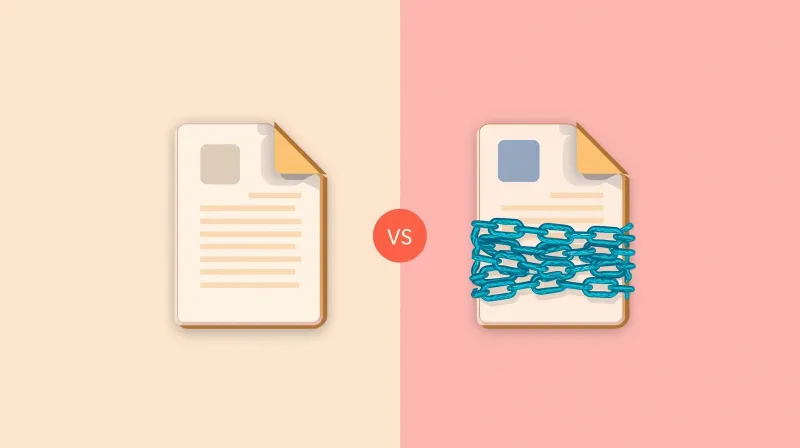
This is the question most comparisons skip. What does your content look like if you turn off the page builder?
Elementor Deactivation
Elementor leaves relatively clean HTML. Your content remains readable, though unstyled. Headings are still headings. Paragraphs are still paragraphs. Images stay in place.
It's not pretty, but it's usable. Migration to another system, while painful, is possible.
Divi Deactivation
Divi leaves shortcodes. Your content becomes a mess of [et_pb_section] and [et_pb_row] tags. It's unreadable for visitors and barely parseable for migration.
Something that people need to understand: there is no migration tool from one vendor to another. We have moved sites that contain thousands of pages, and it's simply a time-intensive process. With Divi, that process is even harder because you're not migrating content but decoding shortcodes.
The Lock-In Reality
Both builders create significant lock-in. But Divi's shortcode architecture makes it worse.
If you choose Divi's lifetime license, you're not just buying software. You're committing to Divi for the life of your website. The lifetime license that seemed like a great value becomes an anchor keeping you on a platform you've outgrown.
The Ecosystem Question
Elementor's Massive Ecosystem
Elementor powers over 18 million websites. That creates:
Advantages:
- Tutorials for every question
- Third-party add-ons for any feature
- Active community forums
- Designers familiar with the tool
Disadvantages:
- Add-on quality varies wildly
- Multiple add-ons mean multiple licenses
- Compatibility issues between add-ons
- Security vulnerabilities in poorly maintained add-ons
Typically, an add-on isn't purchased until it is needed, and the licenses aren't synced. From a maintenance perspective, we end up with some plugins needing updates or the core needing an update, but the licenses are out of date.
Divi's Self-Contained Approach
Divi includes more features in the base product. You're less likely to need third-party add-ons, which means:
Advantages:
- One license to manage
- Consistent quality
- Fewer compatibility issues
- Elegant Themes maintains everything
Disadvantages:
- Limited by what Elegant Themes provides
- Smaller community knowledge base
- Fewer specialists available
The Decision Framework
Rather than "which is better," ask these questions:
1. How Many Sites Are You Building?
One site: Elementor's $59/year plan is cheaper than Divi's $89/year plan (and much cheaper than the $249 lifetime plan).
Multiple sites: Divi's unlimited licensing wins. Build 5, 10, or 50 sites on one license.
2. Who Will Maintain This?
You or a technical team: Either works. Choose based on preference.
Non-technical editors: Neither is ideal, but Elementor's interface is more constrained, which reduces (though doesn't eliminate) the risk of editors breaking things.
No one specific: Stop. This is the real problem. Page builders without ongoing maintenance become technical debt.
I have definitely seen organizations with power users who are great with the editor, but when they leave, they leave a relatively complex system that no one else can pick up. That's a risk with both Elementor and Divi. The person who understands the site leaves, and suddenly no one knows why things work the way they do.
3. How Long Will This Site Exist?
1-2 years: Page builders are fine. Build fast, use templates, don't overthink it.
5+ years: Every year compounds the problems: bloat accumulates, updates create risks, and the original builder might not still be around. Custom development has better long-term ROI.
4. What's Your Performance Tolerance?
Some slowness is acceptable: Either builder works.
Performance is critical: Neither is ideal. Consider using Bricks Builder for better performance, or skip page builders entirely and build custom development.
Elementor vs Divi: Our Honest Recommendation
If you're comparing Elementor vs Divi, you've already decided to use a page builder. So here's the practical advice:
First, my honest ranking based on maintaining these sites: if I had to choose one page builder to recommend, it would definitely be Divi. I find Divi easier to use. It seems to come with a lot out of the box, without adding a whole slew of plugins. And Divi plays nice when we do that hybrid approach, where we build one section of the website with the page builder while the rest is more controlled.
That's not an endorsement. It's a relative assessment. Divi still creates the problems all page builders create. But it does those things less aggressively than Elementor.
Choose Elementor if:
- You're building one site
- You want the easiest learning curve
- You need maximum ecosystem support
- You're okay with ongoing subscription costs
Choose Divi if:
- You're building multiple sites
- You want lifetime pricing
- You prefer an all-in-one solution
- You're willing to invest in learning the interface
Choose neither if:
- Performance matters significantly
- You need long-term maintainability
- Brand consistency is a priority
- You have a budget for custom development
Page builders promise flexibility, power, and self-management. Depending on how you use your website and who administers it, those things may or may not be true.
For professional organizations with healthy budgets and long-term needs, I will always recommend a custom-built website using ACF over a page builder. When done right, custom development is easier to use and manage, has a longer lifespan, and leaves room for growth.
But if the page builder decision has already been made, both Elementor and Divi can still produce functional websites. Just understand what you're trading away for that drag-and-drop convenience.
What to Do Next
If you're still deciding:
-
Try both. Elementor has a free version. Divi offers a demo. See which interface feels natural to your team.
-
Think about years 3-5. Where will your organization be? Will you still have the same people maintaining this site?
-
Factor in total cost. License fees are the smallest part of owning a page builder site. Include optimization, troubleshooting, add-ons, and eventual migration in your calculation.
-
Consider the alternative. For the same budget as 2-3 years of page builder headaches, you might be better served by custom development that just works.