
Your WordPress site needs constant attention to stay secure, up to date, and perform well. A single missed security patch can compromise a site. An untested plugin update can break critical functionality. A corrupted backup can mean losing months of work. Choosing comprehensive WordPress maintenance is one of the most important decisions you can make for your online presence.
That's where WordPress maintenance services come in - but not all maintenance providers are created equal. Some rely purely on automated scripts that break sites without warning. Others provide excellent service for simple blogs but struggle with complex business sites. Many offer "maintenance" that's really just basic hosting with automated updates.
This guide walks you through everything you need to evaluate WordPress maintenance services, avoid common pitfalls, and find a provider that actually protects your digital investment. For an overview of what comprehensive maintenance looks like in practice, see our guide on why businesses choose FatLab for WordPress maintenance services.
Use our evaluation checklist at the bottom of this guide to score providers as you research.
What WordPress Maintenance Actually Means

True WordPress maintenance goes far beyond automated updates and daily backups. It's a comprehensive system that keeps your site secure, fast, and reliable through proactive monitoring and expert intervention.
When evaluating a WordPress maintenance service, understanding the difference between basic and comprehensive care helps you determine whether you're buying peace of mind or just automated scripts.
Core Maintenance
Basic maintenance typically includes:
- Automated WordPress core updates
- Plugin and theme updates (often untested)
- Daily backups to a single location
- Basic uptime monitoring
This level of service keeps the lights on, but it leaves significant gaps in security, reliability, and performance.
What Comprehensive WordPress Maintenance Actually Includes
Comprehensive WordPress maintenance goes well beyond automated scripts. It is a layered system of testing, monitoring, and expert intervention designed to prevent problems before they reach your live site.
Comprehensive maintenance includes:
- Manual testing before updates go live, using a staging environment that mirrors your production site
- Multi-layered backup redundancy with on-server, off-server, and third-party storage - not a single backup point
- Real-time security monitoring with included malware cleanup, scanning every file change as it happens
- Performance optimization, including CDN configuration, caching, image compression, and database cleanup
- Developer-level troubleshooting for plugin conflicts, custom code issues, and functionality problems
- Database optimization on a regular schedule to prevent slow queries and bloated tables
What separates comprehensive WordPress maintenance from basic service is the methodology used for each layer. Update testing means running every core, plugin, and theme update through a staging environment with visual regression checks and compatibility validation before anything touches production. Backup redundancy means maintaining at least three independent backup layers with 30+ days of retention and tested restore procedures. Monitoring frequency means real-time security scanning and uptime checks every 5 minutes, not daily or weekly sweeps. Response times are measured in hours, not business days.
The difference matters. Basic maintenance might keep your site running 95% of the time. Comprehensive WordPress maintenance targets 99.9%+ uptime with zero surprise breakages.
At FatLab, we began in 2011, and we learned this distinction early. We ran automated updates like everyone else at first. Then a single plugin update broke a nonprofit's donation forms during their biggest fundraising campaign of the year. That failure led us to develop our SafeUpdates process - automated updates with testing that catches problems before they reach production.
The Hidden Costs of "Cheap" Maintenance
The lowest-priced maintenance service is rarely the best value. Here's why budget providers often end up costing more in the long run. For an in-depth look at this topic, see our article on the hidden cost of DIY WordPress maintenance.
What Budget Services Sacrifice
Automated-only updates mean no human reviews issues before they break your site. When something goes wrong at 2 AM, you're offline until morning, or longer on weekends.
Single-point backups create catastrophic risk. If that one backup is corrupted or incomplete, you have nothing. FatLab maintains on-server backups for quick restores, off-server backups for disaster recovery, and third-party storage for redundancy.
Tiered support systems put you in a queue with multiple escalation levels. By the time someone who can actually help looks at your broken site, you've lost hours or days of revenue and credibility.
No staging environments means updates go straight to your live site. If something breaks, your visitors see it immediately. With staging, FatLab tests every update in an environment that mirrors your production site before making any changes live.
The Real Cost of Downtime
Consider what downtime actually costs:
- E-commerce sites lose revenue with every minute offline
- Nonprofits miss donations when forms break during campaigns
- Professional associations face member complaints when portals fail
- Agencies damage client relationships when sites go down
FatLab maintains on-server backups for quick restores, off-server backups for disaster recovery, and third-party storage for redundancy.
What to Expect at Each Price Point
Not all maintenance plans are created equal. Here is a general breakdown of what you should expect at common price tiers.
| Price Range | What's Typically Included | What's Usually Missing |
|---|---|---|
| $25-50/mo | Automated updates, basic backups, email support | Testing, staging, developer access, malware cleanup |
| $75-150/mo | Tested updates, multi-layer backups, developer support, security monitoring | Dedicated contact, development hours, strategic consulting |
| $150-300/mo | Everything above plus dedicated contact, priority response, development hours | Custom enterprise integrations, unlimited dev hours |
| $300+/mo | Full strategic partnership, unlimited support, dedicated resources | Few limitations at this tier |
FatLab's Watch Dog Starter at $99/month and Professional at $199/month fall in the professional tier, with enterprise-level security features typically found only in higher tiers.
Maintenance Service vs. In-House vs. Freelancer
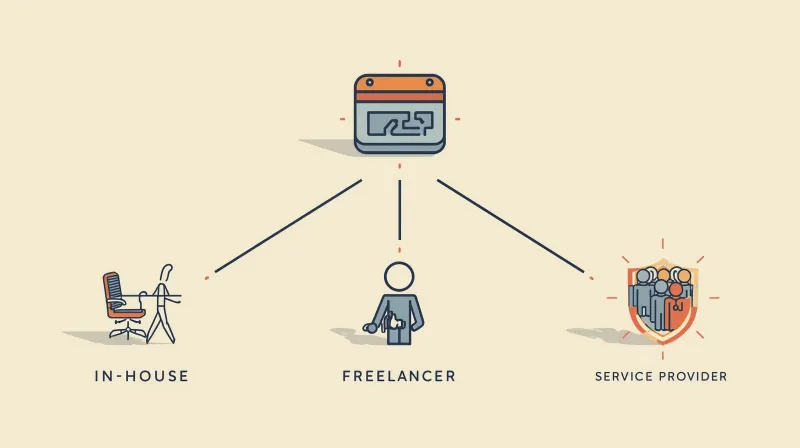
Understanding your options helps you make the right choice for your organization's size, budget, and technical needs.
When In-House Makes Sense
You might handle maintenance internally if you:
- Have a full-time developer on staff who has spare capacity
- Run a simple blog or brochure site with minimal traffic
- Possess deep WordPress expertise across security, performance, and updates
- Can afford the time cost when issues arise
Most organizations don't meet these criteria. Even when they think they do, they discover that "spare capacity" evaporates when a security incident requires immediate attention or a critical update breaks site functionality.
The Freelancer Gamble
Freelance developers can be excellent for custom development projects. For ongoing maintenance, they present challenges:
Availability issues mean you're stuck when they're on vacation, sick, or working on other projects. Emergencies don't wait for convenient timing.
Single point of failure creates risk. If your freelancer becomes unavailable or moves on, you're scrambling to find someone else who can understand your site.
No redundancy in backups, monitoring, or expertise. You're trusting one person with your entire digital presence.
That said, freelancers can work well for very small sites with minimal traffic and low criticality. Just be realistic about the limitations.
Why Agencies Choose Maintenance Services
Even web development agencies outsource maintenance. Here's why:
Agencies need to focus on creative work and client relationships, not emergency updates. FatLab partners with approximately 50 websites through agencies like Merrick Creative, providing invisible backend support so agencies can focus on what they do best. For more on how agencies handle large site portfolios, see our guide to managing multiple WordPress sites at scale.
The economics work too. Hiring a developer costs $60,000 to $120,000+ annually. Quality maintenance services cost a fraction of that while providing better infrastructure and faster response times.
Evaluating Maintenance Service Providers
Here's what actually matters when comparing WordPress maintenance services, and what's just marketing noise.
Developer Expertise vs. Automated Scripts
The biggest differentiator is whether you're getting real developer oversight or just automated tools.
Red flags for automation-only services:
- "Fully automated updates" promoted as a feature
- No mention of staging environments or testing
- Support limited to "ticket takers" who can't actually fix code issues
- No troubleshooting for plugin conflicts or custom functionality
Signs of developer-backed services:
- Manual review of complex updates
- Staging environment testing
- Performance optimization beyond basic caching
- Clear rollback procedures
FatLab's team has decades of WordPress experience dating back before the company was founded in 2011. When plugin conflicts or update issues arise, we can quickly identify the problem and implement solutions.
The Update Process: SafeUpdates vs. Cowboy
How a service handles updates reveals everything about their approach to maintenance.
Cowboy updates (what to avoid):
- Automated updates with no testing or validation
- No pre-deployment checks for conflicts
- No version control or easy rollback
- Updates run without monitoring for issues
Professional update process (what to demand):
- Automated updates with visual regression testing
- Compatibility validation before going live
- Full backups before every change
- Version control with documented changes
- Automatic rollback if issues are detected
- Updates scheduled during low-traffic windows
Our SafeUpdates process runs automated updates at 2 AM but includes critical safety checks. Visual regression testing and compatibility validation happen automatically. If any issues are detected, updates don't deploy to production, and our team is immediately notified to investigate. It's automation with intelligence, reaping the benefits of staying current without risking a broken site while you sleep.
Our website is a crucial community resource that must be available 24/7/365. Since switching from our previous host a few years ago, we've experienced no slowdowns, security issues, or downtime. FatLab has been exceptional in maintaining our site's reliability.
Kristin Cantwell, Vice President of Development & Communications, Safe+Sound Somerset
Backup Architecture: Single Point vs. Redundancy
Most hosts claim to provide backups. The question is: how many layers of protection do you actually have?
Minimum acceptable backup system:
- Daily automated backups
- At least 30 days of retention
- Offsite storage (not on the same server as your site)
- Tested restore procedures (many backups fail when you actually need them)
Enterprise-grade backup protection:
- Multiple daily backup points
- On-server backups for instant restoration
- Off-server backups for disaster recovery
- Third-party backup service for additional redundancy
- 30+ days of daily backups plus weekly/monthly archives
- Ability to restore full sites OR individual files/databases
FatLab learned about backup redundancy through years of hosting mission-critical sites. When organizations like the American Board of Facial Plastic and Reconstructive Surgery trust us with their certification exam platforms, single points of failure aren't acceptable. We maintain three backup layers specifically so that even unlikely scenarios don't result in data loss.
Security: Theater vs. Reality
Many hosts advertise "enterprise security" while providing minimal actual protection.
Security theater (marketing without substance):
- Basic firewall with no customization
- Generic malware scanning once weekly
- Malware removal is charged extra (sometimes $200+)
- No proactive threat monitoring
Real security protection:
- Real-time malware scanning (not daily or weekly)
- Automatic malware cleanup included
- Enterprise firewall (Cloudflare, Sucuri, or similar)
- Manual verification by developers after cleanup
- Proactive security audits
- Immediate response to threats
We use Imunify360 for real-time scanning because it catches threats instantly, not hours or days later. More importantly, malware cleanup is included. We've seen competitors charge $250+ for cleanup that should be included in the service.
Questions to Ask Before Choosing a Service
These questions cut through marketing language to reveal what you're actually getting.
About Their Update Process
"Do you test updates before applying them to my live site?"
Look for: staging environment testing, manual reviews, and compatibility checks. Run if they say: "Our automated system handles everything."
"What happens if an update breaks my site?"
Look for: Immediate rollback capability, pre-update backups, and version control. Run if they say: "That rarely happens" or "We'll work on it when you report it."
"How quickly can you roll back a problematic update?"
Look for: "Minutes" with specific rollback procedures. Run if they say: "24-48 hours" or "We'll restore from backup."
About Their Support Structure
"Who actually answers support requests: developers or ticket readers?"
Look for: Direct access to developers who can troubleshoot code. Run if they say: "Our support team will escalate if needed."
"What's your response time for critical issues?"
Look for Specific SLAs, such as "2-hour response," with escalation procedures. Run if they say: "As soon as possible" or "24 hours."
"Can you handle plugin conflicts and custom code issues?"
Look for: Developer-level debugging, code troubleshooting included. Run if they say: "We can refer you to a developer," or "That requires a separate contract."
About Backup & Recovery
"How many layers of backup protection do you maintain?"
Look for: multiple backup locations, redundant systems, and 30+ days of retention. Run if they say: "We do daily backups" (where? how many locations?).
"How long does it take to restore my site from backup?"
Look for: "5-15 minutes for on-server backups" with disaster recovery options. Run if they say: "Several hours" or "By the end of the business day."
"When did you last test your backup restoration process?"
Look for: Regular testing schedules and documented procedures. Run if they say: "We haven't needed to" or "It works automatically."
About Security
"Is malware removal included or an additional charge?"
Look for: Included in all plans with unlimited cleanup. Run if they say: "Starts at $150" or "Available for additional fee."
"How quickly do you respond to security threats?"
Look for: Real-time monitoring with immediate response. Run if they say: "We scan daily/weekly" or "We'll notify you if we find something."
"What happens if my site gets hacked?"
Look for: Immediate cleanup, identification of security gaps, and prevention measures. Run if they say: "We'll restore from backup" (that doesn't fix the security hole).
Industry-Specific Considerations
Different organizations face unique maintenance challenges. Here's what matters most for each type.
Nonprofits: Mission-Critical Uptime on Limited Budgets
Your website isn't just marketing. It's often your primary donor interface, volunteer portal, and program information hub. Downtime during campaigns can cost thousands in lost donations.
What nonprofits need:
- Bulletproof uptime during critical fundraising campaigns
- Donor form monitoring and immediate issue response
- Budget-friendly pricing (many maintenance providers offer nonprofit discounts)
- Understanding of nonprofit technology constraints
- Experience with common nonprofit plugins (Giving, Events, etc.)
FatLab works extensively with nonprofits, including the National Peace Corps Association and Safe+Sound Somerset. We've learned that nonprofit sites need enterprise reliability without enterprise budgets. We offer nonprofit pricing because we've seen firsthand how critical these sites are to mission success.
Professional Associations: Member Data Security & Compliance
Associations manage sensitive member data, handle member-only content, and often run continuing education platforms or certification systems. Security and reliability aren't optional.
What associations need:
- HIPAA/PCI compliance for medical boards and certification bodies
- Member portal and database security
- Learning management system (LMS) support
- Exam platform stability (downtime during certification tests is catastrophic)
- Understanding of association-specific plugins
We host the American Board of Facial Plastic and Reconstructive Surgery's certification exam platform. When board certification depends on your site staying online, "pretty good" uptime isn't acceptable.
Agencies: White-Label Support for Client Sites
Digital agencies face a unique challenge: they need to maintain multiple client sites without a full-time technical team.
What agencies need:
- Invisible backend support (clients never know you exist)
- Fast response times that protect the agency's reputation
- Volume pricing across multiple sites
- Developer-level support for complex client sites
- Flexibility to scale up or down as client roster changes
Merrick Creative trusts FatLab with approximately 50 client websites. We provide 100% invisible support, and their clients have no idea we exist. When issues arise, we fix them before clients even notice.
E-commerce: Transaction Security & Zero-Downtime Updates
Online stores can't afford downtime. Every minute offline means lost revenue. Security breaches can permanently destroy customer trust.
What e-commerce sites need:
- PCI compliance for payment processing
- WooCommerce-specific expertise
- Zero-downtime update procedures
- Cart and checkout monitoring
- Transaction database security
- Peak traffic handling (Black Friday, flash sales, etc.)
Red Flags to Avoid

These warning signs indicate a maintenance provider that will cause more problems than they solve. For a detailed breakdown of warning signs from your current provider, see our article on signs your WordPress maintenance provider is falling short.
Marketing Red Flags
"Unlimited everything!" Nothing is truly unlimited. This usually means the service is assuming most customers use minimal resources. When you actually need significant support, expect friction.
"Set it and forget it!" WordPress maintenance requires ongoing attention. Anyone promising you can completely forget about your site is either lying or providing minimal service.
"99.999% uptime guarantee" This is five-nines uptime, which even Amazon Web Services struggles to achieve. If a small maintenance company claims this, they're overselling.
"Powered by AI for instant fixes" AI can assist with diagnostics, but it can't replace human judgment for complex WordPress issues. This is usually marketing for automated scripts.
Technical Red Flags
No staging environment. Any provider who updates live sites without testing is gambling with your uptime.
Offshore-only support with no US presence. Time zone gaps mean 8 to 12 hour response delays. Not inherently bad, but problematic for urgent issues.
Shared server environments with no resource isolation. Your site shares resources with dozens or hundreds of others. When a neighboring site gets hammered, yours slows down too.
No version control or rollback capability. If they can't quickly undo a problematic update, you're stuck waiting for a backup restoration.
Single backup location. One backup point is a single point of failure. Always demand off-site redundancy.
Support Red Flags
"Submit a ticket, and we'll respond within 24-48 hours." Your site can be down for two days before anyone even looks at it? Unacceptable for business-critical sites.
"Our support team will escalate to developers if needed." This means you're talking to non-technical support staff who can't actually fix WordPress issues.
"We don't support custom code." Most real-world WordPress sites have some customization. A maintenance provider who won't touch custom code can't fully support your site.
Geographical restrictions on support. "Our support team is available 9-5 GMT" might work for UK organizations, but leaves US clients unsupported during their business hours.
Making the Final Decision
You've researched providers, asked the right questions, and narrowed your options. Here's how to make the final call.
Price vs. Value
The cheapest maintenance service is rarely the best value. Consider the actual cost of:
- Downtime during business-critical periods
- Emergency developer fees when budget maintenance fails
- Lost revenue from broken functionality
- Staff time spent managing maintenance issues
A nonprofit client once told us they saved $50/month by switching to a budget host. Then, during their annual fundraising campaign, an automatic update made their donation forms unavailable for 36 hours. They estimated that the downtime cost them over $15,000 in lost donations. That's 25 years of "savings" lost in a day and a half.
FatLab's pricing reflects the actual cost of providing developer-backed maintenance: real humans testing updates, monitoring sites 24/7, and responding within hours, not days. We bundle hosting and maintenance because separating them leads to finger-pointing when issues arise.
Trial Periods and Migration
Look for providers who offer:
- Free or low-cost trial periods to evaluate service quality
- Included migration services from your current host
- No long-term contracts so you're not locked in if service disappoints
- Money-back guarantees that demonstrate confidence in their service
We include free migration because we want you to evaluate our actual service, not wrestle with DNS records and file transfers. If we're as good as we claim, you'll stay because the service is excellent, not because switching would be painful.
Trust Your Gut on Communication
The sales process reveals what ongoing support will feel like. If responses are slow, vague, or dismissive during the sales process, expect the same after you sign up.
Pay attention to:
- How quickly do they respond to questions?
- Do they provide specific answers or generic marketing language?
- Do they admit limitations or claim they're perfect at everything?
- Do they speak your language or hide behind technical jargon?
One client told us they chose FatLab because we were honest about what we couldn't do. They'd asked about video streaming, and we said, "We don't specialize in that. A dedicated video platform would better serve you." That honesty built more trust than a competitor who claimed they could do anything.
The FatLab Approach to WordPress Maintenance
We've spent the entire guide discussing how to evaluate maintenance services. Here is how FatLab specifically addresses those evaluation criteria.
Our SafeUpdates process directly solves the update testing problem outlined above. Every update runs through a staging environment, with visual regression testing and compatibility validation, before reaching production. If issues are detected, updates are held, and our team investigates. The result is that clients like Safe+Sound Somerset report zero slowdowns, security issues, or downtime after years of service.
On infrastructure, we are a Cloudways Gold Agency Partner, which means every site gets Cloudflare Enterprise CDN and WAF, Imunify360 real-time malware scanning, resource isolation, and staging environments - all included rather than charged as extras. Our three-layer backup system (on-server, off-server, and third-party storage) with 30+ days of retention directly addresses the backup redundancy criteria covered earlier in this guide.
For support, you talk to developers who can troubleshoot code - not ticket readers who escalate. We respond within 2 hours during business hours, and emergencies get immediate attention regardless of time. Uptime monitoring runs every 5 minutes. Security scanning is real-time. Malware cleanup is unlimited and included because security incidents are not your fault.
Common Maintenance Mistakes to Avoid
Even with excellent maintenance, these mistakes can undermine your site's reliability.
Mistake #1: Ignoring Performance Until It's Critical
Many organizations wait until their site is painfully slow before addressing performance. By then, you've lost visitors, search rankings, and revenue.
Better approach: Regular performance audits and optimization. FatLab includes basic performance optimization in all maintenance plans, including caching configuration, image optimization, and database cleanup.
Mistake #2: Assuming Backups Work Without Testing
We've seen providers whose "daily backups" failed for months without anyone noticing. The first time they tried to restore a site, they discovered all their backups were corrupted.
Better approach: Regular backup testing. We periodically restore sites from backup to verify integrity.
Mistake #3: Treating All Plugins Equally
Not all plugins are created equal. Some are rock-solid and well-maintained. Others are abandoned projects riddled with security holes.
Better approach: Regular plugin audits. We review installed plugins, remove unused ones, and flag problematic plugins before they cause issues.
Mistake #4: Separating Hosting and Maintenance
Many organizations host with one provider and get maintenance from another. When issues arise, both providers blame each other, and nothing gets fixed.
Better approach: Bundled hosting and maintenance. When we manage both, there's no finger-pointing, just faster problem resolution.
Mistake #5: No Communication About Critical Periods
Maintenance providers can't prioritize properly if they don't know about your critical periods. Your maintenance provider should know when you're running major campaigns so they can provide extra monitoring.
Better approach: Tell your provider about important dates. We flag critical periods in our system so teams are especially vigilant during fundraising campaigns, membership renewals, or major launches.
Next Steps: Finding Your Right Maintenance Partner

You now know how to evaluate WordPress maintenance services effectively. Here's how to move forward. For additional resources, check out our website maintenance packages comparison guide and learn what to include in a WordPress maintenance contract.
Your Evaluation Checklist
Use this checklist when comparing providers:
- [ ] Staging environment for update testing
- [ ] Multi-layered backup redundancy (not single-point)
- [ ] Developer-level support (not just ticket readers)
- [ ] Specific response time commitments
- [ ] Real-time security monitoring with included cleanup
- [ ] Version control and rollback capabilities
- [ ] Transparent pricing with no hidden fees
- [ ] Trial period or money-back guarantee
- [ ] References from similar organizations
Questions to Ask Yourself
Before reaching out to providers, clarify your own requirements:
What's your site's criticality? If downtime costs thousands per hour, you need enterprise-level service. If you're running a small blog, you have more flexibility.
What's your technical capacity? Can you troubleshoot WordPress issues yourself, or do you need full support?
What are your growth plans? Choose a provider who can scale with you rather than switching services every year.
What's your budget reality? Be honest about what you can afford, but don't choose based solely on price.
Why Organizations Choose FatLab
If what we've described throughout this guide resonates with your needs, we'd love to talk.
We provide comprehensive WordPress maintenance built on three principles:
- Test first, deploy second. Our SafeUpdates process prevents the broken sites we've seen too many times elsewhere
- Expert support, not ticket readers. You'll talk to people who can actually solve your maintenance issues
- Redundancy everywhere. Multiple backup layers, multiple monitoring systems, multiple ways to restore quickly
We work primarily with nonprofits, professional associations, small and medium-sized businesses, and agencies that need enterprise reliability without enterprise complexity. Clients are never without communication; we respond quickly and stay engaged until issues are resolved. Most clients choose our $99/month Starter plan, which includes unlimited traffic and everything discussed in this guide.
View WordPress Maintenance Plans & Pricing - Find the right maintenance package for your needs
Read Client Success Stories - See what others say about our maintenance services
Browse Our Complete FAQ - Get answers to common maintenance questions
Schedule a Free Consultation - Discuss your specific WordPress maintenance requirements
Frequently Asked Questions
How much should WordPress maintenance cost?
WordPress maintenance typically ranges from $35 to $300+ per month, depending on traffic, support needs, and service level. Budget services ($15 to $35/month) usually offer only automated updates and basic backups. Mid-range services ($50 to $150/month) add staging environments, security monitoring, and better support. Premium services ($200+/month) provide dedicated account management, priority response, and strategic consulting.
The right price depends on your site's criticality. A nonprofit losing $500/hour during downtime should invest in premium maintenance. A personal blog can succeed with budget services. FatLab's most popular plan is $99/month, which includes unlimited traffic and comprehensive maintenance support.
What's included in WordPress maintenance?
At minimum, WordPress maintenance should include weekly core/plugin/theme updates, daily backups, uptime monitoring, security scanning, and basic support. Comprehensive maintenance adds staging environment testing, multi-layered backup redundancy, real-time security monitoring, malware cleanup, performance optimization, and developer-level troubleshooting.
Many budget hosts advertise "WordPress maintenance" but only provide automated updates and a single backup. Real maintenance requires human oversight, tested updates, and expert intervention when issues arise. At FatLab, maintenance means our developers test updates before deployment, maintain multiple backup layers, monitor security 24/7, and handle troubleshooting as part of service, not as billable extras.
Can I do WordPress maintenance myself?
You can handle basic WordPress maintenance yourself if you have technical expertise, available time, and a low-traffic site where occasional downtime is acceptable. Required skills include: understanding WordPress core and plugin architecture; recognizing security threats; troubleshooting PHP and database issues; managing backups and restoration; and optimizing performance.
Most organizations lack the expertise, time, or risk tolerance for DIY maintenance. A missed security update can lead to site compromise. An untested plugin update can break critical functionality. A failed backup means data loss. Even skilled developers often outsource maintenance because the time cost exceeds the service cost.
The real question isn't "Can I do it?" but "Should I do it?" For mission-critical sites, professional maintenance is insurance against catastrophic failures that cost far more than the service fee.
How often should WordPress be updated?
WordPress core typically releases security updates every few months and major updates twice yearly. Plugins and themes vary widely; some update weekly, others monthly or quarterly. Security patches should be applied immediately. Feature updates should be tested before deployment.
The challenge isn't update frequency but update methodology. Automated updates applied directly to live sites cause more problems than they solve. Professional maintenance means testing updates in staging environments, checking for conflicts, backing up before changes, and maintaining rollback capabilities.
At FatLab, we review updates weekly but apply them based on criticality, not arbitrary schedules. Security patches get immediate attention. Feature updates wait for proper testing. Holiday weekends aren't update times; we schedule updates during low-traffic periods with monitoring afterward.
What happens if my site breaks after an update?
With professional maintenance, your site shouldn't break after updates because the updates are tested first. If something does go wrong despite testing, your maintenance provider should roll back the update within minutes and investigate the issue.
With budget maintenance or DIY updates, a broken site means panic, downtime, and scrambling to fix it. Many automated systems don't provide easy rollback, so the only fix is to restore from a backup, which can take hours or more.
FatLab's SAFE Updates process includes version control and pre-update backups specifically for this scenario. If a tested update somehow causes issues in production, we can roll back in under 5 minutes while we diagnose the problem. Most update issues are resolved within an hour, not the next business day.
Do I need a staging site for maintenance?
Staging sites aren't technically required for basic maintenance, but they're essential for professional service. A staging environment is a copy of your live site where updates can be tested without affecting visitors. Complex sites with custom code, e-commerce functionality, or critical integrations should never be updated without staging tests.
Budget maintenance services skip staging to reduce costs, meaning updates go straight to your live site. When something breaks, your visitors see it immediately. With staging, FatLab tests updates in an identical environment, catches conflicts before they cause problems, and deploys only proven changes to production.
The staging environment also enables safe development of new features, testing of design changes, and troubleshooting without risking your live site.
How quickly should maintenance providers respond?
Response time should match your site's criticality. Personal blogs can tolerate 24 to 48 hour responses. Business sites need a same-day response. Mission-critical sites require 2 to 4 hour response times with emergency escalation.
Watch out for vague response commitments, such as "as soon as possible" or "during business hours." Demand clarity on what response times actually mean and when you can expect help.
Also, distinguish between response time (when someone acknowledges your issue) and resolution time (when the problem is fixed). FatLab responds quickly, and clients are never without communication. Simple issues are often resolved immediately. Complex issues receive regular status updates until they are resolved.
Is malware removal included in WordPress maintenance?
This varies dramatically by provider. Budget hosts often charge $150 to $300 for malware removal, if they offer it at all. Mid-range providers may include one cleanup annually. Premium providers include unlimited malware removal as part of the service.
The catch is that excluding malware removal incentivizes hosts to not monitor for malware. If detecting threats costs them money to clean up, they're motivated to minimize monitoring.
FatLab includes unlimited malware cleanup in all maintenance plans because security issues aren't your fault. Our Imunify360 scanning catches threats in real-time. When malware is detected, we clean it immediately and identify how the breach occurred to prevent reinfection. This is part of comprehensive maintenance, not an optional extra.
Can maintenance services help with WordPress performance?
Basic performance optimization (caching configuration, image compression, database cleanup) should be included in comprehensive maintenance. Advanced optimization (code refactoring, custom caching solutions, complex database queries) typically requires additional development work.
Many hosts advertise "performance optimization," but only enable basic caching plugins. Real performance optimization requires analyzing actual bottlenecks: slow database queries, unoptimized images, render-blocking resources, and excessive HTTP requests. Then you need to implement specific fixes.
FatLab includes basic performance optimization in all maintenance plans: CDN configuration, caching setup, image optimization, and database cleanup. For sites requiring advanced optimization (custom code review, complex query optimization, specialized caching), we provide estimates for development work. But most sites see dramatic improvements from properly implemented basic optimization.
What's the difference between hosting and maintenance?
Hosting provides the server infrastructure where your site lives: storage space, bandwidth, and processing power. Maintenance keeps your WordPress software up to date, secure, and optimized. Many organizations separate these functions, hosting with one provider and maintaining with another.
The problem with separation is accountability. When issues arise, hosting blames maintenance ("Your plugins are the problem") and maintenance blames hosting ("Your server is slow"). Nothing gets fixed quickly because everyone points fingers.
FatLab bundles hosting and maintenance because we believe they're inseparable for WordPress. We can't properly maintain a site we don't host. We have no control over server configuration, can't implement optimal caching, and can't access server logs for troubleshooting. Bundling eliminates finger-pointing and speeds problem resolution.
Should nonprofits use different maintenance services?
Nonprofits don't need different maintenance services; they need the same quality service at prices that fit nonprofit budgets. Many providers offer nonprofit discounts (typically 10 to 30% off) because they recognize the funding challenges nonprofits face.
Nonprofits also benefit from providers who understand nonprofit-specific WordPress needs, including reliable donation forms, event management systems, volunteer portals, member directories, and seasonal traffic spikes during fundraising campaigns.
FatLab works extensively with nonprofits, including the National Peace Corps Association, Safe+Sound Somerset, and numerous other mission-driven organizations. We also serve small and medium-sized businesses, professional services firms, and agencies. We offer nonprofit pricing and understand that downtime during year-end giving or a fundraising campaign can cost thousands in lost donations.
How do I switch to a new maintenance provider?
Professional maintenance providers handle migration for you. They'll transfer files, databases, DNS records, SSL certificates, and email configurations. The process typically takes 1 to 3 business days and involves minimal or no downtime.
What you need to provide:
- Admin access to your current hosting control panel
- WordPress admin credentials
- Domain registrar access (for DNS updates)
- List of email addresses if you host email with the site
What to expect during migration:
- Site audit to identify issues before migration
- File and database transfer to new hosting
- DNS cutover (your site points to new servers)
- Testing period to ensure everything works properly
- Email setup and testing if applicable
FatLab includes free migration because we want you to evaluate our actual service, not wrestle with technical migration issues. We handle the entire process, test thoroughly before cutting over DNS, and monitor closely for 48 hours post-migration to catch any issues.