
If you've ever searched for help managing your WordPress website, you've probably noticed something confusing: some providers offer "WordPress maintenance," others advertise "WordPress support," and many use the terms interchangeably. This isn't just semantic confusion. It reflects a fundamental gap in how most providers approach website care.
The reality is that maintenance and support are two distinct services, each addressing different aspects of website health. More importantly, you need both working together to keep your site secure, stable, and performing at its best. Yet most providers only excel at one or offer a weak version of both, leaving organizations vulnerable to downtime, security breaches, and technical problems that could have been prevented.
In this guide, we'll clarify exactly what WordPress maintenance and support each entails, explain why having both from a single integrated provider matters, and show you what comprehensive WordPress care actually looks like.
What Is WordPress Maintenance?

WordPress maintenance is the preventive care your website needs to stay healthy, secure, and up to date. Think of it as the regular check-ups and routine servicing that keep problems from developing in the first place.
Core WordPress Maintenance Tasks
Professional WordPress maintenance services include several critical ongoing tasks:
WordPress Core, Theme, and Plugin Updates - Your WordPress installation, active theme, and installed plugins all receive regular updates from their developers. These updates patch security vulnerabilities, fix bugs, add new features, and ensure compatibility with the latest web standards. Maintenance services apply these updates systematically, testing for conflicts before deployment.
Security Patching and Monitoring - Security threats evolve constantly. Maintenance includes monitoring for vulnerabilities, promptly applying security patches, implementing hardening measures, and running regular security scans to detect potential issues before they escalate into breaches.
Automated Backups with Verification - Daily (or more frequent) backups ensure you can restore your site if something goes wrong. Professional maintenance doesn't just create backups. It verifies they're complete and tests restoration procedures to ensure they actually work when needed.
Uptime Monitoring - 24/7 monitoring detects when your site goes down, whether from server issues, plugin conflicts, or other technical problems. This allows for immediate response before customers, members, or donors notice the problem.
Performance Monitoring - Maintenance includes tracking site speed, database performance, and resource usage to identify degradation before it impacts user experience. This might include clearing caches, optimizing databases, and monitoring server resources.
Database Optimization - WordPress databases accumulate unnecessary data over time (post revisions, spam comments, transient data). Regular cleanup and optimization keep your database lean and your site fast.
Why Maintenance Matters
Without consistent maintenance, your WordPress site becomes increasingly vulnerable. Security holes remain unpatched, backups grow outdated or stop working entirely, and performance degrades as the database bloats with unnecessary data.
According to WordPress security research, over 90% of hacked WordPress sites were running outdated software at the time of compromise. Maintenance is your first line of defense.
Since migrating to FatLab, we've experienced zero downtime and prompt, effective responses to every question.
Jason Wu, Director of Operations, Human Services Council
But here's what maintenance alone cannot do: it can't fix problems when they occur, troubleshoot unexpected errors, or provide expertise when you need to customize functionality. That's where support becomes essential.
Learn more about FatLab's comprehensive maintenance services →
What Is WordPress Support?

WordPress support is the reactive, problem-solving expertise you need when issues arise, when you need technical guidance, or when you want to customize or extend your site's functionality. While maintenance keeps things running, support fixes problems and helps you accomplish specific goals.
Core WordPress Support Services
Professional WordPress support encompasses several specialized services:
Troubleshooting and Debugging - When your site displays errors, pages break, or features stop working, support involves diagnosing the root cause and implementing fixes. This requires developer-level expertise to trace issues through themes, plugins, and custom code.
Conflict Resolution - WordPress runs on a complex ecosystem of themes, plugins, and custom code. Support resolves conflicts when updates break compatibility, plugins interfere with each other, or themes clash with specific functionality.
Performance Issue Diagnosis - If your site suddenly slows down, support identifies why: whether it's a problematic plugin, inefficient database queries, server resource constraints, or external factors like bot traffic.
Security Issue Response - When security problems occur (whether malware infections, brute-force attacks, or suspicious activity), support provides an immediate response to contain, analyze, and resolve the threat. For guidance on handling site emergencies, see our WordPress site down emergency guide.
Technical Consultation - Support includes guidance on technical decisions, such as which plugins to use, how to implement specific functionality, whether custom development is needed, and how to approach technical challenges strategically.
Custom Code and Development - Many organizations need customization beyond what themes and plugins provide. Developer-level support can write custom code, modify theme templates, create custom functionality, and integrate third-party services.
The Developer-Level Difference
Here's a critical distinction: real WordPress support requires developer-level expertise. Many providers offer "support" that amounts to script-reading, telling you to "try deactivating plugins" or "clear your cache" without actually diagnosing and fixing the underlying problem.
Professional support means working with developers who can read error logs, debug PHP code, analyze database queries, understand server configurations, and implement actual solutions rather than generic troubleshooting steps.
FatLab lives up to the 'support' in their name. Reliable support is never a challenge. An email or phone call always gets a quick response, and any issue is resolved in a very short amount of time.
Dave Braun, President, Braun Film
The Critical Difference: Preventive vs. Reactive
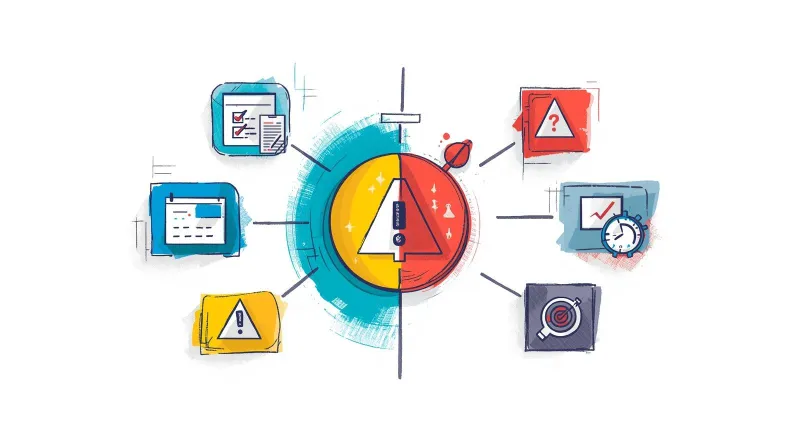
Understanding the distinction between maintenance and support comes down to one key difference: maintenance is preventive, support is reactive.
Maintenance keeps your site healthy through routine, scheduled care. It's the regular updates, monitoring, and optimization that happen whether or not anything is currently broken. Maintenance prevents problems before they occur.
Support addresses problems when they arise. It's the expertise you need when maintenance can't prevent every issue, unexpected conflicts arise, or you need to accomplish something beyond routine care. Support solves problems after they emerge.
Think of it like car ownership: maintenance is your regular oil changes, tire rotations, and scheduled service. Support is having a mechanic you can call when your check engine light comes on or you hear an unusual noise. You need both.
Maintenance without support leaves you stranded when problems occur, and they will, despite the best preventive care. Support without maintenance means you're always in firefighting mode, reactively addressing issues that proper maintenance would have prevented.
Since switching to FatLab years ago, we have enjoyed incredible support. From quick fixes to consultation and strategy, FatLab has ensured our nonprofit trade association site runs smoothly and efficiently.
Gage Houser, Executive Director, AVSAB
Why You Need Both, Not Just One

Many organizations make the mistake of choosing either maintenance or support, not realizing that each service has critical gaps when provided alone.
The Maintenance-Only Gap
Providers who only offer maintenance (or who offer support as an afterthought) leave you vulnerable when real problems occur.
Consider this common scenario: Your site is beautifully maintained with weekly updates, daily backups, and security monitoring. Then a WooCommerce update creates a conflict with your payment gateway, and checkout stops working. Your maintenance provider can roll back the update, but they can't fix the underlying compatibility issue. They suggest you "contact the plugin developer" or "hire a developer to look at it."
Meanwhile, you're losing sales every hour the checkout remains broken.
Maintenance-only providers excel at preventive tasks but lack the developer expertise needed for complex troubleshooting. When you need them most, they can only offer generic advice or refer you elsewhere.
The Support-Only Gap
Conversely, support-only providers (or organizations that skip maintenance entirely) spend all their time putting out fires that proper maintenance would have prevented.
Without proactive maintenance, you're constantly dealing with:
- Security vulnerabilities discovered only after compromise
- Compatibility issues from outdated software
- Performance problems from years of database bloat
- Backup failures are discovered only when you need to restore
- Downtime you didn't know about because nobody was monitoring
Support-only means higher costs (emergency fixes are expensive), more frequent problems, and constant stress about what might break next.
The Integration Advantage
When maintenance and support come from the same provider who knows your site, you get powerful advantages:
Faster Issue Resolution - Your support team already knows your site's configuration, update history, customizations, and past issues. They don't need to spend hours getting up to speed or asking you about your setup.
Proactive Problem Prevention - The team handling updates knows what's likely to cause conflicts and can test carefully before deploying changes. They catch potential problems during maintenance before they become support emergencies.
Coordinated Response - When issues do occur, your maintenance data (monitoring logs, backup history, recent changes) is immediately available to the support team because they're the same team.
Cost Efficiency - One provider managing both services costs significantly less than maintaining separate relationships, paying multiple monthly fees, and dealing with finger-pointing when providers blame each other.
Strategic Continuity - A team that handles both maintenance and support develops deep knowledge of your site over time, making them increasingly effective and efficient as the relationship continues.
Real-World Example: WooCommerce Checkout Failure
Here's how integrated maintenance and support work together in practice:
A nonprofit running a WooCommerce store for merchandise sales experienced a complete checkout failure after a routine plugin update. Because they had both maintenance and support from FatLab:
The Maintenance Foundation - Daily backups meant a clean restore point was available. Update logs showed exactly which plugin version caused the issue. Monitoring immediately alerted the team to increased error rates.
The Support Response - The support team had immediate access to all maintenance data and was aware of the site's configuration. They diagnosed a conflict between the updated payment gateway plugin and a custom donation integration. Within hours, they safely rolled back the problematic update, patched the conflict in the custom code, coordinated with the plugin vendor to secure a proper fix, and thoroughly tested before redeployment.
The Result - Checkout was restored in hours, not days. The issue was completely resolved, not just temporarily patched. The organization lost minimal revenue because the response was immediate.
This is only possible when maintenance and support are truly integrated, not just bundled together.
See how FatLab integrates maintenance and support →
Common Provider Gaps and Limitations
Understanding what doesn't work helps clarify what does. Most WordPress providers fall into predictable patterns that leave organizations underserved.
The "Just Deactivate Plugins" Approach
Many maintenance providers offer basic support that amounts to troubleshooting theater. When you report a problem, they suggest:
- "Try deactivating your plugins one by one."
- "Clear your cache"
- "This seems like a theme issue, contact your theme developer"
- "We can't troubleshoot custom code."
This isn't support. It's deflection. You're paying for expertise but getting generic advice you could find in a forum post.
The Escalation Nightmare
Tiered support systems create a different problem: delays. You report an issue to tier 1 support, who determines it needs escalation. Tier 2 asks the same questions as Tier 1. Eventually, it reaches someone with actual expertise, but by then you've lost days and had to explain the problem three times.
Each escalation loses context and introduces delay. For time-sensitive issues, this is unacceptable.
The Outsourced Ticket System
Some providers use outsourced support teams working from scripts and ticketing systems. They have no personal knowledge of your site, no context about past issues, and limited ability to deviate from standard procedures.
Every interaction starts from zero. You explain your setup repeatedly. Resolution takes longer because they're learning about your site while troubleshooting.
The Separate Provider Problem
Perhaps the worst scenario: getting maintenance from one provider and support from another. When problems occur, who's responsible? Did the maintenance provider break something with a bad update, or did the support provider introduce a bug while fixing something else?
Providers blame each other. You're stuck in the middle, paying both, getting solutions from neither.
After multiple failed attempts with other firms, FatLab rescued our website project and launched it in weeks. They followed our approved design to the letter and delivered a complex WordPress site that's easy to manage.
Alex Lucas, Marketing Manager, Genzeon
How FatLab Integrates Maintenance and Support
At FatLab, we've structured our services around a fundamental principle: maintenance and support work best when handled by the same team that knows your site personally.
Personal Knowledge, Not Ticket Systems
We don't use tiered escalations or offshore support teams working from scripts. When you contact FatLab, you work directly with the developers who maintain your site. They already know:
- Your site's configuration and customizations
- Your update history and past issues
- Your organizational priorities and constraints
- The technical decisions behind your current setup
This personal knowledge means faster diagnosis, more effective solutions, and recommendations that fit your actual situation.
Proactive Maintenance with Human Oversight
Our maintenance isn't just automated tasks running mindlessly. We combine:
Automated Systems - Weekly updates, daily backups, 24/7 AI-enhanced monitoring, and security scans run automatically, ensuring consistent preventive care without requiring your attention.
Human Oversight - Before any update goes live, a developer reviews it for potential conflicts with your specific configuration. If monitoring detects anomalies, a human investigates immediately. Backup verification ensures restores will actually work.
Continuous Optimization - As we maintain your site week after week, we identify opportunities for performance improvements, security hardening, and technical enhancements. Maintenance becomes increasingly proactive over time.
Developer-Level Support When You Need It
When issues arise or you need technical assistance, you get actual developer expertise:
- Code-level debugging and troubleshooting
- Custom development for specific needs
- Strategic technical consultation
- Same-day response for urgent issues
- Direct communication with someone who knows your site
We don't tell you to "deactivate plugins" or escalate your ticket. We diagnose the actual problem and implement real solutions.
Case Study: A Decade of Integrated Care
The American Board of Facial Plastic and Reconstructive Surgery (ABFPRS) has worked with FatLab for over a decade, demonstrating what long-term, integrated maintenance and support look like.
The Challenge - ABFPRS operates five distinct WordPress sites: their public-facing website, member portal, examination platforms, and international sites. These include secure exam platforms with strict compliance requirements, custom member management systems, and applications requiring 24/7 reliability.
The Integrated Approach - FatLab provides comprehensive maintenance (updates, backups, monitoring, security) and ongoing support (troubleshooting, custom development, technical consultation) across all properties. The same team handles both preventive care and reactive problem-solving.
The Results - ABFPRS has saved tens of thousands annually through consolidated management. Their exam platforms maintain 24/7 reliability despite complex technical requirements. Custom development projects integrate seamlessly with ongoing maintenance. Staff workload has been dramatically reduced because they trust their technical infrastructure.
The Continuity Advantage - After a decade, FatLab's deep knowledge of ABFPRS's systems means increasingly efficient service. We understand not just the technical architecture but the organizational context behind decisions. This institutional knowledge is impossible to replicate with separate providers or frequent vendor changes.
Read the complete ABFPRS case study →
White-Label Partnership Example
FatLab's integrated approach also works for agencies needing reliable white-label support. Our partnership with Gensler and their clients demonstrates maintenance and support working seamlessly behind the scenes.
The Maintenance Foundation - Weekly updates to WordPress core, plugins, and themes. Daily backups with rapid recovery capability. Performance monitoring and optimization. Enterprise Cloudflare CDN and web application firewall.
The Support Layer - Bug fixes and troubleshooting as issues arise. Content support and technical consultations. Emergency response when clients need immediate help. All delivered under the agency's brand, with FatLab invisible to end clients.
This integration means clients get comprehensive care while the agency maintains relationships and margins.
Read about our white-label partnership approach →
Real-World Benefits of Integration
When maintenance and support truly integrate, you experience benefits that separate providers simply cannot deliver.
Dramatically Faster Resolution
Because your support team already knows your site from maintaining it, the diagnosis is immediate. They don't spend hours asking about your configuration, reviewing past changes, or getting familiar with customizations. They already know all of this from maintenance work.
Issues that would take days with separate providers are resolved in hours, sometimes minutes, because context is built in, not rebuilt for each incident.
Problems Prevented Before They Happen
The team performing your updates knows what's likely to cause conflicts with your specific setup. They test carefully, implement changes during low-traffic periods, and have rollback strategies ready. Many potential problems are caught during maintenance testing and never reach your live site.
When updates do occasionally cause issues, the response is immediate because monitoring alerts the same team that performed the update. They already know what changed and can quickly identify the culprit.
Strategic Technical Guidance
Over time, a provider handling both maintenance and support develops strategic insight into your site's evolution. They can recommend:
- When to update vs. replace outdated functionality
- How to approach new features given your existing architecture
- Where technical debt is accumulating and how to address it
- What investments in infrastructure would yield the best returns
This strategic partnership is impossible when you're working with maintenance-only providers or constantly re-explaining your setup to new support vendors.
True Cost Efficiency
While integrated maintenance and support might seem more expensive than basic maintenance-only services, the total cost is dramatically lower when you consider:
- Eliminated emergency support fees (because issues are prevented or resolved quickly)
- No duplicate fees from multiple providers
- Faster resolution means less business disruption and revenue loss
- No finger-pointing or gap coverage between separate vendors
- Increasingly efficient service as provider knowledge deepens over time
Organizations that switch to integrated maintenance and support typically find they spend less overall while achieving significantly better outcomes.
Peace of Mind
Perhaps the most valuable benefit: you can focus on your mission, not your website infrastructure. You know your site is both proactively maintained and supported by a team that can actually solve problems when they occur.
You're not wondering if your backups work, if updates are being applied, or who to call when something breaks. One team handles everything, and they already know your site.
Choosing Comprehensive WordPress Care
Now that you understand the difference between maintenance and support, and why you need both, how do you evaluate providers? Our complete guide to WordPress support services compares the top providers, but here are key questions to ask.
Questions to Ask Potential Providers
About Their Integration:
- Do the same people handle maintenance and support, or are these separate teams?
- How do you coordinate between maintenance and support activities?
- What information from maintenance is available when support troubleshoots issues?
About Maintenance:
- How often do you update WordPress core, themes, and plugins?
- How do you test updates before applying them?
- How do you verify that backups actually work?
- What monitoring do you provide, and how quickly do you respond to alerts?
About Support:
- Who actually handles support requests: developers or script-reading support staff?
- What's your typical response time for urgent issues?
- Can you provide examples of complex support issues you've resolved?
- Do you offer strategic technical consultation, or only break-fix support?
About Continuity:
- Will we work with the same team over time, or is it whoever's available?
- How do you capture and maintain knowledge about our specific site?
- What happens if our primary contact leaves your company?
Red Flags to Watch For
Be wary of providers who:
- Offer maintenance without any real support capabilities
- Provide support through tiered escalation systems
- Can't explain the difference between maintenance and support
- Use offshore teams or ticketing systems exclusively
- Treat maintenance as a commodity with identical service for all clients
- Can't provide case studies of long-term integrated relationships
- Focus only on updates and backups without strategic value-add
Why Organizations Choose FatLab
Organizations choose FatLab's integrated approach because we:
- Assign dedicated developers who personally know each client's site
- Combine automated maintenance with human oversight and strategic insight
- Provide developer-level support, not script-reading or escalations
- Deliver same-day response for urgent issues
- Build deep technical knowledge over long-term relationships
- Specialize in mission-driven organizations with similar needs and constraints
We've been providing integrated WordPress maintenance and support since 2011, with clients who've stayed with us for over a decade because the approach works.
Conclusion
The distinction between WordPress maintenance and support isn't just semantic. It represents two fundamentally different but equally essential aspects of website care. Maintenance keeps your site healthy through preventive care: updates, backups, monitoring, and optimization. Support solves problems when they arise through expert troubleshooting, debugging, and technical guidance.
You need both. Neither alone provides complete protection or optimal performance.
More importantly, maintenance and support work best when integrated by a provider who knows your site personally. This integration delivers faster issue resolution, proactive problem prevention, strategic continuity, and genuine cost efficiency that separate providers simply cannot match.
For over a decade, FatLab has provided integrated WordPress maintenance and support to organizations that depend on their websites for mission-critical operations. We understand that your website isn't just a technical asset. It's essential infrastructure for your organization's work.
Stop choosing between prevention and fixes. Stop coordinating between separate vendors. Choose comprehensive WordPress care that integrates both maintenance and support from a team that knows your site and prioritizes your success.
View FatLab's integrated WordPress maintenance and support services →
Frequently Asked Questions
What's the difference between WordPress maintenance and support?
WordPress maintenance is the preventive care your site needs to stay healthy: regular updates to WordPress core, themes, and plugins; automated backups; security monitoring and patching; uptime monitoring; and performance optimization. These routine tasks happen on a schedule, whether or not anything is broken.
WordPress support is the reactive problem-solving expertise you need when issues occur: troubleshooting errors, debugging conflicts, resolving security incidents, providing technical consultation, and implementing custom solutions. Support addresses specific problems as they arise.
The key difference: maintenance is preventive and scheduled, while support is reactive and on-demand. Both are essential for comprehensive WordPress care.
Do I need both WordPress maintenance and support?
Yes. Maintenance without support leaves you stranded when problems inevitably occur, and despite the best preventive care, issues will arise. Support without maintenance means you're constantly firefighting problems that proper maintenance would have prevented.
The most effective approach is to integrate both services with a provider who knows your site. This delivers faster issue resolution, proactive problem prevention, better cost efficiency, and strategic continuity that separate providers cannot match.
Organizations that try to save money by choosing only one service typically end up spending more on emergency fixes, business disruption, and inefficient vendor coordination.
What does WordPress maintenance include?
Professional WordPress maintenance typically includes weekly updates to WordPress core, themes, and plugins; daily automated backups with verification; 24/7 uptime monitoring; security monitoring, scanning, and patching; performance monitoring and optimization; database cleanup and optimization; staging environment for testing changes; and regular reporting on site health and activities.
At FatLab, our maintenance also includes human oversight of automated tasks. Developers review updates before deployment, investigate monitoring alerts immediately, and verify that backups will actually work when needed. This combination of automation and expertise ensures reliable preventive care.
Learn more about FatLab's maintenance services →
What does WordPress support include?
WordPress support encompasses troubleshooting and debugging when errors occur; resolving plugin and theme conflicts; diagnosing and fixing performance issues; responding to security incidents; providing technical consultation on WordPress decisions; writing custom code or modifications when needed; and strategic guidance on site evolution and improvements.
Effective support requires developer-level expertise, not script-reading or generic troubleshooting steps. At FatLab, support means working directly with developers who can debug PHP code, analyze database queries, understand server configurations, and implement actual solutions, not just suggest "deactivating plugins."
Can't I just do maintenance myself and call support when needed?
Technically, yes, but this approach has significant drawbacks. DIY maintenance requires substantial time investment and technical expertise to do properly. Many organizations discover their backup strategy doesn't work only when they need to restore their site. Updates applied without proper testing can break critical functionality.
When problems occur, support providers working without a maintenance context need hours to understand your setup, review past changes, and identify what might have caused the issue. This dramatically slows resolution.
The integrated approach, where maintenance and support come from the same provider, delivers much faster problem resolution, better prevention, and ultimately lower total costs than DIY maintenance plus on-demand support.
How often does WordPress need maintenance?
WordPress core, themes, and plugins should be updated at least weekly, as developers regularly release security patches and bug fixes. Many WordPress maintenance services, including FatLab's, perform weekly updates with same-day response for critical security updates that can't wait.
Backups should happen daily (or more frequently for sites with frequent content changes). Security and uptime monitoring should run continuously, 24/7. Performance optimization and database cleanup can be done monthly or quarterly, depending on your site's activity level.
The key is consistency: regular, reliable maintenance prevents the accumulation of technical debt and security vulnerabilities that occur when maintenance is sporadic or skipped.
What happens if I only have maintenance but no support?
Maintenance-only arrangements leave you vulnerable when problems occur despite preventive care. Your maintenance provider can monitor your site, apply updates, and maintain backups, but they typically cannot troubleshoot complex errors, resolve conflicts, debug custom code, or provide strategic technical guidance.
When issues arise, maintenance-only providers often suggest "contact the plugin developer" or "hire a developer to look at it." You're left scrambling to find emergency support from someone who doesn't know your site, paying premium rates for urgent fixes, and coordinating between multiple vendors.
For sites where downtime or issues would significantly impact your organization, maintenance-only coverage is insufficient risk management.
How quickly can WordPress support respond to issues?
Response times vary dramatically between providers. Budget support services might offer response times of 24-48 hours or longer. Tiered support systems add delay as tickets escalate through multiple levels before reaching someone with actual expertise.
At FatLab, we provide same-day responses for all support requests and immediate responses for critical issues affecting site availability or security. Because the support team already knows your site from maintaining it, diagnosis is immediate. We don't spend hours getting familiar with your setup.
For time-sensitive issues, rapid response isn't a luxury. It's essential to minimize business disruption and revenue loss.
View FatLab's support plans and response times →
Is WordPress maintenance the same as WordPress management?
These terms are sometimes used interchangeably, but "WordPress management" typically encompasses more than maintenance alone. WordPress management services include maintenance (updates, backups, monitoring), support (troubleshooting, fixes), and strategic guidance and optimization.
At FatLab, our integrated approach provides full WordPress management: we handle both preventive maintenance and reactive support, as well as strategic consultation and ongoing optimization. This comprehensive approach ensures your site receives complete care rather than just isolated maintenance tasks.
The terminology matters less than understanding what's actually included in the service you're purchasing.
What's included in FatLab's maintenance and support services?
FatLab's integrated maintenance and support services include weekly manual updates to WordPress core, themes, and plugins with conflict testing; daily automated backups with verification; 24/7 uptime, security, and performance monitoring; proactive security scanning and hardening; developer-level troubleshooting and debugging when issues arise; technical consultation and strategic guidance; custom code modifications when needed; and direct communication with developers who personally know your site.
Our services are built around integrated care from a consistent team rather than separate maintenance and support departments. This integration means faster issue resolution, proactive problem prevention, and strategic continuity over long-term relationships.
Review FatLab's complete service offerings →
How does integrated maintenance and support save time?
Integration eliminates the coordination overhead and context loss that occurs with separate providers. When issues arise, your support team already knows your site's configuration, update history, customizations, and past problems from maintaining it. They don't spend hours asking questions, reviewing documentation, or getting familiar with your setup.
This built-in context means diagnosis is immediate and solutions are implemented quickly, often in hours rather than the days required when separate support providers must learn about your site from scratch.
Integration also prevents many problems during maintenance. The team applying updates knows what's likely to cause conflicts with your specific configuration and tests carefully before deployment.
Organizations switching to integrated maintenance and support typically report dramatic time savings in both routine management and incident response.
What level of expertise is needed for WordPress support?
Effective WordPress support requires developer-level expertise: the ability to read and debug PHP code, analyze database queries, understand server configurations, trace issues through complex theme and plugin interactions, and implement code-level solutions.
Many support services use tier 1 support staff who work from scripts and handle basic requests, but must escalate anything complex. This creates delays and frustration when real problems occur.
At FatLab, WordPress support means working directly with experienced developers who have been building and maintaining WordPress sites since 2011. We can handle everything from simple troubleshooting to complex custom development, strategic technical consultation, and performance optimization at the code and database level.
True WordPress expertise makes the difference between "try deactivating plugins" and actual problem resolution.
Ready to experience integrated WordPress maintenance and support? FatLab has provided comprehensive WordPress care to mission-driven organizations since 2011. Our developer-level team knows your site personally, responds to issues same-day, and combines proactive maintenance with expert support. Contact us to discuss your WordPress needs →