
WordPress email marketing is a topic that comes up constantly with our clients. There's a common misconception when organizations come to us for website help: they think that because we manage websites, we'll manage their email lists.
That's not the case. And understanding why reveals something important about email marketing and WordPress.
Websites and email marketing are fundamentally different things.
One is outbound communication, one is inbound. Your website sits there waiting for visitors. Email marketing actively pushes messages out to recipients.
They integrate at specific points, such as signup forms, landing pages, and data collection. But they're separate disciplines managed by separate specialists.
At FatLab, we don't do email marketing. We're integration specialists. We connect your WordPress site to the email marketing platform you're using, whether that's Mailchimp, Constant Contact, or another service.
This distinction matters more than most people realize.
Why WordPress-Native Email Marketing Is Risky

Let's start with why you shouldn't be sending marketing emails directly from your WordPress hosting.
SMTP Is the Stepchild of Web Hosting Companies
Email sending is the stepchild of web hosting companies. Most hosting providers do not take care of their SMTP servers, the service of the server that sends outbound email.
They typically don't maintain them. Budget hosting companies can go down for days or even weeks.
One of the top complaints we hear from people migrating from budget hosting is that they never receive their contact form information. The email server has been down for weeks or months, and nobody told them.
Hosting Terms of Service Often Prohibit Mass Sending
Many hosting providers specifically prohibit sending large amounts of email from their servers. This isn't arbitrary. It's protecting their infrastructure.
If a web server designed to host websites starts sending mass amounts of email, that IP address can be blacklisted. This hurts the reputation of all domains on that server.
Reputable hosting companies will either limit mass email sending, prohibit it, or block it outright.
The Blacklisting Problem
Here's what happens when you try to send marketing emails from a single IP address without proper infrastructure:
Sometimes you get only one shot at this. If you blast an email from your hosting's single IP without proper opt-ins and setup, you get blacklisted.
It takes a really long time to clean that up. Longer than if you'd done it right from the beginning.
Free email-sending and newsletter plugins for WordPress are a bad idea from a professional consultant's perspective. You're asking for:
- Missing critical DNS setup guidance for deliverability
- Violations of your hosting provider's terms of service
- Blacklisting your single IP address
- Complex and fragile systems that are easy to break
Mail list management is complex, annoying, and easy to break or produce bad results.
The WordPress-Native Workaround (And Its Problems)
Some WordPress-native email solutions address this by allowing you to connect to external SMTP services such as SendGrid, Mailgun, and others.
These are totally fine services. But now you have more complexity:
- One more service you have to pay for and manage
- These services aren't exempt from being blacklisted either
- When deliverability problems arise, you're troubleshooting multiple points of failure: Is it the website? The plugin? The transactional email service?
Even if you have the cleanest email list full of legitimate opt-ins, deliverability issues still happen.
Now you're diagnosing whether it's a website issue or a problem with the transactional email service provider.
At FatLab, if a client wants to use a WordPress-native email solution like MailPoet, we require them to use an external SMTP service. But even then, we recommend they look into Mailchimp or similar platforms instead.
The Multi-Million Dollar Infrastructure Argument

Here's what we tell clients who are considering WordPress-native email solutions versus external platforms:
When you use Mailchimp, Constant Contact, or similar services, you're taking advantage of their multi-million dollar infrastructure that was designed and built for exactly what you want to do.
It's the same argument for video hosting.
YouTube and Vimeo have invested millions in technology whose only job is to deliver videos efficiently. Your website and the hosting server you're paying $5 to $100 a month for will never deliver videos as well as the big video providers.
The same applies to email marketing.
These platforms have invested millions upon millions of dollars in building world-class systems that do what they do very, very well.
You're just never going to get that with a plugin. You'll be making decisions and sacrifices when you go that route.
What Third-Party Platforms Handle for You
When you use an established email service provider, they manage:
- Deliverability infrastructure: DKIM/SPF guidance, bounce handling, IP reputation monitoring
- Compliance tooling: Opt-in management, unsubscribe handling, list hygiene
- Technical maintenance: Their entire job is keeping their IPs clean, making sure everyone sending from their platform has clean lists, managing unsubscribes
- Scale: They're built to handle high volumes without impacting your website's performance
Your WordPress plugin running on shared hosting can't compete with that.
The One-Way Migration Pattern
We've never actually migrated from an external platform to a native WordPress solution. I think that speaks to the kind of clients we work with.
We've certainly helped clients extract data from WordPress-native solutions and move it into systems like Mailchimp or Constant Contact.
Then we replace their integration points with either plugins, shortcodes, JavaScript widgets, or API integrations.
The decision always goes in that direction because clients have outgrown the WordPress-native solutions and need robust feature sets.
This tells you something: For simple, smaller organizations and businesses, native WordPress solutions can work. For larger organizations doing more complex communication and marketing campaigns, you probably want to lean on third-party products.
When WordPress Newsletter Plugins Make Sense (And When They Don't)
Let's be clear about what these different tools actually are, because there's confusion in the marketing. If you're looking for a WordPress newsletter plugin or the best email plugin for WordPress, here's what you need to know.
MailPoet: List Building and Newsletters
MailPoet is best for newsletters and simple campaigns. It's a list manager with basic workflows, welcome emails, and newsletters.
It markets itself as a CRM, similar to how Mailchimp does. But from what I've seen, it's really just a list manager. Not true customer relationship management. If you're deciding between the two approaches, our MailPoet vs Mailchimp comparison breaks down the tradeoffs.
Warning: Do not install MailPoet expecting a full-blown CRM. You're not going to be doing customer relationship management there. You will be doing list building.
FluentCRM: True CRM (Probably Overkill)
FluentCRM provides real CRM tools within WordPress.
That means so much more than just email delivery. You're starting to step out of email list management and into true customer relationship management, which is a whole other job.
CRMs can do a lot. But they take work to stay organized. They have to be updated and kept current, especially if you get into custom data points.
If what you want at the end of the day is a few lists and email capabilities, FluentCRM is big-time overkill. MailPoet is more appropriate.
When WordPress-Native Works
For relatively simple needs, these plugins do a great job:
- Smaller lists
- Simple campaigns
- Cost is the primary concern
- You want everything managed inside WordPress
When External Platforms Make Sense
If you get into list segmentation, multiple list management, large list management, or complex campaigns, third parties are where you want to go.
They've made massive investments to do what they do incredibly well.
The FatLab WordPress Email Integration Approach

When we handle WordPress email integration for clients, we follow a three-tier approach tailored to their wishes, needs, and budget. For specific platform setup guides, see our articles on Mailchimp WordPress integration and Constant Contact WordPress integration.
The Three Integration Methods
1. Widget/Embed Script (Simplest)
Third-party platforms provide embed code you can add to your site.
This is the easiest to implement but gives you the least control over styling.
The problem we often see: clients come to us saying their embed form doesn't look right. The fonts don't match. The styling is off. It doesn't look like part of the website. It looks like a third-party integration.
This matters for our clients. We work with large associations that have literally spent a ton of money on their branding and brand strategy. Having a third-party link with wrong fonts or wrong colors doesn't fly, even though they seem like minor details.
2. Plugin (Middle Ground)
Platform-specific WordPress plugins provide more styling control. We help clients configure them, which usually requires some kind of authentication.
You get better control than with a basic widget, but you're still working within the constraints of the plugin.
3. API Integration (Most Flexible)
For clients who need full branding control or complex scenarios (multiple lists, conditional logic, perfect brand matching), we can do API integrations.
We get the documentation, set up authentication, and build custom integrations that handle exactly what they need.
This is the most expensive approach, but it gives complete control.
Why We Recommend Mailchimp
When clients ask what platform to use, we typically recommend Mailchimp.
Why? They offer widgets, plugins, and a relatively robust API. Their API is incredibly well-documented.
This means we can meet client challenges, wishes, and budget at almost any level with that one platform.
They may want a robust API integration that adds people to multiple lists based on criteria, fully branded and integrated. But they may only have a budget for a widget. That's okay. Mailchimp offers all of those options.
Email Marketing for Nonprofits and Associations
Since many of our clients are nonprofits and professional associations, it's worth understanding how their email needs differ from those of commercial clients. For a deeper dive into platform selection for mission-driven organizations, see our guide on email marketing for nonprofits.
Three Types of Nonprofit Email Marketing
1. Trade/Professional Associations
Take the American Board of Facial Plastic and Reconstructive Surgeons. Physicians who want board certification must maintain good standing with the association by paying dues.
This isn't a sales pitch. You're not selling membership because you're already the premier trade association in your field.
Their email needs:
- Remind members to renew certifications
- Recruit board members
- Promote annual meetings and regional meetings
- Share educational material
- Distribute legislative affairs updates
- Provide industry insights
They're not doing heavy donor-based marketing. Sure, there are soft pitches for donations, but that's not where their communications focus.
2. Industry Associations
The American Chiropractic Association provides education materials to its members, organizes networking opportunities, and engages in significant legislative affairs work.
Their email communications are quite complex:
- Distributing educational materials
- Reminding people to take action on legislative matters
- Promoting meetings, events, and webinars
- Building community among members
3. Donor-Based/Issues-Based Organizations
- Donation pleas
- Recruiting for walkathons and donation activities
- Issue advocacy
How Nonprofit Email Differs from Commercial
Commercial clients are trying to get services and products in front of as many people as possible. Heavy segmentation for sales targeting. Rapid-fire sales and marketing with flash. Driving regular spikes to the website, hoping for transactions.
Nonprofits and associations are doing communications for the sake of communications and proving value. Regular, consistent, less flashy communications. Not immediate traffic spikes. The goals are very different.
The Budget Reality for FatLab's Clients
Most of our clients who consider themselves nonprofits or associations typically have healthy communications budgets.
Fees from platforms like Mailchimp, Constant Contact, and even Salesforce are well within their budget. If you're evaluating Mailchimp for nonprofits, understand that their 15% discount is the lowest in the industry.
For our clients, cost isn't necessarily the primary concern. In fact, that's an argument for them NOT to use a native solution.
We want them to use a solution that provides a solid platform for communication, list segmentation, and organization.
We're not going to recommend a native solution even though it's cheaper, because the third-party platforms are well worth it for them.
The Spam Button Problem (Critical for Deliverability)
Here's one of the most frustrating things we see happen with association email: members don't really know the difference between removing a message and marking it as spam.
The Scenario
An association sends event reminders every few days. A member has zero interest in the event. They're not going to attend, no matter how many messages you send.
They want the messages out of their inbox. Instead of clicking unsubscribe, they click "spam."
Why This Is Devastating
What they don't realize is that they've just hurt your deliverability score.
By marking it as spam, they've not only hurt your ability to send messages to other people. They may not receive future messages they'd actually like to receive from the association.
This is a user education problem. Nobody's explained to them how email deliverability works.
The Solution: Segmentation and Relevance
If you're going to do frequent messaging for a large event, maybe allow people to opt out of that specific event list instead of making it all-or-nothing.
Make sure your email lists are segmented so the information sent is relevant.
With people being bombarded by messages, the deletion factor, unopened factor, and spam factor heavily influence maintaining a good reputation.
If you're not sending messages that are relevant to your members or segmenting appropriately, you may end up with low deliverability scores.
The three keys to good deliverability for nonprofits:
- Organized lists
- Relevant content to the right segments
- Reasonable sending rate
Compliance Realities (Cutting Through the Marketing)
There's a lot of confusion about compliance considerations, especially around GDPR.
I don't know how many nonprofit groups and commercial clients I've had to explain that GDPR is not at all relevant to them.
They don't do business in Europe. They don't have a membership in Europe. They don't have customers in Europe.
Maybe a few people by accident, but certainly not enough to justify the effort of working toward GDPR compliance.
The Compliance Marketing Problem
Many plugins and service providers that offer email integration make claims like "CAN-SPAM compliant" and "GDPR compliant" as marketing points.
The reality: their systems aren't necessarily compliant in and of themselves.
What they mean is that the system allows opt-outs and has the features needed to comply with regulations.
It's still up to the organization to conduct itself in a compliant way:
- Actually honor unsubscribe requests
- Maintain clean lists
- Communicate terms clearly to members
Example: For board certification associations, part of the terms is that members maintain communications with the organization, meaning they receive emails. They can't opt out. But it's about communicating that clearly.
Bottom line: Any of the main players will have the compliance features you need. Then, as an organization, make sure you're following the rules. And GDPR is irrelevant for most US-based nonprofits despite all the marketing claims.
What FatLab Does (And Doesn't Do)
We will do the technical implementation. We can certainly help migrate from a native WordPress solution to a hosted solution like Mailchimp or Constant Contact.
But we don't actually handle the sending, messaging, or list management on behalf of clients.
Our Process
- Set expectations: We explain that we don't do email marketing. We do technical integration.
- Recommend a platform: Usually, Mailchimp is recommended based on integration flexibility.
- Handle technical integration: Widget, plugin, or API based on budget and requirements.
- Client works with platform: They work with Mailchimp's support teams to get records in place, set up lists, and begin sending.
This creates clear lanes: FatLab handles technical integration into WordPress. The client and the platform handle the actual email marketing.
For large-scale email marketing campaigns, it's probably worth working with a true professional in email marketing, because websites and email marketing are fundamentally different disciplines.
What to Do Right Now
If you're considering email marketing for your WordPress site, here's our recommendation:
Use your website as the integration point. Collect emails through forms, gated content, and membership signups.
Use a different service for your list management and sending infrastructure. Mailchimp, Constant Contact, MailerLite, or Brevo. If you're weighing options, our Mailchimp vs Constant Contact comparison and Mailchimp alternatives guide cover the key differences.
Don't try to send marketing emails directly from your WordPress hosting. The technical risks (blacklisting, deliverability problems, hosting violations) aren't worth the savings.
For small organizations with simple needs and tight budgets, WordPress-native solutions like MailPoet can work. Just understand that you'll need to pair them with external SMTP services, which adds more operational complexity. For content creators specifically, ConvertKit's WordPress integration is worth considering, though it's not typically the right fit for nonprofits or associations.
For growing organizations, complex campaigns, or professional associations with communications budgets, third-party platforms are absolutely worth the investment.
You're getting multi-million dollar infrastructure, professional deliverability management, and systems built specifically for what you're trying to accomplish.
Our Recommendation for WordPress Email Marketing
If someone asks which email marketing platform they should use with WordPress, our honest answer is Mailchimp.
It's the easiest to work with when it comes to integration points. They offer embeddable forms, plugins, and well-documented APIs. We can meet almost any budget and requirement with their three-tier integration approach.
But the specific platform matters less than understanding the fundamental principle:
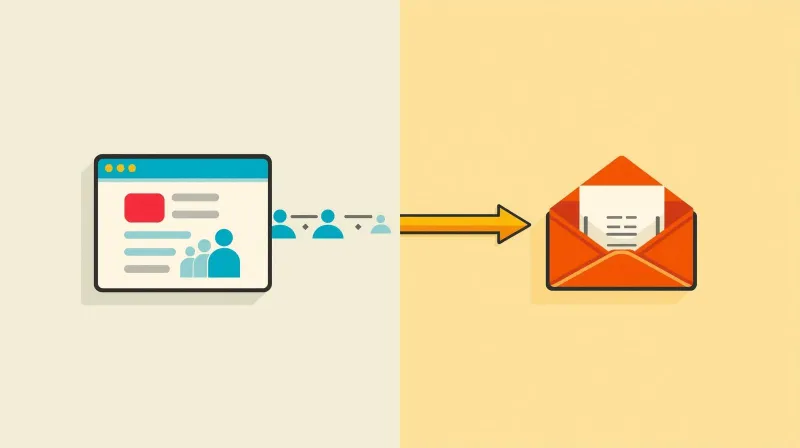
Email marketing isn't something your website does. It's something your website connects to.
Your site is the acquisition layer, where you collect subscribers. The email platform is the communication layer, where you manage lists and send campaigns.
Keep those separate, invest in proper infrastructure, and you'll avoid the deliverability nightmares and technical problems that come from trying to do it all from WordPress.