
A WordPress WAF (Web Application Firewall) is your first line of defense against the relentless attacks that target WordPress sites every single day. Automated bots constantly probe for vulnerabilities, testing login pages, scanning for outdated plugins, and attempting to inject malicious code. The attacks are sophisticated, persistent, and growing more aggressive. Without proper WordPress WAF protection, your website is essentially leaving the front door wide open, hoping the bad guys don't notice.
Here's the problem: most WordPress hosting providers either don't include WAF protection at all, or they charge extra for it as an "add-on" service. Budget hosts like GoDaddy and Bluehost leave you to fend for yourself, expecting you to install security plugins that consume your server resources and still leave gaps in protection. Even premium hosts often charge an extra $20-$50 or more per month for enterprise-level firewall protection.
At FatLab, we believe website security shouldn't be an afterthought, and it definitely shouldn't be something you pay extra for after an attack has already occurred. That's why we include Cloudflare Enterprise Web Application Firewall (WAF) protection with every single hosting plan we offer, at no additional cost.
What Makes FatLab's WordPress WAF Different
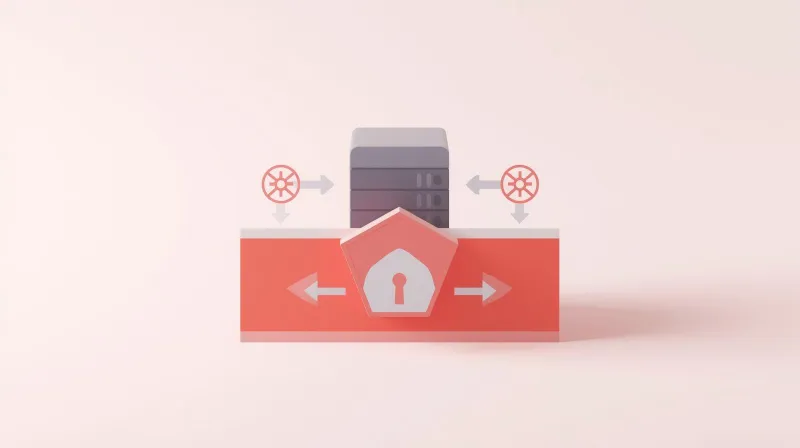
Cloudflare Enterprise WAF (Not the Free Version)
When we say we include Cloudflare protection, we're not referring to the basic free tier, which requires manual configuration and offers minimal security. We're talking about Cloudflare Enterprise, the same level of protection that Fortune 500 companies pay thousands per month to access.
The difference is substantial. Cloudflare's free tier provides basic DDoS protection, but it requires manual rule configuration. Their Pro tier ($20/month per domain) finally unlocks actual WAF protection with managed rulesets. But with FatLab, you get the full Enterprise package included in your hosting:
- Managed WAF with 300+ rulesets that automatically block attacks
- WordPress-specific protection rules targeting known WordPress vulnerabilities
- Advanced rate limiting to prevent brute force attacks and bot abuse
- DDoS mitigation at layers 3, 4, and 7 that stops attacks within 3 seconds
- Zero configuration required because we handle everything
Edge Protection: Blocking Attacks Before They Reach Your Server

Most WordPress security plugins operate at the application level. This means they examine traffic after it already reaches your web server. By that point, your server is already using resources to process potentially malicious requests, which can slow your site or even cause it to crash under sustained attack.
FatLab's Cloudflare Enterprise WAF operates at the edge, at Cloudflare's data centers in over 275 locations worldwide. Malicious traffic is identified and blocked before it ever touches your server. This means:
- Your server resources stay free for legitimate visitors
- Your site stays fast even during attack attempts
- You don't wake up to a crashed website
- Legitimate traffic flows through instantly
Think of it this way: plugin-based security is like having a security guard inside your building who has to wrestle with intruders after they've already broken in. A proper WordPress WAF is like having an entire security perimeter that stops threats before they reach your property.
What Attacks Does a WordPress WAF Block?

SQL Injection Attacks
SQL injection attempts to trick your database into running malicious commands. Although WordPress core is designed to prevent these attacks, vulnerable plugins occasionally introduce vulnerabilities. Our WAF identifies and blocks SQL injection patterns in real-time, including zero-day exploits that haven't been patched yet.
Cross-Site Scripting (XSS)
XSS attacks attempt to inject malicious JavaScript into your website to steal user data or hijack sessions. Our WAF examines all incoming data for XSS patterns and blocks attempts before they can execute. This protects both your site and your visitors.
DDoS and Volumetric Attacks
Distributed Denial of Service attacks attempt to overwhelm your server with fake traffic, making your site unavailable to real visitors. Cloudflare Enterprise's massive global network absorbs these attacks at the edge, detecting and mitigating threats in under 3 seconds, often before you even know an attack was attempted.
Brute Force Login Attempts
Automated bots constantly hammer WordPress login pages, trying thousands of password combinations. Our WAF includes intelligent rate limiting that identifies and blocks these attempts while allowing legitimate users through without friction. No CAPTCHA, no delays for real users, just invisible protection.
The same bot-blocking intelligence protects your WordPress contact forms from spam, filtering automated submissions at the network edge so your inbox stays clean without adding CAPTCHA friction for real visitors.
Known Vulnerability Exploits
When a WordPress plugin vulnerability is discovered, attackers immediately begin scanning the entire internet for sites running that plugin. Our WAF receives constant threat intelligence updates from Cloudflare's network, which processes over 106 million HTTP requests per second. This means we often block attacks targeting newly discovered vulnerabilities before patches are even available.
Why "Included" Matters More Than You Think
Here's a scenario that plays out constantly in the WordPress world:
A business signs up for budget hosting at $5/month. They launch their site. Everything seems fine. Then one day, their site gets hacked. The hosting company says, "Sorry, you should have purchased our security add-on package for $19.99/month." Now, the business is dealing with a compromised website, potential data loss, and SEO penalties, while trying to clean up a mess that could have been prevented.
This is exactly the situation we designed FatLab to avoid. Security isn't an upsell; it's a fundamental requirement for responsible hosting. Every site we host gets the same enterprise-level protection, whether you're running a small blog or a high-traffic e-commerce site.
No Technical Knowledge Required
You don't need to know what a SQL injection is or how to configure firewall rules. You don't need to research which security plugins to install or worry about keeping them up to date. You don't need to monitor attack logs or understand threat signatures.
We handle all of that. Your WordPress WAF protection is:
- Automatically enabled the moment your site goes live
- Continuously updated with the latest threat intelligence
- Actively monitored by both Cloudflare's systems and our team
- Optimized for WordPress with rules specifically designed for WordPress threats
- Completely transparent to your legitimate visitors
The Real Cost of "Free" Security
Budget hosts often advertise "free" SSL certificates and "free" security features. But here's what they don't tell you:
Their "free" security is actually just the absence of security. They're not actively protecting you; they're just not actively harming you. When an attack comes (and it will), you'll find out the hard way that "free" means "you're on your own."
Even hosts that offer security plugins included are asking you to manage complex software that:
- Consumes your server resources
- Requires constant updates
- May conflict with other plugins
- Provides only application-level protection (after attacks reach your server)
- Still leaves you vulnerable to DDoS and edge-level attacks
At FatLab, our Cloudflare Enterprise integration delivers real, active enterprise-level protection without lifting a finger.
How Our WordPress WAF Integrates With Your Complete Security Package
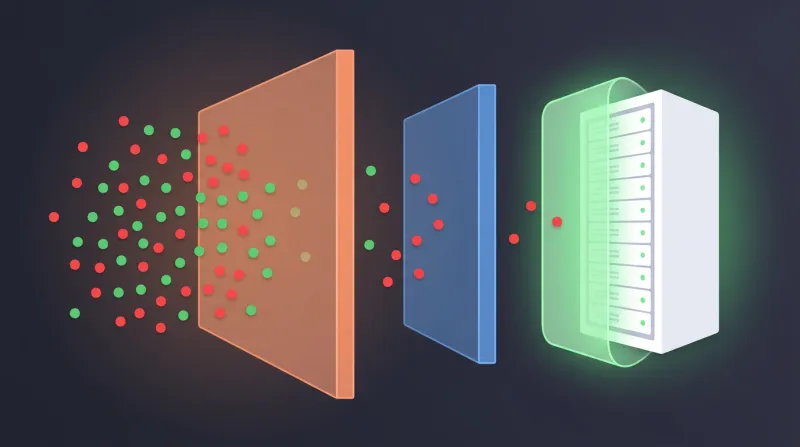
FatLab's firewall protection isn't a standalone feature. It's one layer of a comprehensive security approach that includes:
- Cloudflare Enterprise WAF blocking threats at the edge
- Imunify360 provides server-level malware scanning and removal
- Automated daily backups with instant restore capabilities
- Automatic WordPress core updates for security patches
- Auto-renewing SSL certificates at no extra cost
- Proactive monitoring of all security events
This layered approach means even if one layer somehow misses something (which is rare), the other layers catch it. It's defense in depth, not just a single point of failure.
Real Results: What Our Clients Experience
Zero Downtime During Attacks
While other sites go offline during DDoS attacks, our clients' sites stay online. Cloudflare Enterprise's massive network absorbs attacks that would cripple traditional hosting setups.
Fewer False Positives
Generic security plugins are notorious for blocking legitimate traffic and creating false positives that frustrate real users. Cloudflare Enterprise's machine learning systems are trained on billions of requests, enabling them to distinguish between threats and legitimate traffic with exceptional accuracy.
Faster Sites Despite More Security
Because we block malicious traffic before it reaches your server, your server has more resources available for genuine visitors. Our clients often see performance improvements after migrating to FatLab, despite having significantly more security in place.
WordPress WAF vs. Security Plugins: What's the Difference?
Let's be direct about what separates a true WordPress WAF from plugin-based security:
GoDaddy and Bluehost: Offer no WAF protection in their standard plans. They'll sell you security add-ons, but you're responsible for configuring and managing them. Their "website security" products are often just repackaged third-party plugins.
Managed WordPress hosts that charge extra: Companies like WP Engine advertise "enterprise-grade WAF" protection, but it's an optional add-on that incurs an additional monthly cost. Even then, you're often getting a tier below true Enterprise-level protection.
Free Cloudflare users: If you set up Cloudflare's free tier yourself, you get basic DDoS protection but no real WAF. You'll need to configure rules manually, and you won't have access to WordPress-specific rulesets or advanced rate limiting.
Plugin-only security: Security plugins, such as Wordfence and Sucuri, operate at the application level, meaning that attacks reach your server before being blocked. They also consume server resources and require ongoing management and renewal fees.
The Bottom Line: Peace of Mind Shouldn't Cost Extra
Website security is not optional. It's not a luxury feature. It's not something you should think about after something goes wrong.
When you choose FatLab for your WordPress hosting, you're choosing:
- Enterprise-level WAF protection that others charge hundreds per month for
- Zero configuration or management required on your part
- Complete transparency with no hidden fees or surprise charges
- Comprehensive security that goes beyond just a firewall
- Expert support from a team that understands WordPress security
Your competitors are investing in security. Your customers expect your site to be secure. The question isn't whether you need WordPress WAF protection. It's whether you want to pay extra for it as an afterthought, or have it included from day one as a fundamental part of your hosting.
At FatLab, security isn't an add-on. It's how we do business.
Frequently Asked Questions
What is a WordPress WAF (Web Application Firewall)?
A Web Application Firewall is a security system that monitors, filters, and blocks malicious HTTP/HTTPS traffic before it reaches your web application. Unlike traditional network firewalls, a WAF specifically protects web applications by inspecting request content for attack patterns, such as SQL injection, cross-site scripting, and other threats targeting application-layer vulnerabilities. A WordPress WAF is configured to protect WordPress sites against threats.
How is FatLab's WordPress WAF different from security plugins?
WordPress security plugins operate at the application level, meaning attacks must reach your server before they can be examined and blocked. This consumes server resources and can slow your site. FatLab's Cloudflare Enterprise WAF operates at the edge, blocking malicious traffic at Cloudflare's data centers before it ever touches your server. This provides better protection while actually improving performance.
Do I need to configure or manage the WAF?
No. FatLab handles all firewall configuration, rule updates, and management. Your protection is automatically enabled when your site goes live and continuously updated with the latest threat intelligence. You don't need any technical knowledge, just peace of mind.
Will the WordPress WAF slow down my website?
Actually, the opposite. Because we're blocking malicious traffic before it reaches your server, your server has more resources available for legitimate visitors. Additionally, Cloudflare's global network of over 275 data centers ensures your content is cached and delivered from locations near your visitors, making your site faster.
What's the difference between Cloudflare's free tier and Enterprise WAF?
Cloudflare's free tier provides basic DDoS protection but lacks a comprehensive Web Application Firewall. Their Pro tier ($20/month per domain) adds basic WAF protection. Enterprise includes advanced managed rulesets with 300+ rules, WordPress-specific protection, advanced rate limiting, priority support, and machine learning-powered threat detection. FatLab includes full Enterprise protection at no additional cost.
Does a WordPress WAF protect against all types of attacks?
Our Cloudflare Enterprise WAF protects against the vast majority of web application attacks, including SQL injection, XSS, DDoS, brute-force attacks, and known WordPress vulnerabilities. It's part of a layered security approach that also includes server-level malware scanning (Imunify360), automated backups, and proactive monitoring. While no security is 100% foolproof, this enterprise-level protection is on par with that used by Fortune 500 companies.
What happens if my site does get attacked?
Most attacks are automatically blocked at the edge without you ever knowing they happened. In the rare event something gets through our firewall, our Imunify360 malware scanner detects and removes malicious code automatically. We also maintain automated daily backups, allowing us to restore your site to a clean state within minutes if needed. Plus, our support team is available to assist with any security incidents.
Can I use my own security plugins alongside the WAF?
Yes, although most clients find they don't need additional security plugins, as we provide comprehensive protection at multiple layers. If you do want to use additional plugins, they'll work alongside our firewall without conflicts. However, many clients actually remove security plugins after migrating to FatLab because they're no longer necessary and slow down their sites.
Is WordPress WAF protection really included in all hosting plans?
Yes, absolutely. Every single hosting plan at FatLab includes full Cloudflare Enterprise WAF protection at no additional cost. We don't have "security add-ons" or tiered security features. Whether you're on our smallest or largest plan, you get the same enterprise-level protection. Security is fundamental to our hosting, not an upsell.
How do I know if the WAF is working?
Your firewall is working 24/7/365, silently protecting your site. Most attacks are blocked invisibly, and you never see them. If you'd like visibility into blocked threats, our team can provide access to security logs showing the attacks we're blocking. In most cases, clients appreciate the peace of mind that comes with knowing their site is protected without needing to monitor it actively.
Ready to stop worrying about WordPress security? Learn more about our managed WordPress security services or contact us today to discuss how we can protect your website.
Additional Resources: