
You've invested in premium WordPress hosting because your website matters. Fast servers, reliable uptime, sophisticated deployment workflows: these are table stakes for serious organizations. Pantheon delivers solid infrastructure, and its developer-focused platform has earned it a strong reputation among agencies and development teams. But if you're looking for a Pantheon alternative, there's a critical gap you should understand first.
But here's what catches most organizations by surprise after signing up: Pantheon is built for developers, not for the people who actually manage websites day-to-day. When your marketing manager needs to update a press release, when your communications director wants to add a new page, when a plugin conflict crashes your donation form, Pantheon's Git-based workflows and infrastructure-only support leave non-technical teams stranded. You're left to hire a developer at $100-200 per hour to handle tasks that should be simple.
That's not comprehensive managed hosting. That's developer infrastructure with a critical support gap.
FatLab takes a fundamentally different approach to WordPress hosting. We provide enterprise-grade infrastructure, full website support, and simple workflows that don't require Git knowledge. We don't just keep your server running; we help fix plugin conflicts, debug custom code, troubleshoot theme issues, and resolve the actual problems that happen on WordPress sites every day. We do this with straightforward staging environments, competitive pricing, and no developer complexity that characterizes platforms built for technical teams.
This guide explains the key differences between FatLab's comprehensive WordPress management and Pantheon's developer-focused model, helping you determine which approach best suits your organization's needs. If you're searching for a Pantheon alternative that offers full website support without the Git complexity, you're in the right place.
The Developer-Only Platform Problem

Premium WordPress hosts excel at managing infrastructure. They keep servers running, apply security patches, handle backups, configure CDNs, and maintain high uptime. If you have a server-level issue, they're excellent at resolving it.
But Pantheon WordPress hosting goes further by building its entire platform around developer workflows. Their Git-based Dev/Test/Live environment system is powerful for development teams, but it's overwhelming for organizations without dedicated technical staff. This pattern is consistent across premium hosts. See our comparison of why FatLab is the smarter alternative to WP Engine, Pantheon, Kinsta, and other premium WordPress hosts.
The Git Workflow Barrier
Pantheon's workflow requires understanding Git version control:
- Every change flows through Dev → Test → Live environments
- Content updates require commits and deployments
- Non-technical users can't make simple changes independently
- Marketing teams depend on developers for routine updates
For development agencies managing complex deployments, this makes sense. For a nonprofit communications director who needs to post a press release, the overkill turns a five-minute task into a half-day project, waiting for developer availability.
What Pantheon Actually Supports
When Pantheon says they offer "managed WordPress hosting," here's what they actually manage:
Infrastructure they support:
- Server uptime and availability
- Security patches and server-level updates
- Automated backups and restores
- CDN configuration
- Database optimization at the server level
- Git-based deployment workflows
- Dev/Test/Live environment management
Website issues outside their scope:
- Plugin conflicts and errors
- Theme customization problems
- Custom plugin or theme debugging
- WooCommerce configuration issues
- Form submission problems
- Integration troubleshooting
- Custom code that breaks after updates
- Anything specific to your website's functionality
User reviews consistently note: "Support does nothing more than point you to cryptic, generalized support articles." Pantheon hosting reviews frequently mention this frustration. When something breaks on your WordPress site, you're directed to plugin developers or told to hire a WordPress developer.
The Developer Tax
This support limitation creates what we call the "developer tax." You pay premium hosting prices for server management, then you pay again, at $100-200 per hour, every time you need help with your actual website.
Real costs add up quickly:
- Plugin conflict that crashes your site: $200-400 developer consultation
- Custom code that breaks after WordPress update: $400-800
- WooCommerce checkout errors: $300-600 for troubleshooting
- Theme compatibility issues: $300-500
These costs are in addition to your premium hosting bill and occur regularly as WordPress, plugins, and themes update.
We see this firsthand with clients who come to us for support while remaining on Pantheon due to corporate IT decisions. Every engagement starts with one to two hours of billable overhead before any actual work begins: ensuring all repositories are current, verifying we can safely overwrite the development environment, copying down databases and files, syncing our local environment, and then coordinating deployments through the client's team due to permission structures.
The workflow also restricts who can help. Because Pantheon requires SSH key configuration for each developer, only specific team members can access a given site. A routine task that any member of our support team could handle on a standard WordPress host becomes a bottleneck requiring a specific person's availability. For organizations paying hourly for outside support, this adds up quickly and creates unnecessary dependencies.
FatLab's Comprehensive WordPress Management
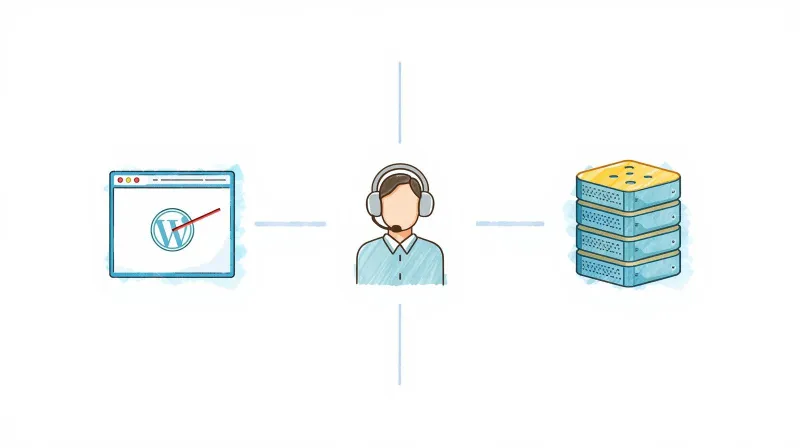
FatLab believes premium WordPress hosting should support your entire WordPress site, not just the infrastructure beneath it, and it shouldn't require a computer science degree to manage.
When you have a plugin conflict, we debug it. When your custom theme breaks after an update, we fix it. When your contact form stops working, we troubleshoot it. When you need to push changes to your live site, you use a simple staging workflow, no Git required. If it's on your WordPress site, we help resolve it, included in your hosting plan.
What FatLab's Full Support Includes
Our comprehensive managed WordPress hosting covers both infrastructure and website support:
Infrastructure management (like other premium hosts):
- Cloud hosting with automatic scaling
- Cloudflare Enterprise CDN (260+ global points of presence)
- Real-time malware scanning with Imunify360
- Automatic malware cleanup
- DDoS protection at layers 3, 4, and 7
- SSL certificates at all layers
- 24/7 uptime and security monitoring
- Daily automated backups (on-server + offsite)
- Weekly WordPress core updates with rollback protection
Website support (FatLab exclusive):
- Plugin conflict diagnosis and resolution
- Theme troubleshooting and fixes
- Custom code debugging and repairs
- WooCommerce configuration and error resolution
- Form submission troubleshooting
- Third-party integration support
- Performance optimization for your specific site
- Emergency response when your site breaks
Simple workflows (no Git required):
- Straightforward staging environments
- Make changes, test, push to live
- No version control knowledge needed
- Non-technical team members can manage content confidently
This unified support model means you have one team that takes ownership of your entire WordPress site, not just your server. When something breaks, you contact us. We don't refer you to plugin developers or tell you to hire one.
Key Differences: FatLab vs. Pantheon

Let's compare what you actually get with each hosting provider. Whether you're evaluating Pantheon vs WP Engine or considering other premium hosts, these distinctions matter:
Support Scope
Pantheon: Infrastructure support only. Plugin conflicts, theme issues, custom code problems, and WooCommerce troubleshooting are outside their scope. You'll be referred to plugin developers or told to hire a WordPress developer.
FatLab: Complete website support. We help with plugin conflicts, theme issues, debugging custom code, WooCommerce problems, and any WordPress functionality issues. When your site breaks, we fix it. That's included in your hosting plan.
Technical Complexity
Pantheon: Git-based workflows with Dev/Test/Live environments. Powerful for developers, but overwhelming for marketing teams and non-technical staff. Simple content updates require understanding version control concepts.
FatLab: Simple staging workflow. Make changes in staging, test them, push to live. No Git knowledge required. Your communications team can manage content without developer intervention.
Plugin Restrictions
Pantheon: Read-only live environment prevents some plugins from functioning. Architecture designed for Drupal first can cause WordPress plugin incompatibilities. The deployment workflow restricts automatic updates.
FatLab: No plugin restrictions. If it's a legitimate WordPress plugin, you can use it. We trust you to choose the tools your business needs. If a plugin causes problems, we help you troubleshoot it rather than blocking it entirely.
Pantheon Pricing Structure
Pantheon: Basic plan starts at $55/month (annual). Performance plans range from $200 to $1,150/month. Traffic-based pricing with overage charges. Users report unexpected fees from bot traffic, sometimes $600+ in overage charges per month. Pantheon pricing lacks transparency around these potential costs, making budgeting difficult for organizations without predictable traffic patterns.
FatLab: Transparent, straightforward pricing. Watch Dog Starter at $99/month includes premium hosting with no traffic limits. Watch Dog Professional at $199/month adds priority support, a 2-hour response time guarantee, and monthly development hours. All features included: no add-ons for backups, SSL, malware cleanup, or security.
Response Times and Support Access
Pantheon: Support quality varies by plan tier. An enterprise-focused platform often leaves smaller organizations feeling underserved. Self-serve documentation prioritized over personal support.
FatLab: Under 2-hour response time on Professional plans with priority queue access. You talk directly to WordPress developers who understand both infrastructure and website issues, not tier-1 support reading from scripts. Every response aims to solve your problem, not redirect you elsewhere.
Real-World Scenarios: When Support Scope Matters

The difference between infrastructure-only and comprehensive support becomes most apparent when things go wrong. Here's how typical scenarios play out:
Scenario: Plugin Conflict After Update
Your site: WooCommerce checkout page shows a PHP error after a plugin update. Customers can't complete purchases.
Pantheon response: "That's a plugin issue. We only support infrastructure. Contact the plugin developer or hire a WordPress developer. We can't troubleshoot third-party code."
Your cost: $300-600 developer bill + hours of downtime + lost sales
FatLab response: We review your error logs, identify the conflicting plugin, test with the latest version, and either resolve the conflict or recommend a stable alternative. Emergency issues get immediate attention. Included in your hosting plan.
Scenario: Marketing Team Needs to Update Content
Your site: The Communications director needs to post a time-sensitive press release.
Pantheon reality: Without Git knowledge, they can't push changes through the Dev/Test/Live workflow. They wait for developer availability, or the developer walks them through a process that feels unnecessarily complex for adding a page.
FatLab reality: They log in to WordPress, create the page, preview it, and publish it. If they want to test on staging first, they make changes there and push to live with a simple interface. No Git, no developer dependency, no delays.
Scenario: Custom Theme Breaking After WordPress Update
Your site: Custom theme elements not displaying correctly after core WordPress update.
Pantheon response: "We only support WordPress core updates themselves. Theme issues are outside our scope. Contact your theme developer."
Your cost: $400-800 developer bill
FatLab response: We test your theme in a staging environment, identify the incompatibility, and either fix the code or roll back the update until a solution is available. We work with your theme developer if needed. Included in your hosting plan.
Scenario: Donation Form Stops Working
Your site: Your nonprofit's donation form throws errors. Contributions are failing during your year-end campaign.
Pantheon response: "Form and payment gateway issues are outside our support scope. Contact your form plugin developer or payment processor."
Your cost: Hours of troubleshooting between multiple support teams + lost donations during your most critical fundraising period
FatLab response: We check the form configuration, test the submission flow, review error logs, and determine whether the issue is plugin-related, gateway-side, or configuration-related. We coordinate with payment processors if needed. Included in your hosting plan.
These aren't edge cases. They're everyday problems that happen on WordPress sites. Developer-focused hosts leave non-technical teams to solve these issues on their own, often at high cost. FatLab includes this critical support across all hosting plans.
Performance and Infrastructure: FatLab's Technical Foundation
Comprehensive website support doesn't mean sacrificing infrastructure quality. FatLab delivers the same enterprise-grade performance and security you'd expect from premium hosts:
Performance Optimization
- Server-level caching configuration optimized for WordPress
- Cloudflare Enterprise CDN with 260+ global points of presence
- Optimized PHP and MySQL configurations
- Automatic resource scaling for traffic spikes
- HTTP/3 and the latest performance technologies
- Sub-2-second TTFB (Time to First Byte) on properly optimized sites
Enterprise Security
- Real-time malware scanning with Imunify360
- Automatic malware cleanup included (no extra charges)
- Cloudflare Enterprise Web Application Firewall (WAF)
- DDoS protection at layers 3, 4, and 7
- SSL certificates at all layers (server, firewall, CDN)
- 24/7 security monitoring and threat detection
- Proactive vulnerability patching
Reliability and Uptime
- 99.9% uptime guarantee
- 24/7 infrastructure monitoring and alerting
- Redundant backup systems (on-server + offsite)
- Quick disaster recovery capabilities
- Proactive issue detection and resolution
Learn more about what hosting SLA guarantees actually mean and why FatLab's approach to uptime delivers real reliability.
Developer-Friendly Features (When You Need Them)
- Staging environments for safe testing
- Git deployment options when needed
- SSH access for developers
- WP-CLI support for command-line management
- Custom configuration for advanced requirements
The difference is that we add comprehensive website support on top of this infrastructure, and we don't require developer workflows for routine tasks. You get both premium hosting and premium WordPress expertise, accessible to your entire team.
Who Should Choose FatLab Over Pantheon
FatLab is the right Pantheon alternative if you:
Don't have an internal development team. If your organization doesn't have dedicated developers on staff, Pantheon's Git workflows create constant friction. FatLab's simple staging environment lets your team manage content without technical barriers.
Need more than infrastructure support. If you want experts who help with plugin conflicts, theme issues, and custom code, not just server problems, FatLab provides comprehensive WordPress support that infrastructure-only hosts don't offer.
Run a mission-driven organization. Nonprofits, associations, and advocacy groups typically need their communications and development staff to manage websites without developer intervention. FatLab's workflows and support model are built for this reality.
Want transparent, predictable pricing. If you're tired of traffic-based pricing, overage charges, and surprise fees from bot traffic, FatLab's straightforward pricing includes everything you need at one flat monthly rate.
Value responsive expert support. If you want to talk to WordPress developers who actually understand your site, not tier-1 support reading from scripts, FatLab provides direct access to experts with under 2-hour response times on Professional plans.
Pantheon May Be Better If You:
- Have a dedicated development team that prefers Git workflows
- Need sophisticated multi-environment deployments for complex development
- Are running Drupal (Pantheon's original and primary strength)
- Want Multidev environments for parallel feature development
- Have technical staff who will manage all website changes
FatLab for Mission-Driven Organizations
While this article focuses on the Pantheon comparison, it's worth noting that FatLab has deep expertise serving nonprofits, professional associations, and advocacy organizations. We understand the unique challenges mission-driven organizations face:
- Integration with nonprofit CRMs like Salesforce, Blackbaud, and MS Dynamics
- Donation processing and member management systems
- Event registration and volunteer coordination
- Advocacy tools and action alerts
- Grant reporting and compliance requirements
Our nonprofit hosting services include dedicated pricing for 501(c)(3) organizations. Learn more about why organizations choose FatLab in our nonprofit hosting guide.
Migration from Pantheon: Easier Than You Think
Worried about migrating from Pantheon? Our team handles everything professionally, ensuring zero downtime and complete data integrity. Read our complete guide on stress-free WordPress migration.
Our Migration Process
Free consultation: We review your current hosting setup, discuss your site's specific needs, and create a migration plan tailored to your situation.
We handle the technical work: Our team migrates your files, databases, and configurations. For Pantheon sites, we ensure your workflows translate to our simpler staging system without losing functionality.
Thorough testing: We test your site on our servers before going live, ensuring everything works exactly as it should: forms, checkout, integrations, and more.
DNS coordination: We guide you through DNS updates or handle them for you to minimize potential downtime.
Post-migration monitoring: We closely monitor your site after migration and address any issues immediately.
What to Expect
- Zero downtime for most migrations
- No data loss
- Full functionality testing
- Free migration included with annual plans
- Professional migration service for complex sites
Most WordPress sites migrate within 24-48 hours. Complex sites with custom configurations or large databases may take slightly longer, but we keep you informed throughout the process.
Beyond Basic Hosting: Why FatLab Is Different
FatLab isn't just a hosting company. We're a comprehensive WordPress partner. This means we offer services beyond basic hosting that infrastructure-only providers don't provide:
- Ongoing maintenance and updates: Weekly plugin, theme, and WordPress core updates with manual review and rollback protection
- Performance optimization: Site-specific speed improvements beyond standard caching
- Security hardening: Custom security configurations for high-risk sites
- Custom development: When your site needs functionality beyond plugins, our development team can build it
- Strategic consulting: Website planning, architecture decisions, and technology recommendations
- Emergency response: When critical issues occur, we respond immediately with real solutions
Compare this to our complete guide to managed WordPress hosting, and you'll see why comprehensive WordPress management delivers better value than infrastructure-only hosting.
Getting Started with FatLab
Ready to experience a Pantheon alternative that supports your entire website, not just the server underneath it, without requiring Git expertise?
Explore our hosting options:
- WordPress Hosting Plans - Compare our Watch Dog plans and features
- Nonprofit Website Hosting - Specialized hosting for 501(c)(3) organizations
- White Label WordPress Hosting - Agency solutions for client site management
Evaluating other premium hosts? See our detailed comparisons:
- Why Choose FatLab Over WP Engine - Plugin restrictions and infrastructure-only support vs. FatLab's comprehensive approach
- Why Choose FatLab Over Kinsta - Visit-based pricing and add-on fees vs. FatLab's all-inclusive approach
Have questions? Contact us for a free consultation on migrating your site from Pantheon or another premium host.
We offer free professional migration, month-to-month pricing with no long-term contracts, and the confidence that comes from working with WordPress experts who support your entire site, not just the infrastructure.
Frequently Asked Questions
What's the main difference between FatLab and Pantheon hosting?
FatLab provides complete website support with simple workflows, while Pantheon provides infrastructure with developer-focused Git workflows. Pantheon excels at managing servers with strong uptime and sophisticated deployment pipelines, but its platform is built for development teams. When problems occur on your WordPress site itself, such as plugin conflicts, theme issues, and custom code errors, Pantheon refers you to plugin developers or recommends hiring a WordPress developer.
Their Git-based Dev/Test/Live workflow is powerful for developers but overwhelming for marketing teams and non-technical staff. FatLab includes comprehensive website support with every hosting plan, plus simple staging environments that don't require version control knowledge. We debug plugin conflicts, fix theme problems, troubleshoot errors, and resolve issues. When something breaks on your WordPress site, we take ownership and fix it, and your entire team can manage content without developer intervention.
Is Pantheon only for developers?
Pantheon is designed primarily for developers and agencies. Their Git-based workflow with Dev/Test/Live environments assumes users understand version control concepts. While non-technical users can technically access the WordPress dashboard, pushing changes through Pantheon's deployment pipeline requires Git knowledge or developer assistance.
For organizations without dedicated development staff, this creates constant friction. Simple content updates become dependent on developer availability. FatLab's staging workflow is straightforward: make changes, test them, push to live. No Git commands, no commits, no deployment pipelines to understand. Your communications team can manage content independently while still having access to staging environments for testing.
Does FatLab support the same enterprise features as Pantheon?
Yes, FatLab's infrastructure matches Pantheon's enterprise capabilities while adding comprehensive website support. We provide Cloudflare Enterprise CDN with 260+ global points of presence, real-time malware scanning with Imunify360, automatic malware cleanup, DDoS protection at layers 3, 4, and 7, and 24/7 monitoring. We also offer staging environments, Git deployment options when needed, SSH access, and WP-CLI support.
The key difference is that we don't require developer workflows for routine tasks, and we include full website support, covering plugin conflicts, theme issues, and custom code debugging, in every hosting plan. You get enterprise infrastructure accessible to your entire team, not just your developers.
How does FatLab pricing compare to Pantheon?
FatLab offers more transparent and predictable pricing than Pantheon. Pantheon's Basic plan starts at $55/month (billed annually), with Performance plans ranging from $200 to $1,150/month. Their traffic-based pricing includes overage charges, and users frequently report unexpected fees from bot traffic counting against their limits, sometimes $600+ per month in surprise charges.
FatLab's pricing is straightforward: Watch Dog Starter at $99/month includes premium hosting with no traffic limits or overage charges, and Watch Dog Professional at $199/month adds priority support, faster response times, and monthly development hours. All features are included: SSL certificates, daily backups, malware scanning and cleanup, Cloudflare Enterprise CDN, and full website support for plugin conflicts, theme issues, and custom code. When you factor in the developer costs you avoid by having comprehensive support and simple workflows, FatLab delivers significantly better value.
Does Pantheon charge for traffic overages?
Yes, Pantheon uses traffic-based pricing with overage charges when you exceed your plan's visit limits. A common complaint is that Pantheon's visit counting doesn't match Google Analytics. Bot traffic, crawlers, and automated requests all count against your limits. Users report receiving unexpected bills of $600 or more per month when traffic spikes or bot activity increases. FatLab's Watch Dog Professional plan includes unlimited traffic with no overage charges. You pay one predictable monthly rate regardless of traffic volume, and we don't count bot traffic against you.
Can FatLab handle high-traffic WordPress sites?
Absolutely. FatLab's infrastructure handles high-traffic WordPress sites with the same reliability and performance you'd expect from premium hosts. Our Watch Dog Professional plan supports unlimited traffic and automatically scales to handle spikes during campaigns, product launches, or viral content.
We use cloud hosting infrastructure with Cloudflare Enterprise CDN featuring 260+ global points of presence, server-level caching, optimized PHP and MySQL configurations, and 24/7 monitoring. Unlike hosts that throttle your site during traffic spikes or charge overage fees, FatLab automatically scales resources. The key difference is that we combine this premium infrastructure with comprehensive website support. When your high-traffic site needs troubleshooting or optimization, our WordPress developers help you rather than referring you elsewhere.
Will FatLab help if a WordPress update breaks my site?
Yes, when updates break your site, FatLab's support team helps resolve the issue immediately, unlike infrastructure-only hosts that tell you to hire a developer. We follow a careful update process: creating backups before every update, testing in staging environments when possible, and monitoring for issues.
If something breaks, we roll back immediately to restore functionality, then troubleshoot the underlying issue. We identify which plugin or theme is causing conflicts, test compatibility, and either resolve the problem, find alternatives, or recommend waiting for compatibility patches. This is included in all hosting plans at no additional charge.
Does FatLab support WooCommerce sites?
Yes, FatLab specializes in supporting WooCommerce stores and other complex WordPress sites. WooCommerce introduces complexity that infrastructure-only hosts won't help with: payment gateway configurations, checkout problems, shipping calculation errors, and plugin conflicts with WooCommerce extensions.
When your WooCommerce site has issues, infrastructure-only providers tell you to contact WooCommerce support or hire a developer. FatLab's WordPress developers troubleshoot WooCommerce issues as part of your hosting plan, including payment gateway issues, checkout errors, plugin conflicts, performance optimizations for product catalogs, and integrations with shipping or accounting systems.
How quickly does FatLab respond to support requests?
FatLab provides significantly faster support response than most premium WordPress hosts. Our average first response time is under 2 hours, and Watch Dog Professional plans include a guaranteed 2-hour response time with priority queue access.
When you contact support, you're talking to WordPress developers who understand both infrastructure and website issues, not tier-1 support agents reading from scripts. More importantly, we actually solve problems rather than referring you elsewhere. The combination of fast response times and comprehensive problem-solving makes FatLab support dramatically more effective for real-world WordPress site management.
How long does it take to migrate from Pantheon to FatLab?
Most WordPress sites migrate from Pantheon to FatLab within 24-48 hours with zero downtime. We provide professional migration services, with our team handling everything: moving files, databases, configurations, DNS updates, and SSL certificates. For Pantheon sites specifically, we ensure your content and functionality transfer smoothly to our simpler staging workflow. Complex sites may take slightly longer, but we keep you informed throughout. Free migration is included with annual plans, and we offer professional migration services at reasonable rates for monthly plans.