
The Migration Promise: Zero Hassle, Zero Downtime, Zero Cost
Thinking about migrating your WordPress site to new hosting? The good news: when you host with FatLab, we handle your entire WordPress migration for free, no matter how many sites you need to move. Whether you're transferring a single blog or managing an agency portfolio of 50+ websites, we make the process seamless, secure, and completely stress-free. Migration is just one of the top reasons to choose FatLab for managed WordPress hosting.
Why WordPress Site Migration Doesn't Have to Be Complicated
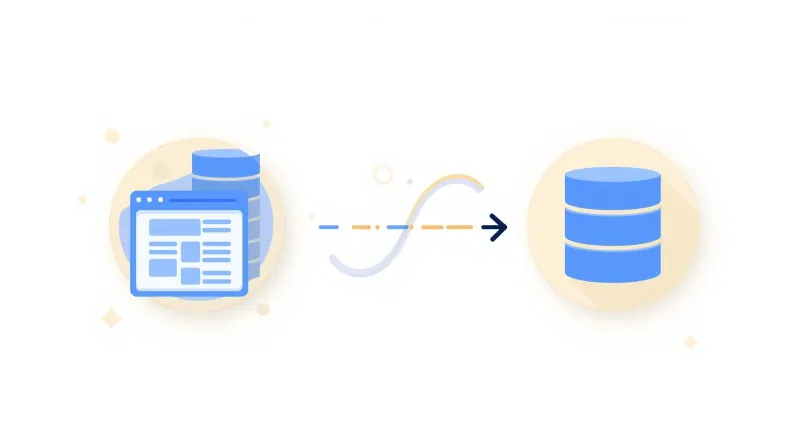
Many website owners avoid switching hosts because they fear the migration process. Common concerns include:
- Downtime that drives visitors away
- Lost data or broken functionality
- Technical complexity beyond their expertise
- SEO rankings taking a hit
- Hours or days of their time consumed
Here's the reality: with the right partner, WordPress migration is straightforward. At FatLab, we've perfected a migration process that eliminates these worries. Our team has successfully migrated hundreds of WordPress sites, from small personal blogs to complex agency portfolios, with a 99% zero-downtime success rate.
How FatLab's Free WordPress Migration Service Works
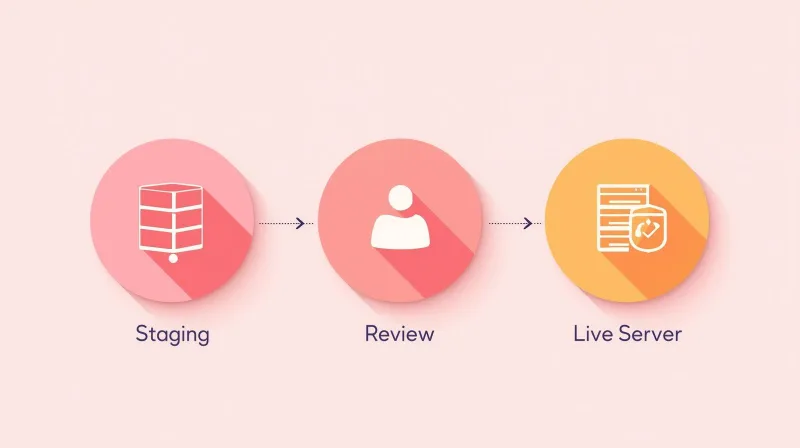
When you decide to host with FatLab, here's exactly what happens:
Step 1: We Create a Staging Environment
Before touching your live site, we set up a complete staging environment on our servers. This staging site becomes your testing ground, a perfect replica where we can ensure everything works flawlessly before going live.
Step 2: We Request Access to Your Current Site
We'll need access to your existing website. This can be through:
- Control panel (cPanel) access
- SFTP/FTP credentials
- PHP/MySQL database access
- WordPress admin access with a migration plugin
Don't have direct access available? No problem. If we can get administrative access to your WordPress dashboard, we can use a reliable migration plugin to create a complete copy of your site. Either way, we've got you covered. Learn more about how to migrate a WordPress site without FTP or MySQL access.
Step 3: We Migrate and Stage Your Site
Our team transfers all your files, databases, media, plugins, themes, and configurations to your new FatLab hosting environment. We perform this migration carefully, ensuring every element of your site is preserved.
Once the migration is complete on our end, we thoroughly test the staging site to confirm everything functions properly.
Step 4: You Review and Approve
This is where you take control. We provide you with a staging URL so you can click through your entire site and verify that:
- All pages load correctly
- Images and media display properly
- Forms and functionality work as expected
- Plugins and themes operate normally
- Everything looks and feels exactly as it should
Take your time during this phase. We want you to feel completely confident before we proceed.
Step 5: We Schedule the DNS Change
Once you approve the staging site, we schedule the DNS change. This is simply rerouting traffic from your old host to your new FatLab hosting.
Here's the important part: 99% of DNS changes happen with zero downtime. Your site continues to function normally throughout the transition, and the switch typically goes completely unnoticed by your visitors.
Step 6: Finalize and Cancel Your Old Host
After the DNS change, we recommend waiting 2-3 days to ensure everything has propagated globally and your site is running smoothly on FatLab's servers. Once you're satisfied, you can safely cancel your previous hosting plan.
Throughout this entire process, we're here to help. Whether you need us to handle all the technical steps, work with your IT department, or simply guide you through what needs to happen, we adapt to your situation.
Migration Timeline: Fast When You Need It
Standard migrations are typically completed within 24-48 hours from when you provide access to your current site.
Rush scenarios? We can migrate your site within a few hours if you have an urgent need.
The timeline depends on factors like:
- Size of your website
- Number of sites being migrated
- Complexity of your current setup
- Your availability for review and approval
Real-World Example: Migrating 50 Agency Websites
When Merrick Creative, a Maryland-based brand management and technology consultancy, needed to migrate its entire client portfolio from unmanaged AWS infrastructure to a reliable managed hosting solution, it chose FatLab.
The Challenge
Merrick Creative managed nearly 50 client websites across real estate, hospitality, and consumer brands. They needed:
- A trusted partner to migrate all sites with zero downtime
- White-label hosting that maintained its client relationships
- Enterprise-level performance and security
- Staging and development environments for their workflow
Our Solution
FatLab migrated all 50+ websites from their unmanaged AWS environment to our fully managed WordPress hosting platform. The results:
- 100% uptime maintained throughout the entire migration
- Zero client disruption during the transition
- Seamless white-label partnership preserving Merrick Creative's brand
- Complete portfolio now hosted on reliable infrastructure
For nearly two years, these websites have maintained 100% uptime, allowing Merrick Creative to focus entirely on strategy and creative work while we handle all hosting infrastructure behind the scenes.
Read the full Merrick Creative case study to see how we support agency partnerships.
What Makes FatLab's WordPress Migration Different
It's Completely Free
Migration is included with all FatLab hosting plans. No setup fees, no migration charges, no hidden costs. Just straightforward hosting with migration handled by our expert team.
We Migrate As Many Sites As You Need
Whether you have one site or fifty, our migration service covers your entire portfolio. This makes FatLab an ideal partner for:
- Agencies managing multiple client websites
- Businesses with multiple brand sites
- Developers moving client projects to reliable hosting
- Individual site owners looking for a better hosting experience
We Handle the Technical Complexity
You don't need to understand FTP, database exports, DNS configuration, or any other technical details. Our team handles everything while keeping you informed throughout the process.
We Prioritize Zero Downtime
Your website is your digital storefront. We understand that even minutes of downtime can mean lost opportunities and revenue. Our migration process keeps your site live and functional throughout the entire transition.
Why Choose FatLab Over Budget Hosting
If you're currently using budget hosts like Bluehost, GoDaddy, or SiteGround, you're probably familiar with renewal price shocks, slow support response times, and performance issues during traffic spikes. FatLab offers a different approach with transparent pricing, expert WordPress support, and infrastructure built specifically for WordPress performance.
Our migration service makes the switch painless. We handle all the technical work while you gain access to:
- Real WordPress experts (not script-reading support)
- Transparent pricing with no renewal increases
- Enterprise-level security and performance
- Unlimited traffic on all plans
- Comprehensive website AND infrastructure support
WordPress Migration Best Practices We Follow
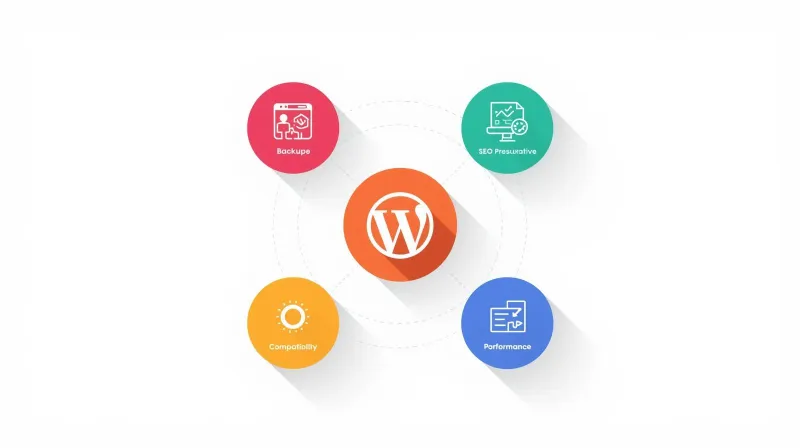
Data Backup and Security
Before any migration begins, we create complete backups of your site. This serves as a safety net, ensuring we can restore everything if any unexpected issues arise.
SEO Preservation
Your search engine rankings are valuable. We carefully preserve:
- URL structures and permalinks
- Meta tags and descriptions
- 301 redirects where necessary
- Internal linking structures
- SEO plugin settings and data
Compatibility Testing
We verify that all your plugins, themes, and custom code work correctly in the new hosting environment. Any compatibility issues are identified and resolved during the staging phase.
Performance Optimization
Once your site is migrated, you'll often see improved performance thanks to our optimized WordPress hosting infrastructure, including:
- Fast SSD storage
- Cloudflare Enterprise CDN
- Advanced caching
- PHP optimization
- Database tuning
Who Should Consider FatLab's Migration Service?
Current Scenarios Where Our Migration Service Shines:
Moving from shared hosting to faster, more reliable infrastructure
Frustrated with current host's performance, support, or uptime
Scaling an agency and need white-label hosting for client sites
Dealing with security issues on your current host
Paying too much for managed WordPress hosting elsewhere
DIY migration failed and you need expert help to fix it
Multiple sites making self-migration too time-consuming
No technical expertise and migration seems overwhelming
Common WordPress Migration Concerns, Answered
Will my site go down during migration?
Our process is designed for 99% zero-downtime migrations. Your original site stays live until the new version is tested, approved, and ready. The DNS switch happens seamlessly in the background. Learn more about what hosting SLA guarantees actually mean and how FatLab maintains exceptional uptime.
What if something goes wrong?
We maintain complete backups throughout the process. If any unexpected issues occur, we can restore your site to its original state. Our experience with hundreds of successful migrations means we anticipate and prevent problems before they happen.
Will I lose my SEO rankings?
No. We carefully preserve all SEO elements, including URLs, redirects, metadata, and internal linking structures. When migration is done correctly, search engines simply see your site at the same address, functioning normally.
How technical do I need to be?
Not technical at all. Our team handles every technical aspect of the migration. Your involvement is simply to review the staging site to confirm everything looks good, then approve us to proceed.
What if I have custom plugins or complex functionality?
We're experienced with complex WordPress setups, including custom plugins, membership sites, e-commerce stores, and custom code. During the staging phase, we thoroughly test all functionality to ensure everything works correctly.
Can you migrate my email too?
While we focus on website migration, we can guide you through email migration or work with your email provider to ensure a smooth transition. Email and website hosting are separate services, so your email can remain with your current provider if preferred.
The FatLab Hosting Advantage
Migration is just the beginning. When you host with FatLab, you get:
Enterprise-Level Infrastructure
- Cloudflare Enterprise CDN
- Web Application Firewall (WAF)
- Imunify360 malware protection
- Automated daily backups
- SSL certificate management
Expert Support
- 24/7 monitoring and support
- Proactive maintenance
- Security updates and patches
- Performance optimization
- WordPress core, plugin, and theme updates
Developer-Friendly Environment
- Staging sites for testing
- Git integration available
- SSH/SFTP access
- WP-CLI access
- Custom configuration options
Transparent Pricing All hosting plans include the same features with no tiered restrictions or hidden upsells. Whether you host one site or fifty, you get our complete hosting platform.
View all features and pricing on our WordPress hosting plans page.
Getting Started with Your WordPress Migration
Ready to move your WordPress site to FatLab? Here's how to begin:
- Choose your hosting plan at FatLab Hosting Plans
- Contact our team to initiate your migration
- Provide access to your current hosting environment
- Review your staging site when we're ready
- Approve the DNS change and go live
The entire process typically takes 24-48 hours, and you can continue using your current site normally while we work in the background.
Frequently Asked Questions
How much does FatLab's migration service cost?
Migration is completely free when you host with FatLab. It's included with all hosting plans at no additional charge.
How many websites can you migrate?
We can migrate as many sites as you need: one, fifty, or more. Our migration service scales to your requirements.
What if I have multiple websites at different hosts?
No problem. We can migrate sites from multiple hosting providers into your FatLab account. Just provide access to each location, and we'll handle the rest.
Can I test my site before going live?
Absolutely. We provide a staging URL where you can thoroughly test your site before approving the DNS change. This is a critical part of our process.
What happens to my email during migration?
Email is typically separate from website hosting. We can help ensure your email continues working normally during the website migration, or guide you through email migration if needed.
Will all my plugins and themes work?
In most cases, yes. We test everything during the staging phase. If any compatibility issues exist, we identify and resolve them before going live.
How do I know if my site is "too complex" to migrate?
We've successfully migrated everything from simple blogs to complex e-commerce stores, membership sites, and multi-site networks. If you're unsure, contact us to discuss your specific situation.
What if I'm not happy with the hosting after migration?
We're confident you'll love FatLab's performance and support, but we understand you want assurance. Contact us to discuss our hosting offerings and make an informed decision before migrating.
How long does the migration process take?
Standard migrations are typically completed within 24-48 hours from when you provide access to your current site. Rush migrations can be completed within a few hours if needed.
Do you migrate WordPress Multisite installations?
Yes, we can migrate WordPress Multisite networks. Contact us to discuss your specific Multisite setup and requirements.
Will my site be faster after migrating to FatLab?
Most sites see performance improvements after migrating to FatLab thanks to our WordPress-optimized infrastructure, Cloudflare Enterprise CDN, advanced caching, and server-level optimizations.
Can you help if I tried to migrate myself and something broke?
Absolutely. If a DIY migration went wrong, our team can help fix the issues and complete the migration properly. Contact us to discuss your situation.
Why Website Owners Choose FatLab
Migration is just one piece of what makes FatLab different. Our clients stay because of:
- Consistent uptime (100% track record with enterprise clients)
- Fast, expert support that actually understands WordPress
- Transparent pricing with no surprise charges or upsells
- Proactive maintenance keeping sites secure and updated
- Performance optimization that makes sites noticeably faster
- White-label options perfect for agencies serving their own clients
Take the Next Step: Migrate to Better WordPress Hosting
Staying with subpar hosting because migration seems daunting is like staying in a house with a leaking roof because moving seems too difficult. The longer you wait, the more potential problems accumulate.
With FatLab's free migration service, there's no reason to delay. We handle the technical complexity, ensure zero downtime, and get your site running on reliable, fast infrastructure.
Whether you're migrating one site or an entire portfolio, our expert team makes the process simple, secure, and completely stress-free.
Ready to migrate your WordPress site? Explore FatLab's hosting plans or contact our team to discuss your migration today.
Migration is included free with all FatLab hosting plans. No setup fees, no migration charges, no technical expertise required. Our team handles everything from start to finish.