
You've invested in premium WordPress hosting because your website matters. Fast servers, reliable uptime, enterprise security—these are table stakes for serious businesses. Kinsta delivers solid infrastructure built on Google Cloud Platform, and its developer-focused tools have earned it a strong reputation among agencies and technical teams. But if you're looking for a Kinsta alternative, there's a critical gap you should understand first.
But here's what catches most businesses by surprise after signing up: when your plugin conflicts with your theme, when custom code breaks after an update, when your WooCommerce checkout throws an error—Kinsta tells you it's outside their support scope. Their own documentation states: "We don't include custom design or programming, which are best left to your developer... You still need a web developer and designer."
That's not comprehensive managed hosting. That's expensive infrastructure with a critical support gap—plus visit-based pricing that can result in surprise overage charges and add-on fees for features that should be included at premium price points.
FatLab takes a fundamentally different approach to WordPress hosting. We provide enterprise-grade infrastructure and full website support. We don't just keep your server running—we help fix plugin conflicts, debug custom code, troubleshoot theme issues, and resolve the actual problems that happen on WordPress sites every day. We do this at transparent pricing with unlimited traffic—no visit counting, no overage fees, no expensive add-ons for essential features.
This guide explains the key differences between FatLab's comprehensive WordPress management and Kinsta's infrastructure-focused model, helping you determine which approach best suits your business needs. If you're looking for a Kinsta alternative with full website support and transparent pricing, you're in the right place.
The Infrastructure-Only Support Problem
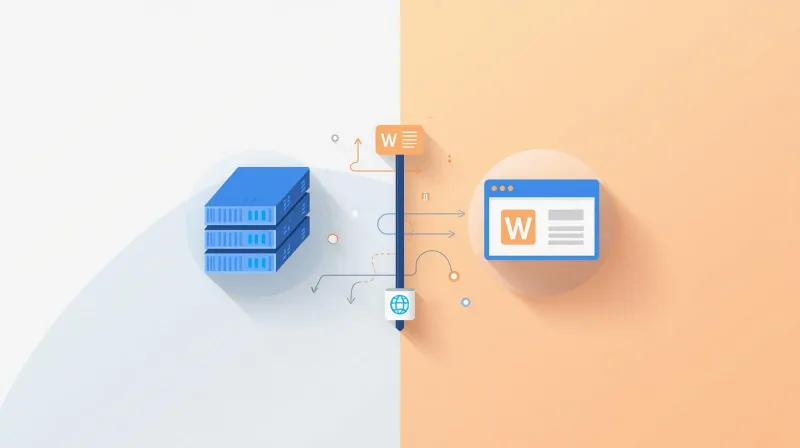
Premium WordPress hosts excel at managing infrastructure. They keep servers running, apply security patches, handle backups, configure CDNs, and maintain high uptime. If you have a server-level issue, they're excellent at resolving it.
But most premium hosts, including Kinsta WordPress hosting, draw a hard line at infrastructure support. They don't support your website—only the server underneath it. This pattern is consistent across premium hosts—see our comparison of why FatLab is the smarter alternative to WP Engine, Pantheon, Kinsta, and other premium WordPress hosts.
What Kinsta Actually Supports
When Kinsta says they offer "managed WordPress hosting," here's what they actually manage:
Infrastructure they support:
- Server uptime and availability
- Security patches and server-level updates
- Automated backups and restores
- CDN configuration
- Database optimization at the server level
- PHP version management
- SSL certificate installation
Website issues outside their scope (from Kinsta's own documentation):
- "Changes to the appearance of your website."
- "Changes to the functionality of your site's theme and plugins."
- "Optimization of your website for improved performance."
- "Code audits"
- "Any code editing."
- "Fixing issues related to bad themes or plugins."
- "Integrating or fixing external services."
Their exact words: "We don't include custom design or programming, which are best left to your developer... You still need a web developer and designer."
This infrastructure-only model means that when something breaks on your WordPress site—and things do break when plugins update, themes change, or WordPress core releases new versions—you're on your own to find and pay for solutions.
The Developer Tax
This support limitation creates what we call the "developer tax." You pay premium hosting prices for server management, then you pay again—at $100-200 per hour—every time you need help with your actual website.
Real costs add up quickly:
- Plugin conflict that crashes your site: $200-400 developer consultation
- Custom code that breaks after WordPress update: $400-800
- WooCommerce checkout errors: $300-600 for troubleshooting
- Theme compatibility issues: $300-500
These costs are in addition to your premium hosting bill and occur regularly as WordPress, plugins, and themes update. When Kinsta itself says "you still need a web developer," it acknowledges this ongoing expense.
Kinsta Pricing Model: Visits, Overages, and Add-Ons

Beyond support limitations, Kinsta pricing introduces additional complexity and potential surprise costs.
Visit-Based Pricing
Kinsta prices plans based on monthly visits rather than bandwidth or storage:
- Single 35K: $35/month (35,000 visits)
- Single 65K: $50/month (65,000 visits)
- Single 125K: $75/month (125,000 visits)
- Single 315K: $150/month (315,000 visits)
The problem? Kinsta's visit counting doesn't match what you see in Google Analytics. Bot traffic, crawlers, and automated requests all count against your limit. Users frequently report discrepancies: "I have 1,000 users in Google Analytics, but Kinsta wants to charge me for exceeding 35,000 visits."
Overage Charges
When you exceed your plan's visit limit:
- Visit overage: $1.00 per 1,000 additional visits
- CDN overage: $0.10 per additional GB
- Storage overage: $2.00 per additional GB
These charges can accumulate quickly during traffic spikes, viral content, or increased bot activity—often catching site owners by surprise.
Expensive Add-Ons for Essential Features
Kinsta charges extra for features that many would consider essential at premium price points:
- Redis object caching: $100/month add-on
- Nginx reverse proxy: $50/month add-on
- External backups: $2/month add-on
- Premium staging environments: $20/month add-on
- PHP Performance add-on: Additional fee for more workers and memory
- Disk space add-on: Additional monthly fee
At a base price of $35-150/month, adding Redis caching alone nearly doubles your effective cost.
Resource Limitations
Entry-level Kinsta plans include constrained resources:
- PHP workers: Entry plans include only two workers (insufficient for dynamic sites)
- PHP memory: Standard 256MB allocation (WooCommerce recommends 512MB minimum)
- Storage: 10GB on entry plans
Users describe themselves as "starved of resources" and expect to purchase add-ons. What appears to be competitive pricing often requires significant additional investment for real-world performance.
FatLab's Comprehensive WordPress Management

FatLab believes premium WordPress hosting should support your entire WordPress site—not just the infrastructure beneath it—with transparent pricing that includes everything you need.
When you have a plugin conflict, we debug it. When your custom theme breaks after an update, we fix it. When your contact form stops working, we troubleshoot it. If it's on your WordPress site, we help resolve it—included in your hosting plan.
What FatLab's Full Support Includes
Our comprehensive managed WordPress hosting covers both infrastructure and website support:
Infrastructure management (like other premium hosts):
- Cloud hosting with automatic scaling
- Cloudflare Enterprise CDN (260+ global points of presence)
- Real-time malware scanning with Imunify360
- Automatic malware cleanup
- DDoS protection at layers 3, 4, and 7
- SSL certificates at all layers
- 24/7 uptime and security monitoring
- Daily automated backups (on-server + offsite)
- Weekly WordPress core updates with rollback protection
Website support (FatLab exclusive):
- Plugin conflict diagnosis and resolution
- Theme troubleshooting and fixes
- Custom code debugging and repairs
- WooCommerce configuration and error resolution
- Form submission troubleshooting
- Third-party integration support
- Performance optimization for your specific site
- Emergency response when your site breaks
Enterprise features included (no add-ons required):
- Object caching is configured appropriately
- Staging environments
- Appropriate PHP resources for your site
- Sufficient storage
- All security features
This unified support model means you have one team that takes ownership of your entire WordPress site—not just your server. When something breaks, you contact us. We don't refer you to plugin developers or tell you to hire one.
Key Differences: FatLab vs. Kinsta
Let's compare what you actually get with each hosting provider. Whether you're evaluating Kinsta vs WP Engine or other premium hosts, these distinctions highlight why support scope and pricing transparency matter:
Support Scope
Kinsta: Infrastructure support only. Their documentation explicitly lists "fixing issues related to bad themes or plugins" and "any code editing" as out of scope. You'll be referred to plugin developers or told that "you still need a web developer."
FatLab: Complete website support. We help with plugin conflicts, theme issues, debugging custom code, WooCommerce problems, and any WordPress functionality issues. When your site breaks, we fix it—that's included in your hosting plan.
Pricing Model
Kinsta: Visit-based pricing with overage charges. Monthly costs vary based on traffic, with $1.00 per 1,000 additional visits when you exceed limits. Bot traffic counts against your allocation.
FatLab: Flat-rate pricing with unlimited traffic. Watch Dog Basic at $99/month includes unlimited visits with no overage charges. Your monthly bill is predictable regardless of traffic fluctuations.
Essential Features
Kinsta: Many features require paid add-ons. Redis caching is an extra $100/month. Premium staging is $20/month extra. Nginx reverse proxy is an extra $50/month.
FatLab: Enterprise features included in all plans. Object caching, staging environments, security tools, and performance optimization are included—not sold as add-ons.
Plugin Restrictions
Kinsta: Maintains a list of banned and incompatible plugins, including many caching plugins (conflicts with server caching), some backup plugins, and various security plugins.
FatLab: No plugin restrictions. If it's a legitimate WordPress plugin, you can use it. We trust you to choose the tools your business needs. If a plugin causes problems, we help you troubleshoot it rather than blocking it entirely.
Response Times and Support Access
Kinsta: Chat-only support with response times that vary by plan tier. Kinsta reviews frequently mention issues with "tiered support systems" and "mixed-up chat windows." Kinsta support is limited to infrastructure issues—they won't help with your actual website problems.
FatLab: Under 2-hour response time on Basic plans with priority queue access. You talk directly to WordPress developers who understand both infrastructure and website issues—not tier-1 support reading from scripts. Every response aims to solve your problem, not redirect you elsewhere.
Real-World Scenarios: When Support Scope Matters
The difference between infrastructure-only and comprehensive support becomes most apparent when things go wrong. Here's how typical scenarios play out:
Scenario: Plugin Conflict After Update
Your site: WooCommerce checkout page shows a PHP error after a plugin update. Customers can't complete purchases.
Kinsta response: "That's a plugin issue. We only support infrastructure. Contact the plugin developer or hire a WordPress developer. We can't troubleshoot third-party code."
Your cost: $300-600 developer bill + hours of downtime + lost sales
FatLab response: We review your error logs, identify the conflicting plugin, test with the latest version, and either resolve the conflict or recommend a stable alternative. Emergency issues get immediate attention. Included in your hosting plan.
Scenario: Traffic Spike Causes Overage Charges
Your site: Blog post goes viral, or you run a successful marketing campaign.
Kinsta reality: You exceed your plan's visit limit. You're charged $1.00 per 1,000 additional visits. A successful campaign becomes an unexpected expense. Or worse—bot traffic triggers overages for visitors who never converted.
FatLab reality: Traffic spikes are handled automatically. Your monthly bill stays the same. Success isn't penalized with surprise charges.
Scenario: Custom Theme Breaking After WordPress Update
Your site: Custom theme elements not displaying correctly after core WordPress update.
Kinsta response: "We only support WordPress core updates themselves. Theme issues are outside our scope. Contact your theme developer."
Your cost: $400-800 developer bill
FatLab response: We test your theme in a staging environment, identify the incompatibility, and either fix the code or roll back the update until a solution is available. We work with your theme developer if needed. Included in your hosting plan.
Scenario: Site Needs Object Caching for Performance
Your site: Dynamic content or WooCommerce store experiencing slow performance.
Kinsta cost: $100/month Redis add-on on top of your hosting plan
FatLab approach: We configure appropriate caching for your site's needs as part of your hosting plan. No add-on fees for essential performance features.
These aren't edge cases—they're everyday situations that highlight the true cost of infrastructure-only hosting. FatLab's comprehensive approach includes support and features that premium hosts charge extra for.
Performance and Infrastructure: FatLab's Technical Foundation
Comprehensive website support doesn't mean sacrificing infrastructure quality. FatLab delivers the same enterprise-grade performance and security you'd expect from premium hosts:
Performance Optimization
- Server-level caching configuration optimized for WordPress
- Cloudflare Enterprise CDN with 260+ global points of presence
- Optimized PHP and MySQL configurations
- Automatic resource scaling for traffic spikes
- HTTP/3 and the latest performance technologies
- Sub-2-second TTFB (Time to First Byte) on properly optimized sites
Enterprise Security
- Real-time malware scanning with Imunify360
- Automatic malware cleanup included (no extra charges)
- Cloudflare Enterprise Web Application Firewall (WAF)
- DDoS protection at layers 3, 4, and 7
- SSL certificates at all layers (server, firewall, CDN)
- 24/7 security monitoring and threat detection
- Proactive vulnerability patching
Reliability and Uptime
- 99.9% uptime guarantee
- 24/7 infrastructure monitoring and alerting
- Redundant backup systems (on-server + offsite)
- Quick disaster recovery capabilities
- Proactive issue detection and resolution
Learn more about what hosting SLA guarantees actually mean and why FatLab's approach to uptime delivers real reliability.
Developer-Friendly Features
- Staging environments for safe testing
- Git deployment options when needed
- SSH access for developers
- WP-CLI support for command-line management
- Custom configuration for advanced requirements
The difference is that we add comprehensive website support on top of this infrastructure. You get both premium hosting and premium WordPress expertise—not one or the other.
Pricing Comparison: Total Cost of Ownership
When comparing hosting costs, it's essential to consider the complete picture—not just the base price.
Kinsta's True Cost
Base hosting: $35-150/month for single-site plans
Common add-ons:
- Redis caching: +$100/month
- Premium staging: +$20/month
- Additional storage: +$2/GB
- Additional PHP resources: varies
Potential overages:
- Visit overages: $1.00 per 1,000 visits
- CDN overages: $0.10 per GB
- Storage overages: $2.00 per GB
Developer costs (when things break):
- Plugin conflicts: $200-400 per incident
- Theme issues: $300-500 per incident
- Custom code problems: $400-800 per incident
A $35/month plan with Redis, premium staging, and one developer incident can easily cost $300+ per month.
FatLab's Transparent Pricing
Watch Dog Starter: $35/month
- Up to 20,000 monthly pageviews
- Full website support included
- All security features included
- All enterprise tools included
Watch Dog Basic: $99/month
- Unlimited traffic (no visit counting)
- 2-hour response time guarantee
- Full website support included
- All security features included
- All enterprise tools included
No add-on fees. No overage charges. No surprise developer bills for issues we help you resolve.
Check out our complete hosting plans to find the right fit.
Who Should Choose FatLab Over Kinsta
FatLab is the right Kinsta alternative if you:
Need more than infrastructure support. If you want experts who help with plugin conflicts, theme issues, and custom code—not just server problems—FatLab provides comprehensive WordPress support that infrastructure-only hosts don't offer.
Want predictable pricing. If you're tired of visit-based pricing, overage charges, and add-on fees, FatLab's straightforward pricing includes everything you need at one flat monthly rate.
Run a custom or complex WordPress site. If your site uses custom plugins, custom themes, or specialized functionality, you need a host that will help when things break. Infrastructure-only hosts tell you to hire a developer; FatLab includes that support.
Manage an e-commerce or membership site. WooCommerce, membership plugins, and payment integrations are complex. When something breaks, you need immediate help—not referrals to multiple support teams. FatLab troubleshoots these issues as part of your hosting plan.
Value responsive expert support. If you want to talk to WordPress developers who actually understand your site—not tier-1 support reading from scripts—FatLab provides direct access to experts with under 2-hour response times on Basic plans.
Operate as a nonprofit or agency. We offer specialized hosting for nonprofits and white-label solutions for agencies, with features and pricing tailored to your specific needs.
Kinsta May Be Better If You:
- Have a dedicated development team that handles all website issues
- Need advanced developer tools extensively (Git, SSH, WP-CLI)
- Want the DevKinsta local development environment
- Are you an agency managing many client sites with technical staff on hand
- Have predictable, stable traffic that fits neatly within visit-based tiers
FatLab for Mission-Driven Organizations
While this article focuses on the Kinsta comparison, it's worth noting that FatLab has deep expertise serving nonprofits, professional associations, and advocacy organizations. We understand the unique challenges mission-driven organizations face:
- Integration with nonprofit CRMs like Salesforce, Blackbaud, and MS Dynamics
- Donation processing and member management systems
- Event registration and volunteer coordination
- Advocacy tools and action alerts
- Grant reporting and compliance requirements
Our nonprofit hosting services include dedicated pricing for 501(c)(3) organizations. Learn more about why organizations choose FatLab in our nonprofit hosting guide.
Migration from Kinsta: Easier Than You Think
Worried about migrating from Kinsta? Our team handles everything professionally, ensuring zero downtime and complete data integrity. Read our complete guide on stress-free WordPress migration.
Our Migration Process
Free consultation: We review your current hosting setup, discuss your site's specific needs, and create a migration plan tailored to your situation.
We handle the technical work: Our team migrates your files, databases, and configurations. For Kinsta sites, we ensure any previously restricted plugins work properly on our platform.
Thorough testing: We test your site on our servers before going live, ensuring everything works exactly as it should—forms, checkout, integrations, and more.
DNS coordination: We guide you through DNS updates or handle them for you to minimize potential downtime.
Post-migration monitoring: We closely monitor your site after migration and address any issues immediately.
What to Expect
- Zero downtime for most migrations
- No data loss
- Full functionality testing
- Free migration included with annual plans
- Professional migration service for complex sites
Most WordPress sites migrate within 24-48 hours. Complex sites with custom configurations or large databases may take slightly longer, but we keep you informed throughout the process.
Unlike infrastructure-only hosts that offer DIY migration tools, we provide hands-on professional migration service. Your site is too important to risk with automated tools.
Beyond Basic Hosting: Why FatLab Is Different
FatLab isn't just a hosting company—we're a comprehensive WordPress partner. This means we offer services beyond basic hosting that infrastructure-only providers don't provide:
- Ongoing maintenance and updates: Weekly plugin, theme, and WordPress core updates with manual review and rollback protection
- Performance optimization: Site-specific speed improvements beyond standard caching
- Security hardening: Custom security configurations for high-risk sites
- Custom development: When your site needs functionality beyond plugins, our development team can build it
- Strategic consulting: Website planning, architecture decisions, and technology recommendations
- Emergency response: When critical issues occur, we respond immediately with real solutions
Compare this to our complete guide to managed WordPress hosting, and you'll see why comprehensive WordPress management delivers better value than infrastructure-only hosting.
Getting Started with FatLab
Ready to experience a Kinsta alternative that supports your entire website—not just the server underneath it?
Explore our hosting options:
- WordPress Hosting Plans - Compare our Watch Dog plans and features
- Nonprofit Website Hosting - Specialized hosting for 501(c)(3) organizations
- White Label WordPress Hosting - Agency solutions for client site management
Evaluating other premium hosts? See our detailed comparisons:
- Why Choose FatLab Over WP Engine - Plugin restrictions and infrastructure-only support vs. FatLab's comprehensive approach
- Why Choose FatLab Over Pantheon - Git workflow complexity vs. FatLab's simple staging and full website support
Have questions? Contact us for a free consultation on migrating your site from Kinsta or another premium host.
We offer free professional migration, month-to-month pricing with no long-term contracts, and the confidence that comes from working with WordPress experts who support your entire site—not just the infrastructure. Unlike Kinsta hosting, every plan includes comprehensive website support at no extra cost.
Frequently Asked Questions
What's the main difference between FatLab and Kinsta?
FatLab provides complete website support with transparent pricing, while Kinsta provides infrastructure support with visit-based pricing and add-on fees. Kinsta excels at managing servers with strong uptime and developer tools, but their own documentation states they don't support website issues: "We don't include custom design or programming... You still need a web developer and designer."
When problems occur on your WordPress site—plugin conflicts, theme issues, custom code errors—Kinsta refers you to developers. Their pricing is based on monthly visits, with overage charges, and essential features like Redis caching cost an extra $100/month. FatLab includes comprehensive website support and all enterprise features in every hosting plan with flat-rate pricing and unlimited traffic. We debug plugin conflicts, fix theme problems, troubleshoot WooCommerce errors, and resolve custom code issues—all included in your hosting.
Does Kinsta help with plugin conflicts?
No, Kinsta explicitly excludes plugin support. Their Scope of Support documentation lists "fixing issues related to bad themes or plugins" as out of scope, along with "any code editing" and "changes to the functionality of your site's theme and plugins."
When a plugin conflict crashes your site or causes errors, Kinsta will direct you to the plugin developer or recommend hiring a WordPress developer—at your expense. FatLab takes a completely different approach: plugin conflict resolution is included in every hosting plan. When plugins conflict, we diagnose the issue, test solutions, and either resolve the conflict or recommend stable alternatives.
How does Kinsta's visit-based pricing work?
Kinsta charges based on monthly visits rather than bandwidth or storage. Their plans include set visit allocations (35,000, 65,000, 125,000, etc.), and exceeding your limit triggers $1.00 per 1,000 additional visits.
The challenge is that Kinsta's visit counting often doesn't match Google Analytics—bot traffic, crawlers, and automated requests all count against your allocation. Users frequently report seeing 1,000 real visitors in Analytics while Kinsta counts 35,000+ visits. Traffic spikes from successful campaigns, viral content, or increased bot activity can result in unexpected charges.
What does Kinsta charge extra for?
Kinsta charges add-on fees for several features that might be expected at premium price points. Redis object caching costs an extra $100/month. Premium staging environments cost an extra $20/month. Nginx reverse proxy costs an extra $50/month. Additional disk space and PHP performance improvements also require additional fees.
These add-ons can significantly increase your total hosting cost. FatLab includes enterprise features—caching, staging, security tools, and performance optimization—in all hosting plans, with no add-on fees.
Does FatLab have visit limits like Kinsta?
FatLab's Watch Dog Basic plan includes unlimited traffic with no visit counting or overage charges. You pay one predictable monthly rate regardless of traffic volume. Traffic spikes from successful campaigns, viral content, or bot activity don't result in surprise charges. Our Watch Dog Starter plan has a 20,000-pageview limit, but we don't charge overages—we work with you if your site consistently exceeds that limit to find the right plan.
Can FatLab handle high-traffic WordPress sites?
Absolutely. FatLab's infrastructure handles high-traffic WordPress sites with the same reliability and performance you'd expect from premium hosts. Our Watch Dog Basic plan supports unlimited traffic and automatically scales to handle spikes during campaigns, product launches, or viral content.
We use cloud hosting infrastructure with Cloudflare Enterprise CDN featuring 260+ global points of presence, server-level caching, optimized PHP and MySQL configurations, and 24/7 monitoring. Unlike hosts that throttle your site during traffic spikes or charge overage fees, FatLab automatically scales resources. The key difference is that we combine premium infrastructure with comprehensive website support.
Will FatLab help if a WordPress update breaks my site?
Yes, when updates break your site, FatLab's support team helps resolve the issue immediately—unlike infrastructure-only hosts that tell you to hire a developer. We follow a careful update process: creating backups before every update, testing in staging environments when possible, and monitoring for issues.
If something breaks, we roll back immediately to restore functionality, then troubleshoot the underlying issue. We identify which plugin or theme is causing conflicts, test compatibility, and either resolve the problem, find alternatives, or recommend waiting for compatibility patches. This is included in all hosting plans at no additional charge. Kinsta's documentation explicitly lists this as out of scope: "fixing issues related to bad themes or plugins."
Does FatLab support WooCommerce sites?
Yes, FatLab specializes in supporting WooCommerce stores and other complex WordPress sites. WooCommerce introduces complexity that infrastructure-only hosts won't help with—payment gateway configurations, checkout problems, shipping calculation errors, and plugin conflicts with WooCommerce extensions.
When your WooCommerce site has issues, infrastructure-only providers tell you to contact WooCommerce support or hire a developer. FatLab's WordPress developers troubleshoot WooCommerce issues as part of your hosting plan, including payment gateway issues, checkout errors, plugin conflicts, performance optimizations for product catalogs, and integrations with shipping or accounting systems. We also ensure your hosting includes the resources WooCommerce requires—unlike entry-level Kinsta plans that may require add-ons for adequate PHP memory and worker count.
How quickly does FatLab respond to support requests?
FatLab provides significantly faster support response than most premium WordPress hosts. Our average first response time is under 2 hours, and Watch Dog Basic plans include a guaranteed 2-hour response time with priority queue access.
When you contact support, you're talking to WordPress developers who understand both infrastructure and website issues—not tier-1 support agents reading from scripts. More importantly, we actually solve problems rather than referring you elsewhere. Kinsta uses chat-only support with response times that vary by plan tier, and reviews note issues with tiered support systems. The combination of fast response times and comprehensive problem-solving makes FatLab support dramatically more effective for real-world WordPress site management.
How long does it take to migrate from Kinsta to FatLab?
Most WordPress sites migrate from Kinsta to FatLab within 24-48 hours with zero downtime. We provide professional migration services, with our team handling everything: moving files, databases, configurations, DNS updates, and SSL certificates.
For Kinsta sites, we ensure any previously restricted plugins work properly on our platform and that your site has appropriate resources without requiring add-ons. Complex sites with large databases or custom configurations may take slightly longer, but we keep you informed throughout the process. Free migration is included with annual plans, and we offer professional migration services at reasonable rates for monthly plans.