
Membership sites are the backbone of many nonprofit organizations, from professional associations and advocacy groups to educational networks and community organizations. These platforms do more than display content; they're complex systems that manage thousands of members, integrate with critical databases, process payments, and deliver personalized experiences 24/7.
For over six years, we've supported the American Chiropractic Association's dual-site membership platform, serving thousands of professional members with secure, personalized resources while maintaining a public-facing provider directory. Both sites integrate in real-time with their CRM system and require unwavering reliability. This is just one example of how FatLab brings comprehensive expertise to nonprofit membership sites.
Unlike basic web hosting, membership sites require specialized knowledge across hosting infrastructure, ongoing support, security protocols, and complex system integrations. In this article, we'll explore what makes membership sites uniquely challenging and why comprehensive expertise matters more than ever.
The Technical Architecture of Membership Sites
What Makes Them Different
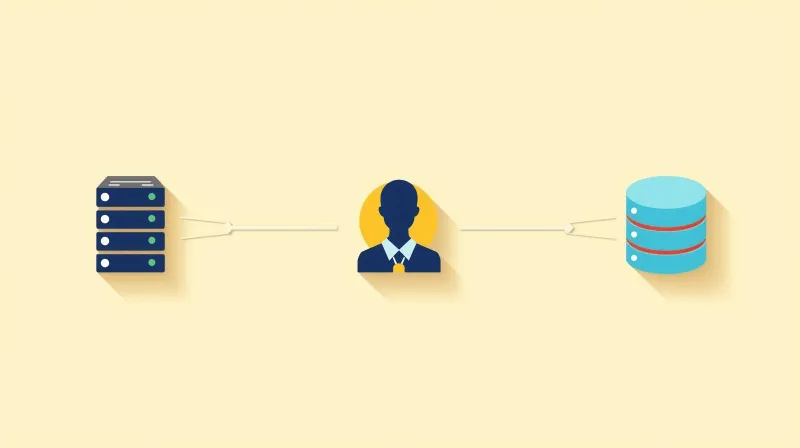
Membership sites operate fundamentally differently from standard websites. Understanding these differences is the first step in properly supporting them:
High Volume of Uncached Requests Unlike traditional websites, where caching can handle most traffic, membership sites serve personalized content to logged-in users. Every member sees different dashboards, resources, and permissions based on their role, membership level, or committee assignments. This means the server must process database queries for nearly every page view.
Database-Intensive Operations Membership sites constantly query databases to check:
- User authentication and session management
- Content access permissions by role or tier
- Member profile data and preferences
- Activity logs and engagement tracking
- Integration sync status with external systems
Complex System Integration Most membership sites don't operate in isolation. They integrate with:
- Association Management Systems (AMS) like Salesforce, Blackbaud, or NeonCRM
- Customer Relationship Management (CRM) platforms
- Payment processors (Stripe, PayPal, Authorize.net)
- Email marketing platforms (Mailchimp, Constant Contact)
- Event management systems
Security Requirements Membership sites handle sensitive data, including:
- Member credentials and login information
- Payment processing data (PCI compliance required)
- Personal information (GDPR and privacy law compliance)
- Professional credentials and certifications
- Private organizational communications
Accessibility Requirements Member portals must be usable by all members, including those with disabilities. This includes keyboard navigation for login flows, screen reader compatibility for member dashboards, and proper form labeling for profile updates. For organizations receiving government funding, WCAG accessibility compliance may be legally required.
24/7 Availability Expectations Members expect constant access. Unlike a blog that might tolerate occasional downtime, membership sites are mission-critical. A few hours of downtime during renewal season or a major advocacy campaign can mean lost revenue and frustrated members.
Performance Under Variable Load Traffic patterns for membership sites fluctuate dramatically:
- Renewal periods spike database activity
- Campaign launches drive authentication requests
- Event registrations create sudden load increases
- Committee meetings generate concentrated access
Common Pain Points Nonprofits Face
Without specialized expertise, membership sites often struggle with:
- Slow member login and dashboard loads are frustrating daily users
- Integration sync failures causing data discrepancies between systems
- Security vulnerabilities in payment processing or authentication
- Plugin conflicts breaking member access after updates
- Poor mobile experience limiting engagement
- Renewal reminder systems failing during critical periods
- Payment processing failures from integration breaks
- Database bottlenecks as membership grows
- Downtime during peak periods when reliability matters most
These challenges require more than standard web hosting. They need comprehensive website management that understands the entire ecosystem.
Hosting: The Foundation of Performance

The right hosting infrastructure makes everything else possible. For membership sites, this means architecture specifically optimized for authenticated user traffic and database-intensive operations.
Infrastructure Optimized for Membership Sites
Modern PHP and Proper Worker Allocation We deploy PHP 8+ with properly configured PHP workers to handle multiple simultaneous member requests. This is critical during peak periods when hundreds of members might be logging in, accessing resources, or processing renewals simultaneously.
Database Optimization for Member Queries Membership sites make specific types of database queries repeatedly: checking permissions, loading profile data, verifying access levels. We optimize database configuration and indexing specifically for these patterns, ensuring fast response times even as your membership grows.
Redis Object Caching While traditional page caching doesn't work for personalized member content, object caching stores frequently accessed database query results. This dramatically reduces database load for common operations like checking member status or loading role permissions.
CDN Configuration for Member Content We configure Content Delivery Networks to serve static assets (images, stylesheets, JavaScript) while ensuring dynamic member content comes directly from your server. This balance ensures fast page loads without breaking personalization.
Server Architecture for API Calls Since membership sites integrate with AMS and CRM systems, your hosting must handle outbound API calls efficiently without blocking page loads. Our infrastructure is designed to manage these external connections smoothly, even under heavy load.
Scalability for Growing Membership As your organization grows, your hosting infrastructure must scale seamlessly. We provide the flexibility to increase resources as needed without complicated migrations or downtime.
Why Hosting Matters for Membership Retention
The connection between hosting performance and member satisfaction is direct:
- Fast load times = better retention rates: Members who wait more than 3 seconds for pages to load are significantly more likely to disengage
- Uptime = consistent access: Every minute of downtime during business hours impacts member perception and trust
- Proper caching strategy: Balancing performance with personalization ensures members get fast, accurate content
- Handling traffic spikes: When you launch a campaign or host an event, your infrastructure must respond without slowdowns
Learn more about our nonprofit hosting services →
Ongoing Support & Maintenance: Keeping Members Happy
Launching a membership site is just the beginning. The ongoing health of your platform requires constant attention, proactive monitoring, and expert support.
What Membership Sites Need Ongoing
Plugin Monitoring & Updates Membership plugins like MemberPress, Paid Memberships Pro, and payment gateway integrations require frequent updates. These updates can't be applied blindly. They must be tested to ensure they don't break member access, payment processing, or CRM integration. We manage this process weekly, testing updates in staging environments before applying them to production.
Integration Health Checks AMS and CRM integrations need regular monitoring to ensure data continues flowing correctly. API endpoints change, authentication tokens expire, and sync processes can fail silently. We proactively monitor these integrations and catch issues before they impact your members.
Performance Optimization As your membership grows, performance can degrade gradually. Database queries that worked fine for 1,000 members might slow down at 5,000. We continuously monitor performance metrics and optimize as needed, ensuring consistent speed as you scale.
Proactive Monitoring We monitor your site 24/7 for:
- Uptime and response time
- Failed login attempts and authentication issues
- Payment processing errors
- Integration sync failures
- Server resource utilization
- Security threats and malware
Quick Response Times When members report issues, they escalate quickly. A login problem reported at 9 AM can become a flood of support tickets by noon if not addressed immediately. Our support team responds rapidly with direct access to your site infrastructure.
Staging Environment Management Testing changes without risking production is essential. We maintain staging environments that mirror your live site, allowing us to test plugin updates, integration changes, and new features safely before deployment.
Real Scenarios FatLab Handles
Payment Gateway API Changes When Stripe or PayPal updates their API, existing integrations can break suddenly. We monitor for these changes and update configurations proactively to prevent payment processing failures during renewal periods.
Plugin Updates Causing Access Issues A membership plugin update might introduce changes to how roles are checked or permissions are assigned. We test these updates thoroughly and, if issues arise, we can quickly roll back or implement fixes without disrupting member access.
Database Optimization as Member Count Grows As you add members, certain database queries naturally slow down. We identify these bottlenecks and implement optimizations (adding indexes, rewriting queries, or restructuring data) to maintain fast performance.
Form Integration Failures When member registration forms connect to your CRM, any break in that connection means lost data. We monitor these connections and troubleshoot integration issues, ensuring every new member sign-up flows correctly into your database.
Mobile Responsiveness Issues Members increasingly access sites from mobile devices. We test member dashboards, login flows, and resource access on various devices, addressing any responsive design issues that impact mobile user experience.
A Long-Term Partnership
The American Chiropractic Association has trusted FatLab with its membership platform for over four years. This isn't a transactional relationship. It's an ongoing partnership where we've learned their systems, understand their peak periods, and anticipate their needs.
Security: Protecting Member Data & Trust

Security breaches in membership organizations are catastrophic. Beyond the immediate damage, they erode the trust that took years to build. For membership sites handling payments and personal data, security isn't optional. It's foundational.
Why Security is Critical for Membership Sites
Payment Processing Requirements If you accept membership dues or event registrations online, you're handling payment data. This requires PCI compliance and secure payment gateway integration. Even using Stripe or PayPal, your site must maintain security standards to protect cardholder data.
Member Personal Data Protection Your member database contains:
- Email addresses and phone numbers
- Professional credentials and certifications
- Employment information
- Demographic data
- Committee and leadership assignments
This data must be protected under GDPR, CCPA, and other privacy regulations. A breach exposes your members to identity theft and your organization to legal liability.
Login Credentials and Access Management Thousands of member usernames and password hashes represent a significant target for attackers. Strong password policies, secure session management, and protection against brute force attacks are essential.
Trust = Retention and Referrals Members expect their professional association to protect their data. Security incidents damage reputation and can cause member attrition. Conversely, a track record of security builds confidence and encourages referrals.
FatLab's Comprehensive Security Approach
We implement multiple layers of security protection:
Cloudflare Enterprise WAF (Web Application Firewall) Our Cloudflare Enterprise setup provides DDoS protection and filters malicious traffic before it reaches your server. This enterprise-grade protection typically costs thousands monthly but is included in our hosting.
Imunify360 Real-Time Protection Imunify360 provides:
- Real-time malware scanning of all files
- Automatic cleaning of detected threats
- Intrusion detection and prevention
- Protection against known vulnerabilities
- Automated security patches
Multi-Layered SSL Certificates We maintain SSL certificates at multiple levels:
- Server-level encryption
- CDN-level security
- Firewall-level protection
This ensures all data transmission is encrypted and protects against man-in-the-middle attacks.
Daily Backups with Tested Restores We maintain daily backups of your complete site and database. More importantly, we regularly test restore procedures to ensure backups are viable. Member databases receive special attention during backup processes to ensure data integrity.
Login Security and Monitoring We implement:
- Failed login attempt monitoring
- Two-factor authentication (2FA) setup for administrators
- Session management and timeout policies
- IP blocking for repeated failed attempts
- Admin access logging and audit trails
Payment Gateway Security For sites processing payments, we ensure:
- PCI compliance standards are met
- Payment plugins are regularly updated
- Secure API key management
- Encrypted data transmission
- Separation of payment data from member profiles
Member Data Protection We configure WordPress and membership plugins to:
- Properly hash and salt passwords
- Implement appropriate data retention policies
- Enable GDPR-compliant data export and deletion
- Secure member profile information
- Protect against unauthorized data access
Ongoing Security Maintenance
Security isn't a one-time setup. It requires constant vigilance:
- Plugin vulnerability monitoring: We track security advisories for all installed plugins
- Regular security patches: Applied immediately for critical vulnerabilities
- Backup testing and verification: Quarterly restore tests ensure backup viability
- Access log monitoring: Reviewing authentication patterns for suspicious activity
- Database security hardening: Ongoing optimization of database permissions and access controls
The American Chiropractic Association's member portal handles thousands of professional credentials and login sessions daily. Our multi-layered security approach has kept their member data secure for over four years, maintaining the trust essential to their mission.
Integration Expertise: The Data Backbone
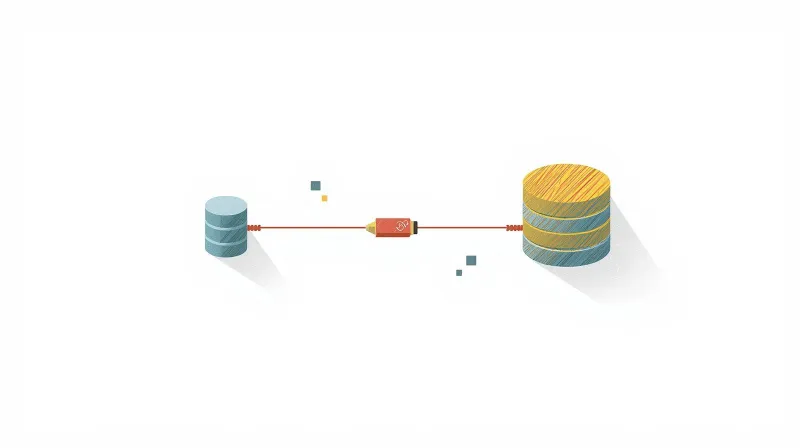
Most membership sites don't operate in isolation. They're part of a larger ecosystem where data flows between multiple systems. This integration layer is often where membership sites face their biggest challenges, and where specialized expertise matters most.
Complex Integrations Membership Sites Require
Association Management Systems (AMS) AMS platforms like Salesforce, Blackbaud, NeonCRM, and Wild Apricot serve as the "source of truth" for member data. For organizations that have outgrown their all-in-one platform, we have dedicated migration guides for Wild Apricot and SilkStart — including how the National Peace Corps Association migrated nearly 50 affiliate websites to WordPress while transitioning to Blackbaud Raiser's Edge NXT. Your website must sync with this data to:
- Authenticate member logins
- Display current membership status
- Show accurate renewal dates
- Reflect membership tier changes
- Update committee assignments
Customer Relationship Management (CRM) Platforms CRM systems track member engagement, communications, and interactions. Integration ensures:
- Website activity feeds into member profiles
- Email campaign responses update member records
- Event registrations sync to CRM timelines
- Donation data connects to member history
Payment Processors Stripe, PayPal, and Authorize.net process membership dues and event fees. Integration must handle:
- Secure payment processing
- Automatic receipt generation
- Failed payment notifications
- Recurring subscription management
- Refund processing
Email Marketing Platforms Mailchimp, Constant Contact, and similar tools manage member communications. Sync requirements include:
- Automatic list segmentation by membership tier
- Tag updates based on member actions
- Unsubscribe management
- Campaign performance tracking
Event Management Systems Eventbrite and custom event platforms need to:
- Display member-only event pricing
- Verify membership status before registration
- Update attendance records
- Manage capacity for members vs. non-members
For a deeper look at how WordPress handles registration, ticketing, and calendars for nonprofit organizations, see our guide on nonprofit event management.
How FatLab Supports Complex Integrations
The American Chiropractic Association's platform demonstrates comprehensive integration expertise. Their member website integrates with Cobalt on Microsoft Dynamics, requiring:
Single Sign-On (SSO) Implementation Members log in using credentials synced from ACA's CRM. This eliminates:
- Manual account creation and management
- Password sync issues between systems
- Member frustration with multiple login credentials
- Administrative overhead of managing dual accounts
Real-Time Data Synchronization Member directories and profile information reflect current CRM data. When a member updates their information in the CRM or changes committee assignments, the website updates accordingly, often within minutes.
Custom Role-Based Access Control We developed fine-grained permissions that assign roles based on committee, council, or board memberships stored in the CRM. This enables:
- Targeted content delivery to specific groups
- Secure internal communication channels
- Automated access updates when roles change
- Committee-specific resource libraries
Dynamic Directory Systems Both ACA's member directory and their public provider directory (HandsDownBetter.org) pull data from the central CRM in real-time, ensuring accuracy without manual updates.
Hosting Infrastructure That Handles Integration
Integration isn't just about plugins. It requires hosting infrastructure designed to support external API calls:
API Call Management Your server must handle frequent outbound API requests to CRM/AMS systems without blocking page loads. We optimize server configuration to manage these calls efficiently.
Rate Limit Handling Most APIs have rate limits. We implement strategies to work within these limits:
- Request queuing during high-traffic periods
- Caching API responses where appropriate
- Batch processing for bulk updates
- Graceful degradation when limits are reached
Webhook Processing When your CRM pushes updates to your website via webhooks, your server must receive and process them reliably. We ensure webhook endpoints are monitored and processing doesn't fail silently.
Performance Optimization for Integrated Systems Integration adds overhead. We optimize to minimize impact:
- Asynchronous processing for non-critical updates
- Database caching for frequently accessed CRM data
- Background jobs for bulk synchronization
- Load balancing during integration-heavy operations
Common Integration Issues We Solve
API Rate Limiting Causing Sync Delays When you hit API limits, member data can fall out of sync. We implement queuing systems and optimize calls to stay within limits while keeping data current.
Member Data Discrepancies Between Systems When the CRM shows one membership status but the website shows another, members get confused. We troubleshoot sync issues and implement monitoring to catch discrepancies early.
Payment Processing Failures from Integration Breaks If the connection between your payment processor and CRM breaks, payments succeed, but member records don't update. We monitor these critical connections and fix breaks immediately.
Duplicate Member Records from Sync Issues Poor integration logic can create duplicate records in your CRM or website. We implement proper key matching and duplicate detection to prevent this.
Access Permission Sync Failures When a member's role changes in the CRM, their website permissions must update accordingly. We ensure this sync happens reliably so members always have appropriate access.
For organizations with complex AMS and CRM needs, integration expertise is just as important as hosting infrastructure. Learn more about our approach in Beyond Plugins: Professional CRM and AMS Integration for Nonprofit Websites.
UX & Performance Optimization: The Member Experience
Technical excellence means nothing if members have a frustrating experience. The best membership sites balance sophisticated backend systems with intuitive, fast user interfaces.
Why UX Matters for Membership Retention
Members join organizations for value, but poor user experience drives them away. Research shows:
- First impressions during onboarding: New members form opinions within seconds of first login
- Dashboard load times affect engagement: Slow dashboards reduce daily interaction
- Mobile experience is critical: Over 50% of member access happens on mobile devices
- Search and navigation impact satisfaction: Members who can't find resources quickly become frustrated
- Content access speed builds trust: Fast, reliable access creates positive associations
Best Practices FatLab Implements
Fast Pre-Login Pages Before members log in, they evaluate whether to join or renew their membership. Pre-login pages must load quickly and present clear value propositions. We optimize:
- Homepage and pricing pages for conversion
- Login page load times
- Public content that drives membership interest
Optimized Member Dashboards The member dashboard is the heart of the experience. We ensure:
- Personalized content loads in under 2 seconds
- Database queries are optimized for common dashboard elements
- Caching strategies work for personalized content
- Dashboard remains responsive on mobile devices
Mobile-Responsive Member Areas With majority mobile access, member portals must work perfectly on phones and tablets:
- Touch-friendly navigation
- Readable fonts without zooming
- Forms that work with mobile keyboards
- Fast load times on cellular connections
Efficient Content Restriction Systems Members expect seamless access to content they're allowed to see. We configure:
- Fast permission checking that doesn't slow page loads
- Clear messaging when content requires a higher-tier membership
- Smooth transitions between public and gated content
- Logical content organization by member role
Quick Search Functionality Members need to find resources quickly. We implement:
- Fast search across member-only content
- Filtering by content type, date, or category
- Search that respects member permissions
- Mobile-optimized search interfaces
Smooth Onboarding Flows First login experience sets the tone. We optimize:
- Clear welcome messages and next steps
- Progressive disclosure of features
- Tutorial content when needed
- Easy profile completion
Performance Metrics That Matter
We track specific metrics for membership sites:
Member Dashboard Load Time Target: Under 2 seconds for authenticated users Why it matters: Daily users notice every delay
Time to First Interaction Target: Under 1 second Why it matters: Members should interact immediately, not wait
Mobile Performance Scores Target: 85+ on Google PageSpeed Insights (mobile) Why it matters: Majority access happens on mobile
Uptime During Peak Periods Target: 99.9%+ during business hours Why it matters: Downtime during renewal seasons is catastrophic
Payment Processing Success Rates Target: 99%+ successful transactions Why it matters: Failed payments mean lost revenue and frustrated members
The American Chiropractic Association's HandsDownBetter.org public directory demonstrates this balance. It's performance-tuned for fast geo-search while pulling real-time data from their CRM, providing both speed and accuracy for public users searching for providers.
Case Study: American Chiropractic Association
The American Chiropractic Association (ACA) is the largest professional organization in the United States representing doctors of chiropractic. Like many membership-based nonprofits, they needed more than basic hosting. They needed a comprehensive solution that could handle complex integrations, strict security requirements, and the diverse needs of both members and the public.
The Challenge
ACA required two interconnected but distinct websites:
Member Website Serving thousands of chiropractic professionals with:
- Secure, personalized resources based on member roles
- Committee and council-specific content
- Advocacy tools and legislative updates
- Professional development resources
- Secure internal communications
Public Directory (HandsDownBetter.org) Helping patients find qualified providers through:
- Real-time geo-search by ZIP code
- Up-to-date provider listings
- Mobile-friendly interface
- SEO optimization for awareness campaigns
Integration Requirements
- Seamless integration with ACA's CRM system (Cobalt on Microsoft Dynamics)
- Single sign-on for member authentication
- Real-time data synchronization
- Role-based access control tied to CRM data
Security & Reliability
- Protection of member credentials and personal information
- Secure handling of professional data
- 24/7 availability for both members and the public
- Compliance with privacy regulations
This is exactly the kind of challenge that separates basic hosting from comprehensive membership site expertise.
FatLab's Comprehensive Solution
Technical Implementation
High-Performance Hosting Infrastructure
We deployed WordPress environments specifically optimized for authenticated user traffic and database-intensive operations. The architecture handles:
- Thousands of member login sessions
- Real-time CRM API calls without performance degradation
- Variable load from member access and public searches
- Dual-site management with integrated data flows
CRM Integration & Member Management
Single Sign-On (SSO) Members authenticate using credentials synced from ACA's CRM, eliminating:
- Manual account creation and password management
- Sync issues between systems
- Member frustration with multiple logins
- Administrative overhead
Custom Role-Based Access System We developed fine-grained content permissions based on committee, council, or board memberships stored in the CRM:
- Targeted content delivery to specific groups
- Secure committee-specific resources
- Automated access updates when roles change
- Internal communication channels by group
Dynamic Member Directories Real-time directories reflecting current CRM data:
- Filterable by committees, councils, and other groupings
- Always accurate without manual updates
- Efficient stakeholder connection
- Integration with member profiles
Secure Resource Delivery Private documents and advocacy tools gated behind authentication:
- Access controlled by member role and status
- Document security and download tracking
- Version control for updated resources
- Audit logging for sensitive materials
Public Directory Features: HandsDownBetter.org
Real-Time Geo-Search Patients search for chiropractors by ZIP code with:
- CRM-driven provider listings
- Near-instant search results
- Mobile-optimized interface
- Distance-based sorting
Automated Provider Updates Directory listings sync nearly in real-time from the central CRM:
- Only current, qualified members appear
- Professional information is always accurate
- Automatic removal of expired memberships
- Status updates are reflected immediately
Sponsorship Flexibility Directory rankings are adjustable based on CRM-defined statuses:
- Featured placements for sponsors
- Tier-based visibility
- Campaign-specific adjustments
- All controlled through CRM data
Performance & SEO Optimization Site tuned for public access and search visibility:
- Fast load times on mobile and desktop
- Local SEO optimization for provider searches
- Supporting ACA's public awareness campaigns
- Analytics integration for campaign tracking
Multi-Layered Security Measures
Cloudflare Enterprise WAF Protection against:
- Distributed denial of service (DDoS) attacks
- Bot traffic and malicious requests
- Known vulnerability exploits
- Emerging threat patterns
Imunify360 Real-Time Protection
- Continuous malware scanning
- Automatic threat removal
- Intrusion detection and prevention
- Security patch automation
SSL Certificate Management Multi-level encryption:
- Server-level certificates
- CDN-level security
- Firewall-level protection
- Automatic renewal and monitoring
Data Protection
- Daily backups with tested restore procedures
- Role-based admin access controls
- Audit logging for sensitive operations
- Secure credential management
- Privacy regulation compliance (GDPR ready)
Ongoing Support (4+ Years of Partnership)
Fully Managed WordPress Hosting Complete infrastructure management for both sites:
- 24/7 server monitoring
- Resource optimization
- Performance tuning
- Scalability planning
Real-Time Performance Monitoring Proactive issue detection:
- Uptime alerts (monitored 24/7)
- Response time tracking
- Resource utilization monitoring
- Integration health checks
Weekly Maintenance Regular updates and optimization:
- Plugin updates (tested in staging first)
- Theme updates and compatibility checks
- WordPress core updates
- Security patch application
Content Management Assistance Supporting ACA's internal team:
- On-call support for content updates
- Technical guidance for new features
- Training for staff members
- Documentation maintenance
CRM and API Maintenance Keeping integrations healthy:
- Monitoring API connections
- Updating authentication as needed
- Troubleshooting sync issues
- Performance optimization for integrated systems
Stakeholder Support
- Training for administrators
- Documentation for common tasks
- Responsive support for questions
- Strategic guidance for new initiatives
The Results
ACA now operates two reliable, purpose-built platforms that have been running smoothly for over four years:
Seamless Member Experience
- Single sign-on eliminates login frustration
- Personalized resources based on accurate role data
- Fast access to committee-specific content
- Secure delivery of advocacy tools and sensitive materials
Real-Time Data Accuracy
- Provider directories always reflect current CRM data
- Member information updates automatically
- No manual sync processes required
- Reduced administrative overhead
24/7 Reliability
- Continuous access for thousands of members
- Public directory always available for patient searches
- Uptime maintained during critical advocacy periods
- Performance consistency during peak usage
Proactive Support
- Issues caught and resolved before members notice
- Regular updates prevent security vulnerabilities
- Integration health is maintained automatically
- Peace of mind for ACA leadership
Security & Trust
- Member data protected with enterprise-grade security
- Four years without security incidents
- Professional credentials handled securely
- Regulatory compliance maintained
Mission Focus With reliable technical infrastructure and proactive support, ACA leadership can focus on its mission of elevating patient care and advancing the chiropractic profession, not managing website emergencies.
Client Testimonial
"As a large national professional society with a strong government affairs component, we rely on FatLab to keep our website up and running for our thousands of members. Their dependable service ensures our members always have access to the resources they need."
- Ernie Halal, Senior Vice President, American Chiropractic Association
Read the full American Chiropractic Association case study →
Supporting Example: Complex Multi-Site Networks
We also support organizations with distributed membership structures. The National Peace Corps Association's 50-site WordPress network demonstrates our ability to manage member access across dozens of local chapters, requiring robust infrastructure, coordinated updates, and expert multi-site management.
Learn about scaling a 50-site network for NPCA →
If you're evaluating whether to use WordPress Multisite or separate installations for your chapter network, our guide on WordPress Multisite vs. Single Sites for Chapter-Based Nonprofits breaks down the architectural trade-offs.
Why Nonprofits Choose FatLab for Membership Sites
After exploring the technical complexities and ongoing demands of membership sites, one question remains: why do nonprofits choose FatLab?
Comprehensive Expertise, Not Just Hosting
We understand that membership sites need:
- Performance-optimized hosting for authenticated users
- Proactive monitoring to catch issues before members notice
- Regular maintenance that doesn't break integrations
- Enterprise-grade security without enterprise pricing
- Integration expertise for AMS, CRM, and payment systems
- Performance optimization as you grow
- Quick response times when issues arise
This isn't one service. It's a complete ecosystem of support that keeps membership organizations running smoothly.
Nonprofit-Focused Approach
We've built our business around mission-driven organizations because we understand:
Budget Realities Nonprofits must maximize every dollar. We provide enterprise-level service at nonprofit-appropriate pricing, with transparent costs and no surprise fees.
Nonprofit Tech Ecosystems We have deep experience with:
- Salesforce, Blackbaud, NeonCRM, Wild Apricot
- CiviCRM and nonprofit-specific CRM platforms
- MemberPress, Paid Memberships Pro, and association plugins
- Payment processors offering nonprofit rates
- Email marketing platforms are popular with associations
Membership Business Models We understand how membership organizations work:
- Renewal season stress and peak load periods
- Committee and board access requirements
- Public vs. member content strategies
- Event registration tied to membership status
- Advocacy campaign timing and urgency
Mission-First Mindset We care about your mission. When your website has issues, it's not just technical. It affects real people and important work. We respond with that urgency.
Proven Track Record
Our experience speaks through results:
Long-Term Relationships The American Chiropractic Association has trusted us for over four years. This isn't transactional. It's a partnership. We've learned their systems, understand their peak periods, and anticipate their needs.
Measurable Outcomes Our clients see:
- 99.9%+ uptime during critical periods
- Sub-2-second dashboard load times
- Zero security incidents over years of service
- Seamless integration with complex CRM systems
- Fast response times when support is needed
Client Satisfaction Organizations stay with us because:
- We prevent problems before they happen
- When issues arise, we respond immediately
- Technical expertise is always available
- Communication is clear and jargon-free
- We understand their mission and constraints
What You Get With FatLab
When you choose FatLab for your membership site, you receive:
High-Performance Hosting
- Infrastructure optimized for authenticated user traffic
- Database configuration for membership queries
- Scalable architecture that grows with you
- Global CDN for fast content delivery
Proactive Monitoring & Quick Response
- 24/7 uptime and performance monitoring
- Real-time alerts for issues
- Fast response times (not ticket queues)
- Direct access to WordPress experts
Regular Maintenance & Updates
- Weekly plugin, theme, and core updates
- Testing in staging before production
- Integration health checks
- Performance optimization
Comprehensive Security Protection
- Cloudflare Enterprise WAF included
- Imunify360 real-time protection
- Multi-layer SSL certificates
- Daily backups with tested restores
- Malware removal included
Integration Expertise
- Experience with major AMS/CRM platforms
- SSO implementation support
- API connection management
- Data sync troubleshooting
- Custom integration development
Performance Optimization
- Ongoing tuning as membership grows
- Database optimization
- Caching strategy implementation
- Mobile performance focus
Nonprofit Understanding
- Appropriate pricing models
- Knowledge of nonprofit tech ecosystems
- Mission-focused support approach
- Long-term partnership mentality
Frequently Asked Questions
Can you help with an existing membership site or only new builds?
FatLab supports both existing membership sites and new builds. Many nonprofit organizations come to us with membership sites that are already live but need better hosting infrastructure, improved performance, or more reliable ongoing support. We specialize in careful migrations that prevent downtime and protect member data. Our team handles the complete migration process, from backing up your existing site to testing in a staging environment before going live. Whether your membership site runs on MemberPress, Paid Memberships Pro, or a custom platform, we can migrate it safely to our optimized hosting infrastructure while maintaining all member access, payment integrations, and CRM connections.
Do you support all membership plugins?
FatLab has extensive experience with the most popular WordPress membership plugins, including MemberPress, Paid Memberships Pro, Restrict Content Pro, and s2Member. We also support custom membership implementations and less common plugins. Our team understands the unique requirements of different membership platforms, from content restriction systems to payment gateway integrations to member role management. If you're using a membership plugin we haven't worked with before, we'll learn it thoroughly to provide the same expert support we give all our clients. We also help nonprofits evaluate which membership plugin best fits their needs during new site planning.
What if our AMS or CRM isn't listed in your case studies?
FatLab has worked with dozens of Association Management Systems (AMS) and Customer Relationship Management (CRM) platforms beyond those featured in our case studies. While we highlight experience with Salesforce, Blackbaud, NeonCRM, Wild Apricot, and CiviCRM, we've successfully integrated WordPress membership sites with many other platforms, including Microsoft Dynamics (like ACA's Cobalt system), HubSpot, Personify, iMIS, and numerous others. If your organization uses a specific AMS or CRM, contact us to discuss your integration needs. We'll review the platform's API capabilities and develop a solution that keeps your member data synchronized reliably.
How quickly does FatLab respond to membership site issues?
FatLab's proactive monitoring often catches and resolves membership site issues before clients even notice them. When you report a problem, you reach real WordPress experts directly, not a tiered support system or ticket queue. Our typical response time is within hours, not days, because we understand that membership site issues escalate quickly. If members can't log in, process payments, or access resources, it will immediately impact your organization. For critical issues affecting member access or payment processing, we respond immediately. Our 24/7 monitoring means we're often already working on a solution before you contact us.
Can FatLab support complex multi-site WordPress networks?
Yes, FatLab specializes in managing WordPress networks for membership organizations with multiple sites. We typically recommend individual WordPress installations over WordPress Multisite. This approach provides better site isolation, simpler troubleshooting, and more flexibility for per-site customization. We host and support the National Peace Corps Association's 50-site WordPress network using this architecture, demonstrating our capability with distributed membership structures. Multi-site networks have unique challenges, including coordinated updates across all sites, centralized member management, network-wide security, and performance optimization. We understand these complexities and provide the specialized infrastructure and support that multi-site membership organizations require. Whether you need member access across chapters, centralized content management, or coordinated branding across sites, we have the expertise to support it.
Can you help nonprofits migrate from other membership platforms?
FatLab regularly migrates nonprofit membership sites from other hosting providers, different membership platforms, and even complete system changes. We've successfully migrated organizations from proprietary membership platforms to WordPress, from shared hosting to our optimized infrastructure, and from standalone sites to integrated AMS/CRM systems. We've published detailed migration guides for Wild Apricot, SilkStart, and Flipcause. Our migration process includes careful planning to map all member data, preserve payment history, maintain member access during transition, test all integrations thoroughly, and ensure zero data loss. We schedule migrations during low-traffic periods, maintain backups throughout the process, and provide rollback plans. Most importantly, we test member login, payment processing, and content access before going live to ensure members experience no disruption.
Get Started
Membership sites are complex, mission-critical platforms that require more than basic web hosting. They need comprehensive expertise spanning hosting infrastructure, ongoing support, robust security, and integration knowledge.
Whether you're launching a new membership program, struggling with an existing platform, or looking to improve performance and reliability, FatLab brings the specialized expertise membership organizations need.
Ready to optimize your membership site?
Contact us to discuss your membership site needs →
Or learn more about:
- Our nonprofit hosting services
- Professional CRM and AMS integration
- Nonprofit website migration from Wix or Squarespace
- Wild Apricot alternative: migration guide
- SilkStart to WordPress: NPCA case study
- Best website platform for nonprofits
- Why nonprofits choose FatLab
FatLab Web Support provides expert WordPress hosting and comprehensive support for nonprofit membership organizations. Our expertise in infrastructure, security, and integration helps associations, professional societies, and member-based organizations deliver reliable, secure experiences to their communities.