
They just got more sophisticated. And more expensive.
In 1998, I wrote my first website in TextPad.
Not Notepad (I wasn't a complete masochist) but TextPad. A text editor with syntax highlighting and not much else. Every <table> tag, every <font color="#FF0000">, every painstakingly nested layout was typed by hand.
This was a badge of honor.
At the time, Microsoft FrontPage had been on the market for two years. Macromedia Dreamweaver had just arrived. Both promised the same thing: drag-and-drop web development for the masses. Point. Click. Publish.
And both produced absolute garbage.
If you worked in web development in the late '90s and early 2000s, you remember the question that separated the professionals from the pretenders: "Do you know HTML?"
Not "can you make a webpage," because anyone with FrontPage could do that. The question was whether you understood what was happening under the hood. Whether you could fix things when they broke. Whether you could look at a client's mangled markup and diagnose why their site only worked in Internet Explorer.
That question never really went away. It just evolved.
Today, it sounds like: "Do you actually know how to code, or do you just vibe?"
A Brief, Opinionated History of Not Knowing What You're Doing
Let me walk you through three decades of people building websites without understanding what they're building. I've lived through it all, and the pattern is distressingly consistent.
The WYSIWYG Era (1995 to 2003)
The tools that started it all:
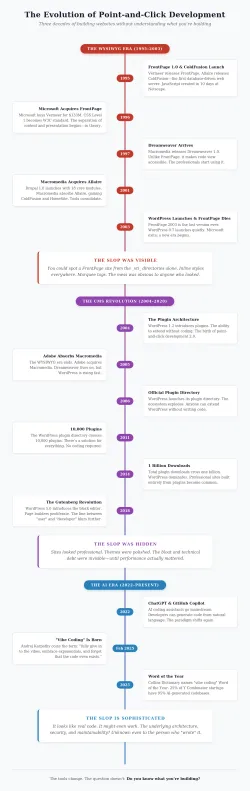
1995 was the year everything began. Vermeer Technologies released FrontPage 1.0. The Allaire brothers launched ColdFusion 1.0, the first database-driven web content server. At Netscape, Brendan Eich created JavaScript in 10 days. Ten days. That explains a lot, actually.
1996 brought Microsoft into the game. They acquired Vermeer for $133 million and released FrontPage 1.1, bundled with Windows NT 4.0. That same December, CSS Level 1 became a W3C recommendation, finally separating content from presentation. In theory.
1998 gave us Dreamweaver 1.2 for Windows, CSS2, and the beginning of Dreamweaver's dominance. I was deep in it by then. Our design studio had standardized on Dreamweaver for everything.
2001 was a pivot year. Drupal 1.0 launched in January with 18 core modules. In March, Macromedia acquired Allaire, gaining ColdFusion and HomeSite. The tools were consolidating.
2002 brought Dreamweaver MX with proper ColdFusion integration. For those of us writing CFML, this was a revelation. Code view and design view, side by side. You could point-and-click your way through the interface, then dive into the code when needed.
2003 was the end of an era. FrontPage 2003 was released, the last version Microsoft would ever make. And in May, WordPress 0.7 quietly launched. Nobody knew it yet, but this was the beginning of something that would change everything.
Here's what I remember most clearly about this era: you could always spot the slop.
A FrontPage site announced itself immediately. The _vti_ directories. The proprietary server extensions. The marquee tags. The inline styles slathered over everything like digital mayonnaise.
If you viewed the source, you'd see markup so bloated and non-standard that it was almost impressive, like someone had deliberately set out to violate every best practice.
Dreamweaver was better, but not by much. It still produced inline CSS. It still generated ugly, repetitive code. But here's the crucial difference: Dreamweaver made it easy to open the hood.
One click, and you were in code view. You could see what the tool had done. You could fix it. You could learn from it.
The developers I respected in that era, the ones who lasted, shared the same workflow: use visual tools to scaffold quickly, then clean up the mess by hand. The point-and-click interface was a starting point, not a destination.
The people who never opened the code view? They produced work you could identify from a mile away. And eventually, their clients figured it out.
The CMS Revolution (2003 to 2015)
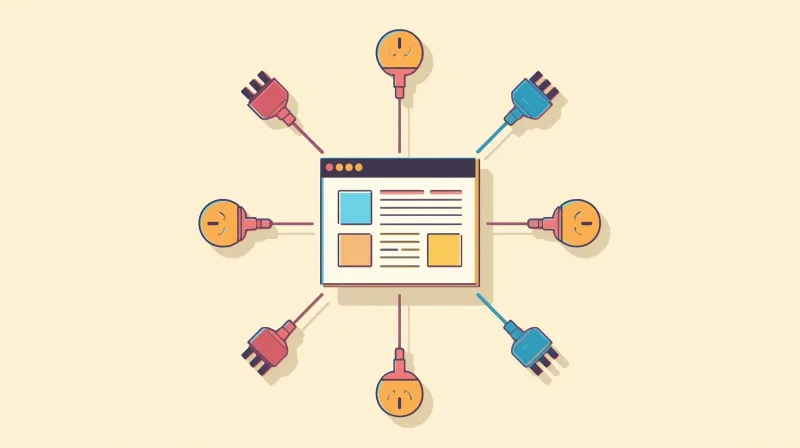
WordPress 1.2 launched in May 2004 with a feature that would reshape the entire industry: the plugin architecture.
Suddenly, you didn't need to write code to add functionality. Want a contact form? There's a plugin. Image gallery? Plugin. SEO optimization? Plugin. E-commerce? Plugin.
By 2006, WordPress had an official plugin directory. By 2011, it hosted over 10,000 plugins. By 2014, total plugin downloads crossed one billion.
And somewhere in there, a new species emerged: the point-and-click developer 2.0.
These weren't the FrontPage users of the '90s, producing obviously broken sites with visible seams. These were people who could assemble professional-looking WordPress sites using nothing but themes and plugins. No code required. No code understood.
Let me be clear: there's nothing inherently wrong with using plugins. I use WordPress. I use Gravity Forms instead of building my own form system. Why reinvent the wheel?
The problem isn't plugins. The problem is when everything is a plugin, when every challenge is met with another installation, when the person building your site has no idea how WordPress hooks work, how to interact with the database, or what happens when two plugins conflict.
The problem is when people charge professional rates for work that requires nothing more than clicking "Install" and "Activate."
Unlike FrontPage slop, WordPress slop is invisible to the client. The site loads. It looks professional. The theme is polished. Everything seems fine.
Until it isn't.
The $20,000 Point-and-Click Website
Around 2018, a client came to me for hosting and support. They were running serious digital marketing: Google Ads, targeted landing pages, comprehensive tracking, the works. They were working with creative, marketing, and advertising agencies. They had high expectations and a real budget to back them up.
Their website, however, was a disaster.
It was built with a rudimentary page builder. It was loaded with plugins. Every time the client or their agencies wanted new functionality, the solution was to install another plugin. The thing was bloated beyond reason, slow as molasses, and held together with digital duct tape.
I told them the truth: this site wasn't built to do what they needed. Given the exposure they were buying and the performance they required, they probably needed to start over.
They took my advice.
What I didn't know was that they had hired a freelancer to build them a new site. A fresh start. A clean slate.
A few months later, they loaded the new site onto my server. The Google PageSpeed scores came back abysmal. The site felt sluggish. Things didn't look quite right.
My client, who was only paying me for hosting and support, came to me frustrated. "We just spent a lot of money on a new website. The developer promised it would fix everything. But it's not any faster. What's wrong with your servers?"
So I took a look.
The site was built with Beaver Builder and approximately fifty plugins. Not a typo. Fifty. Many of these plugins had their own add-ons: Beaver Builder's ecosystem of extensions, plus dozens of other free and licensed tools bolted on top.
The theme? Beaver Builder's default starter theme. Unmodified.
I sent my analysis: "This is a point-and-click website. The developer who built this didn't know how to build websites. They met every challenge with another plugin. What they delivered will never perform at the level you're looking for."
That's when my client informed me they had spent $20,000 on this.
Twenty. Thousand. Dollars.
I asked her, "Why did you choose this developer?"
"They had a beautiful portfolio and good references."
Of course they did. Because the previous clients didn't know what they were looking at either. The site looked professional. It had all the features. It checked the boxes. Nobody bothered to look under the hood until things started breaking.
This is what point-and-click development looks like at scale. It's not obvious slop anymore. It's expensive slop. Hidden slop. Slop that only reveals itself when you need the site actually to perform.
Enter the Vibe Coder (2025)
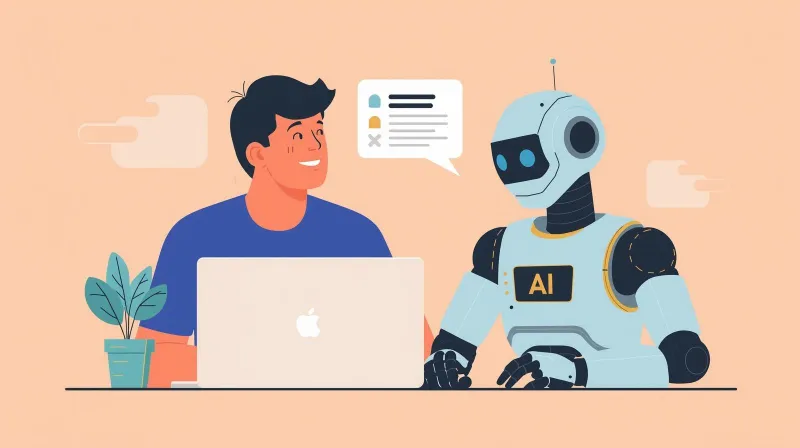
In February 2025, Andrej Karpathy posted something on X that caught fire.
Karpathy isn't some random influencer. He co-founded OpenAI. He led AI at Tesla. He's one of the most respected names in machine learning. So when he introduced the term "vibe coding," people paid attention:
"There's a new kind of coding I call 'vibe coding', where you fully give in to the vibes, embrace exponentials, and forget that the code even exists. It's possible because the LLMs (e.g., Cursor Composer with Sonnet) are getting too good. I 'Accept All' always, I don't read the diffs anymore. When I get error messages, I just copy-paste them in with no comment; usually, that fixes it. The code grows beyond my usual comprehension... Sometimes the LLMs can't fix a bug, so I just work around it or ask for random changes until it goes away. It's not too bad for throwaway weekend projects, but still quite amusing."
Within weeks, "vibe coding" had entered the lexicon. By March, it was trending on Merriam-Webster's slang dictionary. By the end of the year, Collins Dictionary named it Word of the Year.
And look, I use AI coding tools every single day. They're genuinely transformative. When a client comes to me with a specific challenge, whether it's a custom WordPress function, an API integration, or a performance optimization, I can vibe my way through a solution faster than ever before.
But here's what I also bring to that conversation:
Twenty-five years of understanding how databases work. How WordPress hooks interact. What happens at the server level when code executes? Security best practices. Performance implications. Maintainability.
When I accept AI-generated code, I understand what I'm accepting. When something breaks, I can diagnose why. When the AI suggests something stupid (and it often does) I can recognize it.
The vibe coder who lacks this foundation? They're the FrontPage user of 2025.
They're the WordPress plugin installer of 2018.
They just have a much more sophisticated tool for producing much more sophisticated slop.
The Pattern That Never Changes
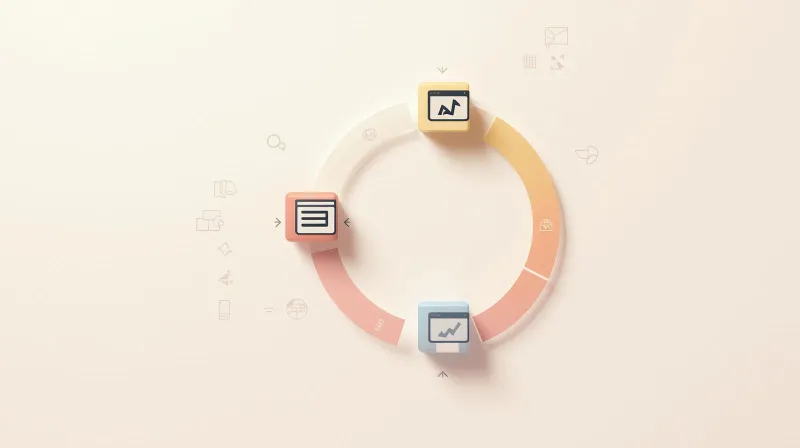
Here's what I've learned across three decades of watching this cycle repeat:
1995 to 2003: Point-and-click tools let people build websites without needing to understand HTML, CSS, or JavaScript. The slop was visible. You could immediately spot a FrontPage site.
2004 to 2020: Plugin ecosystems let people build WordPress sites without needing to understand PHP, databases, or hooks. The slop was hidden. You couldn't spot it until you needed the site actually to perform.
2025 and beyond: AI coding tools let people build applications without understanding... anything, really. The slop is sophisticated. It looks like real code. It might even work. Until it doesn't.
Each era's tools are more powerful than the last. Each era's slop is harder to detect. Each era's failures are more expensive to fix.
But the fundamental question has never changed: Do you know what you're building?
Not "did you write every line yourself," because that's not the point, and it never was. The point is whether you understand what's happening when things work and when they don't.
Karpathy, to his credit, was honest about the context: vibe coding is fine for "throwaway weekend projects." For hobby code. For prototypes you'll delete tomorrow.
But the people charging $20,000 for WordPress sites built entirely from plugins? They weren't building throwaway projects. They were selling their clients something the client could have assembled themselves with a weekend of YouTube tutorials.
And the vibe coders of 2025 who will charge professional rates to produce AI-generated spaghetti? They'll have beautiful portfolios, too. Good references. Impressive-sounding terminology.
They just won't know what they built.
How to Spot the Modern Point-and-Click Developer
Whether they're slinging plugins or vibing prompts, the pattern is consistent:
Every problem has the same solution. For plugin installers, it's another plugin. For vibe coders, it's another prompt. There's no underlying architecture, just layers upon layers of quick fixes.
They can't explain how it works. Ask them what happens when your site loads. Ask them how the database queries are structured. Ask them about caching, security, and dependencies. Watch their eyes glaze over.
They've never opened the hood. When something breaks, they don't debug. They add another layer on top, or they ask the AI for "random changes until it goes away."
The portfolio looks great; the clients are ambivalent. Nobody whose site is running smoothly will tell you their developer didn't know what they were doing. The truth only emerges when performance matters.
The Question That Still Matters
I still write code by hand sometimes. Not because I have to (the AI tools are genuinely faster) but because I want to understand what I'm building.
When I vibe code a solution, I read the diffs. I understand what was generated. I can explain why it works. And when the AI produces something that won't scale, won't perform, or won't maintain, I can see it coming.
That's not a brag. It's the minimum standard for professional work.
Twenty-five years ago, the question was: "Do you know HTML?"
Today, the question is: "Do you know what your AI just wrote?"
If the answer is no, if you're accepting all, ignoring the diffs, and asking for random changes until bugs disappear, you're not a developer.
You're just a FrontPage user with a fancier tool.
Shane Larrabee has been building websites since 1998 and running since 2011. He currently manages 200+ WordPress sites and only occasionally yells at clouds.