
You've been put on the committee. Someone sent you three proposals, and you need to have an opinion by Friday. The documents vary in length, use different terminology, structure their pricing differently, and you're not entirely sure what half of it means.
Here's the uncomfortable part: almost every guide to evaluating website proposals was written by a web design agency. They're teaching you how to evaluate proposals in a way that, conveniently, makes their style of proposal look best. The fox is writing the guide to the henhouse.
I've spent 25 years on the vendor side of this process, reading, writing, and responding to website proposals. But I've also served as a technical consultant for clients, evaluating proposals from other vendors, because we're going to handle hosting and long-term support while someone else handles the build.
That puts me in a position most of the people writing these guides don't occupy: I've reviewed proposals with no financial stake in which vendor wins the build. I just need the result to be maintainable.
This guide is written for the committee member who has never evaluated a website proposal before and needs a framework for making sense of what they're reading.
Why Evaluating Website Proposals Is Harder Than It Looks
Website proposal evaluation has a built-in imbalance. Vendors are experts at writing proposals. They do it regularly. They know the right things to say, the right buzzwords to include, and the right way to structure pricing so their number looks reasonable.
You, on the other hand, may be reading a website proposal for the first time. You're comparing documents that use different terminology for the same things, include different items in their scope, and vary from 4 pages to 40. Without a framework, the committee defaults to two proxies: price and gut feeling. Neither is reliable.
The other problem is committee dynamics. A typical selection committee includes people with different priorities. The executive director cares about cost and timeline. The communications director is responsible for design and content management. The board member cares about fiduciary responsibility and may have opinions about technology that are 10 years out of date.
Everyone evaluates through their own lens, and without a shared framework, the discussion quickly becomes unproductive.
From the vendor side, this is visible. When vendors don't know which committee member's priority will carry the most weight, they're guessing. They may lose the project simply because they emphasized the wrong thing. A scoring framework solves this for both sides.
Before You Read a Single Proposal

Agree on your evaluation criteria before you open any proposals. This sounds obvious, but most committees skip it, and the result is predictable: the loudest voice in the room drives the decision.
A simple weighted scoring approach forces the group to align on what matters before anyone forms an opinion about a specific vendor. Here's a starting framework:
- Scope completeness (20%): Does the proposal actually cover what you need?
- Team and experience (20%): Have they done this before for organizations like yours?
- Cost and value (20%): Is the pricing fair, transparent, and sustainable?
- Technical approach (15%): Is the platform appropriate and the architecture sound?
- Process and timeline (15%): Is the plan realistic and well-defined?
- Post-launch support (10%): What happens after the website launches?
Each committee member should score proposals independently, on a 1-to-5 scale per category, before the group meets to discuss. This prevents anchoring, where one vocal committee member's opinion pulls everyone else in their direction.
Compare individual scores first. Focus the group discussion on areas where scores diverge, not on those everyone already agrees on.
Translating Vendor Jargon
One of the biggest barriers for non-technical evaluators is terminology. Vendors use different terms for the same things, and some use complex language to obscure simple concepts. Here's a plain-language guide to the most common terms you'll encounter.
CMS (Content Management System) is the software that lets your staff edit the website without calling a developer. WordPress, Drupal, and Craft are all CMSs. If a proposal doesn't specify which one they're recommending, ask. This choice affects your long-term flexibility, your hiring options, and your ongoing costs.
Custom CMS or proprietary platform means a content system built from scratch by the vendor or owned by them. For most organizations, this is a red flag. It ties you to that vendor permanently. If the relationship ends, you may need to rebuild from scratch. Open-source platforms like WordPress mean you're never locked in to one vendor.
Wireframes are simplified page layouts that show structure before visual design begins. Think of them as blueprints for a house. If a vendor's process skips wireframes and jumps straight to visual design, they're designing on the fly. That might work for simple projects, but for anything complex, it usually leads to expensive revisions later.
Information architecture (IA) is the way content is organized and navigation is structured. This is arguably the most important part of a website project. Poor information architecture means visitors can't find what they need, regardless of how good the design looks. If a proposal doesn't mention IA as a distinct phase or deliverable, ask how they're handling content organization.
Responsive design means the website adjusts to work on phones, tablets, and desktops. In 2026, this is standard practice, not a feature worth paying extra for. Every proposal should include this by default. If a vendor calls it out as a special capability, that tells you something about how current their practice is.
Staging environment is a private copy of your website for testing changes before they go live. This is essential for quality assurance. If a vendor doesn't mention staging, their process may be "edit the live site and hope nothing breaks."
Custom theme vs. commercial theme is one of the most important distinctions in a WordPress proposal, and one that most non-technical evaluators miss. A custom theme is code written specifically for your project. A commercial theme is a pre-built template that the vendor purchases and modifies.
Both produce a working website, but a commercial theme may include thousands of lines of unused code, slowing your site and creating more security vulnerabilities. The difference shows up in maintainability, performance, and flexibility over the following years. If a proposal doesn't specify which approach they're taking, ask.
Plugins are add-ons that extend what WordPress can do. The question is not whether a vendor uses plugins, but how many and for what. A vendor who answers every requirement by installing another plugin is building a fragile system. A vendor who writes custom code for core functionality and uses plugins selectively is building something that will last.
API (Application Programming Interface) is a way for two software systems to talk to each other. This matters if your website needs to connect to a CRM, donation platform, or membership management system. Each integration adds complexity and ongoing maintenance, so make sure the proposal is specific about which integrations are included.
WCAG compliance refers to accessibility standards that ensure the website works for people with disabilities. WCAG 2.1 AA is the standard target. If a vendor's proposal says "we build accessible websites" without specifying a compliance level, testing methodology, or deliverables, that claim is too vague to evaluate.
How to Read the Scope Section
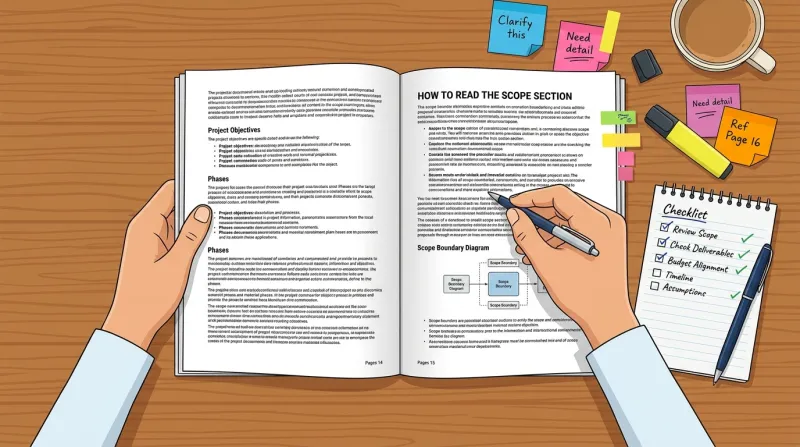
The scope section is where proposals diverge most, and where the most expensive misunderstandings hide.
A good scope section tells you exactly what is being delivered: how many page templates, whether content migration is included, what integrations are covered, how many rounds of design revisions, and what is explicitly excluded. A bad scope section describes capabilities and philosophy without committing to specifics.
When I evaluate proposals on behalf of clients, the first thing I look for is whether the scope actually defines the project. If a proposal says "we will build you a website for X dollars" without explaining what the website will do, we haven't defined the project. Why would we know how much it costs?
Here's the practical test: can you read the scope and produce a checklist of deliverables? If the answer is yes, the scope is defined. If the answer is "sort of, but there's a lot of general language," the scope is loose, and loose scopes lead to disputes.
I can tell a lot about a website project by looking at the result. When I see a well-built, well-organized site, it almost always traces back to a project that had a tightly defined scope. When I see a site that's been patched together with workarounds and compromises, that usually traces back to a project where nobody clearly defined what they were building.
We get calls regularly from organizations that just launched a new website and are already looking for a different vendor for hosting and support, because they're not happy with the result. That dissatisfaction almost always connects to a loose scope.
I always tell clients: if we can start with a list of the things you want me to build, I can check them off, and at the end of the project, I can show you that I've built everything on this list. Then we're both going to be really happy. Without that defined list, the first time the vendor pushes back on something, you'll think they're nickel-and-diming you.
What's Commonly Missing
The most dangerous gaps in proposals are things neither party has addressed:
Content creation and migration. Many proposals assume you will provide all copy, photography, and video. If your team doesn't have that ready, the project will stall. Content delays are the number one cause of website project timeline overruns.
Additionally, moving content from your old site to the new one is labor-intensive. Clarify exactly what "migration" means in each proposal. Is it a copy-paste of text, or does it include reformatting, updating links, and optimizing images?
SEO preservation. If you have an existing website with search traffic, failing to redirect old URLs to new ones will destroy your rankings on launch day. If a proposal does not mention 301 redirects and metadata preservation, ask about it directly. This is not optional.
Training. Who teaches your staff to use the new website? How many hours of training are included? Is documentation provided? This determines how quickly your team becomes self-sufficient after launch.
Post-launch bug fixes. What constitutes a "bug" versus a "change request"? How long after launch does the vendor fix issues at no additional cost? This is a common source of post-launch conflict if it's not defined upfront.
Domain and DNS management. This seems minor until launch day, when someone needs to point your domain name to the new server. Clarify who manages DNS during the project and after. If nobody owns this, it causes real problems at the worst possible time.
Third-party licensing costs. Does the vendor's design depend on premium plugins, commercial fonts, or stock photography that require annual licensing fees? These costs recur whether or not the vendor is involved. Make sure you know what subscriptions you're inheriting.
Ongoing costs. A website is not a one-time purchase. The annual cost of ownership, including hosting, maintenance, security, and content updates, is typically 15 to 25 percent of the initial build cost.
If a vendor quotes $40,000 to build but doesn't mention the $6,000 to $10,000 per year required for maintenance, you're getting an incomplete picture. Make sure you understand the total cost of ownership over three to five years, not just the project price.
How to Interpret Pricing
Pricing is where non-technical evaluators struggle most, because proposals for the same project can range from $8,000 to $80,000. Without context, there's no way to know whether the higher price reflects more capability, more overhead, better quality, or just a bigger agency with higher rent.
Why Prices Vary So Much
There's no regulatory body in this industry and no standard pricing. Understanding why prices vary so much helps you compare more effectively.
Different prices usually reflect different scopes, not different profit margins. A $10,000 proposal is likely to be a template-based design with minimal customization. A $40,000 proposal probably includes custom design, custom development, content strategy, and integrations. They're not the same project at different price points. They're fundamentally different projects.
The other factor is how the work gets done. A custom WordPress development job, where developers write code from scratch for your specific needs, is going to be more expensive than one where they install a commercial theme, add some plugins, change some colors, and add a logo. Both approaches produce a functioning website. The gap becomes apparent over time: how easy the site is to maintain, how fast it loads, and how much freedom you have to evolve it.
The Cheap Proposal Trap
A cheap proposal is designed to win the project: give a low number without defining exactly what you're going to build, win the client, then deal with it later. If it's too good to be true, it probably is.
We've seen this pattern repeatedly: an organization accepts an $8,000 proposal with a thin scope, then spends another $15,000 to $20,000 on change requests for things they assumed were included. By the time they realize, they're too far into the project to switch vendors. The cheap proposal ended up costing more than the mid-range one would have.
It works the other direction, too. We recently reviewed a proposal for a nonprofit in Washington, DC where the vendor bid $150,000 for a website I would have built for tens of thousands. That was a clear case of someone taking advantage of a client who didn't understand the technical complexity of what they were asking for. Price gouging happens at the top end just as often.
Making Sense of the Numbers
Here's how to make sense of the numbers without technical knowledge: look for whether the vendor has allocated hours to the budget or allocated scope to the price. If neither, ask for it. You need a way to measure how they arrived at their number.
This is also where getting multiple bids helps. You'll be able to see what the average is and ask questions when something falls significantly above or below it.
You generally don't want to go with your lowest bidder, and you probably don't want your highest either. But if you like the lowest bidder, it's worth going back to them and having a conversation. Ask why their bid came in where it did. You'll often find that things weren't included, the scope wasn't defined, and so on. Get those things nailed down before you sign an agreement.
For a deeper breakdown of what to watch for in pricing and beyond, see the red flags section later in this guide.
Pricing Models
Understanding how a proposal structures its pricing tells you who carries the financial risk:
Fixed price puts the risk on the vendor. One total number, simple to understand, but often includes a 15 to 30 percent buffer to protect against scope changes. If the project runs over, the vendor absorbs the cost, which means they'll push back harder on scope additions.
Time and materials puts the risk on you. An estimated number of hours at a set hourly rate. More flexible, but less predictable. If the project runs over, you pay more.
Hybrid splits the risk. Fixed price for the defined scope, with time and materials for anything outside it. This is increasingly common and often the most honest approach.
Phased pricing breaks the project into stages, each with its own price. This gives you checkpoints and the ability to evaluate at the end of each phase. Better for larger projects.
Payment Red Flags
- Requiring more than 50 percent before work begins is unusual for established agencies. Standard is 25 to 33 percent upfront, with subsequent payments tied to milestones.
- A single lump sum with no itemization makes it impossible to compare proposals or identify what happens when scope changes.
- Hourly rates with no hour estimates ("work will be billed at $175/hour") is an open checkbook.
How to Evaluate the Timeline
Realistic timelines for website projects in 2026:
- Basic brochure site (5 to 15 pages): 8 to 12 weeks
- Mid-range custom site (15 to 40 pages, some integrations): 12 to 20 weeks
- Complex site (membership portals, CRM integration, custom functionality): 20 to 32 weeks
- Enterprise or multi-site ecosystems: 6 to 12 months
These timelines assume your team meets its content and feedback deadlines on time, which rarely happens. Build in a buffer.
What the Phases Should Look Like
A well-structured proposal breaks the project into clear phases:
Discovery (2 to 4 weeks). Stakeholder interviews, content audit, requirements gathering. This is where the vendor learns what you actually need. If a vendor skips discovery and starts designing immediately, they're guessing at your requirements.
Information architecture and wireframes (2 to 4 weeks). Site map, page structure, wireframe layouts. You approve the blueprint before visual design begins.
Visual design (3 to 6 weeks). Design mockups for key page templates, typically with 2 to 3 rounds of revisions. You approve the look before development begins.
Development (4 to 10 weeks). Building the actual website, including CMS setup, template coding, and integration work.
Content migration and population (2 to 6 weeks, often overlapping with development). Moving or creating content for the new site. This phase is frequently the bottleneck because it depends on your team providing content on time, and content is rarely on time.
If a proposal doesn't allocate time specifically for this phase, the vendor is either assuming you'll handle it entirely or hasn't thought it through.
Testing (1 to 3 weeks). Cross-browser testing, mobile testing, accessibility testing, performance testing.
Launch and post-launch (1 to 2 weeks plus ongoing). DNS cutover, redirect implementation, monitoring, bug fixes, training.
If a proposal compresses all of this into a timeline that doesn't make sense, or if it doesn't allocate time for your team to review work at each phase, the timeline is unrealistic. A vendor who builds in no time for client review is assuming you'll provide instant feedback, and that never happens.
How to Assess Technical Competence Without Being Technical

This is the hardest part of proposal evaluation for non-technical committee members, and most guides handle it badly. They tell you to "evaluate the technical approach," which is circular. If you could evaluate technical approaches, you wouldn't need the guide.
Here's what you can actually do.
Look Beyond the Portfolio
Most clients evaluate design portfolios because that's what you can see. When I'm reviewing proposals for clients, I go further. I visit those portfolio sites. If it's WordPress, I look at what themes they're using. Are they building custom themes, or are they using bloated commercial themes? How many plugins are installed? Is the CSS clean, or does a page builder generate it?
You don't need to inspect code yourself, but you can do a version of this. Visit the vendor's portfolio sites on your phone. Do they load quickly? Do they feel responsive? Run the vendor's own website through Google PageSpeed Insights. It's free and takes 30 seconds. If they claim to build fast, high-performing websites but their own site scores poorly on mobile, that tells you something.
Ask Questions That Reveal Real Depth
The questions that matter most require specific answers, not rehearsed marketing. When a vendor gives you a vague or generic response, follow up with: "Can you give me a specific example from a recent project?" That follow-up separates vendors with real experience from vendors with polished pitch decks.
About their development approach: Ask whether their developers write their own code and understand the full server stack. Ask whether they build custom themes or use commercial ones. Ask whether they can build custom plugins or if you're limited to what's available off the shelf.
This is a critical distinction, because both types of vendors claim to be "developers." A vendor with real custom development capability can solve any problem with custom code. A point-and-click developer, someone who installs a commercial theme, changes some colors, and loads up plugins, is constrained by what their tools allow. The real developer builds what you need.
This is a technical project, and you need technically savvy people working for you. For a detailed look at what separates real development capability from template-based assembly, see our guide on how to choose a web developer.
About failures: "Tell us about a project that went wrong and what you learned." Every experienced vendor has failure stories. Vendors who claim everything always goes perfectly are either lying or too inexperienced to have encountered real problems.
About your specific integrations: "Our membership system (or CRM or donation platform) needs to connect to the website. Have you built that specific integration before, or would this be your first time?" First-time integrations aren't necessarily deal-breakers, but they should be priced and scoped honestly.
About portability: "If we decide to work with a different vendor in two years, what do we take with us? Who owns the design files, the code, the content?" This question reveals lock-in risks. Ethical vendors will clearly state that you own everything. Vendors who hedge on this question may be building dependency.
About post-launch reality: "What does ongoing support actually include? What is the hourly rate for work outside the original scope? What happens if a security vulnerability is discovered?" These are the questions that matter most after launch, and the ones most committee members forget to ask during evaluation.
About their current workload: "How many projects are you working on right now? Who specifically will be assigned to our project, and what percentage of their time?" Some agencies sell with their senior team and deliver with their junior team. Make sure you know who you're actually getting.
About long-term support: "Can you provide a reference from a client you've supported for two or more years after launch, not just a recent build?" Building a website and maintaining one are different capabilities. A vendor who can only provide references from recent projects may not have a track record of sticking around.
Request a Content Management Demo
Ask the vendor to show you what it looks like when your staff edits a page. A live demo of the CMS editing experience tells you more about day-to-day usability than any proposal language. If the vendor can't demo this, or if the editing experience looks complicated, your staff will struggle with it after launch.
Red Flags Embedded in the Evaluation
Rather than listing red flags separately, here's what to watch for as you work through each section of a proposal.
In the scope: No defined deliverables, no exclusions section, language that reads like it could be sent to any organization with the name swapped. If a proposal doesn't clearly state what's excluded, nothing is clearly defined.
In the pricing: Significantly below market rate with no explanation of how, payment heavily front-loaded (more than 50 percent upfront), no breakdown of costs, no mention of ongoing costs after launch.
In the timeline: No discovery phase, design and development happening simultaneously without explanation, no time allocated for your review, and content migration treated as trivial.
In the team section: No identification of who will actually work on the project. You may be sold by senior staff and serviced by juniors.
In the process: No accessibility mention (WCAG compliance isn't optional in 2026), no SEO migration plan for existing sites, vague revision process ("we'll iterate until you're happy" sounds generous but creates scope creep; "two rounds of design revisions, additional rounds at X per hour" is honest).
In the relationship: Cannot provide references for similar organizations, disparages other vendors in the presentation, pressures you to decide quickly, deflects specific questions with general marketing language.
Three of these deserve more than a line, because they're the ones that cost the most and are hardest to spot when you're not technical.
Deferred critical decisions
Some proposals acknowledge complexity but push the hard decisions into the future. Every deferred decision is a scope gap, and scope gaps become change orders.
- "CMS to be determined" affects everything downstream. If the CMS isn't decided, the estimate is meaningless.
- "Third-party integrations TBD" is the big one. Integration work is often 30 to 50 percent of development time, so deferring it defers the real budget.
- "Content strategy in Phase 2" ignores that content drives design. Designing without it produces a brochure that doesn't serve your goals.
- "SEO will be addressed post-launch" tells you the vendor doesn't understand modern web development. Retrofitting SEO costs three to five times what building it in does.
What happens next is predictable. The client adds something mid-project, the vendor pushes back, the client feels nickel-and-dimed, and the working relationship starts to sour. It usually traces back to a decision that was deferred at proposal stage.
Template work sold as custom
Template-based development is a legitimate approach that reduces cost. There is nothing wrong with a $2,000 site built on a commercial theme. The red flag is when it's sold as custom work at custom prices. A $25,000 site built on a $59 template and presented as "custom designed" is a different story.
Signs a vendor is selling template work as custom:
- A very fast design phase, one to two weeks for a "custom" design
- The design concept looks production-ready immediately, because it already is
- Limited flexibility when you request structural changes during design
- Layout changes that can't be made without a high additional cost
- Every site in the portfolio follows the same structure with different colors and images
Both kinds of vendor call themselves "developers." Ask whether the team writes their own code, understands the server stack, and will build a custom theme, or whether they'll adapt your design to a pre-built one. Those questions tell you more than any portfolio screenshot. Our guide on how to choose a web developer covers how to tell the difference.

Ownership and lock-in traps
This is the most consequential category and the one most organizations miss, because it lives in the contract rather than the proposal narrative. A good proposal addresses it proactively. A bad one stays silent and lets the contract do the work.
A surprising number of organizations discover they don't own their website or their domain only when they try to change vendors. Recovering or rebuilding typically runs $12,000 to $18,000.
You should own all of this when the project ends:
- All custom code, themes, and plugins built specifically for you
- All design source files (Figma, Sketch, PSD), not just flattened exports
- All content you provided and all content created for you
- Your domain name registration
- Administrative access to your hosting account
- Login credentials for every service connected to your site
If the proposal doesn't address ownership, ask. If the answer is anything other than "you own everything we build for you," treat it as a red flag.
Watch for platform lock-in too: a site built on a proprietary CMS, bundled with hosting that only works on the vendor's infrastructure, a domain registered in the vendor's account, or deployment from a private repository you can't access. This isn't always malicious, and some vendors genuinely believe their platform is best. The effect is the same either way, which is that leaving means starting over.
Maintenance lock-in is the quieter version: required contracts with cancellation penalties, auto-renewal with narrow cancellation windows, and annual price escalation with no matching improvement in service. There's a real difference between a vendor who earns your ongoing business and one whose contracts make leaving expensive.
Managing the Committee Decision

The "We Know a Guy" Problem
Almost every committee has a member who knows someone, whether it's a nephew who builds websites, a friend's company, or a board contact. These connections should go through the same evaluation process as any other vendor.
A qualified connection will welcome the structured evaluation. An unqualified one will rely on the relationship.
Preferential treatment for personal connections bypasses the diligence that protects the organization. If the connection is genuinely the best option, the scoring framework will show it.
Getting to a Decision
Committees rarely achieve unanimity, and they shouldn't need to. The goal is informed consensus, where everyone understands the rationale for the decision, even if it wasn't their first choice.
After individual scoring, compile the results and identify the top two or three vendors. Then:
- Conduct reference checks for finalists by calling references directly, not just reading written testimonials.
- Request clarifications on any proposal gaps before making a final decision.
- Document the rationale for your selection. This matters for board governance and becomes important if the project encounters problems later.
If the scores clearly favor one vendor but a committee member has reservations, those reservations should be heard and documented. But the data should carry weight. That's the whole point of scoring independently before discussing.
The Post-Launch Reality Nobody Mentions
Most evaluation guides end at vendor selection. But the choice you're making isn't just about a project. It's about a relationship.
Your website is a 24/7 window into your organization. For nonprofits and associations with membership portals, donation systems, and event management, it is often the primary point of interaction with your audience.
A website doesn't end at launch. It requires hosting, security updates, plugin maintenance, performance monitoring, and ongoing support. The proposal should address what that looks like and what it costs. If a vendor quotes just the build and doesn't discuss the 12 months after launch, you're only seeing half the picture.
Ask every finalist:
- Who handles hosting after launch?
- Who applies security updates?
- What happens when something breaks at 2 AM?
- What is the monthly cost of ongoing support?
- Can you take your website to a different vendor if the relationship doesn't work out?
These questions are where the total cost of ownership becomes clear. A $25,000 build with $500 per month in ongoing support costs $31,000 in the first year and $37,000 over two years. A $40,000 build that includes 12 months of hosting and support may be cheaper in the long run. Compare the full picture.
How to Run Your Website Proposal Evaluation
If you're on a committee evaluating website proposals, here is the sequence that produces the best outcomes:
- Agree on weighted evaluation criteria before reading any proposals.
- Each committee member reads and scores proposals independently.
- Compare scores. Discuss areas of disagreement, not areas of consensus.
- Ask follow-up questions of your top two or three vendors.
- Check references by phone. Ask about projects that went over the timeline or budget, and how the vendor handled it.
- Evaluate the total cost of ownership over three to five years, not just project cost.
- Document your selection rationale.
This process isn't perfect, but it's a significant improvement over "let's read them all and then go around the table." It gives non-technical committee members a structured way to contribute meaningfully to a technical decision.
If you're earlier in the process and still building your RFP, these resources can help:
- Website RFP guide, the complete 13-section template plus the language that attracts quality proposals
- RFP language examples, specific wording to help you be precise about what you need
- Nonprofit website RFP guide, addresses the unique dynamics of competitive bidding in mission-driven organizations
Frequently Asked Questions
How many website proposals should you get?
Three is the standard for most organizations. Fewer than three doesn't give you enough basis for comparison, and more than five creates evaluation fatigue without meaningfully improving your odds of finding the right vendor. Three proposals let you see a range of approaches, pricing models, and team structures without overwhelming your committee.
What is a reasonable cost for a website redesign?
It depends entirely on scope, but for context: a basic brochure site with 5 to 15 pages typically runs $8,000 to $20,000, a mid-range custom site with integrations runs $20,000 to $60,000, and complex sites with membership portals or custom functionality can exceed $80,000. For a detailed breakdown of what redesigns specifically should cost and what your website redesign RFP should include, we've published a separate guide. The more important number is the total cost of ownership over three to five years, which includes hosting, maintenance, and ongoing support at roughly 15 to 25 percent of the build cost annually.
How long does a website redesign take?
A basic site takes 8 to 12 weeks, a mid-range custom site takes 12 to 20 weeks, and complex projects with integrations and custom functionality take 20 to 32 weeks or longer. These timelines assume your team delivers content and feedback on schedule, which rarely happens, so build in a buffer. Any vendor promising a custom website in four weeks is either cutting corners or redefining what "custom" means.
Should the lowest bidder win a website project?
Rarely. The lowest bid usually reflects a thinner scope, not greater efficiency. We've seen organizations accept low-cost proposals with vague scope definitions, then spend more on change requests than the mid-range proposal would have cost in the first place. If you like the lowest bidder, go back and ask how they arrived at their price. You'll usually find that things you assumed were included are not.
What questions should you ask a web developer before hiring them?
The most revealing questions are those that require specific answers rather than marketing language. Ask whether they write custom code or use commercial themes and page builders. Ask them to describe a project that went wrong and what they learned from it. Ask who specifically will work on your project and what percentage of their time will be allocated to it. Ask for a reference from a client they have supported for two or more years after launch, not just a recent build.
Who should own the website code and design files?
You should. Ethical vendors will clearly state in their proposal or contract that you own the design files, the codebase, and all content. If a vendor hedges on this question or builds on a proprietary platform you cannot take with you, that is a lock-in risk. Before signing anything, confirm in writing that you can transfer your website to another vendor without having to rebuild from scratch.
FatLab Web Support manages roughly 200 WordPress websites for nonprofits, associations, and organizations nationwide. We've spent 25 years on both sides of the proposal process. If you need a second set of eyes on proposals you've received, or want guidance on your website project, get in touch.