
Making your WordPress website accessible isn't just about compliance. It's about creating an inclusive digital experience for all users. WordPress site owners can boost accessibility and support WCAG adherence by installing plugins such as accessWidget by accessiBe, WP Accessibility, Ally by Elementor, and Accessibility Checker. In this guide, we'll compare the best WordPress accessibility and WCAG plugins for 2026 and reveal what our internal study discovered about achieving true WCAG AA compliance.
Why WordPress Accessibility Matters More Than Ever

WordPress aims to make the WordPress Admin and bundled themes fully compliant with Web Content Accessibility Guidelines (WCAG) 2.2 AA, but achieving full compliance requires more than just using WordPress core features. With over 40% of websites powered by WordPress and thousands of website accessibility lawsuits filed annually in the US, the stakes for accessibility compliance have never been higher.
The Reality of WCAG AA Compliance: Our Internal Study Findings
At FatLab, we conducted an extensive study across the 200+ WordPress sites we manage to understand what it truly takes to achieve WCAG AA compliance. Our findings revealed a surprising truth that most website owners don't understand:
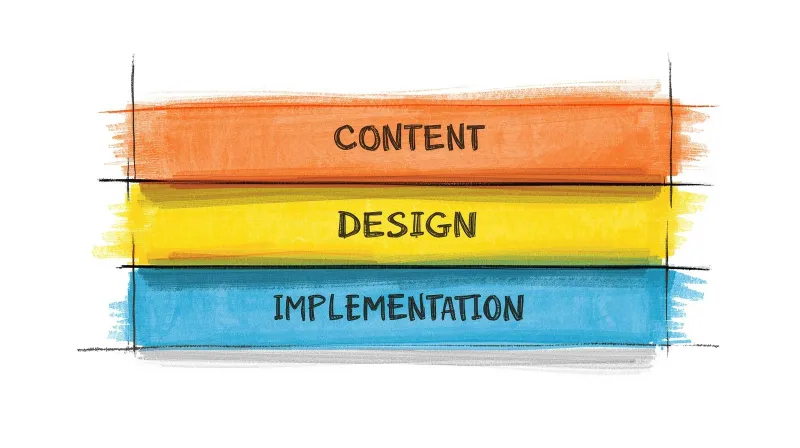
Over 80% of WCAG AA compliance requirements relate to design and content decisions, not programming.
This means that even if you hire the best developer to "make your website compliant," they can only address about 20% of what's needed for true accessibility. The remaining 80% involves:
- Content creation: Writing proper alt text for images, creating video transcripts, and ensuring a readable content structure
- Design decisions: Choosing accessible color contrasts, appropriate font sizes, and intuitive navigation layouts
- Content management: Maintaining proper heading hierarchies, meaningful link text, and descriptive form labels
However, the good news is that accessibility plugins can bridge much of this gap, helping you address both the technical and content-related aspects of WCAG compliance through automated fixes and user customization options.
Understanding WCAG 2.2: The Current Standard
The Web Content Accessibility Guidelines (WCAG) 2.2 builds on WCAG 2.1 with nine new success criteria, focusing on stronger focus and visibility, improved mobile usability, enhanced cognitive accessibility, more efficient forms, and alternative authentication methods.
The core principles remain unchanged - content must be:
- Perceivable: Information must be presentable to users in ways they can perceive
- Operable: Interface components must be operable by all users
- Understandable: Information and UI operation must be understandable
- Robust: Content must be robust enough for interpretation by assistive technologies
WCAG Level AA is the standard that websites should conform to under many web accessibility laws, including the Americans with Disabilities Act (ADA).
The Best WordPress Accessibility & WCAG Plugins for 2026
1. accessWidget by accessiBe - Most Complete AI-Powered Solution
accessWidget by accessiBe is an AI-powered, automated web accessibility plugin that enacts two applications working together to remediate an inaccessible WordPress website and ensure it conforms to WCAG 2.1.
Key Features:
- AI-powered automated remediation
- Real-time accessibility interface for users
- Screen reader optimization
- Keyboard navigation enhancements
- Color contrast adjustments
- Text resizing and spacing controls
Pricing: Micro: $490 per year (under 5,000 monthly visits), Growth: $1,490 per year (up to 30k visits), Scale: $3,990 per year (up to 100k visits)
Best for: Businesses requiring full WCAG compliance with legal protection
2. WP Accessibility - Best Free Option
WP Accessibility fixes common accessibility issues in your WordPress site and is perfect for beginners who want to start by addressing common accessibility issues in core WordPress. With over 40,000 active installations and a perfect 5-star rating, it's the most trusted free option available.
Key Features:
- Skip-to-content links
- Focus on management improvements
- Color contrast controls
- Form labeling fixes
- Removes problematic attributes (target, title)
- Diagnostic CSS for visual issue detection
Pricing: Free
Best for: Beginners and budget-conscious site owners starting their accessibility journey
3. UserWay Accessibility Widget - Premium All-in-One Solution
UserWay Accessibility Widget provides screen reader, voice navigation, and multilingual support, with contrast adjustments and large cursor options, covering 50+ languages.
Key Features:
- Voice navigation
- Screen reader compatibility
- Multi-language support (50+ languages)
- Document accessibility features
- 24/7 support
- Legal compliance assistance
Pricing: Free basic version; premium starts around $499/year
Best for: International websites and complex sites requiring multilingual accessibility
4. Ally by Elementor - Best Free All-in-One Solution
Ally by Elementor (formerly One Click Accessibility) is a free, powerful plugin that helps WordPress creators build more accessible websites with ease. Recently rebranded and significantly expanded, it now includes three essential tools in one package.
Key Features:
- Ally Assistant: Scan pages and detect 180+ accessibility violations with guided fixes
- Usability Widget: Let visitors customize font size, contrast, animations, and more
- Accessibility Statement Generator: Create and publish custom statements automatically
- AI-powered fix suggestions (premium)
- Works with any WordPress theme
Pricing: Free core features; premium plans available for AI fixes and advanced scanning
Best for: WordPress users wanting a full-featured free solution from a trusted brand
5. Accessibility Checker by Equalize Digital - Best for Auditing
Accessibility Checker by Equalize Digital provides automated and straightforward accessibility evaluations, checking over 40 accessibility issues with automatic scans for posts/pages, and detailed dashboard reports. Notably, this plugin was a key factor in NASA's selection of WordPress as its CMS.
Key Features:
- Real-time content scanning
- 40+ accessibility issue detection
- WCAG 2.2 compliance checking
- Color contrast analysis
- Alt text validation
- Heading structure auditing
- One-click fixes for common issues
Pricing: Free with premium features available (Pro starts at $149/year)
Best for: Developers and content creators focused on ongoing accessibility auditing
6. All-in-One Accessibility - Enterprise-Ready Solution
All in One Accessibility provides an accessibility widget covering WCAG 2.1, 2.2, ADA, EAA, Section 508, and 50+ other international accessibility standards. With 140+ language support and AI-powered features, it's built for scale.
Key Features:
- 70+ accessibility features
- 140+ language support
- Voice navigation and screen reader
- AI-assisted alt text remediation
- 9 personalized accessibility profiles (Blind Mode, ADHD Friendly, etc.)
- SOC 2 Type II compliant
Pricing: Free version available; premium plans for advanced features
Best for: Enterprise sites, healthcare, education, and government websites requiring multi-standard compliance
7. OneTap Accessibility Widget - Fastest Setup
OneTap is an accessibility plugin made in Europe that helps make WordPress websites inclusive with a simple one-click setup. Trusted by 60,000+ websites, it adds essential accessibility tools instantly with no account required.
Key Features:
- 1-click installation, no account needed
- 24 accessibility modules
- 5 ready-to-use profiles (Blind Mode, Vision Impaired, ADHD Friendly)
- 40+ language support
- Built-in accessibility statement generator
- Custom branding options
Pricing: Free version; Pro available for advanced features
Best for: Site owners wanting quick, hassle-free accessibility improvements
8. WP Accessibility Helper (WAH) - Developer-Friendly
WP Accessibility Helper provides a toolbar for user adjustments, along with developer-focused features for detailed accessibility analysis.
Key Features:
- Full toolbar for user adjustments
- Semantic structure audit
- DOM scanning functionality
- Alt text management
- Advanced customization options
- Landmark control center
Pricing: Free; Pro version available
Best for: Developers who need detailed accessibility analysis and fixes
9. AllAccessible - Best for Nonprofits
AllAccessible provides an overlay menu with tools for contrast toggles, text size controls, and keyboard navigation aids. Notably, nonprofit organizations can apply for a free premium license.
Key Features:
- Contrast controls and color adjustments
- Text sizing and spacing modifications
- AI-powered remediation (premium)
- Compliance scanning and reports
- Widget engagement analytics
Pricing: Free version; Premium at $10/month (nonprofits eligible for free premium license)
Best for: Nonprofit organizations and budget-conscious businesses
10. Accessiy - Modern Compliance Solution
Accessiy is designed to enhance website accessibility for users with visual, auditory, motor, or cognitive disabilities. With one-click setup, it ensures sites meet WCAG 2.1, ADA, and European Accessibility Act (EAA) standards.
Key Features:
- One-click accessibility setup
- 35+ language support
- Color and contrast adjustments
- Text and navigation tools
- Grayscale, invert colors, and brightness controls
- Analytics dashboard
Pricing: Free version; Pro available
Best for: Sites needing quick WCAG 2.1 and EAA compliance
11. WP ADA Compliance Check Basic - Audit-Focused
WP ADA Compliance Check Basic scans your entire website (including pages, theme files, widgets, PDFs, and CSS) for accessibility compliance with ADA, Section 508, and WCAG 2.1 Level A/AA.
Key Features:
- Scans pages, themes, widgets, and PDFs
- Weekly accessibility reports
- 52 accessibility checks (free) / 81 checks (premium)
- Automatic issue identification in new content
- Error references and remediation guidance
Pricing: Free (15 page limit); Premium for unlimited scanning
Best for: Site owners wanting thorough site-wide auditing
Beyond Plugins: A Complete Accessibility Strategy
While accessibility plugins provide an excellent foundation, achieving true WCAG AA compliance requires a holistic approach:
For hands-on help implementing and maintaining WCAG compliance as part of your ongoing site management, explore our WordPress support services.
Content Best Practices
- Alt Text Excellence: Write descriptive, contextual alt text for all meaningful images
- Heading Structure: Use proper H1-H6 hierarchy throughout your content
- Link Context: Ensure link text is descriptive and makes sense out of context
- Form Labels: Provide clear, descriptive labels for all form elements
- Video Accessibility: Include captions, transcripts, and audio descriptions
Design Considerations
- Color Contrast: Ensure minimum 4.5:1 ratio for normal text, 3:1 for large text
- Focus Indicators: Provide clear visual focus indicators for keyboard navigation
- Touch Targets: WCAG 2.2 includes minimum touch targets for better mobile usability
- Font Choices: Use readable fonts and allow for text resizing up to 200%
Technical Implementation
- Keyboard Navigation: Ensure all interactive elements are keyboard accessible
- ARIA Labels: Use appropriate ARIA attributes for complex interface elements
- Screen Reader Testing: Regularly test with actual screen readers
- Performance: Maintain fast loading times, as they benefit all users
Testing Your WordPress Accessibility
Automated Testing Tools
- Browser Extensions: axe DevTools, WAVE, Lighthouse accessibility audit
- Online Scanners: WebAIM's WAVE tool, accessiBe's free scanner
- Plugin Features: Built-in testing from Accessibility Checker and other plugins
Manual Testing Methods
- Keyboard Navigation: Navigate your entire site using only the keyboard
- Screen Reader Testing: Tools like NVDA, VoiceOver, or TalkBack let you experience your site from a non-visual perspective
- Color Vision Testing: Use tools to simulate various types of color blindness
- Mobile Accessibility: Test accessibility features on mobile devices
Legal Considerations and Compliance
Important Disclaimer: We are not lawyers and cannot provide legal advice. However, we understand that demonstrating best effort is always the foundation of a solid compliance strategy.
The European Accessibility Act required websites to comply with the Web Content Accessibility Guidelines (WCAG) 2.1 by June 28, 2025. That deadline has passed, meaning non-compliant sites are now at risk of enforcement action. Similar regulations exist worldwide, making accessibility not just an ethical imperative but an active legal requirement.
Using WordPress accessibility plugins gives website owners a quick way to demonstrate their best efforts to make their websites accessible. However, plugins should be part of a broader accessibility strategy that includes:
- Regular accessibility audits
- Staff training on accessibility best practices
- User testing with people who have disabilities
- Ongoing monitoring and updates
Common Accessibility Challenges WordPress Addresses
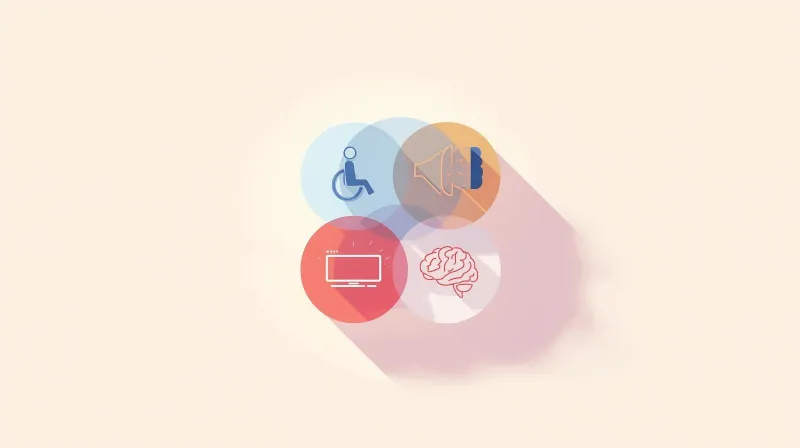
Visual Impairments
- Screen reader compatibility issues
- Poor color contrast ratios
- Lack of alternative text for images
- Insufficient visual focus indicators
Hearing Impairments
- Missing captions for video content
- Lack of transcripts for audio content
- Audio-only information without text alternatives
Motor Disabilities
- Keyboard navigation barriers
- Small click targets on mobile devices
- Time-limited content or forms
- Complex interaction requirements
Cognitive Disabilities
- Complex navigation structures
- Inconsistent layouts and functionality
- Lack of clear instructions or error messages
- Overwhelming or distracting content
Choosing the Right Plugin for Your Needs
For Small Businesses and Blogs
Recommended: WP Accessibility or Ally by Elementor
- Both are free and address the most common accessibility issues
- Easy to install and configure
- Provide immediate improvements without overwhelming features
For Enterprise and E-commerce
Recommended: accessWidget by accessiBe or UserWay
- Full compliance coverage
- Legal protection features
- Advanced customization options
- Professional support and updates
For Developers and Agencies
Recommended: Accessibility Checker + WP Accessibility Helper
- Detailed auditing capabilities
- Developer-friendly features and documentation
- Granular control over accessibility fixes
- Integration with development workflows
For Nonprofits and Mission-Driven Organizations
Recommended: AllAccessible or All in One Accessibility
- Free or heavily discounted pricing for nonprofits
- Strong feature sets
- Strong compliance coverage
For nonprofit-specific guidance on WCAG requirements, legal considerations, and prioritizing fixes on a limited budget, see our dedicated guide: WCAG Accessibility Compliance for Nonprofit Websites.
Implementation Best Practices
Phase 1: Foundation (Weeks 1-2)
- Install and configure your chosen accessibility plugin
- Audit existing content for obvious issues
- Fix critical accessibility barriers (missing alt text, poor contrast)
- Ensure keyboard navigation works throughout the site
Phase 2: Content Optimization (Weeks 3-6)
- Review and improve heading structures
- Enhance form labels and error messages
- Create captions and transcripts for multimedia content
- Optimize link text for context and clarity
Phase 3: Advanced Features (Weeks 7-8)
- Implement ARIA labels for complex interface elements
- Add skip navigation links
- Test and refine focus management
- Conduct thorough accessibility testing
Phase 4: Ongoing Maintenance (Ongoing)
- Regular accessibility audits (monthly or quarterly)
- Stay updated with WCAG guidelines and plugin updates
- Monitor user feedback and accessibility performance
- Continuous staff training and awareness
The ROI of WordPress Accessibility
Investing in accessibility plugins and practices delivers measurable returns:
SEO Benefits
- Search engines favor websites that load quickly and operate efficiently, and accessibility plugins often help to optimize website speed
- Better semantic markup improves search engine understanding
- Increased dwell time from improved user experience
- Expanded keyword opportunities through alt text and captions
Business Impact
- Access to a broader audience by making a site accessible to a greater range of users, including those with disabilities
- Reduced legal risks and potential lawsuit costs
- Improved brand reputation and customer loyalty
- Better overall user experience for all visitors
Technical Benefits
- Cleaner, more semantic code structure
- Improved site performance and loading speeds
- Better compatibility with various devices and browsers
- Future-proofing against evolving web standards
Frequently Asked Questions
What is the best WordPress accessibility plugin?
The best WordPress accessibility plugin depends on your specific needs and budget. For comprehensive AI-powered compliance, accessWidget by accessiBe leads the market as the top WCAG WordPress plugin option. For budget-conscious site owners, WP Accessibility provides excellent free functionality. UserWay is ideal for international sites requiring multilingual support.
Do WordPress accessibility plugins guarantee WCAG compliance?
No single plugin can guarantee 100% WCAG compliance. Our internal study shows that over 80% of accessibility requirements involve content and design decisions that plugins cannot fully automate. However, plugins provide an excellent foundation and can address many technical barriers while offering users customization options.
What's the difference between WCAG 2.1 and WCAG 2.2?
WCAG 2.2 builds on WCAG 2.1 with nine new success criteria focused on stronger focus visibility, better mobile usability, improved cognitive accessibility, more efficient forms, and alternative authentication methods. WCAG 2.2 is backward-compatible, meaning sites that comply with 2.2 automatically comply with 2.1.
Are free WordPress accessibility plugins effective?
Yes, free plugins like WP Accessibility and Ally by Elementor can significantly enhance your site's accessibility. They address common issues like missing skip links, poor color contrast, and basic keyboard navigation problems. However, premium plugins typically offer deeper feature sets and ongoing support.
How do I test if my WordPress accessibility plugin is working?
Test your accessibility implementation using multiple methods: use browser extensions like axe DevTools or WAVE, navigate your site only with keyboard controls, test with screen readers like NVDA or VoiceOver, and consider hiring users with disabilities for authentic testing feedback.
What accessibility features should every WordPress site have?
Every WordPress site should include: alternative text for images, proper heading structure (H1-H6), keyboard navigation capability, sufficient color contrast ratios, form labels and error messages, skip navigation links, and focus indicators for interactive elements.
Can accessibility plugins slow down my WordPress site?
Quality accessibility plugins are designed to have minimal impact on site performance. Some plugins improve performance by cleaning up code and removing unnecessary elements. However, always test your site speed after installing any plugin, and choose reputable options with a good performance record.
How often should I update my WordPress accessibility plugin?
Keep your accessibility plugins up to date, ideally enabling automatic updates for security patches. Major feature updates should be tested on a staging site first. Subscribe to plugin newsletters or check developer blogs for updates about new accessibility standards or features.
What's the legal risk of not having an accessible WordPress site?
Thousands of website accessibility lawsuits are filed annually in the US, and research shows that having an overlay toolbar doesn't guarantee protection from legal challenges. While we cannot provide legal advice, using an accessibility plugin and following best practices demonstrates a good-faith effort to comply with accessibility laws.
Should I use multiple WordPress accessibility plugins?
Generally, avoid using multiple accessibility plugins that provide similar features, as they can conflict. However, you might combine a broad plugin (like accessWidget) with a specialized tool (like Accessibility Checker for auditing). Always test combinations thoroughly before going live.
Do I need a WCAG plugin or a WCAG-compliant WordPress theme?
They solve different problems. A WCAG-compliant theme provides an accessible foundation: proper heading structure, keyboard navigation, color contrast in the default design, and semantic HTML markup. An accessibility plugin adds user-facing controls (text resizing, contrast toggles) and automated fixes for issues the theme doesn't cover. For the strongest setup, use both: a well-coded accessible theme as your base, plus a plugin that addresses content-level issues and gives visitors customization options.
What is the best free WCAG plugin for WordPress?
WP Accessibility is the most trusted free option with over 40,000 active installations and a 5-star rating. It handles skip links, focus management, color contrast, and form labeling. Ally by Elementor is another strong free choice that includes violation scanning, a usability widget, and an accessibility statement generator. Both work with any WordPress theme.
Conclusion: Building an Accessible WordPress Future
WordPress WCAG and accessibility plugins are powerful tools that can dramatically improve your site's inclusivity and compliance with accessibility standards. However, remember that true accessibility goes beyond plugin installation. It requires a commitment to accessible content creation, thoughtful design decisions, and ongoing testing and improvement.
Key Takeaways:
- No single solution fixes everything: Our study shows that 80% of WCAG compliance involves content and design decisions
- Plugins provide essential foundation: They handle technical barriers and offer user customization options
- Choose based on your needs: Free options work for basic improvements, premium solutions offer wider coverage
- Accessibility is ongoing: Regular audits, updates, and user feedback are essential
- Best effort matters: Using reputable plugins and following best practices demonstrates commitment to accessibility
Start with one of the recommended plugins from this guide, implement the suggested best practices, and remember that every step toward accessibility makes the web more inclusive for everyone. Your efforts not only improve compliance and reduce legal risks but also create better experiences for all your users, and that's a goal worth pursuing.
The journey toward full WordPress accessibility may seem complex, but with the right tools and approach, it's entirely achievable. Choose your plugin, implement best practices, and join the growing community of web professionals committed to making the internet accessible for all.
Related Support Resources
- WordPress Site Down? Emergency Support Guide: What to check first and when to call for professional help
- WordPress Management Services: What Comprehensive Site Management Includes: Complete oversight of your WordPress environment
- WordPress Support Plans: Complete Guide: Compare features and find the right plan