
Object cache WordPress is one of the most misunderstood performance concepts. Everyone mentions it. Few people explain what object caching actually does, when it matters, and why the phrase "Redis object caching plugin" is misleading.
Here's the reality: object caching requires server-level support. Plugins connect to Redis or Memcached. They don't provide it.
If your hosting doesn't have Redis or Memcached installed, no plugin can give you real object caching. Understanding this distinction matters because it affects which sites benefit, what you need from your host, and whether you should even pay attention to object caching.
What Object Cache WordPress Actually Means
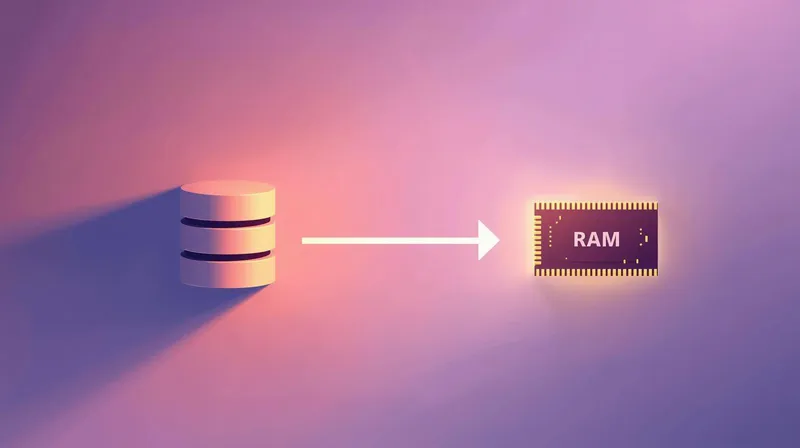
WordPress stores content in a MySQL database. Every page load involves database queries: pulling post content, loading options, checking user sessions, retrieving widget settings, and more.
A typical WordPress page might execute 50-200 database queries. Complex sites with membership features, WooCommerce, or learning management systems can run 500+ queries per page.
Object caching stores the results of these queries in memory (RAM), so they don't need to be recalculated.
When a query runs the first time, the result is saved to the object cache. When the same query runs again, WordPress pulls the result from memory rather than querying the database. Memory access is dramatically faster than database queries.
Why This Is Different from Page Caching
Page caching and object caching solve different problems.
Page caching saves the entire rendered HTML page. When a cached page is served, WordPress doesn't run at all. No PHP execution, no database queries, no template processing. The server just delivers the saved HTML file.
Object caching speeds up page generation for users who can't receive cached pages. Logged-in users, shopping carts, personalized content, and dynamic membership features all require WordPress to run. Object caching makes that execution faster.
| Aspect | Page Caching | Object Caching |
|---|---|---|
| What's cached | Complete HTML pages | Database query results |
| Who benefits | Anonymous visitors | Logged-in users, dynamic content |
| When it's used | Static content delivery | Page generation |
| Can plugins provide it? | Yes | Requires server support |
For a brochure site with mostly anonymous visitors, page caching is most important. For a membership site or WooCommerce store with many logged-in users, object caching becomes critical.
Redis Cache WordPress vs Memcached: Which Is Better for Object Cache?
Two technologies dominate object caching for WordPress: Redis and Memcached. Both store data in memory. Both dramatically speed up database-heavy operations.
Redis
Redis is the more feature-rich option:
- Persistence: Data survives server restarts
- Data structures: Supports lists, hashes, sets, and sorted sets
- Replication: Can distribute data across servers
- Pub/Sub: Supports real-time messaging
For WordPress, Redis is often the better choice because persistence means cached data isn't lost during maintenance or restarts.
Memcached
Memcached is simpler and sometimes faster for basic operations:
- Simplicity: Designed specifically for key-value caching
- Multi-threading: Can leverage multiple CPU cores
- Memory efficiency: Lower overhead per cached item
Memcached loses all cached data when the server restarts. For some use cases, that's fine. For others, Redis's persistence matters.
Which Should You Choose?
In practice, the choice often depends on what your hosting provider provides. Most managed WordPress hosts offer Redis. Some offer both. Few let you choose arbitrarily.
At FatLab, we use both depending on the scenario. Redis handles database caching. Memcached handles lightweight key-value storage when appropriate. The right tool depends on the specific site and workload.
The Plugin Problem
Here's what confuses people: WordPress plugins offer "Redis object caching" or "Memcached object caching." This phrasing implies the plugin provides the technology.
It doesn't.
Plugins like Redis Object Cache or W3 Total Cache establish connections to Redis or Memcached services that must already be running on your server. If your hosting doesn't have Redis installed, installing a Redis caching plugin won't do anything useful.
What These Plugins Actually Do
A Redis object caching plugin:
- Provides a "drop-in" file that overrides WordPress's default object cache
- Connects WordPress to your server's Redis service
- Manages communication between WordPress and Redis
The plugin is a connector. Caching actually happens in Redis, which your server must provide.
The W3 Total Cache Example
W3 Total Cache offers object caching in its settings. When you see "object caching" with a promise to speed up database queries, it sounds good. You check the box.
But here's what W3TC doesn't make obvious: if your server doesn't have Memcached or Redis installed, W3TC falls back to storing things as static files on disk.
That's not real object caching. It might help marginally, but you're not getting the memory-speed benefits the term implies. The plugin is hiding very technical requirements behind a simple checkbox.
When Object Cache WordPress Matters

Object caching isn't equally important for every site. The benefit depends on how much database activity happens for users who can't receive cached pages.
High Impact Scenarios
WooCommerce stores: Shopping carts, user accounts, product variations, and checkout all involve logged-in sessions with heavy database activity. Object caching significantly improves these interactions.
Membership sites: Every member sees personalized content. Page caching doesn't help logged-in users. Object caching speeds up database queries used for personalization.
Learning management systems: Courses, progress tracking, and quiz results all require database queries for logged-in students. LearnDash, LifterLMS, and similar platforms benefit substantially from object caching.
BuddyPress/bbPress communities: Activity streams, forums, and user profiles generate many database queries for authenticated users.
High-traffic sites with logged-in users: If you have thousands of concurrent logged-in users, object caching reduces database load dramatically.
Lower Impact Scenarios
Brochure sites: Few logged-in users. Page caching handles most traffic. Object caching helps admin performance but doesn't affect visitor experience much.
Blogs without membership: Anonymous readers get cached pages. The only logged-in user is the administrator. Object caching helps backend speed, but isn't critical.
Low-traffic sites: If you're getting hundreds of visits per day without logged-in features, you probably won't notice object caching improvements.
What You Need from Your Hosting
To use object caching, you need:
- Redis or Memcached installed at the server level
- A PHP extension to connect to the service (phpredis or php-memcached)
- A WordPress plugin to enable the connection (Redis Object Cache, W3TC, etc.)
Budget shared hosting typically doesn't provide Redis or Memcached. It's not a standard feature on $5/month plans.
Hosts that typically include object caching:
- Cloudways (Redis and Memcached options)
- Kinsta (Redis included)
- WP Engine (object caching available)
- Flywheel (Redis available)
- Pagely (Redis included)
- FatLab (Redis and Memcached included)
Hosts that typically don't:
- Bluehost (shared plans)
- GoDaddy (basic plans)
- HostGator (shared plans)
- Most hosting under $20/month
Questions to Ask Your Host
Before pursuing object caching, ask:
- Do you offer Redis or Memcached?
- Is it included in my plan, or is there an additional cost?
- What plugin do you recommend for connecting WordPress to your cache service?
- Is the service already running, or do I need to enable it?
If the answer to question 1 is "no," you won't get real object caching regardless of which plugin you install.
Setting Up Object Cache WordPress: Redis and Memcached
If your hosting provides Redis or Memcached, setup is straightforward:
For Redis
- Confirm Redis is available on your hosting
- Install the Redis Object Cache plugin from WordPress.org
- Go to Settings → Redis and click "Enable Object Cache."
- Verify it's working (the plugin will show status)
For Memcached
- Confirm Memcached is available on your hosting
- Install a drop-in file or use W3 Total Cache
- Configure the connection settings
- Test functionality
What to Watch For
- Memory limits: Object caches can fill up. Most configurations have a maximum size. When full, older items are evicted to make room for new ones.
- Stale data: Sometimes cached data doesn't update properly. If you see outdated information, you may need to flush the object cache.
- Compatibility issues: Some poorly-coded plugins don't work correctly with object caching. Test after enabling.
The FatLab Approach
At FatLab, we include Redis and Memcached on all hosted sites. Depending on the scenario, we'll use one or both.
For frequently-updating sites like AIER (American Institute for Economic Research), which publishes multiple times daily, object caching is part of a comprehensive strategy. Page caching alone can't meet their needs, since fresh content must appear immediately. Redis helps speed up page generation for every visitor.
For brochure sites that rarely change, we focus more on edge caching (Cloudflare Enterprise) to serve pages globally without hitting the server. Object caching still helps backend performance, but isn't the primary strategy.
The right caching strategy depends on how the site works. Object caching is one layer of a complete stack, not a silver bullet.
Common Misconceptions
"I installed a Redis plugin, so I have object caching."
Only if your server has Redis installed. The plugin connects to Redis; it doesn't create Redis.
"Object caching will make my site faster for visitors."
Only for visitors who aren't receiving cached pages. Anonymous visitors to a properly-cached site won't notice object caching. Logged-in users will.
"I should enable object caching even if I don't have Redis."
No. Falling back to disk-based "object caching" defeats the purpose. Memory access is the entire point. Disk access is slower than just running the database query.
"Object caching is more important than page caching."
For most sites, it's the opposite. Page caching has a larger impact because it eliminates server processing. Object caching helps when page caching can't be used.
"All WordPress sites need object caching."
Simple sites with few logged-in users don't benefit much. Focus energy on more impactful improvements first.
Should You Prioritize Object Cache for WordPress?
Here's how to think about it:
Focus on object caching if:
- You have a WooCommerce store with steady orders
- You run a membership site with active logged-in users
- Your admin dashboard is slow and frustrating
- Your hosting provider provides Redis or Memcached
Deprioritize object caching if:
- Your site has mostly anonymous visitors
- You don't have logged-in features
- Your hosting doesn't offer Redis or Memcached
- You haven't implemented page caching yet
Object caching is one layer in a caching strategy. For sites with significant logged-in activity, it's important. For simpler sites, page caching and CDN delivery usually matter more.
The Bottom Line
WordPress object caching with Redis or Memcached speeds up database operations. Whether you choose Redis cache for WordPress or Memcached for WordPress, object caching is most valuable for sites with heavy logged-in activity, such as WooCommerce, memberships, LMS, and communities.
But it requires server-level support. Installing a plugin doesn't give you object caching if your hosting doesn't provide Redis or Memcached.
Before pursuing object caching:
- Confirm your hosting offers Redis or Memcached
- Evaluate whether your site actually benefits (logged-in features, high database activity)
- Implement page caching first if you haven't already
Object caching is valuable when appropriate. It's not a universal requirement, and plugins don't provide it. They just connect to it.