
NetForum is an Association Management System (AMS) built specifically for professional associations and membership organizations. Owned by Community Brands, NetForum handles everything from membership management to event registration, certification tracking, and committee assignments. If your association uses NetForum and needs NetForum WordPress integration, you should know that while there's no plug-and-play solution, integration is absolutely possible with the right approach.
NetForum is enterprise-grade software designed for associations that need sophisticated membership functionality. NetForum WordPress integration requires understanding the platform's architecture, working with the NetForum API (xWeb), and often partnering with specialists who know both NetForum and WordPress.
What Is NetForum?
NetForum is a full-featured AMS designed for professional associations, trade groups, and membership nonprofits. It manages member records, dues processing, event registrations, online communities, certification programs, and extensive reporting. (Nonprofits focused primarily on fundraising rather than membership often use Blackbaud instead.)
Organizations choose NetForum when they need capabilities beyond what basic membership plugins can provide.
NetForum includes eWeb, a built-in web interface that lets members log in, renew memberships, register for events, access member directories, and manage their profiles. Many associations use eWeb as their member portal, linking to it from their public-facing WordPress website.
The platform is highly customizable, which is both its strength and its complexity. NetForum can be configured to match an association's specific membership structure, dues models, and business rules. But that also means no two NetForum implementations look the same.
The Integration Reality
NetForum doesn't have an official WordPress plugin. There's no "NetForum for WordPress" you can install and connect to in five minutes. What NetForum does provide is the NetForum API (called xWeb), a robust interface that gives developers access to member data, events, transactions, and custom modules.
The NetForum API is SOAP-based (though newer versions support JSON/REST endpoints). Each NetForum customer gets their own API endpoint with unique credentials. The API maintains NetForum's business logic and validation rules, which means you're not bypassing the system; you're working with it programmatically.
Integration typically follows one of three paths: linking to NetForum's eWeb portal for transactions, using single sign-on (SSO) so members authenticate once, or building custom WordPress features that pull data from NetForum via the xWeb API.
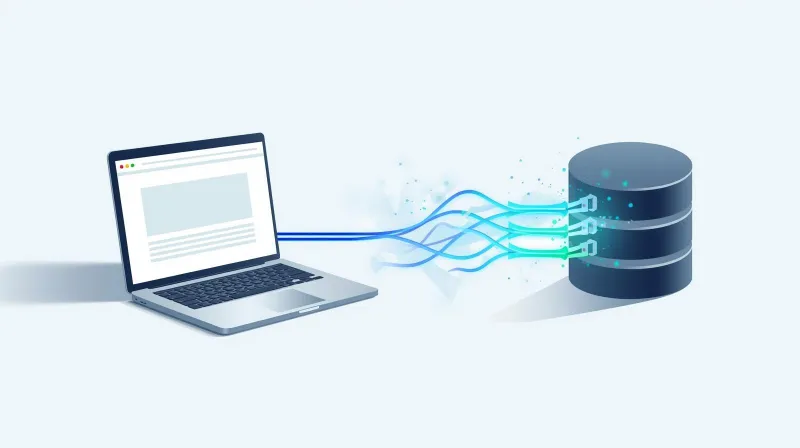
Three Ways to Connect NetForum to WordPress
1. SSO: WordPress Login Using NetForum Credentials
The most common NetForum integration is single sign-on. Members log in to your WordPress website using their NetForum credentials, and WordPress verifies their membership status via the xWeb API. Once authenticated, members can access member-only content, downloads, or private sections of your website.
fusionSpan, a NetForum integration specialist, provides an SSO plugin specifically for WordPress. The plugin connects to NetForum via xWeb, authenticates users, and syncs membership status and roles. It's not free, and it requires NetForum Pro or Team licensing with xWeb enabled, but it's the most established solution for NetForum-WordPress SSO.
This approach works well for associations that want WordPress as the public website but rely on NetForum's eWeb portal for transactions. Members log in once on the WordPress site, and if they click through to renew membership or register for an event, they're already authenticated in eWeb.
The limitation is that SSO handles authentication, proving someone is a member, but doesn't necessarily pull member data into WordPress for display. If you want to show members their account details, registered events, or committee assignments on WordPress, you need deeper integration.
2. Linking to eWeb: Keep Transactions in NetForum
Many associations use a hybrid model: WordPress for public content and branding, eWeb for member transactions. This is the simplest approach and requires minimal custom development.
eWeb provides membership renewal, event registration, donations, product purchases, and member profile management out of the box. It's fully functional, and Community Brands maintains it as part of NetForum. The member experience involves clicking a "Member Login" or "Renew Membership" button on the WordPress site, which redirects to eWeb.
eWeb can be branded to match your association's visual identity, custom CSS, logos, headers, and footers. With SSO, members don't have to log in again when they transition from WordPress to eWeb. The experience feels reasonably seamless, even though they're technically moving between systems.
The advantage is simplicity. You're not building custom forms, payment processing, or membership workflows in WordPress. NetForum handles all of that through eWeb, and your WordPress site remains focused on content and communications.
The limitation is that eWeb's capabilities constrain you. If you want membership experiences that eWeb doesn't support, or if you need tighter integration with WordPress's content and user systems, you'll need custom API work.
3. xWeb API: Custom Integration for Member Experiences
The xWeb API enables building custom member experiences in WordPress while keeping NetForum as the system of record. This is the most flexible approach but also the most complex.
What xWeb API integration makes possible:
- Member directories displayed on WordPress with real-time data from NetForum (searchable by location, specialty, committee, or chapter)
- Event listings pulled from NetForum and formatted for WordPress, with links back to eWeb for registration
- Custom membership applications built in WordPress that create member records in NetForum via API
- Profile updates where members edit their information in WordPress, and changes sync back to NetForum
- Membership status display showing members their dues expiration, registered events, or committee assignments on WordPress
We've built WordPress integrations for associations that wanted their public websites to display member directories, chapter information, and event calendars pulled from NetForum, while retaining control over design and user experience. WordPress served as the front-end, NetForum as the backend.
The API approach requires real development expertise. Someone needs to understand NetForum's data model, authentication flow, and API methods. They need to build WordPress templates or plugins that query NetForum, handle responses, and display data appropriately. This isn't a weekend project; it's professional development work.
What We've Learned About NetForum Integrations
NetForum is enterprise software designed for associations with complex membership needs. Integration reflects that reality; it's powerful, but it's not simple.
NetForum Assumes You'll Use NetForum
Unlike general-purpose CRMs, NetForum was designed specifically for associations. It handles membership tiers, family memberships, organizational memberships, dues installments, certification tracking, and complex event registration scenarios that generic systems don't support.
Because of this, NetForum's integration approach assumes you'll use its tools for transactions. eWeb exists to handle the heavy lifting, membership renewals, event registrations, and payment processing. Integrating with WordPress is about authentication, data display, and user experience, not about rebuilding NetForum's capabilities in WordPress.
The Partner Ecosystem Matters
Community Brands, the owner of NetForum, maintains a partner network of consultants and integration specialists. fusionSpan is probably the best-known for WordPress integration, but there are others. These partners understand NetForum's data structures, API quirks, and common integration patterns.
For associations without internal development resources, working with a NetForum partner often makes sense. They've solved common integration problems before and can implement solutions faster than someone learning NetForum from scratch.
The tradeoff is cost. Partners charge professional rates, and NetForum projects are typically scoped in weeks or months, not hours. Budget accordingly.
When eWeb Is Enough
Many associations run successful WordPress websites that link to eWeb for all member transactions. With SSO configured, the experience is reasonably smooth. Members browse content on WordPress, click "Renew Membership" or "Register for Conference," authenticate if needed, and complete the transaction in eWeb.
This approach keeps WordPress focused on what it does well: content management, SEO, and communications, while letting NetForum handle membership complexity. Unless you have specific requirements that eWeb can't meet, this hybrid model is often the right answer.
When Custom Integration Is Worth It
Custom API integration makes sense when user experience demands it. If your members expect to see their account information, event registrations, and committee assignments directly on your WordPress website, you need to pull that data via xWeb API.
Similarly, if your association's brand and communications strategy require tighter control over member-facing interfaces, building custom WordPress experiences backed by NetForum data gives you that control. You're not constrained by eWeb's templating or functionality, you build exactly what you need.
The investment is significant, but for associations where member engagement is central to their mission, it's often worth it.
When NetForum Integration Makes Sense
NetForum integration is worth pursuing when:
You're Already Using NetForum
If NetForum is your AMS, you're not switching. The platform investment is made. Connecting WordPress to NetForum is about making your existing systems work together.
Member Experience Is a Priority
Associations that focus on member engagement, professional community, and online participation benefit most from integration. If your website is just informational and members rarely interact with it, deep integration might not be necessary.
You Have Development Resources or Budget
NetForum integration requires professional expertise, either internal developers who can learn the xWeb API or a budget to work with NetForum partners. If you don't have resources for custom development, stick with SSO and eWeb links.
Your Membership Model Is Complex
NetForum exists because membership organizations have complex needs. If you're managing multiple membership types, tiered pricing, family memberships, or organizational accounts, NetForum handles that well, and WordPress integration extends those capabilities to your public website.
The Bottom Line on NetForum WordPress Integration
NetForum is a powerful NetForum AMS designed for professional associations with sophisticated membership requirements. NetForum WordPress integration can be achieved through SSO, eWeb linking, or custom NetForum API development.
For most associations, starting with SSO and branded eWeb provides a functional member experience without massive development investment. WordPress handles public content and communications; NetForum handles membership transactions.
When you need deeper NetForum WordPress integration, member directories, custom portals, and real-time data display, the NetForum API makes it possible. But expect to work with developers or NetForum partners who understand both platforms.
If you're planning NetForum WordPress integration, define your requirements clearly. What needs to happen on WordPress versus what can happen in eWeb? What data needs to be displayed in real time, and what can link out? Those answers will guide your integration strategy and keep costs realistic.
Related Reading:
- WordPress CRM Integration: Connecting Your Website to Your Customer Data
- iMIS WordPress Integration: AMS Integration for Associations
Need help with NetForum integration? FatLab has experience building WordPress integrations with association management systems, including SSO and custom API development. Learn more about our nonprofit and association hosting services.